1
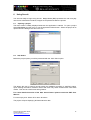
Step 2 – Image types
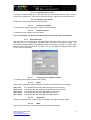
Use custom size thumb nails
This option can be ignored in most circumstances. It is generally used to adjust the resolution
of thumb nail images if this option is chosen in the previous step.
Click ‘Next’ to progress to the next tab screen.
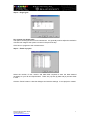
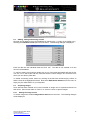
Step 3 – Fields in project
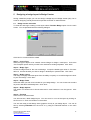
Select the number of text, numeric and date fields required to store the data deemed
necessary for your ID card requirements. There are (14) text, (6) date and (6) numeric fields
in total.
Click the ‘Finish’ button to close the dialogue and save the settings. A new project is created.
Securit 5400 Quick Start Guide
Technical Support
http://www.securitworld.com/
7