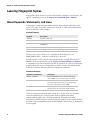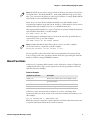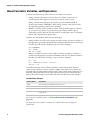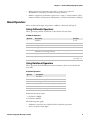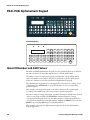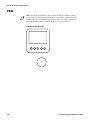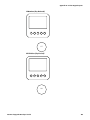
1
Fingerprint Developer’s Guide Intermec Technologies Corporation Worldwide Headquarters 6001 36th Ave.W. Everett, WA 98203 U.S.A. www.intermec.com The information contained herein is provided solely for the purpose of allowing customers to operate and service Intermec-manufactured equipment and is not to be released, reproduced, or used for any other purpose without written permission of Intermec Technologies Corporation. Information and specifications contained in this document are subject to change without prior notice and do not represent a commitment on the part of Intermec Technologies Corporation. © 2008 - 2009 by Intermec Technologies Corporation. All rights reserved. The word Intermec, the Intermec logo, Norand, ArciTech, Beverage Routebook, CrossBar, dcBrowser, Duratherm, EasyADC, EasyCoder, EasySet, Fingerprint, INCA (under license), i-gistics, Intellitag, Intellitag Gen2, JANUS, LabelShop, MobileLAN, Picolink, Ready-to-Work, RoutePower, Sabre, ScanPlus, ShopScan, Smart Mobile Computing, SmartSystems, TE 2000, Trakker Antares, and Vista Powered are either trademarks or registered trademarks of Intermec Technologies Corporation. There are U.S. and foreign patents as well as U.S. and foreign patents pending. ii Intermec Fingerprint Developer’s Guide Document Change Record This page records changes to this document. Version Number Date Description of Change 002 7/2009 Updated document for new printer models and new symbologies. 001 7/2008 Initial release of this document. Content in this document was originally located in: • the Fingerprint Programmer’s Reference Manual (P/N 937-005-001). • the Intermec Fingerprint 8.00 Tutorial (P/N 1-960608-00). Intermec Fingerprint Developer’s Guide iii iv Intermec Fingerprint Developer’s Guide Contents Contents Before You Begin . . . . . . . . . . . . . . . . . . . . . . . . . . . . . . . . . . . . . . . . . . . . . . . . . . . . . . . . . . . . . . . . . . . . . . . xiii Safety Information . . . . . . . . . . . . . . . . . . . . . . . . . . . . . . . . . . . . . . . . . . . . . . . . . . . . . . . . . . . . . . xiii Global Services and Support . . . . . . . . . . . . . . . . . . . . . . . . . . . . . . . . . . . . . . . . . . . . . . . . . . . . . xiii Who Should Read This Manual . . . . . . . . . . . . . . . . . . . . . . . . . . . . . . . . . . . . . . . . . . . . . . . . . . xiv Related Documents . . . . . . . . . . . . . . . . . . . . . . . . . . . . . . . . . . . . . . . . . . . . . . . . . . . . . . . . . . . . . xiv 1 Introduction to Fingerprint . . . . . . . . . . . . . . . . . . . . . . . . . . . . . . . . . . . . . . . . . . . . . . . . . . . . . . . . . . . . .1 What Is Fingerprint?. . . . . . . . . . . . . . . . . . . . . . . . . . . . . . . . . . . . . . . . . . . . . . . . . . . . . . . . . . . . . . . . . . . . . .2 Which Printers Support Fingerprint? . . . . . . . . . . . . . . . . . . . . . . . . . . . . . . . . . . . . . . . . . . . . . . . . . . . . . .2 Learning the Structure of Fingerprint Commands. . . . . . . . . . . . . . . . . . . . . . . . . . . . . . . . . . . . . . . . . . .2 Fingerprint Operating Modes . . . . . . . . . . . . . . . . . . . . . . . . . . . . . . . . . . . . . . . . . . . . . . . . . . . . . . . . . . . . .3 Sending Fingerprint Commands to the Printer. . . . . . . . . . . . . . . . . . . . . . . . . . . . . . . . . . . . . . . . . . . . . .3 2 Understanding Fingerprint Syntax . . . . . . . . . . . . . . . . . . . . . . . . . . . . . . . . . . . . . . . . . . . . . . . . . . . . .5 Learning Fingerprint Syntax . . . . . . . . . . . . . . . . . . . . . . . . . . . . . . . . . . . . . . . . . . . . . . . . . . . . . . . . . . . . . .6 About Keywords, Statements, and Lines. . . . . . . . . . . . . . . . . . . . . . . . . . . . . . . . . . . . . . . . . . . . .6 About Functions . . . . . . . . . . . . . . . . . . . . . . . . . . . . . . . . . . . . . . . . . . . . . . . . . . . . . . . . . . . . . . . . . .7 About Constants, Variables, and Expressions . . . . . . . . . . . . . . . . . . . . . . . . . . . . . . . . . . . . . . . .8 About Operators . . . . . . . . . . . . . . . . . . . . . . . . . . . . . . . . . . . . . . . . . . . . . . . . . . . . . . . . . . . . . . . . . .9 About Devices. . . . . . . . . . . . . . . . . . . . . . . . . . . . . . . . . . . . . . . . . . . . . . . . . . . . . . . . . . . . . . . . . . . . . . . . . . .11 About Immediate Mode. . . . . . . . . . . . . . . . . . . . . . . . . . . . . . . . . . . . . . . . . . . . . . . . . . . . . . . . . . . . . . . . . .12 Sending Command Strings in Immediate Mode . . . . . . . . . . . . . . . . . . . . . . . . . . . . . . . . . . . .12 About Programming Mode. . . . . . . . . . . . . . . . . . . . . . . . . . . . . . . . . . . . . . . . . . . . . . . . . . . . . . . . . . . . . . .13 Using Line Numbers . . . . . . . . . . . . . . . . . . . . . . . . . . . . . . . . . . . . . . . . . . . . . . . . . . . . . . . . . . . . .14 Programming Without Line Numbers . . . . . . . . . . . . . . . . . . . . . . . . . . . . . . . . . . . . . . . . . . . . .14 Sending Programs to the Printer . . . . . . . . . . . . . . . . . . . . . . . . . . . . . . . . . . . . . . . . . . . . . . . . . . . . . . . . . .15 Commands for Editing Code . . . . . . . . . . . . . . . . . . . . . . . . . . . . . . . . . . . . . . . . . . . . . . . . . . . . . . . . . . . . .15 Using Conditional Instructions. . . . . . . . . . . . . . . . . . . . . . . . . . . . . . . . . . . . . . . . . . . . . . . . . . . . . . . . . . .16 Using an IF...THEN...[ELSE] Instruction . . . . . . . . . . . . . . . . . . . . . . . . . . . . . . . . . . . . . . . . . . .16 Using an IF...THEN...[ELSE]...END IF Instruction . . . . . . . . . . . . . . . . . . . . . . . . . . . . . . . . . .17 About Branching . . . . . . . . . . . . . . . . . . . . . . . . . . . . . . . . . . . . . . . . . . . . . . . . . . . . . . . . . . . . . . . . . . . . . . . .17 Branching to Subroutines . . . . . . . . . . . . . . . . . . . . . . . . . . . . . . . . . . . . . . . . . . . . . . . . . . . . . . . .17 Instructions for Conditional Branching . . . . . . . . . . . . . . . . . . . . . . . . . . . . . . . . . . . . . . . . . . . .18 Unconditional Branching Using a GOTO Statement . . . . . . . . . . . . . . . . . . . . . . . . . . . . . . . .21 Branching to an Error-Handling Subroutine . . . . . . . . . . . . . . . . . . . . . . . . . . . . . . . . . . . . . . .21 Intermec Fingerprint Developer’s Guide v Contents About Loops . . . . . . . . . . . . . . . . . . . . . . . . . . . . . . . . . . . . . . . . . . . . . . . . . . . . . . . . . . . . . . . . . . . . . . . . . . . .22 Using a FOR...NEXT Instruction . . . . . . . . . . . . . . . . . . . . . . . . . . . . . . . . . . . . . . . . . . . . . . . . . .22 Using a WHILE...WEND Instruction. . . . . . . . . . . . . . . . . . . . . . . . . . . . . . . . . . . . . . . . . . . . . . .23 Structuring Your Program . . . . . . . . . . . . . . . . . . . . . . . . . . . . . . . . . . . . . . . . . . . . . . . . . . . . . . . . . . . . . . .24 Executing the Program. . . . . . . . . . . . . . . . . . . . . . . . . . . . . . . . . . . . . . . . . . . . . . . . . . . . . . . . . . . . . . . . . . .25 Writing, Executing, and Listing a Short Program. . . . . . . . . . . . . . . . . . . . . . . . . . . . . . . . . . . .25 Breaking Program Execution . . . . . . . . . . . . . . . . . . . . . . . . . . . . . . . . . . . . . . . . . . . . . . . . . . . . . . . . . . . . .26 Using a BREAK Statement . . . . . . . . . . . . . . . . . . . . . . . . . . . . . . . . . . . . . . . . . . . . . . . . . . . . . . . .27 Using a BREAK...ON or BREAK...OFF Statement . . . . . . . . . . . . . . . . . . . . . . . . . . . . . . . . . . .27 Using an ON BREAK ...GOSUB...Statement . . . . . . . . . . . . . . . . . . . . . . . . . . . . . . . . . . . . . . . .28 Saving the Program. . . . . . . . . . . . . . . . . . . . . . . . . . . . . . . . . . . . . . . . . . . . . . . . . . . . . . . . . . . . . . . . . . . . . .28 Naming the Program . . . . . . . . . . . . . . . . . . . . . . . . . . . . . . . . . . . . . . . . . . . . . . . . . . . . . . . . . . . . .28 Protecting the Program . . . . . . . . . . . . . . . . . . . . . . . . . . . . . . . . . . . . . . . . . . . . . . . . . . . . . . . . . . .29 Saving Without Line Numbers . . . . . . . . . . . . . . . . . . . . . . . . . . . . . . . . . . . . . . . . . . . . . . . . . . . .29 Making Changes . . . . . . . . . . . . . . . . . . . . . . . . . . . . . . . . . . . . . . . . . . . . . . . . . . . . . . . . . . . . . . . . .29 Making Copies of Programs. . . . . . . . . . . . . . . . . . . . . . . . . . . . . . . . . . . . . . . . . . . . . . . . . . . . . . .30 Renaming a Program . . . . . . . . . . . . . . . . . . . . . . . . . . . . . . . . . . . . . . . . . . . . . . . . . . . . . . . . . . . . .30 Saving in CompactFlash Memory Cards . . . . . . . . . . . . . . . . . . . . . . . . . . . . . . . . . . . . . . . . . . .30 Creating a Startup Program. . . . . . . . . . . . . . . . . . . . . . . . . . . . . . . . . . . . . . . . . . . . . . . . . . . . . . .30 3 Managing Files . . . . . . . . . . . . . . . . . . . . . . . . . . . . . . . . . . . . . . . . . . . . . . . . . . . . . . . . . . . . . . . . . . . . . . . .33 Using Directories in the Printer File System. . . . . . . . . . . . . . . . . . . . . . . . . . . . . . . . . . . . . . . . . . . . . . . .34 Using Path Shortcuts. . . . . . . . . . . . . . . . . . . . . . . . . . . . . . . . . . . . . . . . . . . . . . . . . . . . . . . . . . . . .34 About File Types . . . . . . . . . . . . . . . . . . . . . . . . . . . . . . . . . . . . . . . . . . . . . . . . . . . . . . . . . . . . . . . . . . . . . . . .35 Commands for Listing Files. . . . . . . . . . . . . . . . . . . . . . . . . . . . . . . . . . . . . . . . . . . . . . . . . . . . . . .35 Listing a File With the FILELIST Program. . . . . . . . . . . . . . . . . . . . . . . . . . . . . . . . . . . . . . . . . .35 Commands for Creating and Managing Program Files. . . . . . . . . . . . . . . . . . . . . . . . . . . . . . . . . . . . . .36 Commands for Creating and Managing Data Files . . . . . . . . . . . . . . . . . . . . . . . . . . . . . . . . . . . . . . . . .36 Commands for Transferring Text and Binary Files . . . . . . . . . . . . . . . . . . . . . . . . . . . . . . . . . . . . . . . . .37 Using the TRANSFER KERMIT Statement . . . . . . . . . . . . . . . . . . . . . . . . . . . . . . . . . . . . . . . . .37 Using the ZMODEM Protocol . . . . . . . . . . . . . . . . . . . . . . . . . . . . . . . . . . . . . . . . . . . . . . . . . . . .37 Using a TRANSFER STATUS Statement . . . . . . . . . . . . . . . . . . . . . . . . . . . . . . . . . . . . . . . . . . .37 Commands for Transferring Files Between Printers. . . . . . . . . . . . . . . . . . . . . . . . . . . . . . . . . . . . . . . . .38 Checking Transferred Files With CHECKSUM . . . . . . . . . . . . . . . . . . . . . . . . . . . . . . . . . . . . .38 Commands for Working With Arrays . . . . . . . . . . . . . . . . . . . . . . . . . . . . . . . . . . . . . . . . . . . . . . . . . . . . .38 Specifying Array Dimensions Using DIM. . . . . . . . . . . . . . . . . . . . . . . . . . . . . . . . . . . . . . . . . . .39 Sorting Arrays . . . . . . . . . . . . . . . . . . . . . . . . . . . . . . . . . . . . . . . . . . . . . . . . . . . . . . . . . . . . . . . . . . .39 Splitting String Expressions. . . . . . . . . . . . . . . . . . . . . . . . . . . . . . . . . . . . . . . . . . . . . . . . . . . . . . .40 Calculating String Array Checksums. . . . . . . . . . . . . . . . . . . . . . . . . . . . . . . . . . . . . . . . . . . . . . .40 4 Managing Input and Output vi . . . . . . . . . . . . . . . . . . . . . . . . . . . . . . . . . . . . . . . . . . . . . . . . . . . . . . . . . .41 Intermec Fingerprint Developer’s Guide Contents Preprocessing Input Data . . . . . . . . . . . . . . . . . . . . . . . . . . . . . . . . . . . . . . . . . . . . . . . . . . . . . . . . . . . . . . . .42 Modifying Character Sets Using a MAP Statement . . . . . . . . . . . . . . . . . . . . . . . . . . . . . . . . . .42 Choosing a Single-Byte Character Set With a NASC Statement. . . . . . . . . . . . . . . . . . . . . . .43 Choosing a Double-Byte Character Set With a NASCD Statement. . . . . . . . . . . . . . . . . . . .43 Converting Input Data. . . . . . . . . . . . . . . . . . . . . . . . . . . . . . . . . . . . . . . . . . . . . . . . . . . . . . . . . . . . . . . . . . .44 Generating Random Numbers. . . . . . . . . . . . . . . . . . . . . . . . . . . . . . . . . . . . . . . . . . . . . . . . . . . . . . . . . . . .45 Calling the RANDOM Function. . . . . . . . . . . . . . . . . . . . . . . . . . . . . . . . . . . . . . . . . . . . . . . . . . .45 Using a RANDOMIZE Statement . . . . . . . . . . . . . . . . . . . . . . . . . . . . . . . . . . . . . . . . . . . . . . . . .45 Setting the Standard IN and OUT Channels . . . . . . . . . . . . . . . . . . . . . . . . . . . . . . . . . . . . . . . . . . . . . . .46 Input From a Host . . . . . . . . . . . . . . . . . . . . . . . . . . . . . . . . . . . . . . . . . . . . . . . . . . . . . . . . . . . . . . . . . . . . . .46 Input From Sequential Files . . . . . . . . . . . . . . . . . . . . . . . . . . . . . . . . . . . . . . . . . . . . . . . . . . . . . . . . . . . . . .47 Reading Data to a Variable With INPUT# . . . . . . . . . . . . . . . . . . . . . . . . . . . . . . . . . . . . . . . . . .47 Reading a Specific Data Length With INPUT$. . . . . . . . . . . . . . . . . . . . . . . . . . . . . . . . . . . . . .48 Reading a Line to a Variable With LINE INPUT#. . . . . . . . . . . . . . . . . . . . . . . . . . . . . . . . . . . .48 Closing a File . . . . . . . . . . . . . . . . . . . . . . . . . . . . . . . . . . . . . . . . . . . . . . . . . . . . . . . . . . . . . . . . . . . .49 Verifying the End of a File With EOF . . . . . . . . . . . . . . . . . . . . . . . . . . . . . . . . . . . . . . . . . . . . . .49 Counting Data Blocks With LOC. . . . . . . . . . . . . . . . . . . . . . . . . . . . . . . . . . . . . . . . . . . . . . . . . .49 Determining File Length With LOF. . . . . . . . . . . . . . . . . . . . . . . . . . . . . . . . . . . . . . . . . . . . . . . .49 Input From a Random File . . . . . . . . . . . . . . . . . . . . . . . . . . . . . . . . . . . . . . . . . . . . . . . . . . . . . . . . . . . . . . .50 Creating a Buffer With FIELD. . . . . . . . . . . . . . . . . . . . . . . . . . . . . . . . . . . . . . . . . . . . . . . . . . . . .50 Copying a Specific Field With GET . . . . . . . . . . . . . . . . . . . . . . . . . . . . . . . . . . . . . . . . . . . . . . . .50 Closing a File . . . . . . . . . . . . . . . . . . . . . . . . . . . . . . . . . . . . . . . . . . . . . . . . . . . . . . . . . . . . . . . . . . . .51 Finding the Last Field Read With LOC . . . . . . . . . . . . . . . . . . . . . . . . . . . . . . . . . . . . . . . . . . . . .51 Determining File Length With LOF. . . . . . . . . . . . . . . . . . . . . . . . . . . . . . . . . . . . . . . . . . . . . . . .51 Input From the Printer Keypad . . . . . . . . . . . . . . . . . . . . . . . . . . . . . . . . . . . . . . . . . . . . . . . . . . . . . . . . . . .51 Controlling Communication . . . . . . . . . . . . . . . . . . . . . . . . . . . . . . . . . . . . . . . . . . . . . . . . . . . . . . . . . . . . .52 Using BUSY or READY Statements . . . . . . . . . . . . . . . . . . . . . . . . . . . . . . . . . . . . . . . . . . . . . . . .52 Using an ON LINE | OFF LINE Statement . . . . . . . . . . . . . . . . . . . . . . . . . . . . . . . . . . . . . . . . .53 Controlling Printer Response with VERBON | VERBOFF . . . . . . . . . . . . . . . . . . . . . . . . . . .53 Managing Background Communication . . . . . . . . . . . . . . . . . . . . . . . . . . . . . . . . . . . . . . . . . . . . . . . . . .53 Background Communication Example. . . . . . . . . . . . . . . . . . . . . . . . . . . . . . . . . . . . . . . . . . . . .54 Retrieving Buffer Status With LOC or LOF . . . . . . . . . . . . . . . . . . . . . . . . . . . . . . . . . . . . . . . . .56 Setting Up RS-422 Communication . . . . . . . . . . . . . . . . . . . . . . . . . . . . . . . . . . . . . . . . . . . . . . .57 Output to the Standard OUT Channel . . . . . . . . . . . . . . . . . . . . . . . . . . . . . . . . . . . . . . . . . . . . . . . . . . . .58 Printing Expressions With PRINT . . . . . . . . . . . . . . . . . . . . . . . . . . . . . . . . . . . . . . . . . . . . . . . . .58 Printing Characters by ASCII Values With PRINTONE . . . . . . . . . . . . . . . . . . . . . . . . . . . . . .59 Redirecting Output to a File. . . . . . . . . . . . . . . . . . . . . . . . . . . . . . . . . . . . . . . . . . . . . . . . . . . . . . . . . . . . . .60 Output to Sequential Files . . . . . . . . . . . . . . . . . . . . . . . . . . . . . . . . . . . . . . . . . . . . . . . . . . . . . . . . . . . . . . .60 Using an OPEN Statement. . . . . . . . . . . . . . . . . . . . . . . . . . . . . . . . . . . . . . . . . . . . . . . . . . . . . . . .60 Printing Expressions to a Sequential File With PRINT# . . . . . . . . . . . . . . . . . . . . . . . . . . . . .61 Printing Characters by ASCII Values With PRINTONE# . . . . . . . . . . . . . . . . . . . . . . . . . . . . .61 Intermec Fingerprint Developer’s Guide vii Contents Using a CLOSE Statement . . . . . . . . . . . . . . . . . . . . . . . . . . . . . . . . . . . . . . . . . . . . . . . . . . . . . . . .61 Counting Data Blocks and Determining File Length With LOC and LOF . . . . . . . . . . . . .61 Output to Random Files . . . . . . . . . . . . . . . . . . . . . . . . . . . . . . . . . . . . . . . . . . . . . . . . . . . . . . . . . . . . . . . . .62 Opening a File for Random Input or Output With OPEN . . . . . . . . . . . . . . . . . . . . . . . . . . .62 Creating a Buffer With FIELD. . . . . . . . . . . . . . . . . . . . . . . . . . . . . . . . . . . . . . . . . . . . . . . . . . . . .62 Left or Right Justifying Data With LSET and RSET . . . . . . . . . . . . . . . . . . . . . . . . . . . . . . . . .63 Transferring Data to the File With PUT . . . . . . . . . . . . . . . . . . . . . . . . . . . . . . . . . . . . . . . . . . . .63 Using a CLOSE Statement . . . . . . . . . . . . . . . . . . . . . . . . . . . . . . . . . . . . . . . . . . . . . . . . . . . . . . . .64 Finding the Last Field Read and Determining File Length With LOC and LOF . . . . . . . .64 Output to Communication Channels . . . . . . . . . . . . . . . . . . . . . . . . . . . . . . . . . . . . . . . . . . . . . . . . . . . . .64 Output to the Printer Display . . . . . . . . . . . . . . . . . . . . . . . . . . . . . . . . . . . . . . . . . . . . . . . . . . . . . . . . . . . .65 5 Managing Fonts, Bar Codes, and Images . . . . . . . . . . . . . . . . . . . . . . . . . . . . . . . . . . . . . . . . . . . . . .67 Managing Fonts. . . . . . . . . . . . . . . . . . . . . . . . . . . . . . . . . . . . . . . . . . . . . . . . . . . . . . . . . . . . . . . . . . . . . . . . .68 About Font Types . . . . . . . . . . . . . . . . . . . . . . . . . . . . . . . . . . . . . . . . . . . . . . . . . . . . . . . . . . . . . . . .69 Selecting Fonts . . . . . . . . . . . . . . . . . . . . . . . . . . . . . . . . . . . . . . . . . . . . . . . . . . . . . . . . . . . . . . . . . .69 Controlling Font Direction, Size, Slant, and Width . . . . . . . . . . . . . . . . . . . . . . . . . . . . . . . . .70 Adding and Removing Fonts . . . . . . . . . . . . . . . . . . . . . . . . . . . . . . . . . . . . . . . . . . . . . . . . . . . . . .70 Using Older Font Formats . . . . . . . . . . . . . . . . . . . . . . . . . . . . . . . . . . . . . . . . . . . . . . . . . . . . . . . .70 Creating and Using Font Aliases. . . . . . . . . . . . . . . . . . . . . . . . . . . . . . . . . . . . . . . . . . . . . . . . . . .70 About Bar Code Symbologies. . . . . . . . . . . . . . . . . . . . . . . . . . . . . . . . . . . . . . . . . . . . . . . . . . . . . . . . . . . . .71 General Rules for Bar Code Printing . . . . . . . . . . . . . . . . . . . . . . . . . . . . . . . . . . . . . . . . . . . . . . .73 Commands for Working With Bar Codes. . . . . . . . . . . . . . . . . . . . . . . . . . . . . . . . . . . . . . . . . . .73 Understanding Images and Image Files. . . . . . . . . . . . . . . . . . . . . . . . . . . . . . . . . . . . . . . . . . . . . . . . . . . .74 Standard Images . . . . . . . . . . . . . . . . . . . . . . . . . . . . . . . . . . . . . . . . . . . . . . . . . . . . . . . . . . . . . . . . .74 Downloading Image Files . . . . . . . . . . . . . . . . . . . . . . . . . . . . . . . . . . . . . . . . . . . . . . . . . . . . . . . . .74 Listing Images . . . . . . . . . . . . . . . . . . . . . . . . . . . . . . . . . . . . . . . . . . . . . . . . . . . . . . . . . . . . . . . . . . .75 Removing Images and Image Files . . . . . . . . . . . . . . . . . . . . . . . . . . . . . . . . . . . . . . . . . . . . . . . . .75 6 Designing Bar Code Labels . . . . . . . . . . . . . . . . . . . . . . . . . . . . . . . . . . . . . . . . . . . . . . . . . . . . . . . . . . . .77 Creating a Layout With Fields . . . . . . . . . . . . . . . . . . . . . . . . . . . . . . . . . . . . . . . . . . . . . . . . . . . . . . . . . . . .78 Positioning Fields in the Layout . . . . . . . . . . . . . . . . . . . . . . . . . . . . . . . . . . . . . . . . . . . . . . . . . . . . . . . . . .79 About Units of Measure . . . . . . . . . . . . . . . . . . . . . . . . . . . . . . . . . . . . . . . . . . . . . . . . . . . . . . . . . .79 About Insertion and Anchor Points. . . . . . . . . . . . . . . . . . . . . . . . . . . . . . . . . . . . . . . . . . . . . . . .80 About Print Directions . . . . . . . . . . . . . . . . . . . . . . . . . . . . . . . . . . . . . . . . . . . . . . . . . . . . . . . . . . .81 Checking the Current Position . . . . . . . . . . . . . . . . . . . . . . . . . . . . . . . . . . . . . . . . . . . . . . . . . . . .82 Checking the Size and Position of a Field . . . . . . . . . . . . . . . . . . . . . . . . . . . . . . . . . . . . . . . . . .83 Creating Single-Line and Multi-Line Text Fields. . . . . . . . . . . . . . . . . . . . . . . . . . . . . . . . . . . . . . . . . . . .83 Specifying a Font With FONT or FONTD. . . . . . . . . . . . . . . . . . . . . . . . . . . . . . . . . . . . . . . . . .83 Inverting Black and White Printing With NORIMAGE or INVIMAGE . . . . . . . . . . . . . . . .83 Specifying Text for Printing With PRTXT . . . . . . . . . . . . . . . . . . . . . . . . . . . . . . . . . . . . . . . . . .84 Defining Borders With PRBOX. . . . . . . . . . . . . . . . . . . . . . . . . . . . . . . . . . . . . . . . . . . . . . . . . . . .84 Summary for Text Fields. . . . . . . . . . . . . . . . . . . . . . . . . . . . . . . . . . . . . . . . . . . . . . . . . . . . . . . . . .84 viii Intermec Fingerprint Developer’s Guide Contents Creating Bar Code Fields . . . . . . . . . . . . . . . . . . . . . . . . . . . . . . . . . . . . . . . . . . . . . . . . . . . . . . . . . . . . . . . . .85 Specifying a Bar Code Symbology With BARSET . . . . . . . . . . . . . . . . . . . . . . . . . . . . . . . . . . .85 Choosing the Human-Readable Font With BARFONT . . . . . . . . . . . . . . . . . . . . . . . . . . . . . .86 Specifying Input Data With PRBAR . . . . . . . . . . . . . . . . . . . . . . . . . . . . . . . . . . . . . . . . . . . . . . .86 Summary for Bar Code Fields . . . . . . . . . . . . . . . . . . . . . . . . . . . . . . . . . . . . . . . . . . . . . . . . . . . . .86 Creating Image Fields. . . . . . . . . . . . . . . . . . . . . . . . . . . . . . . . . . . . . . . . . . . . . . . . . . . . . . . . . . . . . . . . . . . .87 Magnifying Images With MAG . . . . . . . . . . . . . . . . . . . . . . . . . . . . . . . . . . . . . . . . . . . . . . . . . . . .87 Inverting Black and White Printing With NORIMAGE or INVIMAGE . . . . . . . . . . . . . . . .87 Specifying Images by Filename With PRIMAGE. . . . . . . . . . . . . . . . . . . . . . . . . . . . . . . . . . . . .87 Summary for Image Fields . . . . . . . . . . . . . . . . . . . . . . . . . . . . . . . . . . . . . . . . . . . . . . . . . . . . . . . .87 Creating Box Fields . . . . . . . . . . . . . . . . . . . . . . . . . . . . . . . . . . . . . . . . . . . . . . . . . . . . . . . . . . . . . . . . . . . . . .88 Summary for Box Fields . . . . . . . . . . . . . . . . . . . . . . . . . . . . . . . . . . . . . . . . . . . . . . . . . . . . . . . . . .88 Creating Line Fields . . . . . . . . . . . . . . . . . . . . . . . . . . . . . . . . . . . . . . . . . . . . . . . . . . . . . . . . . . . . . . . . . . . . .89 Summary for Line Fields. . . . . . . . . . . . . . . . . . . . . . . . . . . . . . . . . . . . . . . . . . . . . . . . . . . . . . . . . .89 Additional Printing Instructions. . . . . . . . . . . . . . . . . . . . . . . . . . . . . . . . . . . . . . . . . . . . . . . . . . . . . . . . . .89 Printing Partial Fields With the CLIP ON Command. . . . . . . . . . . . . . . . . . . . . . . . . . . . . . . .89 Inverting Intersection Printing With XORMODE . . . . . . . . . . . . . . . . . . . . . . . . . . . . . . . . . . .90 Using the LAYOUT Command . . . . . . . . . . . . . . . . . . . . . . . . . . . . . . . . . . . . . . . . . . . . . . . . . . . . . . . . . . .90 About Layout Requirements . . . . . . . . . . . . . . . . . . . . . . . . . . . . . . . . . . . . . . . . . . . . . . . . . . . . . .91 Creating a Logotype Name File . . . . . . . . . . . . . . . . . . . . . . . . . . . . . . . . . . . . . . . . . . . . . . . . . . . .94 Creating a Data File or Array . . . . . . . . . . . . . . . . . . . . . . . . . . . . . . . . . . . . . . . . . . . . . . . . . . . . . .95 Creating an Error File or Array . . . . . . . . . . . . . . . . . . . . . . . . . . . . . . . . . . . . . . . . . . . . . . . . . . . .95 Using the Files in a LAYOUT Statement. . . . . . . . . . . . . . . . . . . . . . . . . . . . . . . . . . . . . . . . . . . .96 Creating a Simple Label . . . . . . . . . . . . . . . . . . . . . . . . . . . . . . . . . . . . . . . . . . . . . . . . . . . . . . . . . . . . . . . . . .97 Handling Errors With ERRHAND.PRG . . . . . . . . . . . . . . . . . . . . . . . . . . . . . . . . . . . . . . . . . . . . . . . . . Renumbering Lines When Merging Files . . . . . . . . . . . . . . . . . . . . . . . . . . . . . . . . . . . . . . . . . Merging Programs . . . . . . . . . . . . . . . . . . . . . . . . . . . . . . . . . . . . . . . . . . . . . . . . . . . . . . . . . . . . . Using the Print Key . . . . . . . . . . . . . . . . . . . . . . . . . . . . . . . . . . . . . . . . . . . . . . . . . . . . . . . . . . . . 7 Controlling the Printer 101 101 101 102 . . . . . . . . . . . . . . . . . . . . . . . . . . . . . . . . . . . . . . . . . . . . . . . . . . . . . . . . . . . . . . .103 Using Fingerprint to Control the Printer . . . . . . . . . . . . . . . . . . . . . . . . . . . . . . . . . . . . . . . . . . . . . . . . 104 Controlling Media Feed . . . . . . . . . . . . . . . . . . . . . . . . . . . . . . . . . . . . . . . . . . . . . . . . . . . . . . . . . . . . . . . . Adjusting Media Feed Distance With TESTFEED . . . . . . . . . . . . . . . . . . . . . . . . . . . . . . . . . Feeding Media With FORMFEED . . . . . . . . . . . . . . . . . . . . . . . . . . . . . . . . . . . . . . . . . . . . . . . Overriding Start and Stop Adjust Values With LBLCOND . . . . . . . . . . . . . . . . . . . . . . . . . Rotating the Platen Roller With CLEANFEED . . . . . . . . . . . . . . . . . . . . . . . . . . . . . . . . . . . . Checking Media Feed Distance With ACTLEN . . . . . . . . . . . . . . . . . . . . . . . . . . . . . . . . . . . 104 104 104 105 105 105 Controlling Printing. . . . . . . . . . . . . . . . . . . . . . . . . . . . . . . . . . . . . . . . . . . . . . . . . . . . . . . . . . . . . . . . . . . Enabling the Automatic Paper Cutter With CUT ON. . . . . . . . . . . . . . . . . . . . . . . . . . . . . . Enabling the Label Taken Sensor With LTS& ON . . . . . . . . . . . . . . . . . . . . . . . . . . . . . . . . . Repeating the Last Printing Operation With PRINTFEED . . . . . . . . . . . . . . . . . . . . . . . . . Enabling Manual Printing With PRINT KEY ON . . . . . . . . . . . . . . . . . . . . . . . . . . . . . . . . . Checking the Transfer Ribbon and Printhead With SYSVAR . . . . . . . . . . . . . . . . . . . . . . . 105 106 106 106 107 107 Intermec Fingerprint Developer’s Guide ix Contents Handling Faulty Dots With HEAD, SET FAULTY DOT, and BARADJUST . . . . . . . . . . Checking Printhead Status With FUNCTEST or FUNCTEST$ . . . . . . . . . . . . . . . . . . . . . Reprinting Labels After Interruptions. . . . . . . . . . . . . . . . . . . . . . . . . . . . . . . . . . . . . . . . . . . . About Batch Printing. . . . . . . . . . . . . . . . . . . . . . . . . . . . . . . . . . . . . . . . . . . . . . . . . . . . . . . . . . . 107 109 109 109 Using the Printer Keypad. . . . . . . . . . . . . . . . . . . . . . . . . . . . . . . . . . . . . . . . . . . . . . . . . . . . . . . . . . . . . . . Branching to Subroutines With KEY...ON and ON KEY...GOSUB . . . . . . . . . . . . . . . . . . Defining Audio Beeps With KEY BEEP. . . . . . . . . . . . . . . . . . . . . . . . . . . . . . . . . . . . . . . . . . . Entering ASCII Characters With INPUT#, INPUT$, or LINE INPUT# . . . . . . . . . . . . . . Remapping the Keypad With KEYBMAP$ . . . . . . . . . . . . . . . . . . . . . . . . . . . . . . . . . . . . . . . . Using the Keypad in Immediate Mode . . . . . . . . . . . . . . . . . . . . . . . . . . . . . . . . . . . . . . . . . . . 111 111 112 112 112 114 Using the Printer Display . . . . . . . . . . . . . . . . . . . . . . . . . . . . . . . . . . . . . . . . . . . . . . . . . . . . . . . . . . . . . . Printing Text to the Display on PF/PM/PX-Series Printers . . . . . . . . . . . . . . . . . . . . . . . . . Controlling the Display Cursor on PF/PM/PX-Series Printers . . . . . . . . . . . . . . . . . . . . . . Customizing the PD42 Display. . . . . . . . . . . . . . . . . . . . . . . . . . . . . . . . . . . . . . . . . . . . . . . . . . 114 114 115 116 Controlling the LEDs and Beeper . . . . . . . . . . . . . . . . . . . . . . . . . . . . . . . . . . . . . . . . . . . . . . . . . . . . . . . 117 Using an LED ON|OFF|BLINK Statement . . . . . . . . . . . . . . . . . . . . . . . . . . . . . . . . . . . . . . 117 Using a BEEP or SOUND Statement. . . . . . . . . . . . . . . . . . . . . . . . . . . . . . . . . . . . . . . . . . . . . 117 Setting the Date and Time . . . . . . . . . . . . . . . . . . . . . . . . . . . . . . . . . . . . . . . . . . . . . . . . . . . . . . . . . . . . . 118 Reading the Clock and Calendar . . . . . . . . . . . . . . . . . . . . . . . . . . . . . . . . . . . . . . . . . . . . . . . . 118 Using Setup Mode Programmatically . . . . . . . . . . . . . . . . . . . . . . . . . . . . . . . . . . . . . . . . . . . . . . . . . . . Reading the Current Setup. . . . . . . . . . . . . . . . . . . . . . . . . . . . . . . . . . . . . . . . . . . . . . . . . . . . . . Creating a Setup File . . . . . . . . . . . . . . . . . . . . . . . . . . . . . . . . . . . . . . . . . . . . . . . . . . . . . . . . . . . Changing the Setup Using a Setup File. . . . . . . . . . . . . . . . . . . . . . . . . . . . . . . . . . . . . . . . . . . Changing the Setup Using a Setup String . . . . . . . . . . . . . . . . . . . . . . . . . . . . . . . . . . . . . . . . Saving the Setup . . . . . . . . . . . . . . . . . . . . . . . . . . . . . . . . . . . . . . . . . . . . . . . . . . . . . . . . . . . . . . . 120 120 120 120 120 121 Using the SYSVAR System Variable . . . . . . . . . . . . . . . . . . . . . . . . . . . . . . . . . . . . . . . . . . . . . . . . . . . . . 121 Checking Hardware and Firmware Versions. . . . . . . . . . . . . . . . . . . . . . . . . . . . . . . . . . . . . . . . . . . . . . 122 Checking Immediate Mode and STDIO Status. . . . . . . . . . . . . . . . . . . . . . . . . . . . . . . . . . . . . . . . . . . 123 Rebooting the Printer. . . . . . . . . . . . . . . . . . . . . . . . . . . . . . . . . . . . . . . . . . . . . . . . . . . . . . . . . . . . . . . . . . 123 About Printer Memory. . . . . . . . . . . . . . . . . . . . . . . . . . . . . . . . . . . . . . . . . . . . . . . . . . . . . . . . . . . . . . . . . Permanent Memory . . . . . . . . . . . . . . . . . . . . . . . . . . . . . . . . . . . . . . . . . . . . . . . . . . . . . . . . . . . . Temporary Memory . . . . . . . . . . . . . . . . . . . . . . . . . . . . . . . . . . . . . . . . . . . . . . . . . . . . . . . . . . . . Using Memory Cards . . . . . . . . . . . . . . . . . . . . . . . . . . . . . . . . . . . . . . . . . . . . . . . . . . . . . . . . . . . Other Memory Devices . . . . . . . . . . . . . . . . . . . . . . . . . . . . . . . . . . . . . . . . . . . . . . . . . . . . . . . . . Changing the Current Directory. . . . . . . . . . . . . . . . . . . . . . . . . . . . . . . . . . . . . . . . . . . . . . . . . Checking Free Memory . . . . . . . . . . . . . . . . . . . . . . . . . . . . . . . . . . . . . . . . . . . . . . . . . . . . . . . . . Providing More Free Memory . . . . . . . . . . . . . . . . . . . . . . . . . . . . . . . . . . . . . . . . . . . . . . . . . . . Formatting the Permanent Memory . . . . . . . . . . . . . . . . . . . . . . . . . . . . . . . . . . . . . . . . . . . . . 124 124 124 125 125 125 126 126 126 Using the Industrial Interface . . . . . . . . . . . . . . . . . . . . . . . . . . . . . . . . . . . . . . . . . . . . . . . . . . . . . . . . . . 126 x Intermec Fingerprint Developer’s Guide Contents 8 Error Handling . . . . . . . . . . . . . . . . . . . . . . . . . . . . . . . . . . . . . . . . . . . . . . . . . . . . . . . . . . . . . . . . . . . . . . .129 Standard Error Handling . . . . . . . . . . . . . . . . . . . . . . . . . . . . . . . . . . . . . . . . . . . . . . . . . . . . . . . . . . . . . . 130 Choosing an Error Message Format . . . . . . . . . . . . . . . . . . . . . . . . . . . . . . . . . . . . . . . . . . . . . 130 Checking for Programming Errors . . . . . . . . . . . . . . . . . . . . . . . . . . . . . . . . . . . . . . . . . . . . . . . . . . . . . . Using a TRON|TROFF Statement. . . . . . . . . . . . . . . . . . . . . . . . . . . . . . . . . . . . . . . . . . . . . . . Using STOP and CONT Statements . . . . . . . . . . . . . . . . . . . . . . . . . . . . . . . . . . . . . . . . . . . . . Specifying Breakpoints . . . . . . . . . . . . . . . . . . . . . . . . . . . . . . . . . . . . . . . . . . . . . . . . . . . . . . . . . 131 131 131 131 Commands for Error-Handling Routines . . . . . . . . . . . . . . . . . . . . . . . . . . . . . . . . . . . . . . . . . . . . . . . . Branching to Subroutines With ON ERROR GOTO... . . . . . . . . . . . . . . . . . . . . . . . . . . . . . Checking Error Codes With ERR and ERL. . . . . . . . . . . . . . . . . . . . . . . . . . . . . . . . . . . . . . . . Resuming Execution After Errors. . . . . . . . . . . . . . . . . . . . . . . . . . . . . . . . . . . . . . . . . . . . . . . . Returning Print Job and Printhead Status With PRSTAT . . . . . . . . . . . . . . . . . . . . . . . . . . Error Handling Example. . . . . . . . . . . . . . . . . . . . . . . . . . . . . . . . . . . . . . . . . . . . . . . . . . . . . . . . 132 132 132 132 132 133 Using the ERRHAND.PRG Utility Program. . . . . . . . . . . . . . . . . . . . . . . . . . . . . . . . . . . . . . . . . . . . . . 134 Modifying ERRHAND Variables and Subroutines . . . . . . . . . . . . . . . . . . . . . . . . . . . . . . . . 134 Complete Listing of ERRHAND.PRG . . . . . . . . . . . . . . . . . . . . . . . . . . . . . . . . . . . . . . . . . . . . 135 Standard Error Codes. . . . . . . . . . . . . . . . . . . . . . . . . . . . . . . . . . . . . . . . . . . . . . . . . . . . . . . . . . . . . . . . . . 138 A Printer Keypad Layouts . . . . . . . . . . . . . . . . . . . . . . . . . . . . . . . . . . . . . . . . . . . . . . . . . . . . . . . . . . . . .139 PF2i, PF4i, PF4ci . . . . . . . . . . . . . . . . . . . . . . . . . . . . . . . . . . . . . . . . . . . . . . . . . . . . . . . . . . . . . . . . . . . . . . 140 PM4i . . . . . . . . . . . . . . . . . . . . . . . . . . . . . . . . . . . . . . . . . . . . . . . . . . . . . . . . . . . . . . . . . . . . . . . . . . . . . . . . . 142 PX4i and PX6i Standard Keypad, PA30 . . . . . . . . . . . . . . . . . . . . . . . . . . . . . . . . . . . . . . . . . . . . . . . . . . 144 PX4i, PX6i Alphanumeric Keypad. . . . . . . . . . . . . . . . . . . . . . . . . . . . . . . . . . . . . . . . . . . . . . . . . . . . . . . 146 About ID Numbers and ASCII Values . . . . . . . . . . . . . . . . . . . . . . . . . . . . . . . . . . . . . . . . . . . . 146 PD42 . . . . . . . . . . . . . . . . . . . . . . . . . . . . . . . . . . . . . . . . . . . . . . . . . . . . . . . . . . . . . . . . . . . . . . . . . . . . . . . . . 148 PB50 and PB51. . . . . . . . . . . . . . . . . . . . . . . . . . . . . . . . . . . . . . . . . . . . . . . . . . . . . . . . . . . . . . . . . . . . . . . . 151 PB21, PB31, PB22, and PB32 . . . . . . . . . . . . . . . . . . . . . . . . . . . . . . . . . . . . . . . . . . . . . . . . . . . . . . . . . . . 151 B Character Sets and Keywords . . . . . . . . . . . . . . . . . . . . . . . . . . . . . . . . . . . . . . . . . . . . . . . . . . . . . . . .153 Introduction to Character Sets . . . . . . . . . . . . . . . . . . . . . . . . . . . . . . . . . . . . . . . . . . . . . . . . . . . . . . . . . 154 About the UTF-8 Character Set . . . . . . . . . . . . . . . . . . . . . . . . . . . . . . . . . . . . . . . . . . . . . . . . . . . . . . . . . 155 Example. . . . . . . . . . . . . . . . . . . . . . . . . . . . . . . . . . . . . . . . . . . . . . . . . . . . . . . . . . . . . . . . . . . . . . . 156 Reserved Keywords and Symbols. . . . . . . . . . . . . . . . . . . . . . . . . . . . . . . . . . . . . . . . . . . . . . . . . . . . . . . . 157 Intermec Fingerprint Developer’s Guide xi Contents I Index xii . . . . . . . . . . . . . . . . . . . . . . . . . . . . . . . . . . . . . . . . . . . . . . . . . . . . . . . . . . . . . . . . . . . . . . . . . . . . . . . . . .159 Intermec Fingerprint Developer’s Guide Before You Begin Before You Begin This section provides you with safety information, technical support information, and sources for additional product information. Safety Information This section explains how to identify and understand the notes that are in this document. A caution alerts you to an operating procedure, practice, condition, or statement that must be strictly observed to prevent equipment damage or destruction, or corruption or loss of data. Note: Notes either provide extra information about a topic or contain special instructions for handling a particular condition or set of circumstances. Global Services and Support Warranty Information To understand the warranty for your Intermec product, visit the Intermec web site at www.intermec.com and click Support > Returns and Repairs > Warranty. Disclaimer of warranties: The sample code included in this document is presented for reference only. The code does not necessarily represent complete, tested programs. The code is provided “as is with all faults.” All warranties are expressly disclaimed, including the implied warranties of merchantability and fitness for a particular purpose. Web Support Visit the Intermec web site at www.intermec.com to download our current manuals (in PDF). Visit the Intermec technical knowledge base (Knowledge Central) at www.intermec.com and click Support > Knowledge Central to review technical information or to request technical support for your Intermec product. Intermec Fingerprint Developer’s Guide xiii Before You Begin Telephone Support In the U.S.A. and Canada, call 1-800-755-5505. Outside the U.S.A. and Canada, contact your local Intermec representative. To search for your local representative, from the Intermec web site, click About Us > Contact Us. Service Location Support For the most current listing of service locations, click Support >Returns and Repairs > Repair Locations. For technical support in South Korea, use the after service locations listed below: AWOO Systems 102-1304 SK Ventium 522 Dangjung-dong Gunpo-si, Gyeonggi-do Korea, South 435-776 Contact: Mr. Sinbum Kang Telephone: +82-31-436-1191 Email: [email protected] IN Information System PTD LTD 6th Floor Daegu Venture Center Bldg 95 Shinchun 3 Dong Donggu, Daegu City, Korea E-mail: [email protected] or [email protected] Who Should Read This Manual This document is written for the person who is responsible for developing applications in the Intermec Fingerprint programming language. You need to be familiar with operating, maintaining, and troubleshooting your Intermec printer. You should also be familiar with networking terms, such as IP address. Related Documents This table contains a list of related Intermec documents and their part numbers. Document Title Part Number Intermec Fingerprint Command Reference Manual 937-005-xxx Intermec Direct Protocol Programmer’s Reference Manual 1-960597-xx The Intermec web site at www.intermec.com contains our documents (as PDF files) that you can download for free. xiv Intermec Fingerprint Developer’s Guide Before You Begin To download documents 1 Visit the Intermec web site at www.intermec.com. 2 Click Support > Manuals. 3 Use the Product Category field, the Product Family field, and the Product field to help you locate the product whose documentation you want to download. Intermec Fingerprint Developer’s Guide xv Before You Begin xvi Intermec Fingerprint Developer’s Guide 1 Introduction to Fingerprint This chapter introduces Intermec Fingerprint and includes these topics: Intermec Fingerprint Developer’s Guide • What Is Fingerprint? • Which Printers Support Fingerprint? • Learning the Structure of Fingerprint Commands • Fingerprint Operating Modes • Sending Fingerprint Commands to the Printer 1 Chapter 1 — Introduction to Fingerprint What Is Fingerprint? Fingerprint is a programming language you use to design custom label formats and printer application software. Fingerprint firmware is stored in the printer memory. This guide includes information on using Fingerprint to develop applications for your Intermec printer. For information on specific Fingerprint commands, see the Fingerprint Command Reference Manual. Intermec Direct Protocol is a subset of Intermec Fingerprint and is used for combining variable input data with predefined label layouts. For more information, see the Intermec Direct Protocol Programmer’s Reference Manual . Which Printers Support Fingerprint? The next table lists Intermec printers and supported Fingerprint versions. Intermec Printer Supports Fingerprint Version PA30 Print Engine 8.x.x PF2i, PF4i, PM4i, PX4i, PX6i 8.x.x PD41, PD42 10.x.x PB21, PB31, PB22, PB32, PB50, PB51 11.x.x To locate the latest Fingerprint firmware for your printer, 1 Visit the Intermec web site at www.intermec.com. 2 Click Support > Downloads. 3 Use the Product Category field, the Product Family field, and theProduct field to help you locate the product want to download. For more information on printer-specific features, such as setting up the printer, loading printer firmware, or loading media, see the printer user’s guide. Note: Depending on your printer and hardware options, some Fingerprint commands may not be supported. For more information, see the Fingerprint Command Reference Manual. Learning the Structure of Fingerprint Commands Fingerprint commands are text strings that instruct the printer to perform a variety of operations, such as downloading data from a host, configuring a bar code label format, enabling and disabling printer options, or starting a print job and returning print job status. Each command is entered as a line. A Fingerprint program can consist of a single line, or of many lines that include conditional branching and subroutines. Programs can be stored in the printer memory, loaded from a memory card, or sent to the printer from a host PC. For example, a simple Fingerprint program can look like: 2 Intermec Fingerprint Developer’s Guide Chapter 1 — Introduction to Fingerprint 10 20 30 40 50 RUN PRPOS 200,200 DIR 3 ALIGN 5 PRIMAGE “GLOBE.1” PRINTFEED where: 10...50 PRPOS DIR ALIGN PRIMAGE PRINTFEED RUN Specify line numbers for the program. Specifies the insertion point for a line of text, a bar code, an image, a box, or a line. 200,200 is a numeric value indicating the x- and y-coordinates of the insertion point. Specifies the print direction, where 3 indicates that printing should be in the same direction as the print feed. Specifies which anchor point of a field, line, or box should be at the insertion point. 5 indicates that the center anchor point should be at the insertion point. Selects an image stored in printer memory, where “Globe.1” is the image file name. Prints one label. Runs the program. For more information on command syntax, For more information, see “Understanding Fingerprint Syntax” on page 5. Fingerprint Operating Modes Fingerprint has two operating modes: • Immediate Mode. In this mode, Fingerprint commands are executed as soon as the printer receives a carriage return. Generally, commands sent in Immediate Mode cannot be saved after they are executed. Use Immediate Mode when you want to test the effects of commands without saving the commands, such as when you are editing label formats. For more information, see “About Immediate Mode” on page 12. • Programming Mode. In this mode, you can save one or more Fingerprint commands as programs which can then be edited, copied, loaded, listed, or merged with other programs as needed. For more information, see “About Programming Mode” on page 13. Sending Fingerprint Commands to the Printer To send Fingerprint commands to an Intermec printer, you need: • a terminal or host computer with a display and keyboard. • a serial connection to the printer. • a communications program, such as Windows HyperTerminal, that can transmit and receive ASCII characters. Intermec Fingerprint Developer’s Guide 3 Chapter 1 — Introduction to Fingerprint Follow the next procedure to connect the printer to a PC and send a Fingerprint command to the printer via HyperTerminal. To connect to the printer with HyperTerminal 1 Connect the printer to the serial port (COM1) on your desktop PC. For more information, see the user’s guide for your printer. 2 Turn the printer on. 3 On the desktop PC, start the HyperTerminal application. 4 Configure HyperTerminal for a serial connection using these parameters: Baud rate Data bits Parity Stop bits Flow control 9600 8 None 1 XON/XOFF These serial connection parameters are the default for Fingerprint printers. If you have changed the communication settings on your printer, change the HyperTerminal connection settings accordingly. The printer should now be connected to your PC. Continue with the next step to send a SETUP WRITE command to the printer. 5 In HyperTerminal, type the following text: SETUP WRITE “uart1:” 6 Press Enter. The printer returns its current setup parameters. SETUP WRITE Command Results: This screen shows some of the default settings. 4 Intermec Fingerprint Developer’s Guide 2 Understanding Fingerprint Syntax This chapter explains the basics of Fingerprint command syntax and includes these sections: Intermec Fingerprint Developer’s Guide • Learning Fingerprint Syntax • About Devices • About Immediate Mode • About Programming Mode • Sending Programs to the Printer • Commands for Editing Code • Using Conditional Instructions • About Branching • About Loops • Structuring Your Program • Executing the Program • Breaking Program Execution • Breaking Program Execution 5 Chapter 2 — Understanding Fingerprint Syntax Learning Fingerprint Syntax Fingerprint syntax consists of a variety of keywords, parameters, and operators. For specific command syntax, see the Fingerprint Command Reference Manual. About Keywords, Statements, and Lines A Fingerprint command begins with a keyword. Keywords generally indicate the action to be taken, the printer setting to be changed, or other related information. The next table lists some examples. Keyword Examples Keyword Description BARSET Specifies a bar code. COPY Copies a file. FORMAT DATE$ Specifies the format to be used for dates (such as YYMMDD). GOTO Branches unconditionally to a specified line. STORE IMAGE Sets up parameters for storing an image in printer memory. In some cases, a space character is a required part of the keyword, as in LINEINPUT, where indicates a required space character. Some keywords can be used in an abbreviated form (for example, PT instead of PRTXT). For more information, see the Fingerprint Command Reference Manual. A statement is an instruction which specifies an operation. It consists of a keyword, usually followed by one or several parameters, flags, or input data, which further define the statement. The next table lists examples of statements. Statement Examples Keyword and Statement Description PRTXT “HELLO” Keyword PRTXT indicates that the following data (“HELLO”) is to be placed in a text field. ON BREAK 1 GOSUB 1000 ON BREAK 1 GOSUB indicates that on the first break interrupt instruction, the program must branch to a subroutine at line 1000. FILES “tmp:”, A Indicates that all files (A) in the “tmp:” directory should be listed to the printer OUT channel. A line in a Fingerprint program may contain up to 32,767 characters and must always be terminated by a carriage return character (ASCII 13 decimal). In Programming Mode, lines are always numbered, although if you allow Fingerprint to number the lines automatically, the numbers are not visible until the program is listed. In Immediate mode and the Intermec Direct Protocol, numbering is not required. 6 Intermec Fingerprint Developer’s Guide Chapter 2 — Understanding Fingerprint Syntax Note: By default, if you enter a carriage return on the host, the printer echoes back a Carriage Return + Line Feed (ASCII 13 + 10 decimal). With the setup option “New Line”, you can restrict the printer to only echo back either a Carriage Return (ASCII 13 decimal) or a Line Feed (ASCII 10 decimal). If you choose to enter the line numbers manually, start with number 10 and increment line numbers up by 10s (10, 20, 30, 40, etc.). That makes it easier to insert additional lines (for example 11,12,13...etc.), should the need arise. After typing the line number, use a space character to separate it from the keyword and statement that follows, as in this example: 100 FONT “Swiss 721 BT” Several Fingerprint commands may be issued on the same line, provided they are separated by colons (:) as in this example: 100 FONT “Swiss 721 BT”:PRTXT “HELLO” Note: In Immediate Mode and in Direct Protocol, you can send a complete set of instructions as a single line as in this example: PP100,250:FT“Swiss 721 BT”:PT“Text 1”:PF ? It is not possible to alter a line after it has been transmitted to the printer. If you want to change such a line, you must send the whole line again using the same line number, or delete it using a DELETE statement. About Functions A function is a statement which returns a value. A function consists of a keyword combined with values, flags, and/or operators enclosed by parentheses. The next table lists function examples. Function Examples Keyword and Function Description CHR$(65) Return the readable character for ASCII code 65. TIME$(“F”) Return the current time based on the currently specified format. ABS(20*5) Return the absolute value of 20*5. IF(PRSTAT AND 1)... If the current position of the insertion point +1... A function can be entered inside a statement or on a line containing other instructions. They are often used in connection with conditional statements, as in this example: 320 IF (PRSTAT AND 1) THEN GOTO 1000 Blank spaces may be inserted to separate the function from other instructions and to separate the keyword from the rest of the statement. Intermec Fingerprint Developer’s Guide 7 Chapter 2 — Understanding Fingerprint Syntax About Constants, Variables, and Expressions Constants are fixed text or values. There are two kinds of constants: • String constants are sequences of text characters. Digits or operators are considered part of the sequence of characters and are not processed. String constants must always be enclosed by quotation marks (ASCII 34 decimal), for example “TEST.PRG”. If the string constant comes last on a line, the appending quotation mark can be excluded. • Numeric constants are fixed numeric values. Only decimal integers are allowed (1, 2, 3, and so on). Values are positive unless preceded by a minus sign (-). Optionally, positive values may be indicated by a leading plus sign (+). A leading minus sign is required for negative values. Variables are value holders. There are two main types: • String variables are used to store strings entered as string constants or produced by Fingerprint operations. Maximum size is 64 kbytes (65,535 characters). String variables are indicated by a trailing $ sign, as in these examples: A$=“INTERMEC” B$ = TIME$ LET C$ = DATE$ • Numeric variables are used to store numbers entered as numeric constants or produced by Fingerprint operations. Maximum value is 2,147,483,647. Numeric variables are indicated by a trailing % sign, as in these examples: A% = 150 B% = DATEDIFF(“031201”,“031230”) LET C% = 2^2 A variable name may consist of letters, numbers, and decimal points. The first character must always be a letter, and the complete name must not be identical to any keywords or keyword abbreviations. If part of the variable name is identical to a keyword or keyword abbreviation, other characters must precede and follow that part of the variable name or errors will result. The next table lists some examples. Variable Name Examples Variable Name Description LOC$ LOC is a keyword. This will cause an error. LOCK$ LOC is not preceded by other characters. This will cause an error. CLOC$ LOC is not followed by other characters. This will cause an error. CLOCK$ LOC is preceded by C and followed by K. This variable name will not cause errors. For a list of reserved keywords, see “Reserved Keywords and Symbols” on page 157. An expression can be either a constant or a variable. There are two types of expressions: 8 Intermec Fingerprint Developer’s Guide Chapter 2 — Understanding Fingerprint Syntax • String expressions (sometimes expressed as <sexp>) are carriers of alphanumeric text (string constants and string variables). • Numeric expressions (sometimes expressed as <nexp>) contain numeric values, numeric variables and operators only (numeric constants and numeric variables). About Operators There are three main types of operators: arithmetic, relational, and logical. Using Arithmetic Operators These operators perform calculations as described in the next table. Arithmetic Operators Operator Description Example + Addition 2+2=4 - Subtraction 4-1=3 * Multiplication 2*3=6 \ Integer division 6\2=3 MOD Modulo arithmetic. Results in an integer value equaling the remainder of an interger division. 5MOD2=1 ^ Exponent 5^2=25 () Specifies the order of calculation. 7+5^2\8 = 10 (7+5^2)\8 = 4 Using Relational Operators These operators check the difference between numeric values as described in the next table. Relational Operators Operator Description < Less than <= Less than or equal to <> Not equal to = Equal to. Also used as an assignment operator. > Greater than >= Greater than or equal to Relational operators return: -1 if relation is TRUE. 0 if relation is FALSE. The following rules apply: • Arithmetic operations are evaluated before relational operations. • Letters are greater than digits. Intermec Fingerprint Developer’s Guide 9 Chapter 2 — Understanding Fingerprint Syntax • Lowercase letters are greater than their uppercase counterparts. • The ASCII code “values” of letters increase alphabetically and the leading and trailing blanks are significant. • Strings are compared by their corresponding ASCII code value. Using Logical Operators Logical operators combine simple logical expressions to form more complicated logical expressions. Logical Operators Operator Description AND Conjunction OR Disjunction XOR Exclusive OR The logical operators operate bitwise on the arguments as in this example: 1 AND 2 = 0 Logical operators can be used to connect relational operators: A%10 AND A%<100 The principles are illustrated by the following examples, where A and B are simple logical expressions. Examples of Logical Operator AND A B A AND B T T T T F F F T F F F F Examples of Logical OperatorXOR A B A XOR B T T F T F T F T T F F F Examples of Logical Operator OR 10 A B A OR B T T T T F T F T T Intermec Fingerprint Developer’s Guide Chapter 2 — Understanding Fingerprint Syntax Examples of Logical Operator OR A B A OR B F F F About Devices “Device” is a generic term for communication channels, various parts of the printer memory, and operator interfaces such as the printer display and keyboard. Note: Use the DEVICES command to see the list of devices your printer supports. You may need to specify a device in relation to a Fingerprint command. The next table lists available device names. Communication Devices Name Refers To Can Be OPENed For console: Printer display and/or keyboard Input/Output uart1: Serial communication port Input/Output uart2: Serial communication port (optional) Input/Output uart3: Serial communication port (optional) Input/Output rs485: RS 485 communication Input/Output centronics: Parallel communication Input net1: EasyLAN communication (optional) Input/Output usb1: USB communication port Input/Output finisher: Printer finisher interface Input/Output Memory Devices Name Refers To Can Be OPENed For /rom Printer firmware (Kernel) plus read-only memory card. Also called “rom:”. Input (files only) /c Main printer memory. Also called “c:” or “ram:” Input/Output/Random tmp: Printer temporary memory. Input/Output/Append/ Random (files only) card1: Compact Flash memory card if installed. Input/Output/Append/ Random (files only) Special Devices Name Refers To Can Be OPENed For lock: Electronic key. Input Intermec Fingerprint Developer’s Guide 11 Chapter 2 — Understanding Fingerprint Syntax Special Devices (continued) Name Refers To Can Be OPENed For storage: Electronic key. Input/Output/Random wand: Data from Code 128 bar code via printer bar Input code wand interface. Note: Device names must be lowercase characters only and enclosed by quotation marks (for example, “/c”). Some devices must have a trailing colon (:) as shown. Devices are referred to by name with directory commands, such as SAVE, KILL, or FORMAT, and with OPEN statements. In instructions used in connection with communication (for example BREAK, BUSY/READY, COMSET), the keyboard/display unit and the communication channels are specified by numbers instead of names: 0 = “console:” 1 = “uart1:” 2 = “uart2:” 3 = “uart3:” 4 = “centronics:” 5 = “net1:” 6 = “usb1:” About Immediate Mode In Immediate Mode, Fingerprint commands are executed at once as soon as a carriage return is received. Most commands can be used, but cannot be saved after execution. The Immediate Mode can be used for three main purposes: • Send commands to print labels that you will never need to print again. • Send command strings which have been edited and saved as a file on the host computer. This method resembles the so-called “Escape sequences” used in other types of label printers. • Send commands that can be used in either Immediate or Programming Mode, such as DELETE, LOAD, MERGE, NEW, REBOOT, or RUN. Any command line not starting with a number but ending in a carriage return is treated as an Immediate Mode command. Sending Command Strings in Immediate Mode You can send command strings in Immediate Mode to print label formats. Command strings can be issued in a single line: 12 Intermec Fingerprint Developer’s Guide Chapter 2 — Understanding Fingerprint Syntax PRPOS 160,250:DIR 3:ALIGN 4:FONT “Swiss 721 BT”:PRTXT “Hello”:PRINTFEED ? or with each command in a separate line, with each line ending in a carriage return: PRPOS 160,250 DIR 3 AN 4 FT “Swiss 721 BT” PT “Hello” PF Note: The last example uses abbreviations, such as PF for PRINTFEED, to make the lines shorter. Not all Fingerprint commands can be abbreviated. For more information, see the Fingerprint Command Reference Manual. As soon as a carriage return is received, the firmware checks the instructions for syntax errors. Provided there is a working two-way communication and the verbosity is on, the printer returns either an error message or “Ok” to the host. Note: If you need more flexibility than Immediate Mode provides, use the Intermec Direct Protocol, since it allows variable input data to be combined with predefined layouts, handles counters, and includes a flexible errorhandler. For more information, see the Intermec Direct Protocol Programmer’s Reference Manual. About Programming Mode Use Programming Mode to create programs consisting of one or more program lines. The complete program can be saved in printer memory and used anytime. The program is executed when you issue a RUN statement. Fingerprint assumes input for Programming Mode: • when a line starts with a number. • after you disable Immediate Mode by sending an IMMEDIATE OFF command. One or several lines make up a program, which can be executed as many times as you wish. A program can be saved, copied, loaded, listed, merged, and killed. For more information, see “Commands for Creating and Managing Program Files” on page 36. All program lines include line numbers that are either manually entered as the program is edited, or provided automatically and invisibly by Fingerprint after an IMMEDIATE ON statement has been executed. The program is executed in ascending line number order when a RUN statement is entered on a line, followed by a carriage return. Branching and loops can be created in the program to make the execution deviate from a strict ascending order. Often, programs are created as autoexec files that start up automatically when the printer is switched on, and keep running indefinitely. Intermec Fingerprint Developer’s Guide 13 Chapter 2 — Understanding Fingerprint Syntax Using Line Numbers You can manually enter line numbers as you write program lines. Intermec recommends that you start with line number 10 and use an increment of 10 between lines to allow additional lines to be inserted later if necessary. To make the program easier to read, you can use a space character between the line number and the instruction. If you do not use a space, Fingerprint automatically inserts a space character when the program is listed. The next example shows a short program with line numbers: 10 20 30 40 50 RUN PRPOS 200,200 DIR 3 ALIGN 5 PRIMAGE “GLOBE.1” PRINTFEED The last line has no line number, and contains the RUN command plus a carriage return. This orders the printer to execute all preceding lines in consecutive ascending order according to their line numbers. In this manual, the programming examples will generally have line numbers in order to make them easier to understand. For more complex programs, programming without line numbers may be both easier and quicker as described in the next section. Programming Without Line Numbers To write program lines without manually entering line numbers, send the IMMEDIATE OFF command first. Then you can write the program line by line without having to type a line number at the start of each line. In other respects, you can generally work just as when using line numbers. To make the execution branch to a certain line, such as a GOTO statement, the line to branch to must start with a line label, which is a string of characters appended by a colon (:). The line label must not start with a digit or interfere with any keywords reserved by Fingerprint. To branch to a line marked with a line label, just enter the line label (without the colon). Finish the program by sending an IMMEDIATE ON command before you RUN it. The lines will automatically be numbered 10-20-30-40-50, and so on, but the line numbers are not visible until you LIST the program. Line labels are not replaced by line numbers. The next example shows how line labels are used in a simple program: IMMEDIATE OFF GOSUB Q123 END Q123:SOUND 440,50 RETURN IMMEDIATE ON RUN If you next send the LIST command, Fingerprint automatically adds the line numbers: 14 Intermec Fingerprint Developer’s Guide Chapter 2 — Understanding Fingerprint Syntax 10 20 30 40 GOSUB Q123 END Q123: SOUND 440,50 RETURN Sending Programs to the Printer Each time a command line or program line is sent to the printer, the line is checked for possible syntax errors. Note: If verbosity is on, the printer returns either “Ok” or an error message. There are three main methods of writing and transmitting a program to the printer: • One line at a time. If you have a “non-intelligent” terminal that can only transmit and receive ASCII characters, you must write and send each line separately. All lines must include line numbers. To correct a mistake, you must rewrite the complete line using the same line number. • Copying and pasting lines from a file. If the host computer has both a communications program, such as HyperTerminal, and a text editor, you can write the program in the text editor and then copy and paste it into the communications program. • Sending a text file to the printer. If the host computer has both a communication program and a text editor, you can write the program in the text editor and send the whole program as a text file to the printer using the communications program. For more information, see “Sending Programs to the Printer” on page 15. Commands for Editing Code This section describes Fingerprint commands you use while editing programs in either Immediate Mode or Programming Mode: • NEW Before you enter the first program line, always issue a NEW statement in the Immediate Mode to CLEAR the printer working memory, CLOSE all files, and CLEAR all variables. Programs already in the working memory are deleted by a NEW statement. To keep a program you have been using, use a SAVE statement before you send the NEW statement to the printer. • IMMEDIATE OFF | IMMEDIATE ON To write a program without entering line numbers, issue this statement to enter Programming Mode. For more information, see “Programming Without Line Numbers” on page 14. Intermec Fingerprint Developer’s Guide 15 Chapter 2 — Understanding Fingerprint Syntax If an IMMEDIATE OFF statement has been issued before starting to write the program, turn on the Immediate Mode again using an IMMEDIATE ON statement before using a RUN statement to start the program. • REM Any characters preceded by REM are not regarded as part of the program and are not executed. Use REM to add comments to your program. REM statements can also be used at the end of lines if they are preceded by a colon (:). • END Because subroutines are typically entered on lines with higher numbers than the main program, always finish the main program with an END statement to separate it from the subroutines. When an END statement is encountered, the execution is terminated and all OPENed files and devices are CLOSEd. • LIST You can LIST the entire program to the screen of the host. You can also choose to list only part of the program, just the variables, or just the breakpoints. If you have edited the program without line numbers, the numbers automatically assigned to the lines at execution appear. LIST is issued in the Immediate Mode. • DELETE Remove program lines using the DELETE statement in the Immediate Mode. Both single lines and ranges of lines in consecutive order can be deleted. • RENUM Program lines can be renumbered to provide space for new program lines, to change the order of execution, or to make it possible to MERGE to programs. Line references for GOSUB, GOTO, and RETURN statements are renumbered accordingly. For debugging the program, use STOP, DBBREAK, DBBREAK OFF, DBSTDIO, DBSTEP, DBEND, or CONT commands. For more information, see “Breaking Program Execution” on page 26. Using Conditional Instructions Conditional instructions control the execution based on whether a numeric expression is true or false. Fingerprint has one conditional instruction, which can be used in two different ways. Using an IF...THEN...[ELSE] Instruction If a numeric expression is TRUE, then a certain statement should be executed, but if the numeric expression is FALSE, optionally another statement should be executed. This example allows you to compare two values entered from the keyboard of the host: 10 20 30 40 50 16 INPUT “Enter first value ”, A% INPUT “Enter second value ”, B% C$=“1:st value > 2:nd value” D$=“1:st value <= 2:nd value” IF A%>B% THEN PRINT C$ ELSE PRINT D$ Intermec Fingerprint Developer’s Guide Chapter 2 — Understanding Fingerprint Syntax 60 END RUN Another way to compare the two values in the example above is to use three IF...THEN statements: 10 20 30 40 50 60 70 80 90 RUN INPUT “Enter first value ”, A% INPUT “Enter second value ”, B% C$=“First value > second value” D$=“First value < second value” E$=“First value = second value” IF A%>B% THEN PRINT C$ IF A%<B% THEN PRINT D$ IF A%=B% THEN PRINT E$ END Using an IF...THEN...[ELSE]...END IF Instruction It is also possible to execute multiple THEN and ELSE statements. Each statement must be entered on a separate line, and the end of the IF...THEN...ELSE instruction must be indicated by END IF on a separate line. Example: 10 20 30 40 50 60 70 80 90 RUN TIME$ = “121500”:FORMAT TIME$ “HH:MM” A%=VAL(TIME$) IF A%>120000 THEN PRINT “TIME IS ”;TIME$(“F”); ”. ”; PRINT “GO TO LUNCH!” ELSE PRINT “CARRY ON - ”; PRINT “THERE’S MORE WORK TO DO!” END IF This results in (for example): TIME IS 12:15. GO TO LUNCH! About Branching Both conditional and unconditional branching is possible in Fingerprint. • For information on conditional branching, see the next section. • For information on unconditional branching, see “Unconditional Branching Using a GOTO Statement” on page 21. • For information on branching to subroutines, see the next section. Branching to Subroutines A subroutine is a range of program lines intended to perform a specific task separately from the main program execution. For example, branching to subroutines can occur when: • an error condition occurs. • a condition is fulfilled, such as a certain key being pressed or a variable obtaining a certain value. • a break instruction is received. Intermec Fingerprint Developer’s Guide 17 Chapter 2 — Understanding Fingerprint Syntax • background communication is interrupted. You can also branch to a subroutine from different places in the same program. You only need to write the routine once, making the program more compact. The instruction for unconditional branching to subroutines is the GOSUB statement. After branching, the subroutine is executed line by line until a RETURN statement is encountered. The same subroutine can be branched to as often as needed from different lines in the main program. GOSUB remembers where the last branching took place, which makes it possible to return to the correct line in the main program after the subroutine has been executed. Subroutines may be nested, which means that a subroutine may contain a GOSUB statement for branching to a secondary subroutine. Subroutines should be placed on lines with higher numbers than the main program. Append the main program with an END statement to avoid unintentional execution of subroutines. The next example illustrates nested subroutines: 10 20 30 40 1000 1010 1020 1030 2000 2010 2020 2030 3000 3010 3020 RUN PRINT “This is the main program” GOSUB 1000 PRINT “You’re back in the main program” END PRINT “This is subroutine 1” GOSUB 2000 PRINT “You’re back from subroutine 2 to 1” RETURN PRINT “This is subroutine 2” GOSUB 3000 PRINT “You’re back from subroutine 3 to 2” RETURN PRINT “This is subroutine 3” PRINT “You’re leaving subroutine 3” RETURN Instructions for Conditional Branching Conditional branching means that the program execution branches to a certain line or subroutine when a specified condition is met. The following instructions are used for conditional branching: Using an IF...THEN GOTO...ELSE Instruction If a specified condition is TRUE, the program branches to a certain line, but if the condition is FALSE, something else is done as shown in the next example: 10 20 30 40 100 110 RUN 18 INPUT “Enter a value: ”,A% INPUT “Enter another value: ”,B% IF A%=B% THEN GOTO 100 ELSE PRINT “NOT EQUAL” END PRINT “EQUAL” GOTO 40 Intermec Fingerprint Developer’s Guide Chapter 2 — Understanding Fingerprint Syntax Using an ON...GOSUB Instruction Depending on the value of a numeric expression, the execution branches to one of several subroutines. If the value is 1, the program branches to the first subroutine in the instruction, if the value is 2 it branches to the second subroutine, and so on. The next example includes such an instruction: 10 20 30 1000 2000 3000 RUN INPUT ON A% END PRINT PRINT PRINT “Press key 1, 2, or 3 on host: ”, A% GOSUB 1000, 2000, 3000 “You have pressed key 1”: RETURN “You have pressed key 2”: RETURN “You have pressed key 3”: RETURN Using an ON...GOTO Instruction This instruction is similar to ON...GOSUB but the program branches to specified lines instead of subroutines. This implies that you cannot use RETURN statements to go back to the main program. ON...GOTO is shown in this example: 10 20 30 1000 2000 3000 RUN INPUT ON A% END PRINT PRINT PRINT “Press key 1, 2, or 3 on host: ”, A% GOTO 1000, 2000, 3000 “You have pressed key 1”: GOTO 30 “You have pressed key 2”: GOTO 30 “You have pressed key 3”: GOTO 30 Using an ON BREAK...GOSUB Instruction When a BREAK condition occurs on a specified device, the execution is interrupted and branched to a specified subroutine. For example, the program can make the printer emit a sound or display a message before the program is terminated. You can also let the program execution continue along a different path. In the next example, the program is interrupted when the Shift and Pause keys on the printer keyboard are pressed. The execution branches to a subroutine, which emits a siren-sounding signal three times. Then the execution returns to the main program, which is indicated by a long shrill signal. 10 20 30 40 50 60 70 1000 1010 1020 1030 1040 RUN Intermec Fingerprint Developer’s Guide BREAK 1,35 BREAK 1 ON ON BREAK 0 GOSUB 1000:REM Break from keyboard ON BREAK 1 GOSUB 1000:REM Break from host (#) GOTO 50 SOUND 800,100 BREAK 1 OFF: END FOR A%=1 TO 3 SOUND 440,50 SOUND 349,50 NEXT A% GOTO 60 19 Chapter 2 — Understanding Fingerprint Syntax Using an ON COMSET...GOSUB Instruction When one of several specified conditions interrupts the background communication on a certain communication channel, the program branches to a subroutine, such as reading the buffer. The interrupt conditions (end character, attention string, or maximum number of characters) are specified by a COMSET statement as in this example: 1 10 20 30 40 50 60 1000 2000 2010 2020 2030 REM Exit program with #STOP& COMSET1,“#”,“&”,“ZYX”,“=”,50 ON COMSET 1 GOSUB 2000 COMSET 1 ON IF A$ <> “STOP” THEN GOTO 40 COMSET 1 OFF END END A$= COMBUF$(1) PRINT A$ COMSET 1 ON RETURN Using an ON KEY...GOSUB Instruction To use the printer keypad, each key can be enabled individually using a KEY ON statement and assigned to a subroutine using an ON KEY GOSUB statement. The subroutine should contain the instructions you want performed when the key is pressed. In the statements KEY (<id.>) ON, KEY (<id.>) OFF, and ON KEY (<id.>) GOSUB..., the keys are specified by id. numbers enclosed by parentheses. For more information, see “Using the Printer Keypad” on page 111. Note that ON KEY...GOSUB excludes data input from the printer keypad. This example shows how the two unshifted keys F1 (id. No. 10) and F2 (id. No. 11) are used to change the printer contrast. 10 20 30 40 50 60 70 80 90 100 110 120 1000 1010 1020 2000 2010 2030 RUN 20 PRPOS 100,500 PRLINE 100,100 FONT “Swiss 721 BT” PRPOS 100,300 MAG 4,4 PRTXT “SAMPLE” ON KEY (10) GOSUB 1000 ON KEY (11) GOSUB 2000 KEY (10) ON : KEY (11) ON GOTO 70 PRINTFEED END SETUP “MEDIA,CONTRAST,-10%” PRPOS 100,100 : PRTXT “Weak Print” RETURN 110 SETUP “MEDIA,CONTRAST,10%” PRPOS 100,100 : PRTXT “Dark Print” RETURN 110 Intermec Fingerprint Developer’s Guide Chapter 2 — Understanding Fingerprint Syntax Unconditional Branching Using a GOTO Statement The simplest type of unconditional branching is the waiting loop, which means that a program line branches the execution to itself and waits for something to happen, such as a keypress. This example shows how the program waits for the F1 key to be pressed (line 30). When the key is pressed, the printer beeps: 10 20 30 40 1000 1010 RUN ON KEY (10) GOSUB 1000 KEY (10) ON GOTO 30 END SOUND 880,100 END It is also possible to branch to a different line, as in this example: 10 20 30 100 110 200 210 RUN INPUT “Enter a number: ”, A% IF A%<0 THEN GOTO 100 ELSE GOTO 200 END PRINT “NEGATIVE VALUE” GOTO 30 PRINT “POSITIVE VALUE” GOTO 30 Depending on whether the value you enter from the host is less than 0 or not, the execution branches to one of two lines (100 or 200), which print different messages to the screen. In either cases, the execution branches to line 30, where the program ends. There are more elegant ways to create such a program, but this example illustrates how GOTO always branches to a specific line. Line 20 is an example of conditional branching. For more information, see “Instructions for Conditional Branching” on page 18. The GOTO statement can also be used to resume program execution at a specified line after a STOP statement. Branching to an Error-Handling Subroutine Two instructions are used to branch to and from an error-handling subroutine when an error occurs. Using an ON ERROR GOTO Instruction ON ERROR GOTO branches the execution to a specified line when an error occurs, ignoring the standard error-trapping routine. If the line number is specified as 0, the standard error-trapping routine is used. Resuming Execution After Error Handling Use a RESUME statement to resume execution after an error-handling subroutine has been executed. RESUME is only used in connection with ON ERROR GOTO statements and can be used as follows: • RESUME or RESUME 0 - Execution is resumed at the statement where the error occurred. Intermec Fingerprint Developer’s Guide 21 Chapter 2 — Understanding Fingerprint Syntax • RESUME NEXT - Execution is resumed at the statement immediately following the one that caused the error. • RESUME <ncon> - Execution is resumed at the specified line. • RESUME <line label> - Execution is resumed at the specified line label. This example shows branching to a subroutine when an error has occurred. The subroutine determines the type of error and takes the appropriate action. In this example only one error (“1019 Invalid font”) is checked. After the error is cleared by substituting the missing font, the execution is resumed. 10 20 30 40 1000 1010 1020 1030 1040 1050 1060 2000 2010 ON ERROR GOTO 1000 PRTXT “HELLO” PRINTFEED END IF ERR=1019 THEN FONT “OCR-A BT” ELSE GOTO 2000 PRINT “Substitutes missing font” FOR A%=1 TO 3 SOUND 440,50 SOUND 359,50 NEXT A% RESUME PRINT “Undefined error, execution terminated” END RUN About Loops One type of loop has already been described in connection with the GOTO statement, where GOTO referred to the same line or a previous line. There are two instructions for using more advanced loops: Using a FOR...NEXT Instruction These statements create loops in which a counter is incremented or decremented until a specified value is reached. The counter is defined by a FOR statement as follows: FOR<counter>=<start value>TO <final value>[STEP<±interval>]NEXT[<counter>] All program lines following the FOR statement are executed until a NEXT statement is encountered. Then the counter (specified by a numeric variable) will be updated according to the optional STEP value (or by the default value +1) and the loop is executed again. This is repeated until the final value, as specified by TO <final value>, is reached. Then the loop is terminated and the execution proceeds from the statement following the NEXT statement. FOR...NEXT loops can be nested, which means a loop can contain another loop. Each loop must have a unique counter designation in the form of a numeric variable. The NEXT statement makes the execution loop back to the most recent FOR statement. To loop back to a different FOR statement, the corresponding NEXT statement must include the same counter designation as the FOR statement. This example shows how five lines of text entered from the host keyboard can be printed with an even spacing: 22 Intermec Fingerprint Developer’s Guide Chapter 2 — Understanding Fingerprint Syntax 10 20 30 40 50 60 70 80 RUN FONT “Swiss 721 BT” FOR Y%=220 TO 100 STEP -30 LINE INPUT “Type text: ”;TEXT$ PRPOS 100, Y% PRTXT TEXT$ NEXT PRINTFEED END The next example includes two nested FOR...NEXT loops: 10 20 30 40 RUN FOR A%=20 TO 40 STEP 20 FOR B%=1 TO 2 PRINT A%,B% NEXT : NEXT A% This results in: 20 20 40 40 1 2 1 2 This example shows how to create an incremental counter: 10 20 30 40 50 60 70 80 90 100 110 120 130 RUN INPUT “Start Value: ”, A% INPUT “Number of labels: ”, B% INPUT “Increment: ”, C% X%=B%*C% FOR D%=1 TO X% STEP C% FONT “Swiss 721 BT”,24 PRPOS 100,200 PRTXT “TEST LABEL” PRPOS 100,100 PRTXT “COUNTER: ”; A% PRINTFEED A%=A%+C% NEXT D% Using a WHILE...WEND Instruction This instruction creates loops in which a series of statements are executed provided a given condition is TRUE. WHILE is supplemented by a numeric expression that can be either TRUE (-1) or FALSE (0): • If the condition is TRUE, all subsequent program lines are executed until a WEND statement is encountered. The execution then loops back to the WHILE statement and the process is repeated, provided the WHILE condition still is TRUE. • If the WHILE condition is FALSE, the execution bypasses the loop and resumes at the statement following the WEND statement. WHILE...WEND statements can be nested. Each WEND statement matches the most recent WHILE statement. This example shows a program that keeps running in a loop (line 20-50) until you press the Y key on the host (ASCII 89 dec.), which makes the WHILE condition become true. Intermec Fingerprint Developer’s Guide 23 Chapter 2 — Understanding Fingerprint Syntax 10 20 30 40 50 60 70 80 RUN B%=0 WHILE B%<>89 INPUT “Want to exit? Press Y=Yes or N=No”,A$ B%=ASC(A$) WEND PRINT “The answer is Yes” PRINT “You will exit the program” END Structuring Your Program Use the structure below as a guideline for building your Fingerprint programs. 1 Program Information • Use REM to comment out items such as program type, version, release date, and byline. 2 Initiation Determines how the printer works and branches to subroutines as needed. • References to subroutines: ON BREAK GOSUB, ON COMSET GOSUB, ON ERROR GOSUB, ON KEY GOSUB, or other commands as necessary. • Printer setup: SETUP, OPTIMIZE ON/OFF, LTS& ON/OFF, CUT ON/OFF, FORMAT DATE$, FORMAT TIME$, NAME DATE$, NAME WEEKDAY$, SYSVAR, or other commands as necessary. • Character set and map tables: NASC, NASCD, MAP. • Enabling keyboard: KEY ON, KEYBEEP, KEYBMAP$. • Initial LED setting: LED ON/OFF. • Open “console:” for output: OPEN. • Assign string variables for each display line: PRINT#. • Select current directory: CHDIR. • Select standard I/O channel: SETSTDIO. • Open communication channels: OPEN. • Open files: OPEN. • Define arrays: DIM. 3 Main Loop Executes the program and keeps it running in a loop. • Reception of input data: INPUT, INPUT#, INPUT$, LINE INPUT#. • Printing routine: FORMFEED, PRINTFEED, CUT. • Looping instructions: GOTO. 4 Subroutines 24 • Break subroutines: BREAK ON/OFF, BREAK. • Background communication subroutines: COM ERROR ON, COM ERROR OFF, COMSET, COMSET ON, COMSET OFF, COMBUF$, COMSTAT. Intermec Fingerprint Developer’s Guide Chapter 2 — Understanding Fingerprint Syntax • Subroutines for key-initiated actions: ON KEY. • Subroutines for display messages: PRINT#. • Error handling subroutines: ERR, ERL, PRSTAT. • Label layout subroutines: PRPOS, DIR, ALIGN, FONT, BARSET, PRTXT, PRBAR, PRIMAGE, PRBOX, PRLINE, and so on. Executing the Program To start the execution of the program currently residing in the printer working memory, issue a RUN statement. Note: Do not issue a RUN statement on a numbered line, or on a line without a number in Programming Mode, or a “RUN statement in program” error occurs. By default, program execution starts at the line with the lowest number and continues in ascending line number order, with the exception of possible loops and branches. Optionally, you can start execution at a specified line (for example, RUN 40 starts at line 40). Use an EXECUTE statement to execute a program that is not currently loaded, or to execute Fingerprint programs from within another Fingerprint program. When you are connected to the printer through a serial connection, the first error that stops the execution causes an error message to be returned to the host screen. In case of program errors, the number of the line where the error occurred is reported by default (for example ,“Field out of label in line 110”). After the error has been corrected, the execution must be restarted by means of a new RUN statement, unless an error-handling routine is included in the program. Writing, Executing, and Listing a Short Program Follow the next procedure to write a short Fingerprint program, execute the program, and list it. To write, execute, and list a short program 1 Connect the printer to a host PC and start a communications program on the host PC. For help, see “Sending Fingerprint Commands to the Printer” on page 3. 2 In HyperTerminal, type NEW and press Enter. The printer returns “Ok”. 3 Type IMMEDIATE OFF and press Enter. The printer returns “Ok”. 4 Type the following text and press Enter at the end of each line: REM This is a demonstration program PRINT “This is the main program” GOSUB sub1 END sub1: PRINT “This is a subroutine”:'Line label RETURN IMMEDIATE ON Intermec Fingerprint Developer’s Guide 25 Chapter 2 — Understanding Fingerprint Syntax The printer returns “Ok”. 5 Type RUN and press Enter. The printer executes the program and prints the text to the HyperTerminal window. 6 Type LIST and press Enter. The program is listed with line numbers. Breaking Program Execution You may write some programs that auto-start when the printer is turned on. Because there is no default break facility from the host via any communication channel, you should always include some break facilities in auto-start programs. Note: On the PF/PM/PX-series printers, you can break a program by pressing the Shift and Pause keys together. If the startup program resides in a memory card, you can turnoff the printer, remove the card, and start up again. 26 Intermec Fingerprint Developer’s Guide Chapter 2 — Understanding Fingerprint Syntax Four instructions can be used for providing a program with a break interrupt facility: • BREAK - Specifies an interrupt character. • BREAK...ON - Enables break interrupt. • BREAK...OFF - Disables break interrupt. • ON BREAK...GOSUB... - Branches the execution to a sub-routine when a break interrupt is executed. Note: A break interrupt character is saved in the printer temporary memory, and will not be removed until the printer is restarted, unless you specifically delete it using a BREAK...OFF statement for the device in question. In all break-related instructions, the serial communication channels and the keyboard are referred to by numbers: 0 = “console:” (the printer keyboard) 1 = “uart1:” 2 = “uart2:” 3 = “uart3:” BREAK does NOT work on the following channels: 4 “centronics:” 5 “net1:” 6 “usb1:” Always specify the interrupt character (BREAK) before enabling it in the program (BREAK...ON). Using a BREAK Statement The BREAK statement specifies an interrupt character by its decimal ASCII value. BREAK can be separately specified for each serial communication channel (except “net1:” and “usb1:”) and for the printer keypad. The default interrupt character for all serial channels is ASCII 03 dec. (ETX), or ASCII 158 dec. from the printer keypad (by pressing the Shift and Pause keys simultaneously). Using a BREAK...ON or BREAK...OFF Statement Break interrupt for all serial communication channels is disabled by default, but can be enabled using a BREAK...ON statement for a specified channel. Break interrupt from the printer keypad is enabled by default. The BREAK...OFF statement revokes BREAK...ON for the specified device and deletes the specified break character from the printer memory. Intermec Fingerprint Developer’s Guide 27 Chapter 2 — Understanding Fingerprint Syntax Using an ON BREAK ...GOSUB...Statement This instruction is not necessary for issuing a break interrupt, but is useful for making the printer perform a certain task when a break occurs. For example, when a break occurs the printer could branch the execution to another part of the program, show a message in the display, emit a warning signal, or ask for a password. ON BREAK... GOSUB... can be specified separately for each serial communication channel and for the printer keypad. This example shows how a break interrupt occurs when you press the X-key (ASCII 88 dec.) on the host connected to “uart1:”. A signal is emitted and a message appears in the printer display. Note: A break interrupt character is saved in the printer temporary memory, and will not be removed until the printer is restarted, unless you specifically delete it using a BREAK...OFF statement for the device in question. 10 20 30 40 50 60 70 80 90 100 1000 1010 1020 1030 1040 RUN BREAK 1,88 ON BREAK 1 GOSUB 1000 GOTO 50 BREAK 1 ON OPEN “console:” FOR OUTPUT AS 1 PRINT #1 : PRINT #1 PRINT #1, “Press X” PRINT #1, “to break program”; BREAK 1 OFF END SOUND 880,50 PRINT #1 : PRINT #1 PRINT #1, “PROGRAM” PRINT #1, “INTERRUPTED”; RETURN 90 Saving the Program Use the SAVE command to save the current program. Programs can be saved in the printer permanent memory (“/c” ) or in an installed CompactFlash memory card (“card1:”). You can also save a program in temporary memory (“tmp:”), but the program will be lost at power off or a power failure. Use the LIST command to list the program back to the host in order to make a backup copy. For more information on printer memory, see “About Printer Memory” on page 124. Naming the Program When you save a program for the first time, you must give it a name consisting of up to 30 characters including the file extension. The filename can be specified in either uppercase or lowercase characters, but lowercase characters are automatically converted to uppercase when the program is saved. 28 Intermec Fingerprint Developer’s Guide Chapter 2 — Understanding Fingerprint Syntax If you omit the extension, Fingerprint automatically adds the extension “.PRG”. If you plan to transfer the program file to a host platform, you need to consider conventions and restrictions imposed by the host operating system when you name the program. The automatic case conversion and adding of the extension can be disabled using SYSVAR(43). For help, see “Using the SYSVAR System Variable” on page 121. Examples: SAVE “PROGRAM1” saves the program as PROGRAM1.PRG in the current directory (by default “/c”). SAVE “program2” saves the program as PROGRAM2.PRG in the current directory. SAVE “card1:PROGRAM1.TXT” saves the program as PROGRAM1.TXT in a CompactFlash memory card installed in the printer. Protecting the Program When a program is SAVEd, you have the option to also protect it, meaning that it cannot be listed after being loaded and program lines cannot be changed, added, or deleted. Once a program has been protected, it cannot be unprotected, so you should make an non-protected backup copy to use if you need to make any changes later. The next example saves and protects the current program as PROGRAM1.PRG in the current directory: SAVE “PROGRAM1.PRG”,P Saving Without Line Numbers A program can also be saved without line numbers to make it easier to MERGE it with another program without the risk of interfering line numbers. Both programs should make use of line labels for referring to other lines, such as loops and branching instructions. The next example saves the current program as PROGRAM1.PRG without line numbers in the current directory: SAVE “PROGRAM1.PRG”,L Making Changes If you LOAD a program, make changes, and then SAVE the program under the original name and in the original directory, the original program will be replaced. The next example changes the value of a variable in line 50, and replaces the original version with the new version: LOAD “PROGRAM1.PRG” 50 A%=300 SAVE “PROGRAM1.PRG” Intermec Fingerprint Developer’s Guide 29 Chapter 2 — Understanding Fingerprint Syntax Making Copies of Programs The easiest way to copy a program is to use a COPY statement. Optionally, you can include directory references in the statement. The next example copies a program from the permanent memory to a memory card, and gives the copy a new name: COPY “/c/FILELIST.PRG”,“card1:COPYTEST.PRG” If you LOAD a program and then SAVE it under a new name or in another directory, you will create a copy of the original program. The next example creates a copy of the program LABEL1.PRG and gives the copy the name LABEL2.PRG: LOAD “LABEL1.PRG” SAVE “LABEL2.PRG” Renaming a Program To rename a program (or any other file), LOAD it, SAVE it under a new name, and finally KILL the original program. Example (renames LABEL1.PRG with the name LABEL2.PRG): LOAD “LABEL1.PRG” SAVE “LABEL2.PRG” KILL “LABEL1.PRG” Saving in CompactFlash Memory Cards Programs can be saved or copied to a DOS-formatted Compact Flash memory card (“card1:”). Directories are not supported. In addition, Intermec Shell has an application that allows you to download files from the host directly to a CompactFlash memory card using the Zmodem communication tool in order to create firmware upgrade cards. See the printer user’s guide for more information. Note: The printer will not recognize a memory card unless it has been inserted in the memory card slot before the printer is switched on. Creating a Startup Program The MKAUTO.PRG program is used to create autoexec.bat-files, which are programs that are loaded and run automatically as soon as the power is switched on and the printer is initialized. Usually, a startup program contains some kind of loop which makes it run infinitely, awaiting some input or action from the operator. There can be one startup file stored in each of three main parts of the printers memory. If there are more startup files, only one will be selected based on the following priority: 1 An AUTOEXEC.BAT file stored in a CompactFlash memory card, provided the card was inserted in the printer before startup. 30 Intermec Fingerprint Developer’s Guide Chapter 2 — Understanding Fingerprint Syntax 2 An AUTOEXEC.BAT file stored in the read/write part of the printer permanent memory (device “/c”). 3 The PUP.BAT file (Intermec Shell) in the read-only part of the printer permanent memory (device “/rom”). The MKAUTO.PRG program is included in the systems part of the printer memory (“/rom/MKAUTO.PRG”) and consists of the following lines: 10 20 30 40 OPEN “AUTOEXEC.BAT” FOR OUTPUT AS 1 INPUT “startup file name:”,S$ PRINT#1,“RUN”;CHR$(34);S$;CHR$(34) CLOSE1 Follow the next procedure to create a startup program from an ordinary program: To create a startup program 1 Connect the printer to a host PC and start a communications program on the host PC. For help, see “Sending Fingerprint Commands to the Printer” on page 3. 2 Write and test your program. 3 Type SAVE “MyFileName” and then press Enter. The printer returns “Ok”. 4 Type RUN “/rom/MKAUTO” and then press Enter. The printer returns: Startup file name: 5 Type the name of the program you just saved (with or without the extension .PRG) and then press Enter. The printer returns “Ok”. Your program has been saved as a startup program in the current directory. When you restart the printer, the new startup program will start running, provided there is no other startup program with higher priority as described earlier. 6 (Optional) To undo the operation, type KILL “AUTOEXEC.BAT” and press Enter. This will not erase the original program, but it will no longer be used as a startup program. Note that you cannot KILL startup programs stored in “/rom”. Intermec Fingerprint Developer’s Guide 31 Chapter 2 — Understanding Fingerprint Syntax 32 Intermec Fingerprint Developer’s Guide 3 Managing Files This chapter describes a Fingerprint printer file system and how to manage files, including these sections: Intermec Fingerprint Developer’s Guide • Using Directories in the Printer File System • About File Types • Commands for Creating and Managing Program Files • Commands for Creating and Managing Data Files • Commands for Transferring Text and Binary Files • Commands for Transferring Files Between Printers • Commands for Working With Arrays 33 Chapter 3 — Managing Files Using Directories in the Printer File System The read-only memory (/rom) and the read/write permanent storage memory (/c) in the printer support the use of directories. However, directories cannot be used in any other parts of the memory, or in installed CompactFlash memory cards (“card1:”). Use a slash character (/) as a divisor between directories and files, as in the path “/c/ DIR1/DIR2/FILE”. The maximum length of a path is 255 characters. Use the slash only to indicate directories in /c or /rom, as other memory partitions (such as “card1:”) do not support directories. Note: For backward compatibility, “c:” is equivalent to “/c”, and “rom:” is equivalent to “/rom”. New applications should always use “/rom” or “/c”. These Fingerprint commands are used when working with directories: • MKDIR creates a new directory in the printer permanent memory. • CURDIR$ returns the current directory as the printer stores it. • DIRNAME$ returns the directory names in a specified part of printer memory. The FILES command gives a size of 0 for directories to minimize impact on applications that parse the output. The FILENAME$ function only reports files to minimize impact on applications that use FILENAME$ to get file listings. Note: For more information on commands, see the Intermec Fingerprint Command Reference Manual. Using Path Shortcuts As a shortcut, each directory (including the root directories) contains a “parent directory”. This parent directory is called “..”. Send the FILES,A command to list the files in the parent directory. Each directory also has a reference to itself (“.”), that is, “/c/./DIR1/./../ FILE” refers to “/c/FILE” (or, using the legacy format, to “c:FILE”). Example: CHDIR “/c/DIR1/DIR2” COPY “../DIR3/FILE”, “FILE” CHDIR “..” CHDIR “../” Changes the current directory. Copies /c/DIR1/DIR3/FILE to /c/DIR1/DIR2/FILE. Goes up to “/c/DIR1”. Goes up to /c. Note that a trailing slash may be used. Note: While a file or directory name may contain all printable characters except “:” (colon) and “/” (slash), only “/c” supports using directories. 34 Intermec Fingerprint Developer’s Guide Chapter 3 — Managing Files About File Types Four types of files can be stored in the various parts of the printer memory: • Program files • Data files • Image files. For more information, see “Understanding Images and Image Files” on page 74. • Font files. For more information, see “Managing Fonts” on page 68. In “/c”, there is no restriction regarding the number of characters in a file name, but in “card1:” the name of a file may consist of up to 8+3 characters. Commands for Listing Files The files stored in the printer memory can be listed using a FILES statement or a FILENAME$ function, as in these examples: FILES,A lists all files in the current directory. FILES “/c”,A lists all files in the read/write part of the permanent memory FILES “/c”,R,A lists all files in the read/write part of the permanent memory recursively. FILES “/rom” lists all files stored in the read-only part of the permanent memory, except files preceded by a period character. FILES “card1:” lists all files stored in any inserted DOS-formatted CompactFlash memory card, except files preceded by a period character. FILENAME$(“/c”) returns all files in the read/write part of the permanent memory (wildcards are supported). You can COPY a file to the standard OUT channel, where it will be printed on the screen of the host, for example: COPY “[device]filename”, “uart1:” Listing a File With the FILELIST Program The FILELIST.PRG program included in the Intermec Fingerprint firmware is used to LIST a line-oriented file to the standard OUT channel. To list a file 1 On your terminal, enter: RUN “/rom/FILELIST.PRG” The printer prompts you to enter the name of the file to be listed: Filename? 2 Enter the filename, possibly preceded by a directory reference, for example: “/c/*.*” 3 Press Enter. The file is listed. Intermec Fingerprint Developer’s Guide 35 Chapter 3 — Managing Files Commands for Creating and Managing Program Files Program files are used to run and control the printer and to produce labels or other printouts. A program file is always composed of numbered lines, although the numbers may be invisible during the editing process. For more information, see “About Programming Mode” on page 13. A startup file (also called an autoexec-file) is a program file that automatically runs when the printer is switched on. For more information, see “Creating a Startup Program” on page 30. Use these Fingerprint commands for creating and handling program files: • LOAD copies a specified program file to the printer working memory. • LIST lists the program file in the working memory to the standard OUT channel, usually the screen of the host. • MERGE adds a copy of a specified program file to the program file currently residing in the printer working memory. • RUN executes the instruction in the program file. Must be issued in Immediate Mode (not in a numbered line.) • SAVE saves a copy of the program file in the current directory or, optionally, in another specified directory. If a file with the same name already exists in that directory, it is replaced by the new file. • NEW clears the working memory to allow a new program file to be created. • COPY copies a file to another name and/or directory. • KILL deletes a file from the printer permanent memory (“/c”), the printer temporary memory (“tmp:”), or from a DOS-formatted memory card (“card1:”.) Commands for Creating and Managing Data Files Data files are used by program files for storing various types of data and can be divided into several subcategories: • Sequential input files • Sequential output files • Append files • Random access files Use these Fingerprint commands for creating and handling data files: 36 • OPEN creates and/or opens a file for a specified mode of access and optionally specifies the record size in bytes. • CLOSE closes an OPENed file. • REDIRECT OUT creates a file to which the output data will be redirected. • TRANSFERSET sets up the transfer of data between two files. • TRANSFER$ executes the transfer of data between two files according to TRANSFERSET. Intermec Fingerprint Developer’s Guide Chapter 3 — Managing Files • COPY copies a file to another name and/or directory. • KILL deletes a file. • LOC returns the position in an OPENed file. • LOF returns the length in bytes of an OPENed file. Commands for Transferring Text and Binary Files Text files (such as program files and data files in ASCII format) can be downloaded to the printer via a communication program in the host. Text files can also be transferred back to the host, such as for backup purposes, by LOADing the file and LISTing it to a communication program in the host. Font files and certain image files in binary format can be downloaded from the host to the printer (or vice versa) using the Kermit or ZModem file transfer protocols, which are commonly used for binary transfer of data and are included in many communication programs. Binary files can also be downloaded to the printer using the FILE& LOAD statement. Using the TRANSFER KERMIT Statement The TRANSFER KERMIT statement allows you to specify direction (Send or Receive), file name, input device, and output device. By default, a file name designated “KERMIT.FILE” will be transferred on the standard IN or OUT channel. In this example, the printer is set up to receive a file on the standard IN channel: TRANSFER KERMIT “R” Note: There is a 30 second timeout between the issuing of the TRANSFER KERMIT “R” statement and the start of the transmission. Using the ZMODEM Protocol Files can be sent from host to printer (or vice versa) with the ZMODEM protocol. For more information, see the Fingerprint Command Reference Manual. Using a TRANSFER STATUS Statement After a file has been transferred using a TRANSFER KERMIT or TRANSFER ZMODEM statement, the transfer can be checked using the TRANSFER STATUS statement. The statement places the result into two one-dimensional arrays: 5-element numeric array (requires a DIM statement) Element 0 returns: Number of packets Element 1 returns: Number of NAKs Element 2 returns: ASCII value of last character Element 3 returns: Last error Element 4 returns: Block check type used Intermec Fingerprint Developer’s Guide 37 Chapter 3 — Managing Files 2-element string array (requires no DIM stmt) Element 0 returns: Type of protocol: “KERMIT” or “ZMODEM” Element 1 returns: Last file name received Example: 10 TRANSFER KERMIT “R” 20 DIM A%(4) 30 TRANSFER STATUS A%,B$ 40 PRINT A%(0), A%(1), A%(2), A%(3), A%(4) 50 PRINT B$(0), B$(1) RUN Commands for Transferring Files Between Printers If you want to transfer a file from one printer to another printer, start by transferring the file to the host. Then disconnect the first printer and download the file to the second printer (or have the two printers connected to separate serial ports). After the transfer, check if the transfer was successful by comparing the result of CHECKSUM functions on both printers. Checking Transferred Files With CHECKSUM Calculate the CHECKSUM on the program in the transmitting printer before the transfer. After the transfer is completed, LOAD the program in the receiving printer and perform the same calculation. If the checksums are identical, the transfer was successful. Note: Do not confuse CHECKSUM with CSUM. For more information, see “Commands for Working With Arrays” on page 38. In this example, the checksum in the lines 10 to 90,000 of a program is calculated: “DEMO.PRG.” LOAD “DEMO.PRG” PRINT CHECKSUM (10,90000) Commands for Working With Arrays Variables containing related data may be organized in arrays. Each value in an array is called an element. The position of each element is specified by a subscript, one for each dimension (maximum 10.) Each array variable consists of a name and a number of subscripts, separated by commas, and enclosed by parentheses, as in this example: ARRAY$(3,3,3) The first time an array is referred to, the number of subscripts in an array variable decides its number of dimensions. The number of elements in each dimension is restricted to four (numbered 0 to 3) by default. There are four commands that are particularly relevant for working with arrays: • 38 DIM specifies the size of an array in regard of elements and dimensions. Intermec Fingerprint Developer’s Guide Chapter 3 — Managing Files • SORT sorts the elements in a one-dimensional array in ascending or descending order. • SPLIT splits a string into an array. • CSUM returns the checksum for a string array. Specifying Array Dimensions Using DIM If more than four elements are needed, or to limit the size of the array, use a DIM statement to specify the number of dimensions as well as the number of elements in each dimension. In most cases, one- or two-dimensional arrays will be sufficient. This example shows how three 1-dimensional, 5-element arrays can be used to return 125 possible combinations of text strings: 10 30 40 50 60 70 80 90 100 110 120 130 140 150 160 170 180 190 200 RUN DIM TYPE$(4),COLOUR$(4),SIZE$(4)20TYPE$(0)=“SHIRT” TYPE$(1)=“BLOUSE” TYPE$(2)=“TROUSERS” TYPE$(3)=“SKIRT” TYPE$(4)=“JACKET” COLOUR$(0)=“RED” COLOUR$(1)= “GREEN” COLOUR$(2)=“BLUE” COLOUR$(3)=“RED” COLOUR$(4)=“WHITE” SIZE$(0)= “EXTRA SMALL” SIZE$(1)=“SMALL” SIZE$(2)=“MEDIUM” SIZE$(3)=“LARGE” SIZE$(4)=“EXTRA LARGE” INPUT“Select Type (0-4): ”, A% INPUT“Select Colour (0-4): ”, B% INPUT“Select Size (0-4): ”, C% PRINT TYPE$(A%)+ “, ”+COLOUR$(B%)+“, ”+SIZE$(C%) Sorting Arrays The SORT statement sorts a one-dimensional array in ascending or descending order according to the ASCII values for the character in the Roman 8 character set. You can also choose between sorting the complete array or a specified interval. For string arrays, you can select by which character position the sorting is performed. This example shows how one numeric array is sorted in ascending order and one string array is sorted in descending order according to the fifth character in each element: 10 20 30 40 50 60 70 80 90 RUN FOR Q%=0 TO 3 A$=STR$(Q%) ARRAY%(Q%)=1000+Q%:ARRAY$(Q%)=“No. ”+A$ NEXT Q% SORT ARRAY%,0,3,1 SORT ARRAY$,0,3,-5 FOR I%=0 TO 3 PRINT ARRAY%(I%), ARRAY$(I%) NEXT I% The printer returns: Intermec Fingerprint Developer’s Guide 39 Chapter 3 — Managing Files 1000 1001 1002 1003 No. No. No. No. 3 2 1 0 Splitting String Expressions The SPLIT function splits a string expression into elements in an array and to return the number of elements. A specified character indicates where the string will be split. In this example a string expression is divided into six parts by the separator character “/” (ASCII 47 dec.) and arranged in a six-element array: 10 20 30 40 50 60 70 RUN A$=“ONE/TWO/THREE/FOUR/FIVE/SIX” X$=“ARRAY$” DIM ARRAY$(6) B%=SPLIT(A$,X$,47) FOR C%=0 TO (B%-1) PRINT ARRAY$(C%) NEXT The printer returns: ONE TWO THREE FOUR FIVE SIX Calculating String Array Checksums The checksum for string arrays can be calculated according to one of three different algorithms and returned using the CSUM statement. Note: Do not confuse CSUM with CHECKSUM. For help, see “Checking Transferred Files With CHECKSUM” on page 38. In this example, the checksum of a string array is calculated according both to the LRC (Logitudinal Redundancy Check) and the DRC (Diagonal Redundancy Check) algorithms: 10 20 30 40 50 60 RUN FOR Q%=0 TO 3 A$=STR$(Q%) ARRAY$(Q%)=“Element No. ”+A$ NEXT CSUM 1,ARRAY$,B%:PRINT “LRC checksum: ”;B% CSUM 2,ARRAY$,C%:PRINT “DRC checksum: ”;C% The printer returns: LRC checksum: 0 DRC checksum: 197 40 Intermec Fingerprint Developer’s Guide 4 Managing Input and Output This chapter explains how to manage input and output data for Fingerprint applications, and includes these topics: Intermec Fingerprint Developer’s Guide • Preprocessing Input Data • Converting Input Data • Generating Random Numbers • Setting the Standard IN and OUT Channels • Input From a Host • Input From Sequential Files • Input From a Random File • Input From the Printer Keypad • Controlling Communication • Managing Background Communication • Output to the Standard OUT Channel • Redirecting Output to a File • Output to Sequential Files • Output to Random Files • Output to Communication Channels • Output to the Printer Display 41 Chapter 4 — Managing Input and Output Preprocessing Input Data All input data comes to the printer in binary form. Text files are transmitted in ASCII format and preprocessed by the printer firmware. These Fingerprint commands can be used to provide file compatibility between the printer and the host: • MAP • NASC • NASCD A character received by the printer on a communication channel is first processed as directed by any included MAP statements. Then the character is checked for any COMSET or ON KEY... GOSUB conditions. When a character is to be printed, it is processed according to the character set selected using a NASC or NASCD statement. Modifying Character Sets Using a MAP Statement The MAP statement is used to modify a character set or to filter out undesired characters on a specified communication channel by mapping them as NUL (ASCII 0 dec.) If no character set meets your requirements, select the set that comes closest and modify it using MAP statements. Note: Do not map any characters to ASCII values occupied by characters used in Fingerprint instructions (such as keywords, operators, %, $, #, and certain punctuation marks). Mapped characters are reset to normal at power-up or reboot. For a list of character sets and the corresponding reference numbers, see Fingerprint Command Reference Manual. For example, you may want to use the German character set (49) and 7 bit communication protocol. However, you need to print £ characters, but have no need for the § character. Then remap the £ character (ASCII 187 dec.) to the value of the § character (ASCII 64 dec.) Type a series of § characters on the keyboard of the host and finish with a carriage return: 10 20 30 40 50 60 70 RUN NASC 49 MAP 64,187 FONT “Swiss 721 BT” PRPOS 100,100 INPUT “Enter character”;A$ PRTXT A$ PRINTFEED The printer returns: Enter character? Note: When using 7 bit communications, the printer cannot echo back the correct character to the host if its ASCII value exceeds 127. Although semicolon characters appear onscreen, the desired “£” characters are printed on the label. 42 Intermec Fingerprint Developer’s Guide Chapter 4 — Managing Input and Output Choosing a Single-Byte Character Set With a NASC Statement The NASC statement is used to select a single-byte character set, making it possible to adapt the printer to various national standards. By default, characters will be printed according to the Roman 8 character set. While most alphanumeric characters and punctuation marks are the same from set to set, special national characters and other symbols differ. Suppose you order the printer to print the character ASCII 124 dec. ASCII 124 generates the character “|” according to the Roman 8 character set, “ù” according to the French character set, and “ñ” according to the Spanish set. Select the set that best matches your data, equipment, and printout requirements. If none of the sets matches your requirements exactly, select the one that comes closest. Then, you can make final corrections using MAP statements as described in the previous section. Using a NASC statement has the following consequences: • Text is printed according to the selected character set. However, instructions concerning the printable label image that have already been processed before the NASC statement are not affected. This implies that labels may be multilingual. • New messages in the display will be affected by a preceding NASC statement. However, a message that is already displayed will not be updated automatically. The display can show most printable Latin characters. In Setup Mode, all characters are mapped according to the US-ASCII standard. • Data transmitted from the printer via any of the communication channels is not affected, since the data is defined by ASCII values and not as alphanumeric characters. The active character set of the receiving unit determines the graphic presentation of the input data (for example, on the screen of the host). • For bar code printing, the pattern of the bars reflects the ASCII values of the input data and is not affected by a NASC statement. The bar code interpretation (the human readable characters below the bar pattern) is affected by a NASC statement. However, the interpretation of bar codes that have been processed and stored in the print buffer is not affected. This example selects the Italian character set: NASC 39 Choosing a Double-Byte Character Set With a NASCD Statement The NASCD statement works similar to the NASC statement, but is used for double-byte character sets (fonts requiring 2 bytes to specify a character according to the Unicode standard), such as the sets for Chinese, Korean, and Japanese. When a double-byte character set has been selected, the firmware usually treats all characters from ASCII 161 dec. to ASCII 254 dec. (ASCII A1-FE hex) as the first part of a two-byte character. The next character byte received specifies the second part. However, the selected Unicode double-byte character set may specify some other ASCII value as the breaking point between single and double-byte character sets. Intermec Fingerprint Developer’s Guide 43 Chapter 4 — Managing Input and Output There are various ways to produce double-byte characters from the keyboard of the computer. By selecting the proper character set using a NASCD statement, the typed-in ASCII values are translated to the corresponding Unicode values, so the desired glyph will be printed. Double-byte fonts and character set tables are available from Intermec. For information, contact your Intermec sales representative. In this example, the text field in line 50 contains both single- and double-byte fonts. The double-byte font and its character set are stored in a Font Install Card. The program yields a printed text line that starts with the Latin character A (ASCII 65 dec.) followed by the Chinese font that corresponds to the address 161+162 dec. in the character set “BIG5.NCD.” 10 20 30 40 50 60 RUN NASC 46 FONT “Swiss 721 BT”, 24, 10 NASCD “/rom/BIG5.NCD” FONTD “Chinese” PRTXT CHR$(65);CHR$(161);CHR$(162) PRINTFEED Converting Input Data These Fingerprint commands are used to convert data in numeric or string expressions: 44 • ABS returns the absolute value of a numeric expression. • ASC returns the ASCII value of the first character in a string expression. • CHR$ returns the readable character of a specified ASCII value. This is useful when a printer keyboard cannot produce a particular character. • FLOATCALC$ calculates float numbers using arithmetic operators. • FORMAT$ formats a number represented by a string and is typically used with FLOATCALC$. • INSTR searches a string for a specific character or string of characters and returns its position if found. • LEFT$ returns a specified number of characters from the beginning (left end) of a string. • LEN returns the total number of characters and spaces in a string expression. • MID$ returns a portion of a string expression. You can specify the start position and the number of characters to return. • RIGHT$ returns a specified number of characters from the end (right side) of a string. • SGN returns the sign of a numeric expression. • SPACE$ returns a specified number of space characters. This command is useful for creating tables with monospace characters. • STR$ returns the string representation of a numeric expression. Intermec Fingerprint Developer’s Guide Chapter 4 — Managing Input and Output • STRING$ returns a specified number of a single character specified by its ASCII value. • VAL$ returns the numeric representation of a string expression. This is typically used with random files, which only accept strings. Note: Commands ending in $ typically return a string. For more information, see the Fingerprint Command Reference Manual. Generating Random Numbers The Fingerprint commands RANDOM and RANDOMIZE are used to generate random numbers for test programs or other applications. Calling the RANDOM Function The RANDOM function generates a random integer within a specified interval. This example tests a random dot on the printhead of a 12 dots/mm printer: 10 20 30 40 50 60 70 80 90 RUN MIN%=HEAD(-7)*85\100: MAX%=HEAD(-7)*115\100 DOTNO%=RANDOM(0,1279) IF HEAD(DOTNO%)<MIN% OR HEAD(DOTNO%)>MAX% THEN BEEP PRINT “ERROR IN DOT ”; DOTNO% ELSE BEEP PRINT “HEADTEST: OK!” END IF Using a RANDOMIZE Statement To obtain a higher degree of randomization, the random number generator can be reseeded using the RANDOMIZE statement. You can either include an integer with which the generator will be reseeded, or a prompt will appear asking you to do so. This example prints a random pattern of dots after the random number generator has been reseeded: 10 20 30 40 50 60 70 80 RUN RANDOMIZE FOR Q%=1 TO 100 X%=RANDOM(50,400) Y%=RANDOM(50,400) PRPOS X%,Y% PRLINE 5,5 NEXT PRINTFEED The printer returns: Random Number Seed (0 to 99999999) ?(prompt) For a higher degree of randomization, you can reseed the random integer generator with another random integer provided by a function such as TICKS: Intermec Fingerprint Developer’s Guide 45 Chapter 4 — Managing Input and Output 10 20 30 40 RUN A%=TICKS RANDOMIZE A% B%=RANDOM(1,100) PRINT B% The printer returns: 42 Setting the Standard IN and OUT Channels The standard IN and standard OUT channels are the channels for input to the printer and output from the printer respectively. The default setting for both is “auto”, which means that all communication channels are scanned for input. In most Fingerprint commands, you can override the standard IN or OUT channel by specifying other channels. You can configure any of the following communication channels as standard IN and/or standard OUT channel using the SETSTDIO statement. The next table lists valid values for SETSTDIO. SETSTDIO Values Value Standard IN Channel Standard OUT Channel 0 “console:” “console:” 1 “uart1:” “uart1:” 2 “uart2:” “uart2:” 3 “uart3:” “uart3:” 4 “centronics:” Not applicable. 5 “net1:” “net1:” 6 “usb1:” “usb1:” 100 100 = “auto” (default) 100 = “auto” (default) Note: Do not choose “console:” for both the standard IN and OUT channels, which makes only characters entered on the printer keypad appear in the display. Input From a Host The following Fingerprint commands can receive input from any communication channel: 46 • OPEN • INPUT# • INPUT$ • LINE INPUT# • CLOSE Intermec Fingerprint Developer’s Guide Chapter 4 — Managing Input and Output The standard IN channel is used for sending instructions and data from the host to the printer to perform a variety of tasks, such as controlling the printer in Immediate Mode, creating programs in Programming Mode, downloading program files, or transmitting input data. The following Fingerprint commands receive data only on the standard IN channel: • INKEY$ • INPUT • LINE INPUT Input From Sequential Files To read from a sequential file (or a communication channel other than the std IN channel), the file must be OPENed for INPUT and assigned a number, which is used when referred to in other instructions. The number mark (#) is optional. Up to 10 files and devices can be open at the same time. In this example, the file “ADDRESSES” is opened for input as number 1: OPEN “ADDRESSES” FOR INPUT AS #1 After a file or device has been OPENed for INPUT, use these Fingerprint commands to read the data stored in the file or device: • INPUT# • INPUT$ • LINE INPUT# • CLOSE Reading Data to a Variable With INPUT# INPUT# reads a string of data to a variable. Commas can be used to assign portions of the input to different variables. When reading from a sequential file, the records can be read one after the other by repeated INPUT# statements. The records are separated by commas in the string. Once a record has been read, it cannot be read again until the file has been CLOSEd and then OPENed again. This example reads six records in a file and places the data in six variables: 10 20 30 40 50 60 70 80 90 100 110 120 130 140 OPEN “QFILE” FOR OUTPUT AS #1 PRINT #1, “Record A”,“a”,“b”,“c” PRINT #1, “Record B”,1,2,3 PRINT #1, “Record C”,“x”;“y”;“z” PRINT #1, “Record D,Record E,Record F” CLOSE #1 OPEN “QFILE” FOR INPUT AS #1 INPUT #1, A$ INPUT #1, B$ INPUT #1, C$ INPUT #1, D$,E$,F$ PRINT A$ PRINT B$ PRINT C$ Intermec Fingerprint Developer’s Guide 47 Chapter 4 — Managing Input and Output 150 160 170 180 RUN PRINT PRINT PRINT CLOSE D$ E$ F$ #1 The printer returns: Record Record Record Record Record Record A a b c B 1 2 3 C xyz D E F Reading a Specific Data Length With INPUT$ INPUT$ reads a specified number of characters from the specified sequential file or channel. By default, if no file or channel is specified, the data on the standard IN channel is read. The execution is held up waiting for the specified number of characters to be received. If a file does not contain as many characters as specified in the INPUT$ statement, the execution resumes as soon as all available characters in the file have been received. Sequential files are read from the start and once a number of characters has been read, they cannot be read again until the file is CLOSEd and OPENed again. Subsequent INPUT$ statements will start with the first of the remaining available characters. Example (reads portions of characters from a file OPENed as #1): 10 20 30 40 50 60 70 80 90 100 110 RUN OPEN “QFILE” FOR OUTPUT AS #1 PRINT #1, “ABCDEFGHIJKLMNOPQRSTUVWXYZ” CLOSE #1 OPEN “QFILE” FOR INPUT AS #1 A$=INPUT$(10,1) B$=INPUT$(5,1) C$=INPUT$(100,1) PRINT “Record 1:”,A$ PRINT “Record 2:”,B$ PRINT “Record 3:”,C$ CLOSE #1 The printer returns: Record1: ABCDEFGHIJ Record2: KLMNO Record3: PQRTSUVWXYZ Reading a Line to a Variable With LINE INPUT# This command reads an entire line (including all punctuation) to a string variable. Commas inside a string are treated as punctuation marks and do not divide the string into records. This example reads a complete line in a file and places the data in a “single-string” variable): 48 Intermec Fingerprint Developer’s Guide Chapter 4 — Managing Input and Output 10 20 30 40 50 60 70 RUN OPEN “QFILE” FOR OUTPUT AS #1 PRINT #1, “Record A,Record B,Record C” CLOSE #1 OPEN “QFILE” FOR INPUT AS #1 LINE INPUT #1, A$ PRINT A$ CLOSE #1 The printer returns: Record A,Record B,Record C Closing a File When a file is no longer used, it can be closed using a CLOSE statement containing the same reference number as the corresponding OPEN statement. An END statement also closes all open files. Verifying the End of a File With EOF The EOF function is used in connection with INPUT#, LINE INPUT#, or INPUT$ statements to avoid the “Input past end” error condition. When the EOF function encounters the end of a file, it returns the value -1 (TRUE.) If not, it returns the value 0 (FALSE). The next example shows how to use EOF: 10 20 30 40 50 60 70 80 90 100 110 120 RUN DIM A%(10) OPEN “DATA” FOR OUTPUT AS #1 FOR I%=1 TO 10 PRINT #1, I%*1123 NEXT I% CLOSE #1 OPEN “DATA” FOR INPUT AS #2 I%=0 WHILE NOT EOF(2) INPUT #2, A%(I%):PRINT A%(I%) I%=1+1:WEND IF EOF(2) THEN PRINT “End of File” Counting Data Blocks With LOC LOC returns the number of 128-byte blocks that have been read or written since the file was OPENed. This example closes the file “ADDRESSES” when record number 100 has been read from the file: 10 OPEN “ADDRESSES” FOR INPUT AS #1 ..... ..... ..... 200 IF LOC(1)=100 THEN CLOSE #1 ..... ..... Determining File Length With LOF The LOF function returns the length in bytes of an OPENed file. Intermec Fingerprint Developer’s Guide 49 Chapter 4 — Managing Input and Output The example illustrates how the length of the file “PRICELIST” is returned: 10 OPEN “PRICELIST” AS #5 20 PRINT LOF(5) ..... ..... Input From a Random File To read the data stored in a random file, you must OPEN it. This section uses the random file created in “Generating Random Numbers” on page 45, which can be illustrated as follows: Record: 1 Field: 1 Byte: 10 2 2 3 1 3 2 3 1 2 3 1 2 3 4 1 2 3 4 1 2 3 4 5 6 1 2 3 4 1 2 3 4 1 2 3 4 5 6 1 2 3 4 1 2 3 4 1 2 3 4 5 6 OPEN “ZFILE” AS #1 LEN=14 LEN=14 refers to the length of each record, which is 14 bytes (4 + 4 + 6). Do not confuse the LEN parameter in the OPEN statement with the LEN function. For more information, see “Converting Input Data” on page 44. The following Fingerprint commands are used in connection with input from random files: • FIELD • GET • CLOSE • LOC • LOF Creating a Buffer With FIELD A FIELD statement is used to create a single-record buffer for a random file, and divides the buffer into fields. Each field can be assigned a string variable. Using the random file example, the following code chooses Field #1, and assigns the first 4 bytes to the string variable F1$, the second 4 bytes to F2$, and the remaining 6 bytes to F3$: 20 FIELD#1, 4 AS F1$, 4 AS F2$, 6 AS F3$ Copying a Specific Field With GET A GET statement copies the desired record from the file. You can select any record (as opposed to sequential files, where records are read one after the other). For this example, we will copy the first record: 30 GET #1,1 You can copy data from other records in the same file by issuing additional GET statements. 50 Intermec Fingerprint Developer’s Guide Chapter 4 — Managing Input and Output Now you can use the variables assigned to the fields using the FIELD statement to handle the data. Numeric expressions converted to string format before being put into the record can now be converted back to numeric format using VAL functions. In this example, the following code displays the data on the host screen: 40 PRINT F1$,F2$,F3$ Closing a File Finally, close the file and execute: 50 CLOSE #1 RUN The printer returns: ABC DEF 123456 Finding the Last Field Read With LOC LOC returns the number of the last record read by the use of GET statement. This example closes the file “ADDRESSES” when record number 100 has been read from the file: 10 OPEN “ADDRESSES” AS #1 ..... ..... ..... 200 IF LOC(1)=100 THEN CLOSE #1 ..... ..... Determining File Length With LOF The LOF function returns the length in bytes of an OPENed file. The example illustrates how the length of the file “PRICELIST” is returned: 10 OPEN “PRICELIST” AS #5 20 PRINT LOF(5) ..... ..... Input From the Printer Keypad The input that can be provided from the printer keypad depends on your printer model and options. Note: This section does not apply to keypad input for ON KEY...GOSUB statements and vice versa. The following Fingerprint commands are used in connection with input from the printer keyboard: • OPEN (opens the device “console:” for sequential INPUT) • INPUT# • INPUT$ Intermec Fingerprint Developer’s Guide 51 Chapter 4 — Managing Input and Output • LINE INPUT# • CLOSE For more information on ASCII values and printer keyboards, see The printable characters actually generated by the respective ASCII value depend on the selected character set (NASC/NASCD) and possible MAP statements. In case of INPUT# and LINE INPUT#, the input is not accepted until a carriage return is issued. This example demonstrates how the printable character and decimal ASCII value of various keys on the printer keyboard can be printed to the screen of the host. 10 20 30 40 50 60 70 RUN PRINT “Character”, “ASCII value” OPEN “console:” FOR INPUT AS 1 A$=INPUT$(1,1) B%=ASC(A$) PRINT A$, B% GOTO 30 CLOSE 1 Controlling Communication The following Fingerprint commands are used to control the communication between the printer and the host (or other connected devices): • BUSY • READY • ON | OFF LINE • VERBON | VERBOFF • SYSVAR(18) Using BUSY or READY Statements Using these two statements, you can let the program execution turn a selected communication channel on or off. There is a difference between serial and parallel communication: • For serial communication, the type of busy/ready signal is decided in the Setup Mode (Ser-Com; Flowcontrol): • When a BUSY statement is executed, the printer sends a busy signal (for example, XOFF or RTS/CTS low). • When a READY statement is executed, the printer sends a ready signal (for example XON or RTS/CTS high). For more information, see the printer user’s guide. • 52 The parallel Centronics communication channel uses the BUSY/READY statements to control the PE (paper end) signal on pin 12: • BUSY = PE high • READY = PE low Intermec Fingerprint Developer’s Guide Chapter 4 — Managing Input and Output The status of the PE signal can be read by a PRSTAT statement, as in this example: IF (PRSTAT AND 4) GOTO.....ELSE GOTO..... Note: Issuing a READY statement is no guarantee that the printer will receive data. There may be other conditions that hold up the reception, such as a full receive buffer. Using an ON LINE | OFF LINE Statement These two statements are only used for the parallel Centronics communication channel and control the SELECT signal (pin 13 on the parallel interface board). Controlling Printer Response with VERBON | VERBOFF These commands control the printer verbosity, which refers to the printer response (on the standard OUT channel) to instructions received on the standard IN channel: By default, verbosity is on (VERBON) in Fingerprint, but off (VERBOFF) in the Direct Protocol. The verbosity level is controlled by the system variable SYSVAR(18). All responses are suppressed when a VERBOFF statement is issued. However, VERBOFF does not suppress question marks or other prompts displayed as a result of another command, such as an INPUT statement. Instructions like DEVICES, FILES, FONTS, IMAGES, LIST and PRINT also work normally. When the printer receives a character, such as from the host keyboard, the same character is echoed back on the standard OUT channel by default. When an instruction has been checked for syntax errors and accepted, the printer returns “Ok”. Otherwise an error message is returned. This example demonstrates how the printer is set to only return “Ok” after correct lines (2) or error messages after failed lines (8): SYSVAR(18) = 10 Managing Background Communication Background communication means that the printer receives data on an IN channel while the program runs in a loop. The data is stored in a buffer that can be emptied at an appropriate moment by the running program, which then uses the data. Background communication buffers are not the same as the receive buffers. Any input received on a communication channel is first stored in the channel receive buffer, awaiting processing. After processing, the data may be stored in the background communication buffer. Intermec Fingerprint Developer’s Guide 53 Chapter 4 — Managing Input and Output The following Fingerprint commands are used in connection with background communication: • COMSET sets the background reception parameters, including: • communication channel. • start and end character(s) of message string. • characters to be ignored. • attention string that interrupts reception. • maximum number of characters to be received. • ON COMSET GOSUB branches the program execution to a subroutine when background reception on a specified channel is interrupted. • COMSET ON empties the buffer and turns on background reception on the specified channel. • COMSET OFF turns off background reception on the specified channel and empties the buffer. • COM ERROR ON enables error handling on a specified channel. • COM ERROR OFF disables error handling on a specified channel (default). • COMSTAT reads the status of the buffer of a specified channel. • COMBUF$ reads data in the buffer of a specified channel. • LOC returns the status of the buffers in a specified channel. • LOF returns the status of the buffers in a specified channel. Background Communication Example This example uses the various Fingerprint commands to set up background communication. For specifics on each command, see the Fingerprint Command Reference Manual. To set up the printer for background communication 1 Enable the error handling for the desired background communication channel using a COM ERROR ON statement. For specifics, see COM ERROR ON in the Fingerprint Command Reference Manual. It may be useful to create a few messages to indicate what caused the interruption. In this example, error handling is enabled for communication channel “uart1:”, and messages will be printed to the standard out channel for all conditions that can be detected by a COMSTAT function: 10 20 30 40 50 COM ERROR 1 ON A$=“Max. number of characters” B$=“End char. received” C$=“Communication error” D$=“Attention string received” 2 Continue with a COMSET statement specifying: • 54 the communication channel to be used. Intermec Fingerprint Developer’s Guide Chapter 4 — Managing Input and Output • the character or string of characters used to tell the printer to start receiving data and to stop receiving data. • the character or characters to be ignored (filtered out from the received data). • the character or string of characters to use as an attention string that interrupts reception. Note: Start, stop, ignore, and attention characters are selected according to the protocol of the computing device that transmits the data. Non-printable characters, for example STX and ETX can be specified using a CHR$ function. To specify no character, use an empty string. • the number of characters received before the transmission is interrupted. This parameter also decides the size of the buffer (that is, how much of the temporary memory will be allocated). In this example, the background reception is set to channel “uart1:”, the Start character is A, the End character is CHR$ (90) (the character Z), the character to be ignored is #, the attention string is BREAK, and the maximum number of characters in the buffer is 20: 60 COMSET 1,“A”,CHR$(90),“#”,“BREAK”,20 3 Use an ON COMSET GOSUB statement to specify a subroutine to branch to when reception is interrupted. Interruption occurs when any of the following conditions are fulfilled: • an end character is received. • an attention string is received. • the maximum number of characters have been received. In this example, when the reception of data on communication channel 1 (“uart1:”) is interrupted, the execution branches to a subroutine starting on line number 1000. 70 ON COMSET 1 GOSUB 1000 4 Turn on the COMSET: 80 COMSET 1 ON Note: The COMSET interrupt has to be turned on after it has occurred and been taken care of. 5 When reception is interrupted, check the buffer contents. You can read the content of the buffer (for example, to a string variable) using a COMBUF$ function: 1000 QDATA$=COMBUF$(1) The COMSTAT function can be used to detect what has caused the interruption. Use the logical operator AND to detect the following four reasons of interruption as specified by COMSET: • Max. number of characters received (2). • End character received (4). Intermec Fingerprint Developer’s Guide 55 Chapter 4 — Managing Input and Output • Attention string received (8). • Communication error (32). Different messages to be printed to the standard OUT channel, depending on what interrupted communication. By assigning the COMSTAT value to a numeric variable, execution is faster than checking the COMSTAT value several times for different values, as seen in this example: 1010 1020 1030 1040 1050 Q% IF IF IF IF = COMSTAT (1) Q% AND 2 THEN PRINT A$ Q% AND 4 THEN PRINT B$ Q% AND 8 THEN PRINT C$ Q% AND 32 THEN PRINT D$ To temporarily turn off background reception during some part of the program execution, issue a COMSET OFF statement, and then turn reception on again using a new COMSET ON statement. Note: Because COMSET ON/OFF statements empty the buffer, use COMBUF$ to read the buffer contents first. 6 Add a few lines to print the content of the buffer (line 1060) and create a loop that waits from input from the host (line 90). The entire example looks like this: NEW 10 COM ERROR 1 ON 20 A$=“Max. number of char. received” 30 B$=“End char. received” 40 C$=“Attn. string received” 50 D$=“Communication error” 60 COMSET 1, “A”,CHR$(90),“#”,“BREAK”,20 70 ON COMSET 1 GOSUB 1000 80 COMSET 1 ON 90 IF QDATA$=“” THEN GOTO 90 100 END 1000 QDATA$=COMBUF$(1) 1010 Q% = COMSTAT (1) 1020 IF Q% AND 2 THEN PRINT A$ 1030 IF Q% AND 4 THEN PRINT B$ 1040 IF Q% AND 8 THEN PRINT C$ 1050 IF Q% AND 32 THEN PRINT D$ 1060 PRINT QDATA$ 1070 RETURN RUN 7 You can test the example by pressing Enter on the host keyboard. Then enter various characters and see what happens, starting with the start character, stop character, ignore character, attention string, and maximum number of characters parameters in the COMSET statement. Retrieving Buffer Status With LOC or LOF LOC and LOF return the status of the receive or transmitter buffers in an OPENed communication channel. 56 Intermec Fingerprint Developer’s Guide Chapter 4 — Managing Input and Output If the channel is OPENed for INPUT: • LOC returns the remaining number of characters to be read from the receive buffer. • LOF returns the remaining free space (in bytes) in the receive buffer. If the channel is OPENed for OUTPUT: • LOC returns the remaining free space (bytes) in the transmitter buffer. • LOF returns the remaining number of characters to be transmitted from the transmitter buffer. The number of bytes includes characters that will be mapped as NUL. This example reads the number of bytes which remains to be received from the receiver buffer of “uart2:”: 10 OPEN “uart2:” FOR INPUT AS #2 20 A%=LOC(2) 30 PRINT A% ... ... The example shows how the number of free bytes in the receive buffer of communication channel “uart2:” is calculated: 10 20 30 ... ... 80 90 100 1000 1010 1020 1030 1040 1050 1060 RUN OPEN “uart2:” FOR INPUT AS #2 A%=LOF(2) PRINT A% COMSET 1 ON IF QDATA$=“” THEN END QDATA$=COMBUF$(1) IF COMSTAT(1) AND IF COMSTAT(1) AND IF COMSTAT(1) AND IF COMSTAT(1) AND PRINT QDATA$ RETURN GOTO 90 2 THEN PRINT A$ 4 THEN PRINT B$ 8 THEN PRINT C$ 32 THEN PRINT D$ Setting Up RS-422 Communication Some Intermec printers can be fitted with an optional interface board that provides RS-422 connectivity (isolated or non-isolated) on “uart2:” or “uart3:”. Neither of these 4-line protocols provide the hardware handshake (RTS/CTS) feature, but XON/XOFF or ENQ/ACK can be used if so desired. Two lines transmit data and the other two receive data. After you install the interface board in the printer, use the next procedure to set up RS-422 communication. To set up the printer for RS-422 communication 1 Set the printer flow control as follows: RTS/CTS: Always Disable ENQ/ACK: Enable or Disable Intermec Fingerprint Developer’s Guide 57 Chapter 4 — Managing Input and Output XON/XOFF, Data to host: Always Enable XON/XOFF, Data from host: Enable or Disable 2 Use the SETSTDIO statement to set “uart2:” or “uart3:” as the standard I/O channel. Output to the Standard OUT Channel The standard OUT channel returns the printer responses to instructions received from the host. For simplicity, the same device is usually selected for both standard IN and OUT channels. For every instruction received on the standard IN channel, the printer returns “Ok” or an error message (such as “Feature not implemented” or “Syntax Error”) on the standard OUT channel. If the standard OUT channel is connected to the host computer, the message appears onscreen. Use VERBOFF/VERBON statements to turn the verbosity off or on. The verbosity level can be selected by SYSVAR(18), and the type of error message can be selected by SYSVAR(19). These Fingerprint commands return data only on the standard OUT channel: • PRINT • PRINTONE • DEVICES • FILES • FONTS • IMAGES • LIST Printing Expressions With PRINT PRINT prints a line on the standard OUT channel (typically, to the screen of the host). The PRINT statement can be followed by one or more string or numeric expressions. If the PRINT statement contains several expressions, these must be separated by either commas (,) semicolons (;), or plus signs (+). Plus signs are used only between string expressions: • A comma (,) places the following expression at the start of the next tabulating zone (each zone is 10 characters long). Example: PRINT “Price”,“$10” The printer returns: Price • 58 $10 A semicolon (;) places the following expression immediately adjacent to the preceding expression. Example: Intermec Fingerprint Developer’s Guide Chapter 4 — Managing Input and Output PRINT “Price_”; “$10” The printer returns: Price_$10 • A plus sign (+) places the following string expression immediately adjacent to the preceding string expression. Example: PRINT “Price_”+“$10” The printer returns: Price_$10 Each line is terminated by a carriage return to make the PRINT statement start on a new line. However, if a PRINT statement is appended by a semicolon, the carriage return is suppressed and the next PRINT statement is printed on the same line as the preceding one: 10 PRINT “Price_”;“$10”; 20 PRINT “_per_dozen” RUN The printer returns: Price_$10_per_dozen A PRINT statement can also be used to return the result of a calculation or a function: PRINT 25+25:PRINT CHR$ (65) The printer returns: 50 A If the PRINT statement is not followed by any expression, a blank line is produced. Printing Characters by ASCII Values With PRINTONE PRINTONE prints the alphanumeric representation of one or more characters, specified by their respective ASCII values, to the standard OUT channel. The PRINTONE statement is useful, for example when a certain character cannot be produced from the keyboard of the host. PRINTONE is very similar to the PRINT statement and follows the same rules regarding separating characters (commas and semicolons). Example: PRINTONE 80;114;105;99;101,36;32;49;48 The printer returns: Price $ 10 Note: The returned ASCII value depends on the currently selected character set, and on the current keypad mapping. Intermec Fingerprint Developer’s Guide 59 Chapter 4 — Managing Input and Output Redirecting Output to a File Some Fingerprint commands return data on the standard OUT channel by default. However, it is possible to redirect such output to a file using a REDIRECT OUT statement. When a REDIRECT OUT statement is issued with an appending string expression (REDIRECT OUT <sexp>), the expression specifies the name of a sequential file in which the output is stored. In this case no data is echoed back to the host. When no file name appends the statement, the output is directed back to the standard OUT channel. In the following example, the output is redirected to the file “IMAGES.DAT”. The images in the printer memory are read to the file, after which the output is redirected back to the standard OUT channel. Then the file is copied to the communication channel “uart1:” and printed on the screen of the host: 10 REDIRECT OUT “IMAGES.DAT” 20 IMAGES 30 REDIRECT OUT RUN Ok Output to Sequential Files This section describes the commands you use in connection with output to sequential files. Using an OPEN Statement Before any data can be written to a sequential file, it must be opened. Use the OPEN statement to specify the name of the file and the mode of access (OUTPUT or APPEND). • OUTPUT means that existing data is replaced. • APPEND means that new data is appended to existing data. In the OPEN statement you must also assign a number to the OPENed file, which is used when the file is referred to in other instructions. The number mark (#) is optional. Optionally, the length of the record can also be changed (default is 128 bytes). Up to 10 files and devices can be open at the same time. In this example, the file “ADDRESSES” is opened for output and given the reference number 1: OPEN “ADDRESSES” FOR OUTPUT AS #1 In this example, the file “PRICELIST” is opened for appended data and is given the reference number 5: OPEN “PRICELIST” FOR APPEND AS #5 60 Intermec Fingerprint Developer’s Guide Chapter 4 — Managing Input and Output Printing Expressions to a Sequential File With PRINT# PRINT# prints data entered as string or numeric expressions to a sequential file. For more information, see “Printing Expressions With PRINT” on page 58. There are two ways to divide the file into records: • Each PRINT# statement creates a new record as seen in lines 20-40 in the example. • Commas inside a string divide the string into records, as seen in line 50 in the example. Example: 10 20 30 40 50 OPEN “QFILE” FOR OUTPUT AS #1 PRINT #1, “Record A”, “a”, “b”, “c” PRINT #1, “Record B”, 1, 2, 3 PRINT #1, “Record C”, “x”; “y”; “z” PRINT #1, “Record D,Record E,Record F” Printing Characters by ASCII Values With PRINTONE# The PRINTONE# statement prints characters entered as decimal ASCII values according to the selected character set to the selected file or device. For more information, see “Printing Characters by ASCII Values With PRINTONE” on page 59. This example prints two records (“Hello” and “Goodbye”) to “FILE1”: 10 20 30 OPEN “FILE1” FOR OUTPUT AS 55 PRINTONE#55,72;101;108;108;111 PRINTONE#55,71;111;111;100;98;121;101 Using a CLOSE Statement After writing data to the file, CLOSE it using the same reference number as when it was OPENed, as in this example: 10 20 30 40 OPEN “FILE1” FOR OUTPUT AS 55 PRINTONE#55,72;101;108;108;111 PRINTONE#55,71;111;111;100;98;121;101 CLOSE 55 Counting Data Blocks and Determining File Length With LOC and LOF Use LOC to return the number of 128-byte blocks that have been written since the file was opened. For an example, see “Counting Data Blocks With LOC” on page 49. LOF returns the length (in bytes) of a file that has been opened. For an example, see “Determining File Length With LOF” on page 49. Intermec Fingerprint Developer’s Guide 61 Chapter 4 — Managing Input and Output Output to Random Files These Fingerprint commands are used in connection with output to random files: • OPEN • FIELD • LSET/RSET • PUT • CLOSE • LOC • LOF Opening a File for Random Input or Output With OPEN Start by OPENing a file for random input/output. Since random access is selected by default, the mode of access can be omitted from the statement, as in this example: 10 OPEN “ZFILE” AS #1 Optionally, the length of each record in the file can be specified in number of bytes (default is 128 bytes): 10 OPEN “ZFILE” AS #1 LEN=14 Creating a Buffer With FIELD Next, create a buffer using a FIELD statement. The buffer is given a reference number and divided into a number of fields, each with a specified number of characters. A string variable is assigned to each field. The buffer specifies the format of each record in the file. The sum of the length of the different fields in a record must not exceed the record length specified in the OPEN statement. In the example below, 4 bytes are allocated to field 1, 4 bytes to field 2 and 6 bytes to field 3. The fields are assigned to the string variables F1$, F2$, and F3$ respectively. 20 FIELD#1, 4 AS F1$, 4 AS F2$, 6 AS F3$ The record produced looks like this: Record: 1 Field: 1 Byte: 2 3 1 2 3 4 1 2 3 4 1 2 3 4 5 6 The file can consist of many records, all with the same format. To produce files with different record lengths, the file must be OPENed more than once and with different reference numbers. Now it is time to write some data to the file. Usually the data comes from the host or from the printer keyboard. In this example, we will type the data directly on the host and assign the data to string variables: 62 Intermec Fingerprint Developer’s Guide Chapter 4 — Managing Input and Output 30 40 50 QDATA1$=“ABC” QDATA2$=“DEF” QDATA3$=“12345678” Note: Only string variables can be used. Possible numeric expressions must therefore be converted to strings using STR$ functions. Left or Right Justifying Data With LSET and RSET There are two instructions for placing data into a random file buffer: • LSET places the data left-justified. • RSET places the data right-justified. In other words, if the input data consists of fewer bytes than the field into which it is placed, it is placed either to the left (LSET) or to the right (RSET). If the length of the input data exceeds the size of the field, the data is truncated from the end (LSET), or from the start (RSET). 60 70 80 LSET F1$=QDATA1$ RSET F2$=QDATA2$ LSET F3$=QDATA3$ This set of instructions produce the following record: Record: 1 Field: 1 Byte: 2 3 1 2 3 4 1 2 3 4 1 2 3 4 5 6 The first field is left-justified, the second field is right-justified, and the third field is left-justified and truncated at the end. Digits 7 and 8 are omitted since the field is only six bytes long. If the field had been right-justified, then digits 1 and 2 would have been omitted instead. Transferring Data to the File With PUT The next step is to transfer the record to the file using the PUT statement. PUT is always followed by the number assigned to the file when it was OPENed, and the number of the record in which you want to place the data (1 or larger). In our example, the file ZFILE was OPENed as #1 and we want to place the data in the first record. You can place data in whatever record you like. The order is of no consequence. 90 PUT #1,1 You can place data into other records using additional sets of LSET, RSET and PUT statements. Below is an example of a three-record file: Byte: Intermec Fingerprint Developer’s Guide 1 2 3 4 1 2 3 4 1 2 3 4 5 6 1 2 3 4 1 2 3 4 1 2 3 4 5 6 1 2 3 4 1 2 3 4 1 2 3 63 Chapter 4 — Managing Input and Output Using a CLOSE Statement When you are finished, close the file: 100 CLOSE #1 Nothing actually happens before you execute the program using a RUN statement. Then the data is placed into the fields and records as specified by the program, as in this example: 10 20 30 40 50 60 70 80 90 100 RUN OPEN “ZFILE” AS #1 LEN=14 FIELD#1, 4 AS F1$, 4 AS F2$, 6 AS F3$ QDATA1$=“ABC” QDATA2$=“DEF” QDATA3$=“12345678” LSET F1$=QDATA1$ RSET F2$=QDATA2$ LSET F3$=QDATA3$ PUT #1,1 CLOSE #1 Finding the Last Field Read and Determining File Length With LOC and LOF Use LOC to return the number of the last record read by the use of GET statement. For an example, see “Finding the Last Field Read With LOC” on page 51. LOF returns the length (in bytes) of a file that has been opened. For an example, see “Determining File Length With LOF” on page 49. Output to Communication Channels Output from a Fingerprint program can be directed to any serial communication channel OPENed for sequential OUTPUT following the same principles as for output to files. For more information, see “Output to Sequential Files” on page 60. Note: In this case, the “centronics:” channel cannot be used. These Fingerprint commands are used in connection with output to a communication channel: 64 • OPEN • PRINT# • PRINTONE# • CLOSE • LOC • LOF • COPY Intermec Fingerprint Developer’s Guide Chapter 4 — Managing Input and Output In this example, “Record 1” and “Record 2” are printed to the serial communication channel “uart2:”: 10 20 30 40 OPEN “uart2:” for OUTPUT AS #1 PRINT #1, “Record 1” PRINTONE #1, 82;101;99;111;114;100;32;50 CLOSE #1 In this example, the file “datafile” (stored in a DOS-formatted CompactFlash memory card) is printed to the serial communication channel “uart2:”: COPY “card1:datafile”,“uart2:” Output to the Printer Display The only device other than the serial communication channels that can be OPENed to receive output from a Fingerprint program is the printer display (“console:”). For more information, see “Printer Keypad Layouts” on page 139. Intermec Fingerprint Developer’s Guide 65 Chapter 4 — Managing Input and Output 66 Intermec Fingerprint Developer’s Guide 5 Managing Fonts, Bar Codes, and Images This chapter explains how to manage fonts, bar code printing, and images, and includes these topics: Intermec Fingerprint Developer’s Guide • Managing Fonts • About Bar Code Symbologies • Understanding Images and Image Files 67 Chapter 5 — Managing Fonts, Bar Codes, and Images Managing Fonts Fingerprint includes a variety of commands you can use to manage fonts and font printing. Fingerprint printers include 15 scaleable single-byte fonts in permanent memory. The next table shows the fonts in 10 point size, with no slant, at 100% width. Century Schoolbook BT DingDings SWA Dutch 801 Roman BT Dutch 801 Bold BT Futura Light BT Letter Gothic 12 Pitch BT Monospace 821 BT Monospace 821 Bold BT OCR-A BT OCR-B 10 Pitch BT Prestige 12 Pitch Bold BT Swiss 721 BT Swiss 721 Bold BT Swiss 721 Bold Condensed BT Zurich Extra Condensed Bold Note: When selecting DingDings SWA, OCR-A BT, or OCR-B 10 Pitch BT, the printer automatically switches to a special character set for the font. When any other font is selected, the printer automatically returns to the previously selected character set. 68 Intermec Fingerprint Developer’s Guide Chapter 5 — Managing Fonts, Bar Codes, and Images About Font Types Fingerprint supports scaleable single- and double-byte fonts in TrueDoc (.PFR = Portable Font Resource) and TrueType (.ttf) format that comply with the Unicode standard. A single .PFR file can contain a number of different fonts. Compared with TrueType fonts, TrueDoc fonts require less memory space and work faster. TrueDoc fonts in .PFR format can only be obtained from Intermec. Single-byte fonts are mapped in the range of ASCII 0-127 dec (7-bit communication) or ASCII 0-255 dec (8-bit communication). Some examples are Latin, Greek, Cyrillic, Arabic, and Hebrew fonts. Double-byte fonts are fonts that are mapped in the area of ASCII 0-65,536 dec. (8-bit communication only). Any glyph (such as characters, punctation marks, symbols, or digits) in the Unicode World Wide Character Standard can be specified. Example of languages that typically require double-byte fonts are Chinese, Japanese, and Korean. TrueType fonts from sources other than Intermec can be used if they comply with the Unicode standard. Note: For more information on the Unicode standard, visit the Unicode home page at http://www.unicode.org. Selecting Fonts Single-byte fonts are selected using the FONT and BARFONT statements. Use a NASC statement to choose the corresponding character set. Double-byte fonts are selected using the statement FONTD, and the corresponding character set is chosen using the NASCD statement. These fonts cannot be used for bar code interpretations or multi-line text fields. In the FONT and BARFONT statements, the full case-sensitive names for each font must be used. For illustrations of the available character sets, see “Character Sets and Keywords” on page 153. All font stored in the printer memory can be listed to the standard OUT channel by a FONTS statement. This statement does not list dedicated bar code fonts. Another method of listing fonts is to use a FONTNAME$ function, which will list dedicated barcode fonts. Font files can be listed to the standard OUT channel using the FILES statement. This example shows how to list all fonts: 10 20 30 40 50 RUN A$ = FONTNAME$(0) IF A$ =“” THEN END PRINT A$ A$ = FONTNAME$(-1) GOTO 20 Intermec Fingerprint Developer’s Guide 69 Chapter 5 — Managing Fonts, Bar Codes, and Images Controlling Font Direction, Size, Slant, and Width Fonts can be rotated in four directions using a DIR statement. Use the FONT, FONTD, and BARFONT commands to specify size in points (1 point = 1/72 in. = 0.352 mm) and slant in degrees (clockwise). The width can be set as a percentage value relative the height. Because slant and width cannot be used for bitmap fonts, use MAG instead. Adding and Removing Fonts Use the FILE& LOAD, IMAGE LOAD, TRANSFER KERMIT, or TRANSFER ZMODEM commands to download font files to the printer. You can also download fonts from a Font Install Card, or you can use fonts directly from a Font Card. For information on these products, consult your Intermec sales representative. Font files stored in the read/write devices (“/c”, “tmp:”, and “card1:”) can be deleted using KILL statements. Note: The names of the font files may differ from the names of the corresponding fonts. Make sure to specify the font file names in the KILL statement. Using Older Font Formats Note: To maintain compatibility with some earlier versions of Intermec Fingerprint, bitmap fonts in .ATF format can also be used, such as “SW030RSN” or “MS060BMN.2”. Extensions (.1 or .2) are of no consequence. It is possible to use fonts in the “old” Intermec .ATF bitmap font format. This feature improves compatibility with custom-made programs originally created in Fingerprint v6.xx or earlier versions. Downloading an .ATF font (for example XX030RSN.ATF) to the printer produces three fonts in the memory; one without any extension (for example XX030RSN), one with the extension .1 (for example XX030RSN.1), and one with the extension .2 (for example XX030RSN.2). When using bitmap fonts in Fingerprint v8.xx, the relation between print direction and the file extension is unimportant. Instead of specifying the font height parameter in the FONT and BARFONT statements, use MAG to enlarge a bitmap font. Bitmap fonts do not support slant values. Creating and Using Font Aliases The names of the standard fonts in Fingerprint are incompatible with the LAYOUT statement, which restricts the font and barfont names to 10 characters, and does not allow font size, slant, or width to be specified. However, it is possible to create a file containing a list of font aliases. The file should be named exactly as shown below (note the leading period character that specifies it as a system file): 70 Intermec Fingerprint Developer’s Guide Chapter 5 — Managing Fonts, Bar Codes, and Images “/c/.FONTALIAS” The format of the file should be: “<Alias “<Alias “<Alias ...... “<Alias name #1>”,“<Name of font>”[,size[,<slant>[,<width>]]] name #2>”,“<Name of font>”[,size[,<slant>[,<width>]]] name #3>”,“<Name of font>”[,size[,<slant>[,<width>]]] name #n>”,“<Name of font>”[,size[,<slant>[,<width>]]] The file can contain as many fontname aliases as required. The default size is 12 points, the default slant is 0°, and the width is 100%. A font alias can be used like any other font, but its size, slant, and width can not be changed. Examples: “BODYTEXT”,“Century Schoolbook BT”,10,80 “HEADLINE”,“Swiss 721 Bold BT”,18,110 “WARNING”,“Swiss 721 BT”,12,10,95 About Bar Code Symbologies Fingerprint supports the following bar code symbologies. When using Fingerprint commands to work with bar codes, use the name for the bar code as shown: Standard Bar Codes Bar Code Type Use This Name Aztec “AZTEC” Codabar “CODABAR” Code 11 “CODE11” Code 16K “CODE16K” Code 39 “CODE39” Code 39 full ASCII “CODE39A” Code 39 with checksum “CODE39C” Code 49 “CODE49” Code 93 “CODE93” Code 128 “CODE128” Code 128 subset A “CODE128A” Code 128 subset B “CODE128B” Code 128 subset C “CODE128C” Datamatrix “DATAMATRIX” DUN-14/16 “DUN” EAN-8 “EAN8” EAN-8 Composite with CC-A or CC-B “EAN8_CC” EAN-13 “EAN13” EAN-13 Composite with CC-A or CC-B “EAN13_CC” EAN-128 “EAN128” EAN-128 subset A “EAN128A” EAN-128 subset B “EAN128B” Intermec Fingerprint Developer’s Guide 71 Chapter 5 — Managing Fonts, Bar Codes, and Images Standard Bar Codes (continued) 72 Bar Code Type Use This Name EAN-128 subset C “EAN128C” EAN.UCC 128 Composite with CC-A or CC-B “EAN128_CCCAB” EAN.UCC Composite with CC-CC “EAN128_CCC” Five-Character Supplemental Code “ADDON5” Industrial 2 of 5 “C2OF5IND” Industrial 2 of 5 with checksum “C2OF5INDC” Interleaved 2 of 5 “INT2OF5” Interleaved 2 of 5 with checksum “I2OF5C” Interleaved 2 of 5 A “I2OF5A” Matrix 2 of 5 “C2OF5MAT” MaxiCode “MAXICODE” MicroPDF417 “MICROPDF417” MSI (modified Plessey) “MSI” PDF 417 “PDF417” Planet “PLANET” Plessey “PLESSEY” Postnet “POSTNET” QR Code “QRCODE” RSS-14 “RSS14” RSS-14 Expanded “RSS14E” RSS-14 Expanded Stacked “RSS14ES” RSS-14 Limited “RSS14L” RSS-14 Stacked “RSS14S” RSS-14 Stacked Omnidirectional “RSS14SO” RSS-14 Truncated “RSS14T” Straight 2 of 5 “C2OF5” Two-Character Supplemental Code “ADDON2” UCC-128 Serial Shipping Container Code “UCC128” UPC-5 digits Add-On Code “SCCADDON” UPC-A “UPCA” UPC-A Composite with CC-A or CC-B “UPCA_CC” UPC-D1 “UPCD1” UPC-D2 “UPCD2” UPC-D3 “UPCD3” UPC-D4 “UPCD4” UPC-D5 “UPCD5” UPC-E “UPCE” UPC-E Composite with CC-A or CC-B “UPCE_CC” UPC Shipping Container Code “UPCSCC” USPS 4-State "USPS4CB" Intermec Fingerprint Developer’s Guide Chapter 5 — Managing Fonts, Bar Codes, and Images General Rules for Bar Code Printing The printer contains a number of bar code generators, which can produce highly readable bar codes in four different directions. Generally, it is more difficult to print a bar code with the bars across the media path (ladder style) than along the media path (picket fence style.) Therefore, to ensure a highly readable printout, Intermec recommends that you use narrow bars at least 3 dots wide when printing ladder-style bar codes. Print speed also affects the printout quality of bar codes. Generally, a lower print speed gives a better quality, especially for ladder style bar codes and at low ambient temperatures. Print speed should be only as high as necessary, considering the overall print cycle time. In some instances, a lower print speed may actually give better overall performance. Intermec recommends that you do your own tests with your unique applications to find the best compromise between printout quality, performance, and media. For more information on specific bar code parameters and settings, see the Fingerprint Command Reference Manual. Commands for Working With Bar Codes Use these Fingerprint commands when working with bar codes: • BARADJUST - Adjusts position of bar code to avoid faulty printhead dots. • BARCODENAME$ - Lists available bar code fonts. • BARFONT - Selects a human-readable font for bar code interpretive printing. • BARFONT ON|OFF - Enables bar code interpretive printing. • BARHEIGHT - Bar code height. • BARMAG - Specifies a magnification for the width of bars in a bar code. • BARRATIO - Sets the ratio between wide and narrow bars in a bar code. • BARSET - Specifies a bar code type and sets additional parameters for complex bar codes. • BARTYPE - Specifies a bar code type. • PRBAR - Provides input data for a bar code. For more information, see the Fingerprint Command Reference Manual. Intermec Fingerprint Developer’s Guide 73 Chapter 5 — Managing Fonts, Bar Codes, and Images Understanding Images and Image Files When discussing Fingerprint programming, there is a distinction between images and image files: • “Image” is a generic term for all kinds of printable pictures, such as symbols or logotypes, in the internal bitmap format of Intermec Fingerprint. • “Image Files” are files in various bitmap formats that can be converted to Fingerprint “images.” Image files can be stored in memory, but must be converted to “images” before printing can occur. The printer’s current image buffer can be saved as a file using the IMAGE BUFFER SAVE statement and automatically be installed in the printer as an image in the Fingerprint internal bitmap format. This also includes print images downloaded to the image buffer using the PRBUF statement. Note: Image files to be used in conjunction with the DISPLAY IMAGE, DISPLAY KEY, or DISPLAY STATE commands are not the same as image files to be used in label layouts as described in this section. For more information, see “Customizing the PD42 Display” on page 116. Standard Images As a standard, the systems part (“Kernel”) of the printer permanent memory contains a number of images primarily used for printing test labels and for training purposes: • CHESS2X2.1 • CHESS4X4.1 • DIAMONDS.1 • GLOBE.1 Downloading Image Files Image files in monochrome .PCX format can be downloaded to the printer using the Kermit or Zmodem protocols, after which the files are automatically converted to the internal bitmap format of Fingerprint and then installed. Image files in .PCX format can also be downloaded, automatically converted to images, and installed using the IMAGE LOAD statement. The current print buffer can be saved as a file and automatically converted to an image using the IMAGE BUFFER SAVE statement. Image files in Intel hex formats, or formats according to the transfer protocols UBI00, UBI01, UBI02, UBI03, or UBI10, can be downloaded to the printer using the STORE IMAGE, STORE INPUT, and STORE OFF. Example: 10 20 30 40 74 STORE INPUT INPUT INPUT OFF “Name:”, N$ “Width:”, W% “Height:”, H% Intermec Fingerprint Developer’s Guide Chapter 5 — Managing Fonts, Bar Codes, and Images 50 60 70 80 RUN INPUT STORE STORE STORE “Protocol:”, P$ IMAGE N$, W%, H%, P$ INPUT 100 OFF The system variable SYSVAR allows you to check the result of an image download using STORE INPUT: • SYSVAR (16) reads the number of bytes received. • SYSVAR (17) reads the number of frames received. Both values are reset when a new STORE IMAGE statement is executed. A special case involves print images complying with the PRBUF protocol. These are not normal pictures or logotypes, but complete labels including including printable objects which have been designed in some application program or printer driver in the host. Using the PRBUF statement, these print images can be downloaded directly to the printer image buffer and printed, but cannot be saved in the printer. Listing Images The names of all images stored in printer memory can be listed to the standard OUT channel using an IMAGES statement, or to a program using the IMAGENAME$ function. Image files can be listed to the standard OUT channel using a FILES statement. This example lists all standard images in the printer memory. IMAGES This results in: CHESS2X2.1 DIAMONDS.1 3568692 bytes free Ok CHESS4X4.1 GLOBE.1 1717812 bytes used Removing Images and Image Files Images can be removed from the read/write devices (“/c”, “tmp:”, and “card1:”) using REMOVE IMAGE statements. Image files can be removed from the read/write devices (“/c”, “tmp:”, and “card1:”) using KILL statements. Intermec Fingerprint Developer’s Guide 75 Chapter 5 — Managing Fonts, Bar Codes, and Images 76 Intermec Fingerprint Developer’s Guide 6 Designing Bar Code Labels This chapter describes how to design and print a bar code label layout, and includes these topics: Intermec Fingerprint Developer’s Guide • Creating a Layout With Fields • Positioning Fields in the Layout • Creating Single-Line and Multi-Line Text Fields • Creating Bar Code Fields • Creating Image Fields • Creating Box Fields • Creating Line Fields • Additional Printing Instructions • Using the LAYOUT Command • Creating a Simple Label • Handling Errors With ERRHAND.PRG 77 Chapter 6 — Designing Bar Code Labels Creating a Layout With Fields A bar code label layout is made up of a number of fields. There are six different types of fields: • Single-line text fields. For more information, see “Creating Single-Line and Multi-Line Text Fields” on page 83. • Multi-line text fields. For more information, see “Creating Single-Line and Multi-Line Text Fields” on page 83. • Bar code fields. For more information, see “Creating Bar Code Fields” on page 85. • Image fields. For more information, see “Creating Image Fields” on page 87. • Box fields. For more information, see “Creating Box Fields” on page 88. • Line fields. For more information, see “Creating Line Fields” on page 89. The next illustration shows how these fields look in a sample label. Label border Bar code field with human-readable interpretation Box field Single-line text field ABC Company 1000 First Ave. Azusa CA Image field Line field Multi-line text field Example of Fields in a Label Layout 78 Intermec Fingerprint Developer’s Guide Chapter 6 — Designing Bar Code Labels Positioning Fields in the Layout All fields are positioned relative to the “origin,” the point on the media that corresponds to the innermost active dot on the printhead at the time the PRINTFEED statement is executed. The location of the origin is affected by: • the printer X-start value. This value can be set by using a SETUP command, or by manually placing the printer in Setup Mode and changing the value. • the current Feed setting on the printer, and any FORMFEED statements executed before the current PRINTFEED statement or after the preceding PRINTFEED statement. This determines where the origin is relative to the front or rear edge of the label. Starting from the origin, the X-axis runs across the media path from left to right (as seen when facing the printer), and the Y-axis runs along the media path from the printhead and back towards the media supply. X-axis Anchor points Y-axis Field Origin Insertion point X-start Dot #0 Feed direction Field Positioning Settings About Units of Measure The unit of measure is always “dots”, which means that all measures depend on the density of the printhead. For 300 dots/inch printheads, a dot = 0.00333 inches or 3.33 mils. For 203 dots/inch printheads, a dot is = 0.00492 inches or 4.92 mils. Because fonts are specified in points instead of dots, all fonts should print the same size regardless of the printhead density. Intermec Fingerprint Developer’s Guide 79 Chapter 6 — Designing Bar Code Labels Dots are the same size along both the X-axis and the Y-axis. About Insertion and Anchor Points The insertion point of any field is specified using a PRPOS<x-pos>,<y-pos> statement. For example, the statement PRPOS 100, 200 means that the object is inserted at a position 100 dots to the right of the origin and 200 dots further back along the media path. Each field has up to 9 anchor points. Use the ALIGN command to choose the anchor point that is positioned at the insertion point. For example, specifying ALIGN 1 places the lower left corner of a text field at the insertion point.. Note: For detailed information on the anchor points of bar codes where the interpretation is an integrated part of the bar code pattern (such as for EAN and UPC codes), see ALIGN in the Fingerprint Command Reference Manual. The next illustrations show the anchor point locations for the different fields. 5 7 8 9 4 6 1 2 3 Bar Code Field Anchor Points 1, 4, or 7 2, 5, or 8 3, 6, or 9 Box Field Anchor Points 7 8 9 5 4 6 1 2 3 Image Field Anchor Points 1, 4, or 7 2, 5, or 8 3, 6, or 9 Line Field Anchor Points 80 Intermec Fingerprint Developer’s Guide Chapter 6 — Designing Bar Code Labels 8 7 ABC Company 1000 First St Azusa CA 99999 Attn: Receiving ABC Company 1000 First St Azusa CA 99999 Attn: Receiving 9 ABC Company 1000 First St Azusa CA 99999 Attn: Receiving 5 4 ABC Company 1000 First St Azusa CA 99999 Attn: Receiving ABC Company 1000 First St Azusa CA 99999 Attn: Receiving ABC Company 1000 First St Azusa CA 99999 Attn: Receiving ABC Company 1000 First St Azusa CA 99999 Attn: Receiving ABC Company 1000 First St Azusa CA 99999 Attn: Receiving ABC Company 1000 First St Azusa CA 99999 Attn: Receiving 1 2 6 3 Multi-Line Text Field Anchor Points Note: For a multi-line text field, ALIGN sets the anchor points for both the text inside the box and the box surrounding the field. The box can be made visible or invisible. 7 8 9 6 Baseline 4 1 5 2 3 Single-Line Text Field Anchor Points About Print Directions By default, all fields run across the media from left to right. Using a DIR command, you can rotate the field clockwise around the anchor point/insertion point in 90° increments (0°, 90°, 180°, or 270°), as seen in the next illustration. Intermec Fingerprint Developer’s Guide 81 Chapter 6 — Designing Bar Code Labels ABCDE DIR 4 DIR 1 Field origin ABCDE ABCDE DIR 3 ABCDE DIR 2 Feed direction Print Directions in Fingerprint: In this example, the DIR command rotates the text field around anchor point 1. Checking the Current Position As you position and specify fields in the label design, you may need to determine the position of the insertion point after a field is printed. Use the PRSTAT function to determine the current position of the insertion point. For example, after creating a single-line text field, you can use PRSTAT to return the exact location of the insertion point. By default the next new object is placed at the insertion point unless a new position is specified: • In print direction 1 or 3, PRSTAT (1) returns the absolute value of the insertion point along the X-axis, whereas PRSTAT (2) returns the Y-value of the last executed PRPOS statement. • In print direction 2 or 4, PRSTAT (2) returns the absolute value of the insertion point along the Y-axis, whereas PRSTAT (1) returns the X-value of the last executed PRPOS statement. In the next example, an unknown number of logotypes will be printed with 10-dot spacing across the media path. The size of the logotype is not known. To avoid an “field out of label” error, the PRSTAT command is used to check the width of the printed fields. If the printed width exceeds 550 dots, the printer continues printing on the next label: 10 20 30 40 50 60 70 82 PRPOS 0,50 PRIMAGE “GLOBE.1” X%=PRSTAT(1) FOR A%=1 TO 10 Z%=PRSTAT(1) PRPOS Z%+10,50 PRIMAGE “GLOBE.1” Intermec Fingerprint Developer’s Guide Chapter 6 — Designing Bar Code Labels 80 90 100 110 RUN IF Z%>550 THEN GOTO 100 NEXT PRINTFEED END Checking the Size and Position of a Field When printing a label, Fingerprint instructions are processed into a bitmap pattern that can be sent to the printhead. This process is called rendering. Use the RENDER OFF command to process instructions without printing anything. By combining RENDER OFF with various PRSTAT variables, you can determine the insertion point location, and thus the size and position of the field, without actually printing the field on a label. Use RENDER ON to restore printing as usual. Creating Single-Line and Multi-Line Text Fields A single-line text field consists of one or more alphanumeric characters on the same line. A multi-line text field consists of up to 20 lines of text with up to 300 single-byte characters per line. In addition to the standard positioning statements PRPOS, ALIGN and DIR, a single-line or multi-line text field can contain the following commands: • FONT and FONTD - Specifies the font to be used for the field. NORIMAGE and INVIMAGE - Sets regular or inverted printing. • PRTXT - Specifies input data for the text field. • PRBOX - Specifies the size of the box in which a text field is printed. Specifying a Font With FONT or FONTD Specifies the single- or double-byte font to be printed. Default choice is the singlebyte font Swiss 721 BT in 12-point size, no slant, and the width 100% of the height. The specified font is used for all text until a new FONT or FONTD statement is executed. Double-byte fonts may only be used in single-line text fields. Inverting Black and White Printing With NORIMAGE or INVIMAGE Normally, text is printed in black on the white background of the print media. Use the INVIMAGE command to print text in white on a black background. The size of the background is decided by the character cell. A NORIMAGE statement is only needed when changing back from INVIMAGE printing. Intermec Fingerprint Developer’s Guide 83 Chapter 6 — Designing Bar Code Labels Specifying Text for Printing With PRTXT Text for a single- or multi-line text field can be entered in the form of numeric expressions and/or string expressions. Two or more expressions can be combined using semicolons (;) or, in case of string expressions, by plus signs (+). String constants must be enclosed by quotation marks (“...”). Variables are useful for printing for example time, date, or various counters, and when the same information is to appear in several places, for example both as plain text and as bar code input data. Defining Borders With PRBOX Single- or multi-line text fields can be created using an extension of the PRBOX statement. The PRBOX statement allows you to specify the height, width, and line thickness of a box in which the text will be printed. Depending on the line thickness, the box is invisible (thickness = 0) or has a black border line (thickness >0). Additional parameters allows you to position the text inside the box, decide the line spacing, and control the hyphenation. Note that the anchor point choice affects the positioning of the text inside the box. For information, see “About Insertion and Anchor Points” on page 80. When a text line reaches the border of the box, it wraps to a new line according to the hyphenation settings. For more information, see the Fingerprint Command Reference Manual. Summary for Text Fields To print a single- or multi-line text field, the following information must be specified. If no value is specified, Fingerprint uses the default values. Required Information for Single-Line Text Fields Purpose Command Default Remarks X/Y Position PRPOS 0/0 Number of dots Alignment ALIGN 1 Select ALIGN 1-9 Direction DIR 1 Select DIR 1-4 Typeface FONT Swiss 721 BT,12,0,100 FONTD – INVIMAGE no White on black print NORIMAGE yes Black on white print Text PRTXT – Field input data Print a label PRINTFEED – Resets parameters to default Style Example of a single-line text field: 10 20 30 40 84 PRPOS 100,200 ALIGN 7 DIR 2 FONT “Swiss 721 Bold BT,20,15,80” Intermec Fingerprint Developer’s Guide Chapter 6 — Designing Bar Code Labels 50 INVIMAGE 60 PRTXT “HELLO” 70 PRINTFEED RUN Example of a multi-line text field: 10 20 30 40 50 60 70 80 90 RUN DIR 1 ALIGN 8 R$=“Hyphen&Sated words will be divid&Sed into sylla&Sbles.” NL$=“NEWLINE” S$=“&S&Special Cases and EXTRAORDINARILY long words.” T$=R$+NL$+S$ PRPOS 300,300 PRBOX 700,500,20,T$,25,1,NL$,“&S - +” PRINTFEED Creating Bar Code Fields Fingerprint supports 39 of the most common bar code symbologies including twodimensional bar codes and dot codes like PDF417 and MaxiCode. A single bar code, including its optional human-readable interpretation, makes up a bar code field. In addition to the standard positioning statements PRPOS, ALIGN and DIR, a bar code field can contain the following commands: • BARSET - Specifies the bar code type and printing. • BARFONT ON|OFF - Specifies the font to be used to print the bar code. • PRBAR - Input data for the bar code. For more information on bar codes, see Specifying a Bar Code Symbology With BARSET This statement specifies the type of bar code and how it is printed. BARSET can also replace separate BARHEIGHT, BARRATIO, BARTYPE, and BARMAG instructions. BARSET contains optional parameters for specifying complex 2-dimensional bar or dot codes such as PDF417. For more information, see the Fingerprint Command Reference Manual.. For common one-dimensional bar codes, include the following parameters in the BARSET statement: • Bar code type. Name must be enclosed by quotation marks. Default is “INT2OF5”. • Ratio (wide bars). Default is 3. • Ratio (narrow bars). Default is 1. • Enlargement. Affects the bar pattern but not the interpretation, unless the bar font is an integrated part of the code (such as for EAN/UPC). Default is 2. • Height of the bars in dots. Default is 100. Intermec Fingerprint Developer’s Guide 85 Chapter 6 — Designing Bar Code Labels Choosing the Human-Readable Font With BARFONT Specifies the single-byte font to be used for the human-readable interpretation. In some bar codes, such as EAN/UPC, the interpretation is an integrated part of the code. The font can be specified in regard to: • Default font (Swiss 721 BT). • Size in points. Default is 12. • Slant in degrees. Default is 0. • Vertical offset. Specifies the distance in dots between the bottom of the bar pattern and the top of the interpretation characters. Default is 6. • Height magnification. Default is 1. • Width magnification. Default is 1. • Width enlargement in percent. Default is 100. To disable bar code interpretation printing, use BARFONT OFF. Specifying Input Data With PRBAR Depending on the type of bar code, input data for the bar code can be entered in the form of numeric and/or string expressions. String constants must be enclosed by quotation marks. Variables are useful for printing the time, date, or various counters, or for when the same information is to appear in several places, such as in plain text and as bar code input data. Summary for Bar Code Fields To print a bar code field, the following information and instructions must be specified. If no value is given, defaults are substituted. Required Information for Bar Code Fields Purpose Command Default Remarks X/Y Position PRPOS 0/0 Number of dots Alignment ALIGN 1 Select ALIGN 1-9 Direction DIR 1 Select DIR 1-4 Bar Code Select BARSET see above Human Readables BARFONT...ON see above Can be omitted Input Data PRBAR – Input data to bar code field Print a label PRINTFEED – Resets parameters to default This example shows a typical bar code field instruction: 10 20 30 40 50 86 PRPOS 30,400 DIR 1 ALIGN 7 BARSET “CODE39”,2,1,3,120 BARFONT “Swiss 721 BT”,10,8,5,1,1 ON Intermec Fingerprint Developer’s Guide Chapter 6 — Designing Bar Code Labels 60 PRBAR “ABC” 70 PRINTFEED RUN Creating Image Fields An image field is a field containing an image in the internal bitmap format of Fingerprint. In addition to the standard positioning statements PRPOS, ALIGN and DIR, an image field can contain the following instructions: • MAG - Magnification value. • NORIMAGE or INVIMAGE - Specifies inverse printing. • PRIMAGE - Specifies the image file to use for the field. Magnifying Images With MAG Use a MAG statement to specify a magnification for the image. Images can be magnified 1-4 times. Height and width are specified separately. Inverting Black and White Printing With NORIMAGE or INVIMAGE Use an INVIMAGE statement to reverse the black and non-printed background colors. The size of the background is determined by the size of the image. A NORIMAGE statement is only needed when changing back from INVIMAGE printing. Specifying Images by Filename With PRIMAGE Specifies the image by name in the form of a string expression. A string constant must be enclosed by quotation marks. A string variable may be useful when the same image is to appear in several places. The extension indicates the suitable directions: • Extension .1 matches DIR 1 and DIR 3 • Extension .2 matches DIR 2 and DIR 4 The image must be in the default directory. Summary for Image Fields To print an image field, the following instructions must be specified. If no value is specified, default values are substituted. Required Information for Image Fields Purpose Command Default Remarks X/Y Position PRPOS 0/0 Number of dots Alignment ALIGN 1 Select ALIGN 1-9 Direction DIR 1 Select DIR 1-4 Magnification MAG 1,1 Intermec Fingerprint Developer’s Guide 87 Chapter 6 — Designing Bar Code Labels Required Information for Image Fields Purpose Command Default Remarks Style INVIMAGE no White-on-black NORIMAGE yes Black-on-white Image PRIMAGE – .1 or .2 depending on direction Print a label PRINTFEED – Resets parameters to default This example shows a typical image field instruction: 10 20 30 40 50 60 70 RUN PRPOS 50,50 ALIGN 9 DIR 3 MAG 2,2 INVIMAGE PRIMAGE “GLOBE.1” PRINTFEED Creating Box Fields A box is a hollow square or rectangle that can be rotated with an increment of 90° according to the print direction. If the line thickness is sufficiently large, the box will appear to be filled (another method is to print an extremely thick short line). In addition to the standard positioning statements PRPOS, ALIGN and DIR, a box field can only contain the PRBOX command, which specifies the height and width of the box, and the line weight (thickness) in dots of the optional border. Summary for Box Fields To print a box field, the following information and instructions must be specified. If no value is specified, default values are substituted. Required Information for Box Fields Purpose Command Default Remarks X/Y Position PRPOS 0/0 Number of dots Alignment ALIGN 1 Select ALIGN 1-9 Direction DIR 1 Select DIR 1-4 Box specifications PRBOX – Height, width, and line weight in dots Print a label PRINTFEED – Resets parameters to default This example shows a typical box field instruction: 10 20 30 40 50 RUN 88 PRPOS 250,250 ALIGN 1 DIR 3 PRBOX 200,200,10 PRINTFEED Intermec Fingerprint Developer’s Guide Chapter 6 — Designing Bar Code Labels Creating Line Fields A line field can be printed in right angles to or across the media path. In addition to the standard positioning statements PRPOS, ALIGN and DIR, a line field can only contain the PRLINE command, which specifies the length and weight (in dots) of the line. Summary for Line Fields To print a line field, the following information and instructions must be specified. If no value is specified, default values are substituted. Required Information for Line Fields Purpose Command Default Remarks X/Y Position PRPOS 0/0 Number of dots Alignment ALIGN 1 Select ALIGN 1-9 Direction DIR 1 Select DIR 1-4 Line specifications PRLINE – Length and line weight in dots Print a label PRINTFEED – Resets parameters to default Example: 10 20 30 40 50 RUN PRPOS 100,100 ALIGN 1 DIR 4 PRLINE 200,10 PRINTFEED Additional Printing Instructions Fingerprint includes other commands you can use to further refine your bar code label designs. Printing Partial Fields With the CLIP ON Command Ordinarily, bar code labels are designed to fit inside a “print window,” the size of which is determined by the combination of the printer X-Start, Width, and Length settings. Any field extending outside the print window causes a “Field out of label” error condition (Error 1003) Using the CLIP ON command, you can make the program accept fields extending outside the print window. The CLIP ON command prints only the parts of the fields within the borders of the print window. If you get a “Field out of label” error, you can use CLIP OFF to enable printing of fields that lie outside the printable area. This lets you see how much of the field is missing so you can adjust the layout accordingly. The clipping of bar codes requires further specification of the CLIP statement. For more information, see the Fingerprint Command Reference Manual. Intermec Fingerprint Developer’s Guide 89 Chapter 6 — Designing Bar Code Labels Use CLIP OFF to return printing to its default state. Inverting Intersection Printing With XORMODE By default, the intersection of any crossed lines is printed black. Use XORMODE ON to print those intersections as white, and use XORMODE OFF to restore defaults and print intersections as black. Using the LAYOUT Command Many applications require the label layout, variable input data, and logotypes to be sent to the printer as files or arrays. This requires less programming in the printer and less data transfer between printer and host, but some kind of overhead program in the host to handle data input and file transfer is typically of great help. The program instruction is a statement called LAYOUT. Before using this statement, a number of 52-byte files or arrays must be created: • A layout file that specifies the type of field to be printed, along with any fieldspecific information such as position, direction, or font type. Use a layout file to set up single-line text fields, line and box fields, bar code fields, bar code extended fields, or bar code interpretation fields. • A logotype file that specifies a graphic field to be printed, along with the name of the image file to be printed in the field. This file is required even if your label does not need or use a graphic field in this way. • A data file (or data array) that specifies the data to be printed in the fields. • An error file (or error array) that sets up error handling for the layout. Each file starts with a 2-byte hexadecimal element number (bytes 0 and 1) which is used to link the layout record with a variable input record or a record in a layout name file as explained later. Byte 2 contains a single character that specifies the type of record: 90 • A = Logotype (specified by its name) • B = Bar Code • C = Character (single-line text) • E = Bar Code Extended File - Corresponds to the last six parameters in the BARSET statement. Must have lower element number than the corresponding bar code record (B). • H = Bar Code Font • J = Baradjust (corresponds to BARADJUST statement) • L = Logotype (specified by its number) • S = Separation line • X = Box Intermec Fingerprint Developer’s Guide Chapter 6 — Designing Bar Code Labels The remaining bytes are used differently depending on record type, and may specify direction, position, or some other parameter. Each such instruction corresponds to a Fingerprint instruction (for example, direction corresponds to DIR, alignment to ALIGN, and x- and y-positions to PRPOS). Note that there are only 10 bytes available for the font and bar font names. Since most names of standard fonts are longer, you may need to use font aliases. Text and bar code records can contain both fixed and variable data. The fixed data (max. 20 characters) are entered in the layout record. A parameter (bytes 43 and 44) specifies how many characters (starting from the first character) of the fixed data that will be printed or used to generate the bar code. Possible variable data will be appended to the fixed data at the position specified in bytes 43 and 44. The LAYOUT statement does not support multi-line text fields. About Layout Requirements There are certain rules that must be observed when you create a layout: • Each record must be exactly 52 bytes long and be appended by a semicolon (;). • It is essential that the different types of data are entered exactly in the correct positions. Any input in unused bytes will be ignored. • The records are executed in the order they are entered. The reference number at the start of each record does not affect the order of execution. This implies that a barfont record will affect all following bar code records, but not those already entered. • When using bar code interpretation, do not enter a bar code record directly after a record with inverse printing, since the bar code interpretation will be inverted as well. A text or logotype record without inverse printing between the bar code record and the inversed record will reset printing to normal. • If a magnification larger than 9 is required, you cannot enter it as a digits, because there is only one byte available. Instead, enter the character, the ASCII decimal number of which minus 48 corresponds to the desired magnification. Thus, if magnification 10 is desired, enter the colon character (:), because its ASCII number (58 dec) minus 48 = 10. Intermec Fingerprint Developer’s Guide 91 Chapter 6 — Designing Bar Code Labels LOGOTYPE RECORD (by name): Element No. (00–FF hex) Type of record Direction (1–4) Alignment (1–9) X-Position (0–9999) Y-Position (0–9999) Logotype name (10 char) Not used Normal (blank) or Inverse printing (I_) Vertical mag. Horizontal mag. Not used Not used Example 01A13300 800 GLOBE.1 Byte No. 0 1 2 3 4 5 6 7 8 9 10 11 12 13 14 15 16 17 18 19 20 21 22 23 24 25 26 27 28 29 30 31 32 33 34 35 36 37 38 39 40 41 42 43 44 45 46 47 48 49 50 51 11 BAR CODE RECORD: Element No. (00–FF hex) Type of record Direction (1–4) Alignment (1–9) X-Position (0–9999) Y-Position (0–9999) Barcode name (10 char.) Example Byte No. 01B17100 300 CODE39 Char. to be printed in byte 23-42 Fixed Data (max. 20 char.) Wide/narrow bar ratio Magnification Not used Height ABCDEFGHIJKLMNOPQRST3 311 100 0 1 2 3 4 5 6 7 8 9 10 11 12 13 14 15 16 17 18 19 20 21 22 23 24 25 26 27 28 29 30 31 32 33 34 35 36 37 38 39 40 41 42 43 44 45 46 47 48 49 50 51 TEXT RECORD: Element No. (00–FF hex) Type of record Direction (1–4) Alignment (1–9) X-Position (0–9999) Y-Position (0–9999) Font name (10 char.) Example Byte No. Char. to be printed in byte 23-42 Fixed Text (max. 20 char.) 01C11130 450 SW030RSN.1Fixed Text Normal (blank) or Inverse printing (I_) Vertical mag. Horizontal mag. Not used 0 I 11 0 1 2 3 4 5 6 7 8 9 10 11 12 13 14 15 16 17 18 19 20 21 22 23 24 25 26 27 28 29 30 31 32 33 34 35 36 37 38 39 40 41 42 43 44 45 46 47 48 49 50 51 BAR CODE EXTENDED FIELD RECORD: Element No. (00–FF hex) Type of record Security (0-9) Aspect height ratio (0-9) Aspect width ratio (0-9) Rows (0-99) Not used Not used Columns (0-99) Truncate (0-9) Example Byte No. 01E212 0 Not used Not used Not used Not used 0 0 0 1 2 3 4 5 6 7 8 9 10 11 12 13 14 15 16 17 18 19 20 21 22 23 24 25 26 27 28 29 30 31 32 33 34 35 36 37 38 39 40 41 42 43 44 45 46 47 48 49 50 51 Syntax of Layout File Records (1) 92 Intermec Fingerprint Developer’s Guide Chapter 6 — Designing Bar Code Labels BAR CODE INTERPRETATION RECORD: Element No. (00–FF hex) Type of record Barfont on/off 0=Off 1=On Not used Not used Example Byte No. Not used 01H1 Barfont name (10 char.) Not used Not used Not used Not used Not used Not used SW050RSN.1 0 1 2 3 4 5 6 7 8 9 10 11 12 13 14 15 16 17 18 19 20 21 22 23 24 25 26 27 28 29 30 31 32 33 34 35 36 37 38 39 40 41 42 43 44 45 46 47 48 49 50 51 BARADJUST RECORD: Element No. (00–FF hex) Type of record Not used Not used Baradjust left (0-9999) Baradjust right (0–9999) Not used Not used Not used Not used Example Byte No. 01J 50 Not used Not used Not used 50 0 1 2 3 4 5 6 7 8 9 10 11 12 13 14 15 16 17 18 19 20 21 22 23 24 25 26 27 28 29 30 31 32 33 34 35 36 37 38 39 40 41 42 43 44 45 46 47 48 49 50 51 LOGOTYPE RECORD (by number): Element No. (00–FF hex) Type of record Direction (1–4) Alignment (1–9) X-Position (0–9999) Y-Position (0–9999) Not used Example Byte No. 01L13300 800 Not used Normal (blank) or Inverse printing (I_) Logotype Number (0-99) 1 Vertical mag. Horizontal mag. Not used 11 0 1 2 3 4 5 6 7 8 9 10 11 12 13 14 15 16 17 18 19 20 21 22 23 24 25 26 27 28 29 30 31 32 33 34 35 36 37 38 39 40 41 42 43 44 45 46 47 48 49 50 51 LINE RECORD: Element No. (00–FF hex) Type of record Direction (1–4) Alignment (1–9) X-Position (0–9999) Y-Position (0–9999) Line length (0-6000) Example Byte No. 01S11100 100 300 Line thickness (0-6000) Not used Not used Not used Not used Not used 10 0 1 2 3 4 5 6 7 8 9 10 11 12 13 14 15 16 17 18 19 20 21 22 23 24 25 26 27 28 29 30 31 32 33 34 35 36 37 38 39 40 41 42 43 44 45 46 47 48 49 50 51 BOX RECORD: Element No. (00–FF hex) Type of record Direction (1–4) Alignment (1–9) X-Position (0–9999) Y-Position (0–9999) Box Width (0–6000) Example Byte No. 05X11100 440 300 Not used Not used Not used Not used Line thickness (0-999) Box height (0-6000) 100 5 0 1 2 3 4 5 6 7 8 9 10 11 12 13 14 15 16 17 18 19 20 21 22 23 24 25 26 27 28 29 30 31 32 33 34 35 36 37 38 39 40 41 42 43 44 45 46 47 48 49 50 51 Syntax of Layout File Records (2) Intermec Fingerprint Developer’s Guide 93 Chapter 6 — Designing Bar Code Labels This example shows how a small layout file can be composed. 10 OPEN “LAYOUT.DAT” FOR OUTPUT AS 2 20 PRINT #2, “ 0 1 H 1 FONT1 “; 30 PRINT #2, “ 0 2 C 1 1 1 0 0 6 5 0 F O N T 1 Fixed Text 11I 22 “; 40 PRINT #2, “ 0 2 C 1 1 1 3 0 4 5 0 F O N T 1 Fixed Text 0 “; 50 PRINT #2, “ 0 3 B 1 7 1 0 0 3 0 0 C O D E 3 9 ABC 3 3 1 1 1 0 0 “; 60 PRINT #2, “ 0 4 A 1 2 3 0 0 8 0 0 G L O B E . 1 11 11 70 PRINT #2, “ 0 5 X 1 1 1 0 0 4 4 0 3 0 0 100 80 PRINT #2, “ 0 6 S 1 1 1 0 0 1 0 0 3 0 0 10 “; 5 “; “; 90 CLOSE 2 Creating a Logotype Name File The next step is to create a logotype name file. A logotype name file is required even if you are not using a logotype in your layout, in which case the file can be empty. In the layout file, you can set a logotype record to use logotypes specified either by name or by number. Note: The last record in a sequential file must be appended by a semicolon (;). If you specify logotype-by-name (record type A), the printer memory is searched for an image with the specified name. A logotype-by-name file is composed by a number of records with a length of 10 bytes each that contain the image names, for example: 10 20 30 40 50 60 OPEN “LOGNAME.DAT” FOR OUTPUT AS 1 PRINT#1, “GLOBE. ” PRINT#1, “GLOBE.2 ” PRINT#1, “DIAMONDS.1” PRINT#1, “DIAMONDS.2”; CLOSE 1 If you specify logotype-by-number (record type L), you must have a logotype name file. A logotype-by-number file is composed by a number of records with a length of 13 bytes each. The first 2 bytes is a reference number (0-99), the third byte is always a colon (:), and the following 10 bytes are used for the image name: 10 20 30 40 50 60 94 OPEN “LOGNAME.DAT” FOR OUTPUT AS 1 PRINT#1, “0 :GLOBE.1 ” PRINT#1, “1 :GLOBE.2 ” PRINT#1, “2 :DIAMONDS.1” PRINT#1, “3 :DIAMONDS.2”; CLOSE 1 Intermec Fingerprint Developer’s Guide Chapter 6 — Designing Bar Code Labels Creating a Data File or Array You will also need a data file or data array. If you use a data file, you must use an error file, and if you use a data array, you must use an error array. This file or array contains variable data that will be placed in the position specified by the layout. Each data record starts with a hexadecimal element number (00-FF hex) that links the data to the layout record or records that start with the same element number. Thus you can for example use a single data record to generate a number of text fields with various locations and appearances as well as to generate a bar code. If you for some reason do not use variable data, you will still need to create either an empty data file or an empty data array. Note: The last record in a sequential file must be appended by a semicolon (;). Create a data array like this: 10 20 30 40 50 60 70 80 DIM LAYDATA$(7) LAYDATA$(0)=“01Mincemeat” LAYDATA$(1)=“0AVeal” LAYDATA$(2)=“17Roast Beef” LAYDATA$(3)=“3FSausages” LAYDATA$(4)=“02Venison” LAYDATA$(5)=“06Lamb Chops” LAYDATA$(6)=“7CPork Chops” You can create a data file with the same content in a similar way: 10 20 30 40 50 60 70 80 90 OPEN “LAYDATA.DAT” FOR OUTPUT AS 1 PRINT#1,“01Mincemeat” PRINT#1,“0AVeal” PRINT#1,“17Roast Beef” PRINT#1,“3FSausages” PRINT#1,“02Venison” PRINT#1,“06Lamb Chops” PRINT#1,“7CPork Chops”; CLOSE 1 Creating an Error File or Array The last requirement is an error file or array that can store any errors that may occur. If you use a data array, you must use an error array, and if you use a data file, you must use an error file. The following errors will be stored and presented in said order: 1 If an error occurs in a layout record, the number of the record (1...nn) and the error number is placed in the error array or file. 2 If a data record cannot be used in a layout record, an the index of the unused data record (0...nn) plus the error code -1 is placed in the error array or file. Creating an Error Array Error arrays must be large enough to accommodate all possible errors. Thus, use a DIM statement to specify a one-dimensional array with a number of elements that is twice the sum of all layout records plus twice the sum of all data records. You should also include some routine that reads the array, for example: Intermec Fingerprint Developer’s Guide 95 Chapter 6 — Designing Bar Code Labels 10 20 ..... 190 200 210 220 230 240 250 260 DIM QERR%(28) QERR%(0)=0 IF QERR%(1)=0 THEN GOTO 260 PRINT “-ERROR- LAYOUT 1” I%=0 IF QERR%(I%)=0 THEN GOTO 260 PRINT “ERROR ”;QERR%(I%+1);“ in record” ;QERR%(I%) I%=I%+2 GOTO 220 PRINTFEED Creating an Error File Error files require a little more programming to handle the error message, for example: 220 230 240 250 260 270 280 OPEN “ERRORS.DAT” FOR INPUT AS 10 IF EOF(10) THEN GOTO 280 ELSE GOTO 240 FOR A%=1 TO 28 INPUT #10, A$ PRINT A$ NEXT A% PRINTFEED Note: The loop in line 240 must be large enough to accommodate all possible errors. Using the Files in a LAYOUT Statement Now, you have all the files you need to issue a LAYOUT statement. This statement combines the layout file, the logotype file, the data file/array, and the error file/array into a printable image. Depending on whether you have selected to use data and error files or arrays, the statement will have a somewhat different syntax: For files: LAYOUT F, <layout file>, <logotype file>,<data file>,<error file> For arrays: LAYOUT <layout file>,<logotype file>,<data array>,<error array> Note: You cannot omit any file or array, since the syntax requires a file name or array designation in each position. For example, you must create an empty logotype file if your design does not use a logotype field. 96 Intermec Fingerprint Developer’s Guide Chapter 6 — Designing Bar Code Labels The example below shows a simple layout created using the layout statement in combination with data and error arrays: 10 DIM QERR%(28) 20 LAYDATA$(0)=“02Var. input” 30 LAYDATA$(1)=“03 PRINTER” 40 QERR%(0)=0 50 OPEN “LOGNAME.DAT” FOR OUTPUT AS 1 60 PRINT #1, “GLOBE.1”; 70 CLOSE 1 80 REM:LAYOUT FILE 90 OPEN “LAYOUT.DAT” FOR OUTPUT AS 2 100 PRINT #2, “01H1 110 PRINT #2, “02C11100 650 FONT1 120 PRINT #2, “02C11130 450 130 PRINT #2, “03B17100 300 140 PRINT #2, “04A12300 800 GLOBE.1 150 PRINT #2, “05X11100 440 300 100 160 PRINT #2, “06S11100 100 300 10 170 CLOSE 2 180 LAYOUT “LAYOUT.DAT”,“LOGNAME.DAT”,LAYDATA$,QERR% 190 IF QERR%(1)=0 THEN GOTO 260 200 PRINT “-ERROR- LAYOUT 1” 210 I%=0 220 IF QERR%(I%)=0 THEN GOTO 260 230 PRINT “ ERROR “; QERR%(I%+1); “ in record ”; QERR%(I%) 240 I%=I%+2 250 GOTO 220 260 PRINTFEED FONT1 “; Fixed Text FONT1 Fixed Text CODE39 ABC 11I 22 0 11 3 311 “; “; 100“; 11 “; 5 “; “; RUN Creating a Simple Label This tutorial walks you through creating a short Fingerprint program that prints a simple label. For more information on Fingerprint commands and syntax, see the Fingerprint Command Reference Manual. To design and print a simple label 1 Connect the printer to a host PC. For help, see “Sending Fingerprint Commands to the Printer” on page 3. 2 In HyperTerminal, enter the following text. Press Enter at the end of each line: NEW 10 PRPOS 10,10 20 PRBOX 430,340,15 200 PRINTFEED 300 END Intermec Fingerprint Developer’s Guide 97 Chapter 6 — Designing Bar Code Labels This code specifies a box 430 dots high and 340 dots wide, with a line thickness of 15 dots, and inserted at position X=10, Y=10. 3 Type RUN and press Enter. The printer prints this label: Feed direction 4 Enter the following text: 30 PRPOS 30,30 40 PRIMAGE “GLOBE.1” This code specifies an image field at position X=30, Y=30, using the image named “GLOBE.1” in printer memory. 5 Type RUN and press Enter. The printer prints this label: GLOBE.1 image 6 Enter the following text: 50 PRPOS 75,270 60 BARTYPE “CODE39” 70 PRBAR “ABC” This code specifies a bar code field at location X=75, Y=270, using Code 39, with the data “ABC”. 7 Type RUN and press Enter. The printer prints this label: 98 Intermec Fingerprint Developer’s Guide Chapter 6 — Designing Bar Code Labels 8 Enter the following text: 1 BARFONT ON 2 BARFONT “Swiss 721 BT”, 6 This code specifies a bar code interpretation field using 6-point Swiss 721 BT font. 9 Type RUN and press Enter. The printer prints this label: Bar code interpretation field 10 Enter the following text: 80 PRPOS 25,220 90 FONT “Swiss 721 BT”, 6 100 PRTXT “My FIRST label” This code specifies a single-line text field at location X=25, Y=220, using 6-point Swiss 721 BT font, with the text “My FIRST Label”. 11 Type RUN and press Enter. The printer prints this label: Intermec Fingerprint Developer’s Guide 99 Chapter 6 — Designing Bar Code Labels Single-line text field 12 Type LIST and press Enter. The program lines are listed in ascending order: 13 To change any program line, you can rewrite the line using the same line number. Enter the following text, which repositions the text field so the left side of the field is aligned with the left side of the bar code field: 80 PRPOS 75,220 14 Type RUN and press Enter. The printer prints this label: 100 Intermec Fingerprint Developer’s Guide Chapter 6 — Designing Bar Code Labels 15 (Optional) To save your program, enter the following text and then press Enter: SAVE “LABEL1” Your program is saved in the printer memory with the filename “LABEL1.PRG”. Handling Errors With ERRHAND.PRG The program you just created is unlikely to have caused any errors. However, when writing more complex programs you may find use for an error handler. For this purpose, Intermec includes ERRHAND.PRG in the firmware. Note: To use ERRHAND.PRG you must merge it with your program. For information, see “Merging Programs” in this section. ERRHAND.PRG contains subroutines that displays the type of error on the printer display (for example, “Out of paper” or “Head lifted”), prints the error number on your screen, and assigns subroutines to some of the keys on the keyboard. There is also a subroutine that performs a PRINTFEED with error-checking. The ERRHAND.PRG occupies lines 10, 20, and 100000-1900000. Renumbering Lines When Merging Files If ERRHAND.PRG is merged with the program you just wrote, lines 10 and 20 in your program will be replaced with lines 10 and 20 from ERRHAND.PRG. Therefore you have to renumber your program, so that your program begins with an unoccupied number, for example 50, before ERRHAND.PRG is merged: RENUM 50,1,10 Ok LIST 50 60 70 80 90 100 110 120 130 140 150 160 170 180 Ok BARFONT ON BARFONT “Swiss 721 BT”,6 PRPOS 10,10 PRBOX 400,340,15 PRPOS 30,30 PRIMAGE “GLOBE.1” PRPOS 75,270 BARTYPE “CODE39” PRBAR “ABC” PRPOS 75,220 FONT “Swiss 721 BT”,6 PRTXT “My FIRST label” PRINTFEED END Merging Programs Now your label-printing program LABEL1.PRG will not interfere with ERRHAND.PRG and you can merge the two programs into a single program. In fact, you will create a copy of ERRHAND.PRG which is merged into LABEL1.PRG. Thus the original ERRHAND.PRG can be merged into more programs later: Intermec Fingerprint Developer’s Guide 101 Chapter 6 — Designing Bar Code Labels MERGE “/rom/ERRHAND.PRG” Using the Print Key Instead of using a PRINTFEED statement, we will use a subroutine in ERRHAND.PRG. Because ERRHAND.PRG assigns functions to keys, you can create a loop in the program to get a label every time you press Print: 160 170 RUN GOSUB 500000 GOTO 170 Try pressing different keys on the printer keyboard. Only keys that have been assigned a function in ERRHAND.PRG (Pause, Print, Setup, and Feed) will work. You can break the program by simultaneously pressing the Shift and Pause keys. Save the program again under the same name: SAVE “LABEL1” The previously saved program “LABEL1.PRG” is replaced by the new version. ERRHAND.PRG can easily be modified to fit into more complex programs and Intermec recommends that you include it in your programs until you are skilled enough to create your own routines for error handling. For more information, see “Error Handling” on page 129. 102 Intermec Fingerprint Developer’s Guide 7 Controlling the Printer This chapter describes how to control various functions in the printer and includes these topics: Intermec Fingerprint Developer’s Guide • Using Fingerprint to Control the Printer • Controlling Media Feed • Controlling Printing • Using the Printer Keypad • Using the Printer Display • Controlling the LEDs and Beeper • Setting the Date and Time • Using Setup Mode Programmatically • Using the SYSVAR System Variable • Checking Hardware and Firmware Versions • Checking Immediate Mode and STDIO Status • Rebooting the Printer • About Printer Memory • Using the Industrial Interface 103 Chapter 7 — Controlling the Printer Using Fingerprint to Control the Printer Fingerprint includes many commands you can use to control printer operation, including handling media, settings for individual print jobs, conditions after printing, and setting the date and time for the printer real-time clock. For specific printer information, or for details on media types and compatibility with your printer, see the printer user’s guide. Controlling Media Feed Use these Fingerprint commands to control the media feed without printing any labels: • CLEANFEED - Runs the printer media feed mechanism in order to facilitate cleaning of the platen roller. • TESTFEED - Adjusts the label stop/black mark sensor while feeding out a number of blank forms or a specified lengh of media. • FORMFEED - Feeds out a blank label (or similar) or optionally feeds out or pulls back a specified amount of media without printing. • LBLCOND - Overrides the media feed setup. • ACTLEN - Returns the length of the most reccently executed TESTFEED, FORMFEED, or PRINTFEED statement. When a FORMFEED, TESTFEED, or PRINTFEED statement is executed and the media is fed out, the label stop sensor (LSS) on the printer detects the front edge of each new label, the rear edge of each detection gap, or the front edge of each black mark. The printer Start Adjust and Stop Adjust settings determine how much of the media is fed out or pulled back before and after a FORMFEED, TESTFEED, or PRINTFEED statement is executed. For more information, see the printer user’s guide. Adjusting Media Feed Distance With TESTFEED After loading a new supply of media into the printer, send a TESTFEED command to adjust the media feed distance. The LSS determines label length by measuring the distance between the forward edges of two consecutive labels, and adjusts feed distance accordingly. The same principle applies to tickets or tags with detection gaps and tickets with black marks. There are several ways to let the program control media feed without changing the setup. Feeding Media With FORMFEED A FORMFEED statement causes the printer to feed out a complete blank label. You can also specify a positive or negative distance (measured in printhead dots) to move the media. 104 Intermec Fingerprint Developer’s Guide Chapter 7 — Controlling the Printer However, if there is an error condition such as “printhead lifted” or “out of media,” FORMFEED has no effect. Although you can use a FORMFEED statement to feed the media in small increments during program execution, for best results Intermec recommends that you make adjustments to the printer Start Adjust and Stop Adjust values instead. You can also use a LBLCOND statement to override the printer Start Adjust and Stop Adjust values when necessary, as described in the next section. Overriding Start and Stop Adjust Values With LBLCOND Use a LBLCOND statement to override the current Start Adjust and Stop Adjust values. LBLCOND can also disable the LSS or black mark sensor (BMS) for a specified length of media feed, such as when using irregularly shape labels, or when text or pictures on the backside of a ticket are being detected as black marks. LBLCOND also allows you to choose between three modes for controlling the printing of very short labels. For information, see the Intermec Fingerprint Command Reference Manual. Rotating the Platen Roller With CLEANFEED CLEANFEED rotates the platen roller forward or backward as specified. CLEANFEED is equivalent to FORMFEED, but will work regardless of any error conditions such as “printhead lifted” or “out of media.” Note: Intermec recommends that you use a CLEANFEED statement to remove labels that may be stuck on the platen roller. Manually pulling stuck media may damage the print mechanism. Checking Media Feed Distance With ACTLEN This function returns the approximate distance (in dots) of most recently executed media feed operation. For example, use the ACTLEN command to determine the length of the labels before printing a list, so the list can be divided into portions that fit the labels: 10 FORMFEED 20 PRINT ACTLEN RUN Controlling Printing This section describes Fingerprint commands used in connection with printing bar code labels. Intermec Fingerprint Developer’s Guide 105 Chapter 7 — Controlling the Printer Enabling the Automatic Paper Cutter With CUT ON A CUT statement activates the optional paper cutter independently from a PRINTFEED statement. The relation between the media and the cutting edge when a CUT statement is executed determines where the media is cut off. Because the distance from the printhead to the cutting edge is longer than the printhead-to-tearbar distance, media feed may need to be adjusted by changing the Start Adjust and Stop Adjust values on the printer. A CUT ON or CUT OFF statement enables and disables automatic cut-off that has been initiated by a PRINTFEED statement, and can also specify a distance to feed the media before and after cutting. Enabling the Label Taken Sensor With LTS& ON This statements enables or disables the optional label-taken sensor (LTS). When the LTS is enabled, the print job stops when a label is detected in the printer outfeed slot, and resumes printing after the label has been removed. Repeating the Last Printing Operation With PRINTFEED At execution of a PRINTFEED statement, the printer runs the last program that included printing instructions such as field content or positioning, and prints one copy. You can specify more than one copy, or the number of copies to be reprinted after an interruption. The printer does not adjust its media feed before printing the copy. After the execution of a PRINTFEED statement, the following settings are reset to their default values. Settings after a Printfeed 106 Setting Default ALIGN 1 BARFONT “Swiss 721 BT”, 12, 0, 6, 1,100, OFF BARFONT ON/OFF OFF BARHEIGHT 100 BARMAG 2 BARRATIO 3, 1 BARSET “INT2OF5”, 3, 1, 2, 100, 2, 1, 2, 0, 0 BARTYPE “INT2OF5” DIR 1 FONT “Swiss 721 BT”, 12, 0, 100 FONTD None INVIMAGE NORIMAGE MAG 1, 1 PRPOS 0, 0 Intermec Fingerprint Developer’s Guide Chapter 7 — Controlling the Printer This affects new statements executed after the PRINTFEED statement, but not statements already executed. In this example, five identical labels are printed: 10 20 30 40 RUN PRPOS 100,100 FONT “Swiss 721 Bold BT”,14,10,80 PRTXT “TEST LABEL” PRINTFEED 5 This example prints five copies of the same label, numbered consecutively: 10 20 30 40 50 60 FOR A%=1 TO 5 PRPOS 100, 100 FONT “Swiss 721 Bold BT”,14,10,80 PRTXT “LABEL ”;A% PRINTFEED NEXT A% RUN Enabling Manual Printing With PRINT KEY ON A PRINT KEY ON statement enables a single PRINTFEED operation when the Print key on the printer keypad is pressed manually. The default is PRINT KEY OFF. These commands can only be issued in the Immediate Mode and in the Intermec Direct Protocol. Checking the Transfer Ribbon and Printhead With SYSVAR A number of parameters in the system variable SYSVAR can be used to check the transfer ribbon or printhead: • SYSVAR(20) returns if the printer is set up for direct thermal or transfer printing. • SYSVAR(21)returns the printhead density in dots per millimeter. • SYSVAR(23) returns if a transfer ribbon is fitted or not. • SYSVAR(26) returns if the transfer ribbon supply is low or not. • SYSVAR(27) sets or returns conditions for label reprinting at an out-of-ribbon condition. For more information, see “Using the SYSVAR System Variable” on page 121. Handling Faulty Dots With HEAD, SET FAULTY DOT, and BARADJUST A faulty dot is a dot on the printhead that does not print properly, which can result in white lines across a printed bar code label. The HEAD function identifies possible faulty dots. Note: Some printhead faults, such as cracked or dirty dots, will not be detected by this function because only the resistance is measured. Use SET FAULTY DOT to mark specified dots on the printhead as faulty. You can also revoke all previous SET FAULTY DOT statements by marking all dots as correct. Intermec Fingerprint Developer’s Guide 107 Chapter 7 — Controlling the Printer BARADJUST enables the firmware to track all faulty dots, and relocates the bar code so the spaces between the bars are lined up with the faulty dots. This way, you can print bar code labels immediately without loss of quality, although the printhead should still be replaced. Note: The BARADJUST statement cannot be used for ladder bar codes, stacked bar codes such as Code 16K, bar codes with horizontal lines such as DUN-14, EAN/UPC bar codes, or two-dimensional bar codes such as PDF417. The next example lists a program that checks the printhead for faulty dots and warns the operator when a faulty dot is encountered. Pending printhead replacement, the bar code is repositioned to ensure continued readability. Such a program takes a few seconds to execute (there may be more than a thousand dots to check), so it is advisable either to restrict the dot check to the part of the printhead that corresponds to the location of the bar code, or to perform the test at startup only. 10 20 30 40 50 60 1000 1010 1020 1030 1040 1050 1060 1070 1080 1090 1100 2000 2010 2020 9000 9010 9020 9030 9040 9050 9060 108 OPEN “console:” FOR OUTPUT AS 10 IF HEAD(-1)<>0 THEN GOTO 9000 BEEP:D1$=“Printhead Error!”:D2$=“”:GOSUB 2000 GOSUB 1000 BARADJUST 20,20 GOTO 9000 FUNCTEST “HEAD”,TMP$ A$=“:” : TMP%=INSTR(TMP$,A$)+1 RETURN SET FAULTY DOT -1 QMEAN%=HEAD(-7) QMIN%=QMEAN%*85\100 QMAX%=QMEAN%*115\100 FOR I%=0 TO WHEAD%-1 QHEAD%=HEAD(I%) IF QHEAD%>QMAX% OR QHEAD%<QMIN% THEN SET FAULTY DOT I% NEXT PRINT #10 : PRINT #10, LEFT$(D1$,16) PRINT #10, LEFT$(D2$,16); RETURN PRPOS 200,20 BARTYPE “CODE39” BARRATIO 2,1 : BARMAG 2 BARHEIGHT 150 PRBAR “1234567890” PRINTFEED END Intermec Fingerprint Developer’s Guide Chapter 7 — Controlling the Printer Checking Printhead Status With FUNCTEST or FUNCTEST$ The FUNCTEST statement checks the number of dots in the printhead and whether or not the printhead is lifted, and places the result in a string variable. The next example shows how to use FUNCTEST on a PF4i: 10 FUNCTEST “HEAD”, A$ 20 PRINT “HEADTEST:”, A$ RUN The printer returns (for example): HEADTEST: HEAD OK,SIZE:832 DOTS Ok The FUNCTEST$ function is similar to the FUNCTEST statement and is used for the same purpose. The next example shows how to use FUNCTEST$ on a PF4i: PRINT “HEADTEST:”, FUNCTEST$ (“HEAD”) The printer returns (for example): HEADTEST: HEAD OK,SIZE:832 DOTS Ok Reprinting Labels After Interruptions If an error occurs during batch printing, or if printing is otherwise interrupted, there are two ways to reprint lost or only partially printed labels without losing variable data, such as counter values. Instead of specifying the number of copies in a batch in a PRINTFEED statement, you can specify how many copies of the last printed label in a batch should be reprinted. The syntax is: PRINTFEED -1,<number of copies to reprint> For example, if a 100-label batch print job is interrupted by an out-of-ribbon condition during the printing of label #70, and you specified that 2 copies should be reprinted, label #70 will be printed twice when the error has been cleared. Note: You can only reprint the most recently printed label. The PRSTAT function can detect printing progress and report any print-related error conditions. This makes it possible to create an error-handling routine that automatically resumes interrupted print jobs and reprints lost labels. About Batch Printing Batch printing is the printing of many labels without stopping the media feed motor between the labels. The labels may be exact copies, or the labels may differ more or less in appearance. When a PRINTFEED is executed, the printer renders the program instructions into a bitmap pattern and stores the pattern in one of the two image buffers. The buffer compensates for differences between processing time and printing time. Intermec Fingerprint Developer’s Guide 109 Chapter 7 — Controlling the Printer As the printer prints the label, it empties the image buffer. High print speeds empty the image buffer more quickly. After the buffer is emptied, the printer processes the next bitmap pattern and stores it in the second image buffer. These Fingerprint commands can facilitate batch printing: • FIELDNO - Divides the program into portions that can be cleared individually. • CLL - Clears part or all of the image buffer. • OPTIMIZE “BATCH” ON|OFF If there are only small differences between the labels, write your program to use the CLL and FIELDNO instructions to manage the buffers first, and process variable data last. Should the printer stop between labels, lower the print speed somewhat. Usually, the overall time to produce a certain number of labels is more important than the actual print speed. For more information on adjusting the print speed, see the printer user’s guide. Clearing the Print Buffer With CLL and FIELDNO The image buffer stores the bitmap pattern of the label layout between processing and printing. The image buffer can be cleared completely by a CLL statement, or partially by using a CLL statement and the FIELDNO function: • Complete clearing is obtained by a CLL statement without any reference to a field, and is useful to avoid printing a faulty label after certain errors have occurred. • Partial clearing is used in connection with print repetition when only part of the label should be modified between the copies. In this case, the CLL statement must include a reference to a field, specified by a FIELDNO function. When a CLL statement is executed, the image buffer is cleared from the specified field to the end of the program. In this example, the text “Month” is kept in the image buffer, and the names of the months are cleared from the image buffer as soon as they are printed: 10 20 30 40 50 60 70 80 90 100 110 120 130 140 150 RUN 110 FONT “Swiss 721 Bold BT”,18 PRPOS 100,300 PRTXT “MONTH:” PRPOS 100,200 A%=FIELDNO PRTXT “JANUARY”:PRINTFEED CLL A% FONT “Swiss 721 Bold BT”,18 PRPOS 100,200 PRTXT “FEBRUARY”:PRINTFEED CLL A% FONT “Swiss 721 Bold BT”,18 PRPOS 100,200 PRTXT “MARCH”:PRINTFEED CLL A% Intermec Fingerprint Developer’s Guide Chapter 7 — Controlling the Printer Maintaining Print Speed With OPTIMIZE “BATCH” ON Normally, after the first image buffer is emptied and printing is completed, the printer processes the next bitmap pattern and stores it in the second image buffer. Use an OPTIMIZE “BATCH” ON statement to enable processing and storage of the next label image while the first label is still being printed. Thus, by switching between the two image buffers, the printer can maintain a high print speed. The default setting is OPTIMIZE “BATCH” OFF. However, OPTIMIZE “BATCH” ON is automatically invoked if: • a value >1 is entered for the PRINTFEED statement.“Using Conditional Instructions” on page 16. • the label taken sensor is disabled (LTS& OFF). This is the default. • the paper cutter is disabled (CUT OFF). This is the default. OPTIMIZE “BATCH” ON revokes OPTIMIZE “BATCH” OFF. Interrupting Batch Printing Batch printing is interrupted when an error occurs, but can also be interrupted by pressing either Print or Pause on the printer keypad. Printing can be resumed by pressing either of those keys again. To prevent unauthorized use, each of these keys can be disabled using a MAP or KEYBMAP$ instruction to map it to an ASCII value other than ASCII 30 or 31 dec. The Print key can also be enabled or disabled. For more information, see “Enabling Manual Printing With PRINT KEY ON” on page 107. Using the Printer Keypad The keypad on Fingerprint printers has three purposes: • To control the printer in Setup Mode and Immediate Mode. In Setup Mode, keys can enter input data if “console:” is OPENed for INPUT. • To enter input data in the form of ASCII characters. • To make the program branch to subroutines according to ON KEY...GOSUB statements. To prevent unauthorized or accidental use, keys can be mapped to unneeded or unnecessary ASCII values using MAP or KEYBMAP$ commands. This section describes the Fingerprint commands you use to manage keypad input. For more information, see the Fingerprint Command Reference Manual. Branching to Subroutines With KEY...ON and ON KEY...GOSUB To make the program branch to a subroutine when a specific key is pressed, first you need to enable the key using KEY...ON. Then you use ON KEY...GOSUB to specify the subroutine to be branched to. For more information, see Intermec Fingerprint Developer’s Guide 111 Chapter 7 — Controlling the Printer For the KEY...ON command, keys are specified by identification (id.) numbers. Each key has two id. numbers, one for its unshifted position and another for its shifted position. The id. number of the shifted key is equal to its unshifted id. number + 100. For example, the F1 key has id. number 10 in unshifted position, but id. number 110 in shifted position. If a key is remapped, its id. number follows the key to its new position. In the following example, F1 and F2 are enabled and used to branch to different subroutines. The keys are specified by their id. numbers (10 and 11 respectively): 10 20 30 40 50 1000 1010 2000 2010 RUN ON KEY (10) GOSUB 1000 ON KEY (11) GOSUB 2000 KEY (10) ON: KEY (11) ON GOTO 40 END PRINT “You have pressed F1” RETURN 50 PRINT “You have pressed F2” RETURN 50 Defining Audio Beeps With KEY BEEP Each time a key is pressed, the printer beeps (a 1200 Hz tone for 0.030 seconds). The frequency and duration of the signal can be globally changed for all keys using a KEY BEEP statement. Setting the frequency to a value higher than 9999 turns off the beep for all keys. Entering ASCII Characters With INPUT#, INPUT$, or LINE INPUT# Provided “console:” is OPENed for sequential INPUT, the keys can be used to enter ASCII characters to the program. For more information and an example, see “Input From a Random File” on page 50. Remapping the Keypad With KEYBMAP$ Printer keypads are fully remappable (exception for the Shift key), using the KEYBMAP$ command. Each key can produce two ASCII characters (shifted and unshifted). Mapping also decides the id. numbers for the keys. The basis of the remapping process is the position number of each key. For more information, see “Character Sets and Keywords” on page 153. Note: KEYBMAP$ instructions do not affect the printer in Setup Mode. The current keyboard mapping can be read to a string variable using the KEYBMAP$ command. This example reads the unshifted characters on the keyboard of a PF4i. Non-existing key positions get ASCII value 0: 10 20 30 40 50 60 112 PRINT “Pos”,“ASCII”,“Char.” A$=KEYBMAP$(0) FOR B%=1 TO 64 C$=MID$(A$,B%,1) E%=ASC(C$) PRINT B%,E%,C$ Intermec Fingerprint Developer’s Guide Chapter 7 — Controlling the Printer 70 NEXT RUN You can also use the KEYBMAP$ instruction to remap the keyboard, with the following syntax: KEYBMAP$(n) = <string> where: n = 0 maps the unshifted characters in ascending position number order. n = 1 maps the shifted characters in ascending position number order. Note: Position numbers and id. numbers are not the same thing. The string that contains the desired keyboard map should contain the desired character for each of 64 key positions (in ascending order) regardless if the keyboard contains that many keys. Characters that cannot be produced by the keyboard of the host can be substituted by CHR$ functions, where the character is specified by its ASCII decimal value according to the selected character set. ASCII Decimal Values for Special Keys Key Unshifted Shifted F1 1 129 F2 2 130 F3 3 131 F4 4 132 F5 5 133 Pause 30 158 Setup 29 157 Feed 28 156 Enter 13 141 C (Clear) 8 136 Print 31 159 Non-existing key positions are mapped as NUL (CHR$(0)). This example illustrates the mapping of the keyboard for a PF4i (unshifted keys only): 10 B$=CHR$(1)+STRING$(4,0)+CHR$(2)+STRING$(4,0)+ CHR$(3) 20 B$=B$+STRING$(4,0)+CHR$(4)+STRING$(4,0)+ CHR$(5)+ STRING$(9,0) 30 B$=B$+CHR$(13)+CHR$(28)+CHR$(29)+CHR$(30)+ STRING$(6,0) 40 B$=B$+“.147”+CHR$(0)+“0258”+CHR$(0)+CHR$(8) +“369”+CHR$(0)+(CHR$(31)+STRING$(8.0) 50 KEYBMAP$(0)=B$ RUN Intermec Fingerprint Developer’s Guide 113 Chapter 7 — Controlling the Printer Using the Keypad in Immediate Mode When a printer has been placed in Immediate Mode (by sending an IMMEDIATE ON statement), these keys on the printer keypad work as follows: • The Print key or button produces a FORMFEED operation. If the printhead is lifted, pressing Print produces a CLEANFEED operation, which runs the platen roller several times to facilitate cleaning. During batch printing, pressing Print interrupts or resumes printing. Note: In Immediate Mode, Print can also start a print job if the key has been enabled using a PRINT KEY ON statement. For more information, see “Enabling Manual Printing With PRINT KEY ON” on page 107. • Pause interrupts or resumes batch printing. • Feed works the same way as the Print key. • Pressing Shift + Feed at the same time produces a TESTFEED operation. • Setup places the printer in Setup Mode. • Pressing i displays information on the communication channels. The left and right arrow keys toggle between communcations channels when channel information is displayed. Using the Printer Display Fingerprint provides a number of commands you can use to control the printer display on the PF/PM/PX-series and PD42 printers. The PF/PM/PX-series printers have a 2 × 16- character display, which Fingerprint can control programmatically. The display is provided with a controllable cursor. The PD42 printer display includes: • a text area that shows operating messages much like other printers. • a state area that shows icons representing various printer operating states, such as Setup Mode, Pause, or Dump Mode. • a graphical area that shows various images (primarily error messages) and information strings. • a “soft key” area that shows pictograms related to the PD42 soft keys. When the printer is placed in Setup Mode, the character set is automatically switched to US-ASCII. When the printer exits Setup Mode, the previous mapping is restored. Printing Text to the Display on PF/PM/PX-Series Printers Note: This section applies to the PF/PM/PX-series printers. This example shows how to print text to the printer display. Before you can print any text to the display, it must be opened for sequential output as follows: 114 Intermec Fingerprint Developer’s Guide Chapter 7 — Controlling the Printer 10 OPEN “console:” FOR OUTPUT AS 1 Next, clear previously displayed messages by sending two empty PRINT# or PRINTONE# statements: 20 PRINT#1:PRINT#1 Now you can send a string to each of the two lines. Note the appending semicolon on the second line: 30 PRINT#1, “Upper line” 40 PRINT#1, “Lower line”; RUN This displays the following message: Controlling the Display Cursor on PF/PM/PX-Series Printers Note: This section applies to the PF/PM/PX-series printers. The cursor is either a black line under a character position in the display, or a blinking block that intermittently blacks out the character position: Underline Cursor Blinking Block Cursor There are 16 character positions in each of the two lines in the display. You can use a PRINT# statement to control the cursor. The cursor control instructions can be used for four purposes: • To clear the display (instead of using a double PRINT# statement). • To select the cursor type (underscore or block). • To enable or disable the cursor. • To place the cursor at a specified position or to move it. Each cursor control command starts with the Control Sequence Introducer, ASCII 155 decimal, indicated by “CHR$(155)”. For 7-bit communication, use the characters “ESC” + “[” (ASCII 27 + 91 decimal). Intermec Fingerprint Developer’s Guide 115 Chapter 7 — Controlling the Printer This example clears all text from the display: 10 20 OPEN “console:” FOR OUTPUT AS 1 PRINT#1, CHR$(155) + “2J”; This example selects the underscore-type cursor: 10 20 OPEN “console:” FOR OUTPUT AS 1 PRINT#1, CHR$(155) + “4p”; For more examples, see PRINT# in the Fingerprint Command Reference Manual. Customizing the PD42 Display Note: This section applies to the PD42 only. Several different icons appear in the state area of the PD42 display depending on the current printer state. You can add a custom icon to display when the printer is running your application. Use a DISPLAY STATE statement to show the icon in the state area. The graphic for the icon should be in monochrome .bmp format and no larger than 48 x 48 pixels. Filename for the bitmap should be Sn.bmp, where n is the state image number. Place the .bmp in the /c/ADMIN/DISPLAY directory. When certain errors occur, the PD42 display shows a graphic that makes it easy to interpret the error. You can add a custom graphic to display when a specific error condition occurs by using a DISPLAY IMAGE statement. The graphic should be in monochrome .bmp format and no larger than 240 x 79 pixels. Filename for the .bmp should be in the form n.bmp, where n is the image number. Place the image in the /c/ADMIN/DISPLAY directory. Depending on the current state of the printer, the soft key area of the PD42 display shows pictograms corresponding to the current use for each of the five soft keys. You can add custom pictographs to display when your application is running by using a DISPLAY KEY statement. The graphic for the pictograph should be in monochrome .bmp format and no larger than 47 pixels wide by 32 pixels high. Filename for the image should be Kn.bmp, where n is the pictogram number. Place the image in the /c/ADMIN/ DISPLAY directory. 116 Intermec Fingerprint Developer’s Guide Chapter 7 — Controlling the Printer Controlling the LEDs and Beeper Beside showing messages in the printer display, a Fingerprint program can use two of the front panel LEDs to notify the operator of various conditions. Note: This section applies to the PF/PM/PX-series and PD42 printers. Using an LED ON|OFF|BLINK Statement Use the LED ON|OFF|BLINK statement to control the LEDs. This statement can turn the Ready or Error LEDs on and off, or it can blink the LEDs (at 0.4 sec intervals) with or without incoming data. In this example, the Ready LED (0) is lit until an error occurs, at which time the Error LED (1) is lit and remains lit until the error is cleared. A suitable error can be generated by running the program with the printhead lifted. 10 20 30 40 50 60 70 80 90 100 1000 1010 1020 RUN LED 0 ON LED 1 OFF ON ERROR GOTO 1000 PRPOS 100,100 FONT “Swiss 721 Bold BT”,36 PRTXT “OK!” PRINTFEED LED 0 ON LED 1 OFF END LED 0 OFF LED 1 ON RESUME Using a BEEP or SOUND Statement In addition to the visual signals from the display and LEDs, you can use a BEEP or SOUND statement for audible notification. Note: These statements are not supported by the PD41, PD42, PB50, or PB51. The beeper can be controlled by either a BEEP statement, which gives a short shrill signal, or by a SOUND statement, which allows you to vary both the frequency and duration. The SOUND statement even allows you to compose your own melodies. In this example, a warning signal is emitted from the beeper, for example when the error “printhead lifted” occurs and keeps sounding until the error is cleared. A short beep indicates that the printer is OK. 10 20 30 40 50 60 1000 1010 RUN Intermec Fingerprint Developer’s Guide ON ERROR GOTO 1000 PRPOS 100,100 FONT “Swiss 721 Bold BT”, 36 PRTXT “OK!” PRINTFEED : BEEP END SOUND 880,25 : SOUND 988,25 : SOUND 30000,10 RESUME 117 Chapter 7 — Controlling the Printer Setting the Date and Time Some Intermec printers are equipped with a real-time clock (RTC) with battery backup. If an RTC is installed, the internal clock is updated from the RTC at each startup. If no RTC is installed, you need to manually set the clock using either a DATE$ or a TIME$ variable, or an error occurs when trying to read the date or time. If only the date is set, the internal clock starts at 00:00:00, and if only the time is set, the internal clock starts at Jan 01 1980. After setting the internal clock, you can use the DATE$ and TIME$ variables the same way as when an RTC is fitted, until a power off or REBOOT causes the date and time values to be lost. The built-in calendar runs from 1980 through 2048 and corrects illegal values automatically (for example, 081232 is corrected to 090101). In addition to the standard formats (YYMMDD and HHMMSS), other formats for date and time can be specified by these Fingerprint commands: • FORMAT DATE$ • FORMAT TIME$ • NAME DATE$ • NAME WEEKDAY$ Reading the Clock and Calendar These Fingerprint commands are used to read the clock and calendar: • <svar>=DATE$ • <svar>=DATE$(“F”) - Returns the current date in the format specified by FORMAT DATE$ to a string variable. • <svar>=TIME$ • <svar>=TIME$(“F”) - Returns the current time in the format specified by FORMAT TIME$ to a string variable. • DATEADD$ • TIMEADD$ • DATEDIFF • TIMEDIFF • WEEKDAY • WEEKDAY$ - Returns the name of the weekday of a specified date in plain text according to the weekday names specified by NAME WEEKDAY$, or if such a name is missing, the full name in English. • WEEKNUMBER • TICKS In most cases, you can specify the current date or time using DATE$ or TIME$ respectively, as in this example: 118 Intermec Fingerprint Developer’s Guide Chapter 7 — Controlling the Printer WEEKDAY$ (DATE$) TIMEDIFF (TIME$, “120000”) The next example shows how the date and time formats are set and the names of months are specified. Finally, a number of date and time parameters printed to the standard OUT channel: 10 FORMAT DATE$ “MMM/DD/YYYY” 20 FORMAT TIME$ “hh.mm pp” 30 NAME DATE$ 1, “Jan”:NAME DATE$ 2, “Feb” 40 NAME DATE$ 3, “Mar”:NAME DATE$ 4, “Apr” 50 NAME DATE$ 5, “May”:NAME DATE$ 6, “Jun” 60 NAME DATE$ 7, “Jul”:NAME DATE$ 8, “Aug” 70 NAME DATE$ 9, “Sep”:NAME DATE$ 10, “Oct” 80 NAME DATE$ 11, “Nov”:NAME DATE$ 12, “Dec” 90 A%=WEEKDAY(DATE$) 100 PRINT WEEKDAY$(DATE$)+“”+DATE$(“F”)+“”+TIME$(“F”) 110 PRINT “Date:”,DATE$(“F”) 120 PRINT “Time:”,TIME$(“F”) 130 PRINT “Weekday:”, WEEKDAY$(DATE$) 140 PRINT “Week No.:”,WEEKNUMBER (DATE$) 150 PRINT “Day No.:”, DATEDIFF (“030101”,DATE$) 160 PRINT “Run time:”, TICKS\6000;“ minutes” 170 IF A%<6 THEN PRINT “It is ”;WEEKDAY$(DATE$); “. Go to work!” 180 IF A%>5 THEN PRINT “It is ”;WEEKDAY$(DATE$); “. Stay home!” RUN The printer returns (for example): Monday Apr/03/2003 08.00 am Date: Apr/03/2003 Time: 08.00 am Weekday: Thursday Week No.: 14 Day No.: 93 Run time: 1 minutes It is Thursday. Go to work! This example shows how the TICKS function is used to delay the execution for a specified period of time: 10 20 30 40 1000 1010 1020 RUN Intermec Fingerprint Developer’s Guide INPUT “Enter delay in sec’s: ”, A% B%=TICKS+(A%*100) GOSUB 1000 END SOUND 440,50(Start signal) IF B%<=TICKS THEN SOUND 880,100 ELSE GOTO 1010 RETURN 119 Chapter 7 — Controlling the Printer Using Setup Mode Programmatically To change a printer setup parameter as a part of the program execution, you can use a SETUP statement. A SETUP statement can: • place the printer in Setup Mode for manual configuration (pressing keys on the printer keypad). When the printer is in Setup Mode, it does not respond to Fingerprint commands sent from a communications application. • create a copy of the current setup and save it as a file, or return the current setup to a specified communication channel. • change some or all setup parameters according to a setup file. • change a single parameter. Reading the Current Setup To read the current printer setup, use a SETUP WRITE statement to return the setup to the standard OUT channel, as in this example: SETUP WRITE “uart1:” Creating a Setup File 1 OPEN a file for sequential OUTPUT. 2 Use a PRINT# statement to enter each parameter you want to change. See the SETUP command in the Fingerprint command reference manual for specific syntax information. 3 CLOSE the file. Changing the Setup Using a Setup File To change the setup based on a setup file, use a SETUP<filename> statement. If the setup file is stored in another part of the printer memory than the current directory, the file name should start with a reference to the correct path for the file. In the following example, save the current setup under a new file name and then create a setup file that changes the size of the transmit buffer on “uart1:”. Finally, use the setup file to change the printer setup. 10 20 30 40 50 RUN SETUP WRITE “SETUP1.SYS” OPEN “SETUPTEST.SYS” FOR OUTPUT AS #1 PRINT#1,“SER-COM,UART1,TRANS BUF,2000” CLOSE #1 SETUP “SETUPTEST.SYS” Changing the Setup Using a Setup String To change a single setup parameter without creating a file, use a SETUP statement with a string with the same syntax as the corresponding parameter. Do not use a leading PRINT# statement. 120 Intermec Fingerprint Developer’s Guide Chapter 7 — Controlling the Printer This example changes the “uart1:” settings: SETUP “SER-COM,UART1,TRANS BUF,2000” Saving the Setup You can decide whether a change in the printer setup should be permanent or temporary using SYSVAR(35): • If SYSVAR(35) = 0 (default), the setup is saved as a file and remains effective after a reboot or power down. • If SYSVAR(35)=1, the setup is not saved, and the last saved setup values are effective after a reboot or power down. For more information, see the next section. Using the SYSVAR System Variable Some sensors and other conditions can be read or set using the SYSVAR system variable. You can use SYSVAR to return the current conditions of a variable, when can then affect your running program. For specific information on using SYSVAR, see the Fingerprint Command Reference Manual. The next table lists SYSVAR values and the information returned. SYSVAR Values and Descriptions Value Description 14 Returns the number of errors since last power on. 15 Returns the number of errors since the previously executed SYSVAR(15) instruction. 16 Returns the number of bytes received at the execution of a STORE INPUT statement. 17 Returns the number of frames received at the execution of a STORE INPUT statement. 18 Returns or sets the verbosity level. 19 Returns or sets the type of error messages transmitted by the printer. 20 Returns 0 if the printer is set up for direct thermal or 1 if set up for thermal transfer printing. 21 Returns the printhead density in dots/mm. 22 Returns the number of dots in the printhead. 23 Returns 1 if a transfer ribbon is detected, 0 otherwise. 24 Returns 1 if a power-up has been performed since last SYSVAR(24), or 0 otherwise. 26 Returns 1 if the ribbon sensor detects that the diameter of the ribbon supply roll is equal to or less than the diameter specified in Setup Mode, or 0 otherwise. 27 Sets condition for label reprinting at out-of-ribbon error. 28 Decides if the information on the position of the media against the printhead should be cleared or not when the printhead is lifted. 29 Returns Data Send Ready (DSR) condition on “uart2:”. 30 Returns Data Send Ready (DSR) condition on “uart3:”. Intermec Fingerprint Developer’s Guide 121 Chapter 7 — Controlling the Printer SYSVAR Values and Descriptions (continued) Value Description 31 Returns last control character sent from the MUSE protocol (special applications). 32 Returns the length of media (in 10-meter increments) that have been fed past the printhead. 33 Returns Data Send Ready (DSR) condition on “uart1:”. 34 Sets or returns TrueType character positioning mode. 35 Sets or returns permanent or volatile setup saving. 36 Sets or returns whether changes of program mode should be printed to the Debug Std Out port in connection with debugging. 37 Sets or returns minimum gap length. 39 Enables or disables slack compensation. 41 Sets or returns conditions for overriding error detection at predefined feed length. 42 Sets or returns conditions for aligning the gaps in the media with the tear bar. 43 Sets or returns file name conversion enabled or disabled. 44 Sets or returns current state of filtering of NUL characters during background communication. 45 Returns the printhead resolution in dots per inch. 46 Returns 1 if the paper low sensor detects that the diameter of the media supply roll is equal to or less than the diameter specified in Setup Mode, or 0 otherwise. 47 Sets or returns current state of using Start Adjust and Stop Adjust values together with FORMFEED values. 48 Sets or returns use of bidirectional Direct Protocol. 49 Temporarily sets a lower print speed after a negative Start Adjust value. 50 Sets a lower print speed after lowering the printhead. 51 Sets the enabled limit for SYSVAR 49 and 50. 53 Sets or returns the highest allowed diamter (in mm) of the ribbon supply. 54 (PF/PM/PX printers only) Modifies the DNS timeout value. Default is 5 (150 seconds). Each increment or decrement equals ±30 sec. Checking Hardware and Firmware Versions The VERSION$ function returns one of three characteristics of the printer: • VERSION$(0) returns the firmware version (for example, “Fingerprint 8.00”). • VERSION$(1) returns the printer family (for example, “PF4i”). • VERSION$(2) returns the CPU board generation (for example, “hardware version 4.0”). VERSION$ allows you to create programs that work with several different printer models. For example, you may use the VERSION$ function to determine the type of printer and select the appropriate one of several different sets of setup parameters. The next example selects a setup file according to the type of printer: 122 Intermec Fingerprint Developer’s Guide Chapter 7 — Controlling the Printer 10 20 30 40 50 60 70 1000 1010 2000 2010 3000 3010 A$=VERSION$(1) IF A$=“PF2i” THEN GOTO 1000 IF A$=“PF4i” THEN GOTO 2000 IF A$=“PM4i” THEN GOTO 3000 ..... ..... ..... SETUP “SETUP_PF2i.SYS” GOTO 50 SETUP “SETUP_PF4i.SYS” GOTO 50 SETUP “SETUP_PM4i.SYS” GOTO 50 Checking Immediate Mode and STDIO Status Use the IMMEDIATE statement to check the current Immediate Mode status or the status of the standard IN and OUT channels. IMMEDIATE MODE prints a line to the standard OUT port that shows the status (on or off) of the following modes: • Execution - On indicates that a Fingerprint application is running. • Immediate - On indicates the printer is in Immediate Mode. • Input - On indicates that Direct Protocol is enabled. • Layout input - On indicates that a layout is being recorded in Direct Protocol. • Debug STDIO (DBSTDIO) - On indicates that the debug standard IO is active. IMMEDIATE STDIO prints two lines to the standard OUT port with information on the current communication settings for the STDIN and STDOUT channels. Rebooting the Printer Rebooting the printer has the same consequences as switching the power off and then on. Use a REBOOT statement to reboot the printer as part of the program execution. When the printer is rebooted, a number of things happen: • The printer temporary memory (“tmp:”) is erased, which means that programs not SAVEd to “/c” or “card1:” are lost, all buffers are emptied, all files are closed, all date- and time-related formats are lost, all arrays are lost, and all variables are set to zero. Fonts and images stored in the temporary memory are erased. • All parameters in the Fingerprint instructions are reset to default. • The printer performs a number of self-diagnostic tests, such as printhead resistance check and memory checksum calculations. • The printer checks for possible optional devices such as an interface board or cutter. • The printer memory is searched for possible startup programs. The first startup program found is executed. • The printer internal clock is reset to default, or updated from the real-time clock if one is installed. Intermec Fingerprint Developer’s Guide 123 Chapter 7 — Controlling the Printer Rebooting does not affect the printer setup, unless the printer hardware configuration has changed during the power-off period (for example, if the printhead has been replaced or an interface board has been installed or removed). About Printer Memory Note: To provide compatibility with earlier versions of Intermec Fingerprint, the device designations “ram:” and “c:” are interpreted as “/c” and “rom:” as “/rom”. For PB50 or PB51, use “d:” instead of “c:”. The printer memory consists of a number of parts, some with directories. Permanent Memory Note: To provide compatibility with earlier versions of Intermec Fingerprint, the device designations “ram:” and “c:” are interpreted as “/c” and “rom:” as “/rom”. The permanent memory, “c:” or “/c” (also called /ram or “ram:” in some printer manuals) resides in a flash memory SIMM. Additional flash SIMMs are also included in the device “/c”. At least one SIMM must always be present. It must have a boot sector and a number of sectors containing the so called “kernel.” There is also a temporary area for media feed info and odometer values. Some of these sectors are read-only and are included in the device “/rom”. The “/c” file system uses 1K blocks. Files smaller than 1K use 1K of space. File space always rounds up, so a 4.5K file uses 5K of file space. A directory takes 1K, regardless of how many files it contains. When there are no free blocks left in any sector and at power up, the memory is automatically reorganized to save space. This process takes some time and makes the flash memory comparatively slow. Temporary Memory Temporary memory has no battery backup and is completely erased at power-off. However, the following Fingerprint commands can be used to prevent variables from being lost at a power failure: • SETPFSVAR - Register variable to be saved at power off. • GETPFSVAR - Recover saved variable. • LISTPFSVAR - List saved variables. • DELETEPFSVAR - Delete a saved variable. The temporary memory is used for the following purposes: • 124 To execute Fingerprint instructions. At startup, the kernel in the permanent memory is copied to the temporary memory, where all Fingerprint instructions are executed and the print image bitmaps are created. Intermec Fingerprint Developer’s Guide Chapter 7 — Controlling the Printer • For print image buffers. The current image buffer can be saved as a file using the IMAGE BUFFER SAVE statement. The file will automatically converted to an image, that can be used in new label layouts like a preprint or template. • For the font cache. • For the Receive/Transmit buffers. Each serial communication channel must have one buffer of each kind. The size of each buffer is decided separately by the printer. • For communication buffers. In a program, you may set up one communication buffer for each communication channel. This makes it possible to receive data simultaneously from several sources to be fetched at the appropriate moment during the execution of the program. • To store data that does not need to be saved after power-off. • To temporarily store data before it is copied to the permanent memory or to a memory card. Because the permanent flash memory has to reorganize itself occasionally, is becomes comparatively slow. Thus, it is more efficient to first create files in the temporary memory and then save them to the permanent memory. When speed is important, avoid using the permanent memory to save data that will be of no use after power off. Note: There are no fixed partitions in the temporary memory. After the firmware has been copied to it and the Receive/Transmit buffers have been set, the remaining memory will be shared between the various tasks. Using Memory Cards Printer memory can be supplemented by a DOS-formatted CompactFlash memory card, referred to as “card1:”. Use a FORMAT statement to format a CompactFlash memory card to MS-DOS format as shown in this example: FORMAT “card1:”,208,512,A Note: The PB50 and PB51 printer does not support memory cards. Other Memory Devices The “storage:” device is a memory device that is used for special applications and should not be used for normal Fingerprint programming. Changing the Current Directory “Current directory” is the directory which Fingerprint uses unless you specify another directory. By default, the current directory is set to “/c”. Use a CHDIR statement to change the current directory. To return the current directory, use the CURDIR$ function. The next example shows how to change the current directory from the default (“/c”) to “tmp:” and then back to “/c”. Intermec Fingerprint Developer’s Guide 125 Chapter 7 — Controlling the Printer 10 CHDIR “tmp:” ..... 90 CHDIR “/c” Checking Free Memory You can check the size of the memory in the current directory and see how much free space there is by issuing a FILES statement in Immediate Mode. Another way is to use the FRE function in a small instruction that returns the number of free bytes in a specified part of the printer memory. Example: PRINT FRE(“tmp:”) Results in (for example) 2382384 Providing More Free Memory In order to free up memory space in temporary memory, you can use a CLEAR statement to empty all strings, set all variables to zero, and reset all arrays to their default values. If even more memory is required, you will have to consider either to KILL some programs or files, or to use REMOVE IMAGE to delete images stored in “/c” and or “tmp:”. If the printer is not equipped with the maximum amount of memory, you have the option to install additional or larger Flash or SDRAM SIMM packages. Note: Make backup copies on the host before you replace memory units or install additional memory in the printer. Formatting the Permanent Memory The printer permanent memory (“/c”) can be formatted either partially or completely by using the FORMAT command as follows: FORMAT “/c”,A erases all files in the “c:” device (hard formatting). FORMAT “/c” erases all files, except those starting with a period (.) character (soft formatting). All Fingerprint system filenames begin with a period character, for example “.profile”. These system files are necessary for correct operation and are not erased when printer memory is erased with the FORMAT command. Using the Industrial Interface The optional Serial/Industrial Interface Board includes 8 digital IN ports, 8 digital OUT ports, and 4 OUT ports with relays. 126 Intermec Fingerprint Developer’s Guide Chapter 7 — Controlling the Printer When used with the optional Serial/Industrial Interface Board, Fingerprint can control external equipment such as conveyor belts, gates, turnstiles, and control lamps, in addition to the printer. Conversely, the status of various external devices can be used to control both the printer and other equipment. Thus, a Fingerprint program can independently control workstations without an online connection to a host computer. There are several Fingerprint commands used in connection with the Serial/ Industrial Interface Board: • PORTOUT ON/OFF: Sets one of the OUT ports (digital or relay) to either on or off. • PORTOUT.DATAREADY ON: Asserts the Dataready signal, which can be used to control a print applicator. • PORTIN: This function returns the status of a specified port, or checks the current state of a specified input or output signal. For more information, see: • the Fingerprint Command Reference Manual. • the PA30 Print Engine User’s Manual. • the installation instructions for the Serial/Industrial Interface Board. Intermec Fingerprint Developer’s Guide 127 Chapter 7 — Controlling the Printer 128 Intermec Fingerprint Developer’s Guide 8 Error Handling This chapter describes how Fingerprint handles errors and includes these topics: Intermec Fingerprint Developer’s Guide • Standard Error Handling • Checking for Programming Errors • Commands for Error-Handling Routines • Using the ERRHAND.PRG Utility Program • Standard Error Codes 129 Chapter 8 — Error Handling Standard Error Handling In most application programs, it is useful to include some kind of error handler. The complexity of the error handler depends on the application and how independently the printer works. For flexibility, Intermec Fingerprint includes a number of tools for designing custom error handling routines. Fingerprint includes hardware-based error handling, such as reporting “out of media” errors when the Print or Feed keys are pressed during a print job, or if batch printing is interrupted by pressing the Print or Pause keys. Additionally, during program execution, Fingerprint performs these checks: • Syntax Check. Each program line or instruction received on the standard IN channel is checked for possible syntax errors before it is accepted. If two-way communication is established, error messages (for example, “Feature not implemented” or “Font not found”) are transmitted to the host on the standard OUT channel. • Execution Check. Any program or hardware error that stops the execution is reported on the standard OUT channel. In case of program errors, the number of the line where the error occurred is also reported (for example, “Field out of label in line 110”). After the error has been corrected, the execution must be restarted by means of a new RUN statement, unless the program includes a routine for dealing with the error condition. Note: For two-way communications, these conditions must be fulfilled: • Serial communications are established with the host • Std IN channel = Std OUT channel • Verbosity is enabled Choosing an Error Message Format Using the system variable SYSVAR(19), you can choose between four types of error messages. This is illustrated by the following examples using error #19: • “Invalid font in line 10” (default) • “Error 19 in line 10: Invalid font” • “E19” • “Error 19 in line 10” For more information, see the SYSVAR information in the Intermec Fingerprint Command Reference Manual. 130 Intermec Fingerprint Developer’s Guide Chapter 8 — Error Handling Checking for Programming Errors Use these Fingerprint commands to check for possible programming errors: • TRON|TROFF - Trace the execution line by line during execution. • STOP or CONT - Temporarily stop execution, and resume after being stopped. • DBBREAK - Create a breakpoint. • DBSTEP - Create a breakpoint after a specified number of lines are executed. Using a TRON|TROFF Statement If the program does not work as expected, there may be a programming error that prevents the program from being executed in the intended order. Use a TRON (Trace On) statement to trace the execution. When the program is run, each line number is returned on the standard OUT channel in the order of execution. TROFF (Trace Off) disables TRON. Using STOP and CONT Statements Use a STOP statement to temporarily stop execution when examining or changing variables. Program execution can be resumed from where it was stopped using a CONT statement, or from a specified line using a GOTO statement. You cannot use CONT if the program has been edited during the break. Specifying Breakpoints To make it easier to debug a program step by step, you can specify breakpoints in the program. Use a DBBREAK statement to create or delete a breakpoint. Alternatively, you can use the DBSTEP statement to specify how many lines should be executed before next break. At a break, the message “break in line nnn” is sent on the Debug STDOUT port, which can be specified by a DBSTDIO statement. You can resume the execution at next program line using a CONT statement or from the start of the program using a RUN statement. All breakpoints can be deleted by a single DBBREAK OFF statement. Using SYSVAR(36) you can choose whether a change of program mode should be printed to the Debug STDOUT port or not. The statement LIST,B lists all breakpoints to the standard OUT channel. The statement DBEND terminates the debugger. Intermec Fingerprint Developer’s Guide 131 Chapter 8 — Error Handling Commands for Error-Handling Routines This section describes Fingerprint commands you use to create error-handling routines. Branching to Subroutines With ON ERROR GOTO... Use ON ERROR GOTO... to branch execution to a subroutine if any kind of error occurs when a program is run. The error can be identified and managed, and program execution can be resumed at an appropriate program line. For more information, see “Instructions for Conditional Branching” on page 18. Checking Error Codes With ERR and ERL ERR returns the reference number of an error that has occurred. For more information, see the Error Codes in the Fingerprint Command Reference Manual. ERL returns the number of the line on which an error has occurred. Resuming Execution After Errors This statement resumes execution after the error has been handled in a subroutine. Execution can be resumed at the statement where the error occurred, at the statement immediately following the one where the error occurred, or at any other specified line. For more information, see “Instructions for Conditional Branching” on page 18. Returning Print Job and Printhead Status With PRSTAT In addition to returning insertion point and field information, PRSTAT can return print job and printhead status, including multiple error conditions. Calling PRSTAT without parameters returns a numeric value. If 0 returns, the printer is OK. Any other value indicates a print job or printhead error condition, or some combination of error conditions as shown in the next table. PRSTAT Error Values 132 Value Description 0 Printer is OK 1 Printhead lifted 2 Label not removed (valid if Label Taken Sensor is installed, and returns 0 if printer has no LTS) 4 Label Stop Sensor does not detect a label 8 Printer out of thermal transfer ribbon, or the printer is set for direct thermal printing, a ribbon is installed 16 Printhead voltage too high 32 Printer is feeding 128 Printer out of media Intermec Fingerprint Developer’s Guide Chapter 8 — Error Handling Multiple errors are indicated by the sum of the values. For example, if the printhead is lifted (1), and the printer is out of media (128) and ribbon (8), then PRSTAT returns 137. To speed up execution when several conditions are to be checked, assign the PRSTAT value to a numeric variable, for example: 10 A% = PRSTAT 20 IF A% (AND 1) GOTO 1000 30 IF A% (AND 2) GOTO 2000 ... For more information, see PRSTAT in the Fingerprint Command Reference Manual. Error Handling Example In this example one error condition (Error 1019, “Invalid Font”) is managed. The same principles can be used for more errors. Test the example by either adding a valid font name or lifting the printhead before running the program. 10 20 30 40 50 60 70 80 90 100 1000 1010 1020 2000 2010 2020 2030 2040 3000 3010 3020 3030 RUN Intermec Fingerprint Developer’s Guide OPEN “console:” FOR OUTPUT AS 1 ON ERROR GOTO 1000 PRPOS 50,100 PRTXT “HELLO” PRINTFEED A%=TICKS+400 B%=TICKS IF B%<A% THEN GOTO 70 ELSE GOTO 90 PRINT #1 : PRINT #1 END SOUND 880,50 EFLAG%=ERR : ELINE%=ERL IF EFLAG%=1019 THEN GOTO 2000 ELSE GOTO 3000 PRINT #1 : PRINT #1 PRINT #1, “Font missing” PRINT #1, “in line ”, ELINE%; FONT “Swiss 721 BT”,24 : INVIMAGE RESUME PRINT #1 : PRINT #1 PRINT #1, “Undefined error” PRINT #1, “Program Stops!”; RESUME NEXT 133 Chapter 8 — Error Handling Using the ERRHAND.PRG Utility Program For simple error handling, Fingerprint includes ERRHAND.PRG. This utility program contains basic routines for handling errors, managing the keyboard and display, and printing. Merge ERRHAND.PRG with your program to use ERRHAND subroutines for error handling. Note: Do not use the lines 10-20 and 100,000-1,900,200 in your program, since those line numbers are used by ERRHAND.PRG. To merge ERRHAND.PRG with your program, your code should look like this: NEW LOAD “MY PROGRAM.PRG” MERGE “/rom/ERRHAND.PRG” RUN The approximate size of ERRHAND.PRG is 4 KB. To use ERRHAND.PRG with more than one application stored in printer memory, you can save valuable memory space by merging ERRHAND.PRG with the current program directly after loading. Modifying ERRHAND Variables and Subroutines There are two sets of variables in ERRHAND.PRG that you can use or modify: • NORDIS1$ and NORDIS2$ at line 10 contain the main display texts. You may replace them with your own text. • DISP1$ and DISP2$ contain the actual text that appears in the printer display on lines 1 and 2 respectively. The next table lists subroutines you can use or modify. ERRHAND.PRG Subroutines 134 At Line Description 160000 Errors which normally may occur during printing are handled: • Error 1005: Out of paper • Error 1006: No field to print • Error 1022: Head lifted • Error 1027: Out of transfer ribbon • Error 1031: Next label not found The subroutine shows the last error that occurred, if any, and the line number where the error was detected. The information is directed to your terminal. Called by the statement GOSUB 160000. 200000 Includes error-handling routines that can be called from routines where errors may occur. See lines 200000 through 200080. Intermec Fingerprint Developer’s Guide Chapter 8 — Error Handling ERRHAND.PRG Subroutines (continued) At Line Description 400000 The FEED-routine executes a FORMFEED with error-checking. Called by the statement GOSUB 400000. 500000 The PRINT-routine executes a PRINTFEED with error-checking. Called by the statement GOSUB 500000. 600000 Clears the printer display and makes the display texts stored in the variables DISP1$ and DISP2$ appear on the first and second line in the display. Called by the statement GOSUB 600000. 700000 The Init routine initiates error-checking, opens the console for output, and displays the main display texts (NORDIS1$ and NORDIS2$). It also sets up the some of the keys on the keyboard (if any) and assigns subroutines to each key. Called by the statement GOSUB 700000. 1500000 Pause key (key No. 15) interrupts the program until pressed a 1700000 Routine for Print key (key No. 17) that calls subroutine 500000. Called by the statement GOSUB 1700000. 1800000 Routine for Setup key (key No. 18). Places the printer in Setup Mode. Called by the statement GOSUB 1800000. 1900000 Routine for Feed key (key No. 19), that calls subroutine 400000. Called by the statement GOSUB 1900000. second time. Called by the statement GOSUB 1500000. For more information, see the next section. Complete Listing of ERRHAND.PRG 10 PROGNO$=“Ver. 1.21 2005-11-25” 15 NORDIS1$=“FP-APPLICATION” : NORDIS2$= “VERSION 1.21” 20 GOSUB 700000 : 'Initiate 100000 'Error routine 100010 EFLAG%=ERR 100050 'PRINT EFLAG%:'Activate for debug 100060 LASTERROR%=EFLAG% 100200 RESUME NEXT 160000 'PRINT “Last error = ”;LASTERROR%:'Activate for debug 160050 'IF LASTERROR%<>0 THEN PRINT “At line ”;ERL 160100 LASTERROR%=0 160200 RETURN 200000 'Error handling routine 200010 IF EFLAG%=1006 THEN GOTO 200040 : ' Formfeed instead of print 200020 LED 1 ON : LED 0 OFF : BUSY 200030 SOUND 400,10 200040 IF EFLAG%=1031 THEN GOSUB 300000 200050 IF EFLAG%=1005 THEN GOSUB 310000 200060 IF EFLAG%=1006 THEN GOSUB 320000 200070 IF EFLAG%=1022 THEN GOSUB 330000 200080 IF EFLAG%=1027 THEN GOSUB 340000 200090 DISP1$=NORDIS1$ : DISP2$=NORDIS2$ 200100 GOSUB 600000 200110 LED 1 OFF : LED 0 ON : READY 200400 RETURN 300000 'Error 1031 Next label not found Intermec Fingerprint Developer’s Guide 135 Chapter 8 — Error Handling 300010 300020 300030 300040 300050 300060 300200 310000 310010 310020 310030 310040 310050 310060 310060 310070 310080 310200 320000 320010 320200 330000 330010 330020 330030 330040 330050 330060 330200 340000 340010 340020 340030 340040 340050 340051 340200 349000 400000 400010 400020 400200 400300 500000 500010 500020 500030 500040 500100 500300 600000 600010 600020 600030 600040 600200 700000 700010 700020 136 DISP1$=“LABEL NOT FOUND” DISP2$=“ERR NO. ”+STR$(ERR) GOSUB 600000 EFLAG%=0 FORMFEED IF EFLAG%=1031 THEN GOTO 300040 RETURN 'Error 1005 Out of paper DISP1$=“OUT OF PAPER” DISP2$=“ERR NO. ”+STR$(ERR) GOSUB 600000 IF (PRSTAT AND 1)=0 THEN GOTO 310040 : ' Wait until head lifted EFLAG%=0 IF (PRSTAT AND 1)=0 THEN FORMFEED ELSE GOTO IF EFLAG%=1005 THEN GOTO 310040 IF EFLAG%=1031 THEN GOSUB 300000 RETURN 'Error 1006 no field to print GOSUB 400000 RETURN 'Error 1022 Head lifted DISP1$=“HEAD LIFTED” DISP2$=“ERR NO. ”+STR$(ERR) GOSUB 600000 IF PRSTAT AND 1 THEN GOTO 330040 FORMFEED IF PCOMMAND% THEN GOSUB 500000 RETURN 'Error 1027 Out of transfer ribbon DISP1$=“OUT OF RIBBON” DISP2$=“ERR NO. ”+STR$(ERR) GOSUB 600000 IF PRSTAT AND 8 THEN GOTO 340040 'GOSUB 1500000 GOSUB 1501000 IF PCOMMAND% THEN GOSUB 500000 RETURN 'Feed routine EFLAG%=0 FORMFEED IF EFLAG%<>0 THEN GOSUB 200000 RETURN 'Print routine EFLAG%=0 PCOMMAND%=1 PRINTFEED IF EFLAG%<>0 THEN GOSUB 200000 PCOMMAND%=0 RETURN 'Display handler PRINT #10 PRINT #10 PRINT #10, DISP1$ PRINT #10, DISP2$; RETURN 'Init routine ON ERROR GOTO 100000 OPEN “console:” FOR OUTPUT AS 10 Intermec Fingerprint Developer’s Guide Chapter 8 — Error Handling 700030 DISP1$=NORDIS1$ : DISP2$=NORDIS2$ 700040 GOSUB 600000 700100 ON KEY 15 GOSUB 1500000 : 'PAUSE 700110 ON KEY 17 GOSUB 1700000 : 'PRINT 700120 ON KEY 18 GOSUB 1800000 : 'SETUP 700130 ON KEY 19 GOSUB 1900000 : 'FEED 700140 KEY 15 ON 700150 KEY 17 ON 700160 KEY 18 ON 700170 KEY 19 ON 700230 LED 0 ON 700240 LED 1 OFF 700300 PAUSE%=0 700500 RETURN 1500000 'Pause function 1500010 KEY 15 ON 1500020 PAUSE%=PAUSE% XOR 1 1500030 BUSY : LED 0 OFF 1500040 DISP1$=“Press <PAUSE>” : DISP2$=“to continue” 1500050 GOSUB 600000 1500060 IF PAUSE%=0 THEN GOTO 1500100 1500070 SOUND 131,2 1500080 SOUND 30000,20 1500090 IF PAUSE% THEN GOTO 1500070 1500100 READY : LED 0 ON 1500110 DISP1$=NORDIS1$ : DISP2$=NORDIS2$ 1500120 GOSUB 600000 1501000 'PD41 Pause function 1501005 ON KEY 17 GOSUB 1501000 : 'Temporarily hijack the PRINT key. 1501010 KEY 17 ON 1501020 PAUSE%=PAUSE% XOR 1 1501030 BUSY : LED 0 OFF 1501040 DISP1$=“Press <PRINT>” : DISP2$=“to continue” 1501050 GOSUB 600000 1501060 IF PAUSE%=0 THEN GOTO 1501100 1501070 SOUND 131,2 1501080 SOUND 30000,20 1501090 IF PAUSE% THEN GOTO 1501070 1501100 READY : LED 0 ON 1501110 DISP1$=NORDIS1$ : DISP2$=NORDIS2$ 1501120 GOSUB 600000 1501130 ON KEY 17 GOSUB 1700000 1502000 RETURN 1503000 RETURN 1700000 'Printkey 1700010 KEY 17 OFF 1700020 GOSUB 500000 1700030 KEY 17 ON 1700200 RETURN 1800000 'Setup key 1800010 KEY 18 OFF 1800020 LED 0 OFF 1800030 BUSY 1800040 SETUP 1800050 READY 1800060 LED 0 ON 1800080 KEY 18 ON 1800090 DISP1$=NORDIS1$ : DISP2$=NORDIS2$ 1800100 GOSUB 600000 Intermec Fingerprint Developer’s Guide 137 Chapter 8 — Error Handling 1800200 1900000 1900010 1900020 1900030 1900200 RETURN 'Feedkey KEY 19 OFF GOSUB 400000 KEY 19 ON RETURN Extensions to ERRHAND.PRG The following subroutines may be added manually to stop new input via the printer keyboard while a subroutine is executed. To enable all keys after completing a subroutine: 800000 800010 800020 800030 800040 'Turn all keys on FOR I% = 0 TO 21 KEY (I%) ON NEXT I% RETURN To disable all keys before entering a subroutine: 900000 900010 900020 900030 900040 'Turn all keys off FOR I% = 0 TO 21 KEY (I%) OFF NEXT I% RETURN Standard Error Codes When a problem occurs, your printer may display an error code. For a list of standard error codes and the explanations for the error, see the Fingerprint Command Reference Manual. 138 Intermec Fingerprint Developer’s Guide A Printer Keypad Layouts This appendix includes illustrations of the keypads for Intermec printers that support Fingerprint. Each group of illustrations shows the actual keypad and keymaps for ID numbers (used with the ON KEY GOSUB command), position numbers, and ASCII values. You can remap the printer keypad with the KEYBMAP$ command. Intermec Fingerprint Developer’s Guide Printer Illustrations On Page PF2i, PF4i, PF4ci 140 PM4i 142 PX4i, PX6i, PA30 144 PX4i, PX6i Alphanumeric 146 PD42 148 PB50, PB51 151 PB21, PB31, PB22, PB32 151 139 Chapter A — Printer Keypad Layouts PF2i, PF4i, PF4ci PF-Series Keypad ID Numbers (Default) 10 7 8 9 15 4 5 6 18 11 12 1 2 3 19 13 14 21 0 20 16 107 108 109 115 104 105 106 118 17 ID Numbers (+ Shift) 110 111 112 101 102 103 119 113 114 121 100 120 116 117 140 Intermec Fingerprint Developer’s Guide Appendix A — Printer Keypad Layouts Position Numbers 1 44 49 54 34 43 48 53 33 6 11 42 47 52 32 16 21 41 46 51 31 55 56 57 30 52 53 54 29 56 ASCII Values (Default) 1 2 3 49 50 51 28 4 5 46 48 8 13 183 184 185 158 180 181 182 157 31 ASCII Values (+ Shift) 129 130 131 177 178 179 156 132 133 174 176 136 141 159 Intermec Fingerprint Developer’s Guide 141 Chapter A — Printer Keypad Layouts PM4i PM-Series Keypad ID Numbers (Default) ID Numbers (+ Shift) 17 10 117 11 12 18 13 14 7 8 4 110 111 112 118 16 113 114 116 9 15 107 108 109 115 5 6 19 104 105 106 119 1 2 3 101 102 103 21 0 20 121 100 120 Position Numbers 56 1 142 6 11 33 16 21 31 44 49 54 34 43 48 53 32 42 47 52 41 46 51 Intermec Fingerprint Developer’s Guide Appendix A — Printer Keypad Layouts ASCII Values (Default) ASCII Values (+ Shift) 31 159 2 3 29 129 130 131 157 4 5 13 132 133 141 55 56 57 30 183 184 185 186 52 53 54 28 180 181 182 156 49 50 51 177 178 179 46 48 8 174 176 136 1 Intermec Fingerprint Developer’s Guide 143 Chapter A — Printer Keypad Layouts PX4i and PX6i Standard Keypad, PA30 ID Numbers (Default) 10 7 8 9 15 18 4 5 6 19 16 11 12 1 2 3 13 14 21 0 20 17 ID Numbers (+ Shift) 107 108 109 115 118 104 105 106 119 116 144 110 111 112 101 102 103 113 114 121 100 120 117 Intermec Fingerprint Developer’s Guide Appendix A — Printer Keypad Layouts Position Numbers 44 49 54 59 63 43 48 53 58 62 2 7 12 42 47 52 1 6 11 41 46 51 55 56 57 30 29 52 53 54 28 13 56 ASCII Values (Default) 1 2 3 49 50 51 4 5 46 48 8 31 ASCII Values (+ Shift) 183 184 185 158 157 180 181 182 156 141 129 130 131 177 178 179 132 133 174 177 136 Intermec Fingerprint Developer’s Guide 59 145 Chapter A — Printer Keypad Layouts PX4i, PX6i Alphanumeric Keypad Position Numbers 30 35 40 45 50 55 60 64 29 34 39 44 49 54 59 63 3 8 13 18 23 28 33 38 43 48 53 58 62 2 7 12 17 22 27 32 37 42 47 52 57 61 1 6 11 16 21 26 31 36 41 46 51 56 About ID Numbers and ASCII Values The PX4i and PX6i alphanumeric keypad does not automatically map to ASCII or id. values. You need to manually map the keys to desired ASCII values. Id. numbers cannot be explicitly mapped, but follow the corresponding ASCII values. Id. numbers exist only for the 22 keys (and their respective shifted keys) which are common to both the standard and alphanumeric keypads. The alphanumeric keypad must be remapped after every reboot according to user requirements. Use KEYBMAP$ to assign ASCII values to each corresponding position number. The example code maps the keypad to the values shown on the actual keypad according to the ANSI character set used by most terminal programs. In order to map (or remap) the keypad, you must identify the ASCII values for each character you want available. The KEYBMAP$ command requires a string containing all 64 keypad characters. You must map the complete keypad for two cases (three for PX printers with alphanumeric keypad): no Shift key pressed, and Shift key pressed (plus Alt key pressed for PX printers). This example code maps the alphanumeric keypad to the actual alphanumeric keypad appearance. 146 Intermec Fingerprint Developer’s Guide Appendix A — Printer Keypad Layouts 10 20 30 40 90 100 110 120 130 140 150 160 170 180 190 200 210 220 290 300 310 320 330 340 350 360 370 380 390 400 410 420 Intermec Fingerprint Developer’s Guide REM PX Alphanumeric keypad mapping. REM Character Set = ANSI (NASC -2) REM One keypad column per program row NASC -2 REM Unshifted keys A$ = CHR$(128)+”aq” + STRING$(2,0) A$ = A$ + “zsw” + STRING$(2,0) A$ = A$ + “xde” + STRING$(2,0) A$ = A$ + “cfr” + STRING$(2,0) A$ = A$ + “vgt” + STRING$(2,0) A$ = A$ + “bhy” + CHR$(6)+CHR$(7) A$ = A$ + “nju” + CHR$(29) + CHR$(1) A$ = A$ + “mki” + CHR$(4) + CHR$(2) A$ = A$ + “,lo” + CHR$(5) + CHR$(3) A$ = A$ + “.+p” + CHR$(28)+CHR$(30) A$ = A$ + “ “ + CHR$(8) + “147” A$ = A$ + CHR$(31)+”0258” A$ = A$ + CHR$(13) + “369” REM Shifted keys B$ = CHR$(0)+”AQ” + STRING$(2,0) B$ = B$ + “ZSW” + STRING$(2,0) B$ = B$ + “XDE” + STRING$(2,0) B$ = B$ + “CFR” + STRING$(2,0) B$ = B$ + “VGT” + STRING$(2,0) B$ = B$ + “BHY” + CHR$(0)+CHR$(0) B$ = B$ + “NJU” + CHR$(157) + CHR$(129) B$ = B$ + “MKI” + CHR$(132) + CHR$(130) B$ = B$ + “,LO” + CHR$(133) + CHR$(131) B$ = B$ + “.+P” + CHR$(156)+CHR$(158) B$ = B$ + “ “ + CHR$(136) + “147” B$ = B$ + CHR$(159)+”0258” B$ = B$ + CHR$(141) + “369” 147 Chapter A — Printer Keypad Layouts PD42 Note: The PD41 keyboard has only one button, with Id. number 17 when pressed and 117 when released, giving the corresponding ASCII values of 16 and 144. The keyboard map string is only six characters long (compared to 64 for PF/PM/PX printers), with the Print key assigned position 1. ID Numbers (Key Pressed) 10 11 12 13 14 17 148 Intermec Fingerprint Developer’s Guide Appendix A — Printer Keypad Layouts ID Numbers (Key Released) 110 111 112 113 114 117 ASCII Values (Key Pressed) 145 146 147 148 149 144 Intermec Fingerprint Developer’s Guide 149 Chapter A — Printer Keypad Layouts ASCII Values (Key Released) 145 146 147 148 149 144 Position Numbers 2 3 4 5 6 1 150 Intermec Fingerprint Developer’s Guide Appendix A — Printer Keypad Layouts PB50 and PB51 17 20 16 19 PB21, PB31, PB22, and PB32 17 20 16 19 Intermec Fingerprint Developer’s Guide 151 Chapter A — Printer Keypad Layouts 152 Intermec Fingerprint Developer’s Guide B Character Sets and Keywords This chapter includes an intoduction to character sets and a list of Fingerprint keywords reserved for use by commands. Intermec Fingerprint Developer’s Guide 153 Appendix B — Character Sets and Keywords Introduction to Character Sets The following information applies to all single-byte character sets: • Characters between ASCII 00 decimal and ASCII 31 decimal are unprintable control characters as listed below. • Characters between ASCII 32 decimal and ASCII 127 decimal can always be printed, regardless of 7-bit or 8-bit communication protocol, provided that the selected font contains those characters. • Characters between ASCII 128 decimal and ASCII 255 decimal can only be printed if the selected font contains those characters and an 8-bit communication protocol is used. If you use 7-bit communication, select another national character set with the NASC command, or use a MAP statement to remap a character set. • If a character which does not exist in the selected font is used, an error condition occurs. Non-Printable Control Characters (ASCII 00-31 dec) ASCII Character Meaning ASCII Character Meaning 00 NUL Null 16 DLE Data link escape 01 SOH Start of heading 17 DC1 Device control one 02 STX Start of text 18 DC2 Device control two 03 ETX End of text 19 DC3 Device control three 04 EOT End of transmission 20 DC4 Device control four 05 ENQ Enquiry 21 NAK Negative acknowledge 06 ACK Acknowledge 22 SYN Synchronous idle 07 BEL Bell 23 ETB End of transmission block 08 BS Backspace 24 CAN Cancel 09 HT Horizontal tabulation 25 EM End of medium 10 LF Line feed 26 SUB Substitute 11 VT Vertical tabulation 27 ESC Escape 12 FF Form feed 28 FS File separator 13 CR Carriage return 29 GS Group separator 14 SO Shift out 30 RS Record separator 15 SI Shift in 31 US Unit separator For the full set of illustrations of the character sets supported by Fingerprint, see Fingerprint Command Reference Manual. 154 Intermec Fingerprint Developer’s Guide Appendix B — Character Sets and Keywords About the UTF-8 Character Set The UTF-8 character set was devised to encode all Unicode characters, maintaining compatibility with the US-ASCII (0 to 127 dec.) range of characters. Data is encoded with 1, 2, 3 or 4 bytes, depending on the character number range. The table below shows the UTF-8 binary sequences corresponding to the Unicode character number. Unicode character number range UTF-8 Byte sequence Hex Binary Binary 0000-007F x7x6x5x4x3x2x1 One byte: 0x7x6x5x4x3x2x1 0080-07FF y5y4y3y2y1x6x5x4x3x2x1 Two bytes: 110y5y4y3y2y1 10x6x5x4x3x2x1 0800-FFFF z4z3z2z1y6y5y4y3y2y1x6x5x4x3x2x1 Three bytes: 1110z4z3z2z1 10y6y5y4y3y2y110 x6x5x4x3x2x1 010000-10FFFF Four bytes: Not currently supported. Follow the next procedure to convert a Unicode character code in hex format to the UTF-8 byte decimal value necessary to print the characters. To convert a hex format Unicode character code to a decimal value 1 Determine the Unicode hex value for the character. For example, the hex value for the Cyrillic capital letter ZHE ( ) is 0416. 2 Based on the hex value, determine the number of bytes required for UTF-8 encoding: Hex value of character Number of bytes required 0000 to 007F One 0080 to 07FF Two 0800 to FFFF Three Using the same example, a hex value of 0416 requires two bytes for UTF-8 encoding. 3 Convert the hex value to binary. Using the same example, a hex value of 0416 equals the binary value 10000010110. 4 Identify x, y, and z bits as applicable. Start with the least significant digits to the right and pad with zeros to the left if necessary. In this example, the first five digits of the binary value 10000010110 correspond to the y bits, and the remaining six digits correspond to the x bits. No padding zeros are necessary. The first byte is 11010000. The second byte is 10010110. 5 Convert the bytes to decimal format. Using this example, the byte value 11010000 equals a decimal value of 208, and the byte value 10010110 equals a decimal value of 150. Intermec Fingerprint Developer’s Guide 155 Appendix B — Character Sets and Keywords Now that you have determined the decimal value for the Unicode character, you can use the values in a print command: prtxt chr$(208)+chr$(150) When selecting UTF-8 with the NASC command, the font must be selected with the FONT command. Disable UTF-8 encoding by choosing a different character set with the NASC command. Use FONTD to select the desired font if you invoke UTF-8 with the NASCD command. After you select UTF-8 with the NASCD command, you must actively disable it with NASCD “” before returning to a single-byte character set. Note: To avoid confusion between active character sets and fonts, Intermec recommends you use only the NASC and FONT commands with UTF-8 unless you have experience with the NASCD and FONTD commands. When using UTF-8, it is important that the font contains the desired characters. The default font, Swiss 721 BT, contains the largest number of glyphs of the preinstalled fonts. Unicode character numbers can be found at the web site of the Unicode organization (www.unicode.org). It is not recommended to have UTF-8 enabled when printing bar codes since bar code data will use the UTF-8 byte sequence as input, while the human readable uses the UTF-8 mapped character number. Note: FONT and FONTD commands are reset to their defaults after a PRINTFEED (or CLL) command. NASC and NASCD commands are not reset to default after a PRINTFEED (or CLL) command. Example This example prints the Hiragana Letter Small A character (Unicode hex 3041), corresponding to the UTF-8 sequence 227 dec. + 129 dec. + 129 dec., in the Song font. This is followed by the Cyrillic Capital Letter ZHE (Unicode hex 0416) in the Swiss 721 BT font. 10 20 30 40 50 60 70 80 90 156 NASC “UTF-8” FONT “Song” PRTXT CHR$(227)+CHR$(129)+CHR$(129) PRTXT “ = Hiragana Letter Small A” PRPOS 0,35 FONT “Swiss 721 BT” PRTXT CHR$(208)+CHR$(150) PRTXT “ = Cyrillic Capital Letter ZHE” PRINTFEED Intermec Fingerprint Developer’s Guide Appendix B — Character Sets and Keywords Reserved Keywords and Symbols This list includes keywords and symbols reserved for use by Fingerprint commands. Do not create variable names that use these keywords or errors may result. List of Reserved Keywords and Symbols # ' ( ) * + , / \ : ; < <= <> = =< => > >< >= ? “ ^ : ; ABS ACTLEN ALIGN AN AND AS ASC BARADJUST BARCODENAME$ BARFONT BARFONTD BARFONTDSIZE BARFONTDSLANT BARFONTSIZE BARFONTSLANT BARHEIGHT BARMAG BARRATIO BARSET BARTYPE BEEP BF BH BLINK BM BR BREAK BT BUFFER BUSY CHDIR CHECKSUM CHR$ CLEANFEED CLEAR CLIP CLL CLOSE COM ERROR COMBUF$ COMSET COMSTAT CONT COPY COUNT& CSUM CURDIR$ CUT DATA DATAIN DATE$ DATEADD$ DATEDIFF DBBREAK DBEND DBSTDIO DBSTEP DELETE DELETEPFSVAR DEVICES DIM DIR DIRNAME$ ELSE END EOF ERL ERR ERR$ ERROR Intermec Fingerprint Developer’s Guide ETUPLE EXECUTE FF FIELD FIELDNO FILE& FILENAME$ FILES FIX FLOTCALC$ FONT FONTD FONTDSIZE FONTDSLANT FONTNAME$ FONTS FONTSIZE FONTSLANT FOR FOR APPEND AS FOR INPUT AS FOR OUTPUT AS FORMAT FORMAT$ FORMFEED FRE FT FUNCTEST FUNCTEST$ GET GETASSOC$ GETASSOCNAME$ GETPFSVAR GOSUB GOTO HEAD HEX$ HOLIDAY$ IF II IMAGE IMAGENAME$ IMAGES IMMEDIATE INKEY$ INPUT INPUT$ INSTR INT INVIMAGE IP KEY KEYBMAP$ KILL LAYOUT LBLCOND LED LEFT$ LEN LET LINE INPUT LIST LISTPFSVAR LOAD LOC LOF LSET LTS& MAG MAKEASSOC MAP MERGE MID$ MKDIR MOD MODE NAME NASC NASCD NEW NEXT NI NORIMAGE NOT OFF OFF LINE ON ON BREAK ON COMSET ON ERROR GOTO ON HTTP GOTO ON KEY ON LINE OPEN OPTIMIZE OR PB PEC2DATA PEC2LAY PECTAB PF PL PM PORTIN PORTOUT PP PRBAR PRBOX PRBUF PRESCALE PRIMAGE PRINT PRINT USING PRINTFEED PRINTONE PRLINE PRPOS PRSTAT PRTXT PT PUT PX RANDOM RANDOMIZE READ READY REBOOT REDIRECT OUT REM REMOVE RENDER RENUM RESTORE RESUME RESUME HTTP RESUME NEXT RETURN RIBBON RIGHT$ RND RSET RUN SAVE SET FAULTY DOT SETASSOC SETPFSVAR SETSTDIO SETUP SGN SORT SOUND SPACE$ SPLIT STDIO STEP STOP STORE STR$ STRING$ SYSTEM SYSVAR TESTFEED THEN TICKS TIME$ TIMEADD$ TIMEDIFF TO TRANSFER TRANSFER$ TRANSFERSET TROFF TRON VAL VERBOFF VERBON VERSION$ WEEKDAY WEEKDAY$ WEEKNUMBER WEND WHILE WRITE XOR XORMODE XYZZY 157 Appendix B — Character Sets and Keywords 158 Intermec Fingerprint Developer’s Guide I Index 159 Index Symbols .PFR, described, 69 /c: as device, described, 11 /rom: as device, described, 11 A ABS, 44 ACTLEN, 105 adding a copy of a file to the current file with MERGE, 36 aliases, for font names, 70 ALIGN anchor points, 80 default after PRINTFEED, 106 default for bar code fields, 86 default for box fields, 88 default for image fields, 87 default for line fields, 89 default for text fields, 84 anchor points choosing with ALIGN, 80 fields in bar code labels, 80 illustrated, 80–81 APPEND, 60 arithmetic operators, 9 arrays, working with, 38 dimensions, DIM, 39 sorting, SORT, 39 splitting expressions with SPLIT, 40 string array checksum calculation with CSUM, 40 ASC, 44 ASCII values interrupt character, 27 special keys, 113 audio beeps BEEP for short signal, 117 defining with KEY BEEP, 112 SOUND for custom signal, 117 AUTOEXEC.BAT files, described, 30 auto-starting programs at boot time, 30 B bar code extended field record, for layouts, illustrated, 92 bar code fields, 85 bar code, specifying, 85 command summary, 86 human-readable font, specifying, 86 input data, 86 bar code interpretation record, for layouts, illustrated, 93 bar code labels additional commands, 89 160 anchor points, 80 bar code fields, 85 box fields, 88 dots, 79 example, 97 fields, checking size and position, 83 fields, positioning, 79 image fields, 87 insertion point, 80 current position of, 82 inverting intersection printing, 90 layouts, described, 78 line fields, 89 partial fields, printing, 89 print directions, 81 Print key, using, 102 printing commands, 105 rendering, 83 text fields, 83 units, 79 bar code record, for layouts, illustrated, 92 bar codes, 71 commands, 73 labels, designing, 78 printing, rules for, 73 rules for printing, 73 specifying for bar code fields, 85 supported, 71 baradjust record, for layouts, illustrated, 93 BARADJUST, to avoid faulty dots, 73, 107 BARCODENAME$, for listing bar code fonts, 73 BARFONT choosing fonts, 69 default after PRINTFEED, 106 human-readable font, for bar code fields, 86 BARFONT ON|OFF default after PRINTFEED, 106 human-readable font for bar code, enabling, 73 BARHEIGHT bar code height, 73 default after PRINTFEED, 106 BARMAG default after PRINTFEED, 106 magnifying bar code, 73 BARRATIO default after PRINTFEED, 106 wide and narrow bar ratio, setting, 73 Intermec Fingerprint Developer’s Guide Index BARSET bar code, choosing, 73 for bar code field, 85 default after PRINTFEED, 106 BARTYPE bar code type, choosing, 73 default after PRINTFEED, 106 batch printing, 109, 110 FIELDNO, 110 interrupting, 111 OPTIMIZE "BATCH" ON, 111 BEEP, 117 beeper, controlling, 117 binary files, transferring, 37 borders, for text fields, 84 box fields, 88 command summary, 88 box record, for layouts, illustrated, 93 branching, 17 conditional, 18 GOTO, 21 to error-handling subroutine, 21 to specific line on error, 21 to subroutines, 17 unconditional, 21 BREAK, 27 BREAK...OFF, 27 BREAK...ON, 27 buffer status, returning with LOC or LOF, 56 BUSY|READY, 52 C card1: as device, described, 11 Centronics communication, controlling, 53 centronics: as device, described, 11 character sets described, 154 double-syte, choosing with NASCD, 43 modifying with MAP, 42 single-byte, choosing with NASC, 43 CHDIR, 125 CHECKSUM, 38 CHESS2X2.1, 74 CHESS4X4.1, 74 CHR$, 44 CLEANFEED described, 105 Immediate Mode, 114 cleaning platen roller with CLEANFEED, 105 CLIP ON|OFF, for partial printing, 89 CLL, to clear print buffer, 110 CLOSE random files, 64 Intermec Fingerprint Developer’s Guide sequential files, 61 COM ERROR ON|OFF, 54 COMBUF$, 54 commands, sending to printer, 4 comments, adding to code, 16 communication background, commands for managing, 53 branching to subroutine on interruption, 20 buffer status for background communication, 56 commands for managing, 52 RS-422, 57 turning channels on or off with BUSY|READY, 52 communication channels Centronics, controlling signal, 53 host, input from, 46 output to, 64 sequential files, input from, 47 standard IN, 46 standard OUT, 46 turning on and off, 52 CompactFlash cards, 125 COMSET, 54 COMSET OFF, 54 COMSET ON, 54 COMSTAT, 54 conditional branching, 18 IF...THEN GOTO...ELSE, 18 ON BREAK...GOSUB, 19 ON COMSET...GOSUB, 20 ON KEY...GOSUB, 20 ON...GOSUB, 19 ON...GOTO, 19 conditional instructions, 16 IF...THEN...[ELSE], 16 IF...THEN...[ELSE]...END IF, 17 console: as device, described, 11 constants, defined, 8 CONT, in debugging, 131 controlling external equipment, 126 COPY, 35 copying a program file with LOAD, 36 copying programs with COPY, 30 counter, specifying, 22 creating directories in printer memory, 34 CSUM, 40 CURDIR$ defined, 125 returning the current directory, 34 current directory, 125 cursor, in printer display, 115 CUT ON, 106 161 Index 162 D E data blocks, counting with LOC, 49 data file, for layouts, 95 data files, commands for managing, 36 date and time, setting, 118 DATE$, 118 DBBREAK, in debugging, 131 DBSTEP, in debugging, 131 debugging breakpoints, setting, 131 error handling, 130 error-handling routines, 132 Fingerprint programs, 131 DELETE, to remove program lines, 16 DELETEPFSVAR, 124 deleting a file with KILL, 36 deleting program lines, 16 devices, described, 11 DIAMONDS.1, 74 DIM, 39 DIR choosing print direction for fonts, 70 default after PRINTFEED, 106 default for bar code fields, 86 default for box fields, 88 default for image fields, 87 default for line fields, 89 default for text fields, 84 print direction, setting, 81 directories, 34 commands used with, 34 current, 125 path shortcuts, 34 DIRNAME$, to return directory names, 34 DISPLAY IMAGE, for PD42 custom graphics, 116 DISPLAY KEY, for PD42 custom pictographs, 116 DISPLAY STATE, for PD42 display icons, 116 display, using, 114 cursor, controlling, 115 customizing for PD42, 116 printing text with PRINT#, 114 dots described, 79 faulty, finding with SET FAULTY DOT, 107 double-byte character set, choosing with NASCD, 43 double-byte fonts, described, 69 downloading Intel hex files, 74 END, to finish a program, 16 EOF, verifying end of file with, 49 ERRHAND.PRG, 134 described, 101 listed, 135 subroutines, 134 variables, 134 error codes, list of, 138 error handling, 130 error codes, checking with ERR, 132 resuming execution, 132 status, returning with PRSTAT, 132 subroutines with ON ERROR GOTO, 132 error-handling routines, creating, 132 error-handling subroutines branching to, 21 ON ERROR GOTO, 21 RESUME, 21 resuming execution, 21 errors branching to specified line on error, 21 breakpoints, setting, 131 ERRHAND.PRG, 101 error codes, list of, 138 error handling, 130 error-handling routines, creating, 132 message format, 130 programming errors, checking for, 131 EXECUTE, to start a program, 25 executing a program with RUN, 36 execution, breaking, 26 BREAK, 27 BREAK...OFF, 27 BREAK...ON, 27 ON BREAK...GOSUB, 28 specifying printer action on break, 28 expressions, defined, 8 F faulty dots, defined, 107 Feed key handling errors, 130 Immediate Mode, 114 FIELD creating buffer with, 50 random files, creating buffer in, 62 Intermec Fingerprint Developer’s Guide Index FIELDNO, to clear print buffer, 110 fields, in bar code labels, 79 FILE& LOAD, to download fonts to printer, 70 FILELIST, to list files line-by-line, 35 FILENAME$, 35 files, 35 binary files, transferring, 37 checking data transfer with CHECKSUM, 38 checking with TRANSFER STATUS, 37 commands for listing, 35 data files, described, 36 determining length with LOF, 49 executing data transfer with TRANSFER$, 36 program files, described, 36 text files, transferring, 37 transferring between printers, 38 transferring data between files with TRANSFERSET, 36 transferring with TRANSFER KERMIT, 37 transferring with ZMODEM, 37 types, described, 35 FILES, to list files in the current directory, 35 Fingerprint command structure, described, 2 commands, sending to printer, 3 constants, 8 described, 2 devices, described, 11 expressions, 8 firmware, where to get, 2 functions, 7 keywords, 6 lines, 6 operating modes, 3 sending programs to printer, 15 statements, 6 supported printers, 2 syntax, described, 6 variables, 8 finisher: as device, described, 11 firmware version of printer, checking, 122 FLOATCALC$, 44 FONT choosing fonts, 69 default after PRINTFEED, 106 default for text fields, 84 font, specifying for text field, 83 font aliases, 70 Intermec Fingerprint Developer’s Guide FONTD default after PRINTFEED, 106 default for text fields, 84 font, double-byte, specifying for text field, 83 FONTNAME$, to list bar code fonts, 69 fonts, 68 adding and removing, 70 aliases, creating, 70 choosing, 69 double-byte, described, 69 listing, 69 older formats, 70 print direction, 70 rotating, 70 single-byte, described, 69 size, 70 slant, 70 TrueType, described, 69 width, 70 FONTS, to list fonts, 69 FOR...NEXT, 22 FORMAT memory cards, 125 permanent memory, formatting, 126 FORMAT DATE$, 118 FORMAT TIME$, 118 FORMAT$, 44 formatting memory with FORMAT, 126 FORMFEED described, 104 Immediate Mode, 114 FRE, checking free memory with, 126 free memory, checking with FRE, 126 FUNCTEST, 109 FUNCTEST$, 109 functions, defined, 7 G GET, copying fields from a file with, 50 GETPFSVAR, 124 GLOBE.1, 74 GOTO, 21 H hardware version of printer, checking, 122 human-readable font, for bar code fields, 86 HyperTerminal, connecting to printer, 4 I id. numbers, for keypad, 112 IF...THEN GOTO...ELSE, 18 163 Index IF...THEN..., 16 IF...THEN...ELSE...END IF, 17 IMAGE BUFFER, saving image to file, 74 image fields, 87 command summary, 87 images, specifying by filename, 87 inverting print, 87 magnifying images, 87 image files, 74 downloading, 74 removing, 75 IMAGE LOAD downloading .pcx files, 74 downloading fonts to printer, 70 IMAGENAME$, listing images to program, 75 images, 74 listing, 75 removing, 75 specifying for image fields, 87 standard, 74 IMAGES, to list images, 75 Immediate Mode, 12 checking status, 123 commands, sending, 12 keypad, using, 114 IMMEDIATE OFF, to enter Programming Mode, 15 IMMEDIATE ON, to exit Programming Mode, 15 industrial interface, 126 input data character sets, modifying, 42 converting, 44 described, 42 double-byte character set, choosing, 43 for bar code fields, 86 modifying character sets with MAP, 42 single-byte character sets, choosing, 43 INPUT#, 47 entering ASCII characters from keypad, 112 printer keypad input, 51 INPUT$, 48 entering ASCII characters from keypad, 112 printer keypad input, 51 insertion point current position, 82 for fields in bar code labels, 80 INSTR, 44 164 instructions, conditional, 16 interrupt character, specifying, 27 interrupting batch printing, 111 intersection printing, inverting, 90 inverting print colors, 83 INVIMAGE default after PRINTFEED, 106 default for text fields, 84 white-on-black print in image fields, 87 white-on-black print in text fields, 83 K KEY BEEP, 112 KEY...ON, for subroutines, 111 KEYBMAP$, to remap keypad, 112 keypad alphanumeric, for PB50, PB51, 151 alphanumeric, for PX4i, PX6i, 146 ASCII values, 146 ASCII values for special keys, 113 audio beeps, defining, 112 branching to subroutines, 111 branching to subroutines on keypress, 20 entering ASCII characters, 112 ID numbers, 146 id. numbers, 112 Immediate Mode, 114 input data from, 51 PA30, illustrated, 144 PD42, 148 PF2i, PF4i, PF4ci, illustrated, 140 PM4i, illustrated, 142 printing from Print key, 107 PX4i, PX6i, illustrated, 144 remapping with KEYBMAP$, 112 special keys in Immediate Mode, 114 keypad, using, 111 keywords defined, 6 reserved, list of, 157 KILL, 36 images, deleting from devices, 75 L label taken sensor, enabling with LTS& ON, 106 LAYOUT, 90 font aliases, creating, 70 layouts, 90 array, 95 data file, 95 error file, 95 Intermec Fingerprint Developer’s Guide Index field records, illustrated, 92, 93 logotype name file, 94 requirements, 91 using files in LAYOUT command, 96 LBLCOND, 105 LED BLINK, 117 LED OFF, 117 LED ON, 117 LEDs, controlling, 117 LEFT$, 44 LEN, 44 line fields, 89 command summary, 89 LINE INPUT#, 48 entering ASCII characters from keypad, 112 printer keypad input, 52 line numbers automatically adding, 16 renumbering, 16 using, 14 line record, for layouts, illustrated, 93 LIST, 16 listing contents of a file with LIST, 36 files in different parts of memory, 35 files in read/write memory, 35 files line-by-line, 35 programs, 16 LISTPFSVAR, 124 LOC, 54 counting data blocks with, 49 finding last field read, 51 random files, 64 returning buffer status, 56 sequential files, 61 lock: as device, described, 11 LOF, 54 determining file length, 49, 51 random files, 64 returning buffer status, 56 sequential files, 61 logical operators, 10 logotype record, for layouts by number, illustrated, 93 described, 94 illustrated, 92 loops, 22 FOR...NEXT, 22 nesting, 22 using a counter, 22 WHILE...WEND, 23 LSET, random file buffer, 63 LTS& ON, 106 Intermec Fingerprint Developer’s Guide M MAG default after PRINTFEED, 106 default for image fields, 87 image fields, magnifying, 87 magnifying images in image fields, 87 MAP, modifying character sets with, 42 media feed adjusting distance with TESTFEED, 104 checking distance with ACTLEN, 105 cleaning platen roller with CLEANFEED, 105 controlling, 104 feeding out one label, 104 start- and stopadjust values, overriding with LBLCOND, 105 memory, 124 checking free memory, 126 clearing, 15 CompactFlash cards, using, 125 current directory, changing, 125 formatting, 126 permanent, 124 suggestions for managing, 126 temporary, 124 merging files, 101 message format for errors, 130 MID$, 44 MKAUTO.PRG file, described, 30 MKDIR, to create a new directory, 34 multi-line text fields, 83 N NAME DATE, 118 NAME WEEKDAY$, 118 NASC, choosing single-byte character sets with, 43 NASCD, choosing double-byte character sets with, 43 net1: as device, described, 11 NEW, to clear printer memory, 15 NORIMAGE black-on-white print in image fields, 87 black-on-white print in text fields, 83 default for text fields, 84 numbering lines, described, 14 O OFF LINE, 53 ON BREAK...GOSUB, 19 ON COMSET...GOSUB conditional branching, 20 165 Index described, 54 ON ERROR GOTO, 21 ON KEY...GOSUB, 20 for subroutines, 111 ON LINE, 53 ON...GOSUB, 19 ON...GOTO, 19 OPEN, 60 random files, 62 operators, described, 9 OPTIMIZE "BATCH" ON|OFF, 110, 111 origin, for printhead, described, 79 output ASCII values, printing by, 59 printer display, 65 printing expressions, 58 random files, 62 redirecting data with REDIRECT OUT, 36 redirecting to file, 60 sequential files, 60 standard OUT channel, 58 to communication channels, 64 OUTPUT, to setup file, 120 P paper cutter, enabling with CUT ON, 106 partial fields, printing in bar code labels, 89 path shortcuts, 34 Pause key in Immediate Mode, 114 PB21, 151 PB50, PB51, 151 PD42 display, customizing, 116 permanent memory, formatting, 126 PORTIN, 126 PORTOUT ON|OFF, 126 PORTOUT.DATAREADY ON, 126 PRBAR default for bar code fields, 86 input data for bar code, 73 input data, for bar code fields, 86 PRBOX default for box fields, 88 text field, specifying size of box, 84 PRBUF, downloading images to print buffer, 74 PRIMAGE, to specify image by filename, 87 print buffer, clearing, 110 print directions, 81 Print key handling errors, 130 Immediate Mode, 114 PRINT KEY ON, 107 166 print window, defined, 89 PRINT, printing lines with, 58 PRINT#, 61 cursor in printer display, controlling, 115 printing text to printer display, 114 printer audio beeps, controlling with BEEP or SOUND, 117 beeper, controlling, 117 connecting with HyperTerminal, 4 controlling programmatically with Fingerprint, 104 date and time, setting, 118 display, printing text to, 114 display, using, 114 firmware version, checking, 122 hardware version, checking, 122 keypad, input data from, 51 LEDs, controlling, 117 media feed commands, 104 memory, described, 124 power failure, saving settings, 124 programs, sending to, 15 real-time clock, 118 rebooting, 123 to clear working memory, 15 using SETUP to control settings, 120 verbosity, controlling, 53 printer display, output to, 65 PRINTFEED batch printing, 109 default for bar code fields, 86 default for text fields, 84 default settings, 106 origin, described, 79 repeating last operation, 106 reprinting after interruptions, 109 printhead checking status with FUNCTEST or FUNCTEST$, 109 checking with SYSVAR, 107 faulty dots, finding with SET FAULTY DOT, 107 returning status with PRSTAT, 132 printing bar code labels, example, 97 batch, described, 109 characters by ASCII values with PRINTONE, 59 clearing print buffer with CLL, 110 Intermec Fingerprint Developer’s Guide Index commands, 105 controlling, 105 from printer keypad, enabling with PRINT KEY ON, 107 label taken sensor, enabling with LTS& ON, 106 labels with Print key, 102 paper cutter, enabling with CUT ON, 106 reprinting labels after interruptions, 109 using BARADJUST to change print position, 107 printing lines with PRINT, 58 PRINTONE, for printing characters by ASCII values, 59 PRINTONE#, 61 PRLINE, default for line fields, 89 Programming Mode, 13 IMMEDIATE OFF, 15 line numbers, using, 14 without line numbers, 14 programs auto-starting at boot time, 30 bar code labels, example, 97 branching to specific lines, 19 branching to subroutines on keypress, 20 breaking execution, 26 commands for editing, 15 commands, creating and managing, 36 copying, 30 deleting lines, 16 errors, checking for, 131 example, 25 executing, 25 interrupt execution and branch to subroutine, 19 listing, 16 merging, 101 naming, 28 protecting, 29 saving, 28 saving without line numbers, 29 structuring, 24 PRPOS default after PRINTFEED, 106 default for bar code fields, 86 default for box fields, 88 default for image fields, 87 default for line fields, 89 default for text fields, 84 insertion point, setting, 80 Intermec Fingerprint Developer’s Guide PRSTAT insertion point, checking position, 82 returning print job status, 132 PRTXT default for text fields, 84 input data for text field, specifying, 84 PUP.BAT file, described, 30 PUT, for data transfer to random files, 63 R random files, input from closing file, 51 commands, 50 copying fields, 50 creating buffer, 50 file length, 51 finding last field read, 51 random files, output to, 62 buffer, creating, 62 closing file, 64 data, left- or right-justifying, 63 data, transferring, 63 file length, 64 finding last field read, 64 opening file, 62 random numbers, generating, 45 RANDOM, generating random numbers, 45 RANDOMIZE, 45 reading data to variable with INPUT#, 47 reading line to variable with LINE INPUT#, 48 reading specific data length with INPUT$, 48 Ready LED, controlling with LED commands, 117 REBOOT, 123 rebooting printer, 123 REDIRECT OUT, 36 redirecting output data to file, 60 relational operators, 9 REM, to add comments to code, 16 remapping keypad with KEYBMAP$, 112 REMOVE IMAGE, to remove images from devices, 75 RENDER ON|OFF, to locate insertion point, 83 rendering, 83 RENUM, to renumber program lines, 16 renumbering program lines, 16 167 Index reprinting labels after interruptions, 109 RESUME, 21 returning directory names, 34 returning the current directory, 34 ribbon, checking with SYSVAR, 107 RIGHT$, 44 RS-422 communication, 57 rs485: as device, described, 11 RSET, random file buffer, 63 RUN, to start a program, 25 running a program, 25 S SAVE, 28 saving a file with SAVE, 36 saving a program, 28 sending programs to printer, 15 sequential files, input from, 47 closing file, 49 data blocks, counting, 49 file length, 49 lines, reading to variable, 48 reading data to variable, 47 specifying file or channel, 48 verifying end of file, 49 sequential files, output to, 60 ASCII values, printing by, 61 closing file, 61 data blocks, counting, 61 expresisons, printing to, 61 file length, 61 opening file, 60 Serial/Industrial Interface Board, 126 SET FAULTY DOT, 107 SETPFSVAR, 124 SETSTDIO, setting communication channels with, 46 setup file, creating, 120 Setup key in Immediate Mode, 114 Setup Mode, using programmatically, 120 current setup, reading with SETUP WRITE, 120 saving a setup, 121 setup file, creating, 120 setup strings, described, 120 using setup file, 120 SETUP, to set printer parameters, 120 SGN, 44 single-byte character sets, choosing, 43 single-byte fonts, described, 69 single-line text fields, 83 SORT, 39 SOUND, 117 SPACE$, 44 168 specifying text for text fields, 84 SPLIT, 40 standard IN channel, 46 standard OUT channel, 46 statements, defined, 6 STDIO status, checking, 123 STOP, in debugging, 131 storage: as device, described, 11 STORE IMAGE, to download Intel hex files, 74 STORE INPUT, to download Intel hex files, 74 STORE OFF, clearing download parameters for Intel hex files, 74 STR$, 44 STRING$, 45 symbologies. See bar codes symbols, reserved, list of, 157 SYSVAR checking image download status, 75 error message formats, changing, 130 printhead, checking, 107 transfer ribbon, checking, 107 using, 121 values, listed, 121 T TESTFEED in Immediate Mode, 114 media feed distance, adjusting, 104 text fields, 83 borders, defining, 84 command summary, 84 font, specifying, 83 inverting print, 83 text, specifying, 84 text files, transferring, 37 text record, for layouts, illustrated, 92 TICKS, 118 time and date, setting, 118 TIME$, 118 tmp: as device, described, 11 TRANSFER KERMIT described, 37 downloading fonts to printer, 70 transfer ribbon, checking with SYSVAR, 107 TRANSFER STATUS, 37 TRANSFER ZMODEM, to transfer fonts to printer, 70 TRANSFER$, 36 transferring files between printers, 38 TRANSFERSET, 36 TRON|TROFF, in debugging, 131 TrueType fonts, described, 69 Intermec Fingerprint Developer’s Guide Index U W uart1: as device, described, 11 uart2: as device, described, 11 uart3: as device, described, 11 usb1: as device, described, 11 UTF-8 character set, 155 waiting loop, described, 21 wand: as device, described, 11 WEEKNUMBER, 118 WHILE...WEND, 23 V X-axis, for printing, 79 XORMODE OFF, 90 XORMODE ON, 90 VAL$, 45 variables defined, 8 saving to prevent loss, 124 VERB ON|OFF, 53 verbosity, controlling with VERB ON, 53 VERSION$, 122 Intermec Fingerprint Developer’s Guide X Y Y-axis, for printing, 79 Z ZMODEM protocol, 37 169 Worldwide Headquarters 6001 36th Avenue West Everett, Washington 98203 U.S.A. tel 425.348.2600 fax 425.355.9551 www.intermec.com © 2009 Intermec Technologies Corporation. All rights reserved. Intermec Fingerprint Developer’s Guide *934-019-002* P/N 934-019-002