1
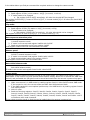
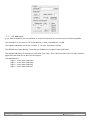
In the tables below you find per command the required actions to change the camera mode:
Mirror mode:
1. Read register 0x3254
2. Read register 0x301c (mirror status = bit[0] (0=normal, 1=mirror)
3. If mode needs to be changed
a. Set register 0x301c bit[0] accordingly. All other bits should NOT be changed.
Set register 0x3254 bit[0]. Incase of mirror b[0]=1, in normal mode b[0]=0. All other bits should NOT
be changed.
Flip mode:
1. Read register 0x3254.
2. Read register 0x301c (flip status = bit[1] (0=normal, 1=flip)
3. If mode needs to be changed:
a. Set register 0x301c bit[1] accordingly. All other bits should not be changed.
Set register 0x3254. In case of flip b[1] = 1, in normal mode b[1] = 0;
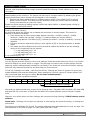
Auto exposure saturation point
1. Read register 0xa804 to check if the camera is in AEX mode. Value 0x000f is AEX mode, 0x0000
is manual exposure mode.
2. If mode is not correct load register 0xa804 with 0x000f.
3. Read current saturation point from register 0xa812
Load register 0xa812 with the new saturation level data
Shutter speed
1. Read register 0xa804 to check if the camera is in manual mode. Value 0x000f is AEX mode,
0x0000 is manual exposure mode.
2. If mode is not manual load register 0xa804 with 0x0000.
3. Read current shutter value from register 0x3012.
Load register 0x3012 with the new shutter value
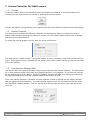
Auto white balance mode
1. Read the current white balance mode status from register 0xac04 (if value is 0x00ff than it is
Auto white balance mode).
If mode is not correct load register 0xac04 with value 0x00ff.
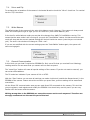
Freeze mode:
To use this mode the camera must be first put in the freeze mode. The camera first needs to run in
AWB mode. It will look for the most optimal white balance setting. When this is reached the AWB must
be hold, and preferable the R/B gains must be stored and used when the camera is powered up again.
Put the camera in the freeze mode:
1. Make sure camera is in AWB mode by reading register 0xac04. Value 0x00ff means AWB mode.
If the camera is not in the correct mode see table Auto White balance Mode.
2. If the AWB reached it’s most optimal position stop the AWB function by loading register 0xac04
with value 0x0000.
3. Wait 10 mSec.
4. Read the following registers: 0xac02, 0xac04, 0xac0a, 0xac0c, 0xac0e, 0xac10, 0xac12,
0xac14, 0xac16, 0xac18, 0xac10, 0xac1a, 0xac1c, 0xac1e, 0xac32, 0xac36, 0xac38, 0xac3a,
0xac3c, 0xac3e, 0xac40, 0xac42, 0xac44, 0xac46, 0xac48, 0xac4a, 0xac4c and 0xac4e. wait 5
mS between each read command.
These values must be stored so that the can be loaded when the camera is powered up.
Doc # INS-11004
Revision: Preliminary B
Issue Date: 06/19/2014
Page 10 of 15