1
11
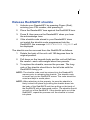
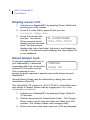
Enter new shackle code
From time to time it may be necessary to store a different
shackle code in your ReaderKEY. Members of Boards or
Associations which specify random shackle codes for their
RediSAFEs will use this function most often.
1. Activate your ReaderKEY by pressing Power (Red) and
entering your PIN number.
2. Press 3 to enter Menu, press 2 until you see
3=ENTER NEW SHACKLE CODE.
3. Press 3 to choose the function.
4. Enter the new shackle code. The key will display NEW
CODE IS along with the digits entered for verification.
The ReaderKEY will automatically turn off.
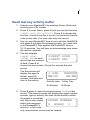
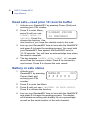
Display safe data
Display the data from the last reading taken:
1. Activate your ReaderKEY by pressing Power (Red) and
entering your PIN number.
2. Press 3 to enter Menu, press 2 until you see
3=DISPLAY SAFE DATA.
3. Press 3 to display data from the previous reading.
4. The key displays 2=NEXT SCRN, 3=NEXT REC as each
record has two screens of data. Press 2 to choose the
next screen. Press 3 to choose the next record.