1
Table of Contents
Designing the Timer........................................................................................................................................................... 151
Timer Operation Procedure ................................................................................................................................................ 152
Custom Animation.............................................................................................................................................................. 153
Animation overview............................................................................................................................................................ 153
Apply Custom animation to question slide ......................................................................................................................... 154
Good animation effect Schemes......................................................................................................................................... 156
Running the slide show...................................................................................................................................................... 159
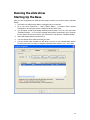
Starting Up the Base .......................................................................................................................................................... 159
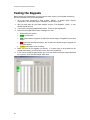
Testing the Keypads........................................................................................................................................................... 160
PowerCom Confirmation Screen......................................................................................................................................... 161
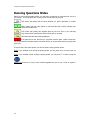
Running Questions Slides................................................................................................................................................... 162
Looking at Priorities............................................................................................................................................................ 164
Demographic Filters ........................................................................................................................................................... 165
Impromptu Questions ........................................................................................................................................................ 166
Replicate a question slide during slide show as an advanced Impromptu feature. ........................................................... 167
Question slide comparison during slide show .................................................................................................................... 168
Move Poller Box.................................................................................................................................................................. 171
Shortcut Keys ..................................................................................................................................................................... 172
Available Polling Functions at each polling stage ............................................................................................................... 173
Presentation Functions At a Glance.................................................................................................................................... 176
Winners.............................................................................................................................................................................. 178
Winners Overview .............................................................................................................................................................. 178
Fastest Finger..................................................................................................................................................................... 179
Team Scores ...................................................................................................................................................................... 180
Individual Cumulative......................................................................................................................................................... 181
Team Cumulative ............................................................................................................................................................... 182
Demographic Analysis ....................................................................................................................................................... 182
Demographic analysis overview ......................................................................................................................................... 182
Demographic Cut Function Step by Step illustration .......................................................................................................... 184
Demographic Analysis display fixed / flexible font and sizing ............................................................................................ 189
Demographic Analysis by Demographic slide..................................................................................................................... 190
Dual Monitor Display.......................................................................................................................................................... 193
Dual Monitor Overview....................................................................................................................................................... 193
Dual Monitor Hardware ...................................................................................................................................................... 197
Dual monitor support (also knows as multiple monitor support) ........................................................................................ 199
Hardware requirement: ...................................................................................................................................................... 199
Your computer must be equipped with a dual monitor video card. You can check if your computer has dual monitor
video card by right clicking the mouse on the desktop, selecting Properties, and clicking the Settings tab. The details of
your display can be found under this tab. .......................................................................................................................... 199
Please review the following PowerPoint online help topics: .............................................................................................. 199
1.
Turn on dual monitor support .................................................................................................................................. 199
2.
Run a presentation on two monitors ....................................................................................................................... 199
3.
About running a presentation on two monitors ....................................................................................................... 199
4.
Set up a presentation to run on a second monitor .................................................................................................. 199
5.
Troubleshoot running a presentation on more than one monitor ............................................................................ 199
Preparing dual monitor display .......................................................................................................................................... 200
Slide show and polling navigation...................................................................................................................................... 205
Adjust Base and keypad settings during slide show.......................................................................................................... 210
Rosters and Teams............................................................................................................................................................ 213
iii