1
Page 2
and infrequently searched sets. Finally, a “remote” option permits each application to send off
a search to the NCBI servers.
BLAST® Help
This manual has several sections. It provides brief installation instructions, a QuickStart, a
section describing BLAST+ features in more depth, a “Cook Book” section on how to perform
a number of tasks, as well as three appendices. The first appendix discusses tools to help with
the transition from the older applications (e.g., blastall) to the BLAST+ applications. The
second appendix documents exit codes from the BLAST+ applications. The third appendix is
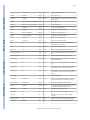
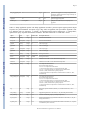
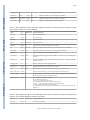
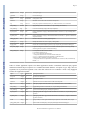
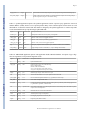
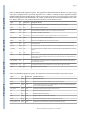
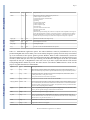
a table of BLAST options, the type of input required, and the default values for each application
An introduction to BLAST is outside the scope of this manual, more information on this subject
can be found on http://blast.ncbi.nlm.nih.gov/Blast.cgi?
CMD=Web&PAGE_TYPE=BlastDocs.
Please feel free to contact us with any questions, feedback, or bug reports at [email protected].
BLAST® Help
2. Installation
Entries in the BLAST Help manual provide installation instructions for Windows and LINUX/
UNIX. This section provides instructions for a few cases not covered by those entries.
The BLAST+ applications are distributed both as an executable and as source code. For the
executable formats we provide installers as well as tarballs; the source code is only provided
as a tarball. These are freely available at ftp://ftp.ncbi.nlm.nih.gov/blast/executables/blast+/.
Please be sure to use the most recent available version; this will be indicated in the file name
(for instance, in the sections below, version 2.2.18 is listed, but this should be replaced
accordingly).
2.1 Windows
BLAST® Help
Please see http://www.ncbi.nlm.nih.gov/books/NBK52637/
2.2 MacOSX
For users without administrator privileges: follow the procedure described in http://
www.ncbi.nlm.nih.gov/books/NBK52640/
For users with administrator privileges and machines MacOSX version 10.5 or higher:
Download the ncbi-blast-2.2.18+.dmg installer and double click on it. Double click the newly
mounted ncbi-blast-2.2.18+ volume, double click on ncbi-blast-2.2.18+.pkg and follow the
instructions in the installer. By default the BLAST+ applications are installed in /usr/local/
ncbi/blast, overwriting its previous contents (an uninstaller is provided and it is recommended
when upgrading a BLAST+ installation).
BLAST® Help
2.3 RedHat Linux
Download the appropriate *.rpm file for your platform and either install or upgrade the ncbiblast+ package as appropriate using the commands:
Install:
rpm -ivh ncbi-blast-2.2.18-1.x86_64.rpm
Upgrade:
rpm -Uvh ncbi-blast-2.2.18-1.x86_64.rpm
BLAST Command Line Applications User Manual