1
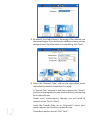
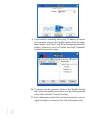
5. By default, the Profile Name is the name of the network you
are connecting to. If you wish to use a different name, you can
change it now. Once the name is to your liking, click “Next”.
6. Select the “Network Type”, click on the drop-down arrow
and select the kind of network you’re using.
A “Peer-to-Peer” network is one that connects two “clients”
(such as two computers) to one another directly, connecting
to no other devices.
Under most circumstances, though, you will need to
connect via an “Access Point”.
12
Leave the Transfer Rate set to “Automatic” unless your
router requires you to choose a specific rate.
Once these options are set, click “Next”.