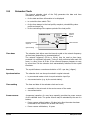
1
7.1.4
Test Mode
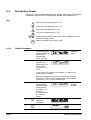
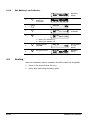
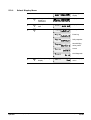
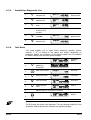
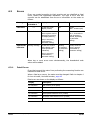
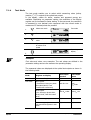
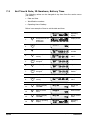
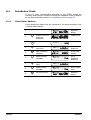
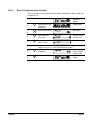
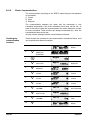
The test mode enables you to select which measuring value (active,
reactive, I2, U2) is output to the optical test output.
In the display, values for active, reactive and apparent energy are
available. Depending on parameter setting, the resolution of the display
register can be increased for faster testing. In the test mode, the resolution
is increased by one decimal point compared with the normal mode. A
maximum of 5 decimal points are possible.
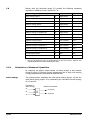
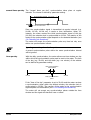
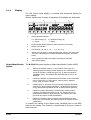
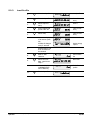
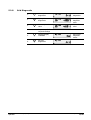
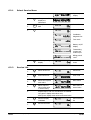
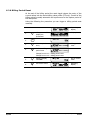
1.
2.
3.
4.
Select test mode
Test mode
Enter test mode
First value
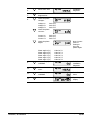
Select required
value
Value x
Repeat step 3 for
all values to be
tested
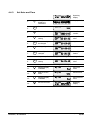
Operating
display
Exit test mode
5.
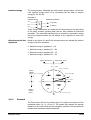
Examples
Note
First value and value x are examples. The real values are defined in the
parameter settings and are the same as the operating display.
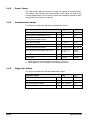
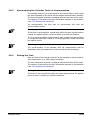
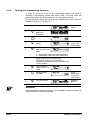
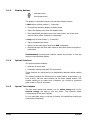
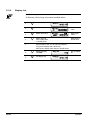
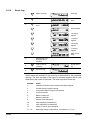
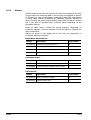
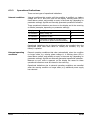
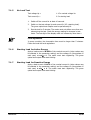
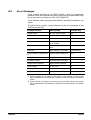
The measured values are displayed at the optical test outputs as shown in
the following table:
Mode
Register on Display
Test output
reactive
Test output
active
Normal mode
Some sort of register
|R|
|A|
Test mode
NLA register
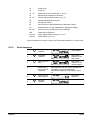
I2
with RCU=1Ω
U2
with
RFE=1MΩ
U2
with RFE=1MΩ
I2
with RCU=1Ω
Reactive energy register
|A|
|R|
Active energy register or one of
not mentioned registers in this
table.
|R|
|A|
(Transformer losses per phase
NLA1,NLA2,NLA3; Total
Transformer Losses NLA)
OLA register
(Line losses per phase OLA1,
OLA2, OLA3; Total line losses
OLA)
© Landis+Gyr AG
88/108
H 71 0200 0215 h en - ZMQ202 / ZFQ202 - User Manual
Maintenance