1
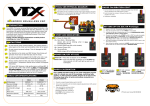
Mode
Select from the control mode options:
RGBW single
4 channels x RGBW for each fixture in each output
(up to 512 channels per output)
RGBW output
4 channels x RGBW for all fixtures in each output
Tungsten
1 channel x W for all fixtures in each output
LookStore
Save and Load a Look
Setup Menu
Set the internal settings of the Inspire External Control:
DMX Data
Displays DMX values
RotateDisp
Change the display orientation
Frequency
To change the LED scan rate frequency, select from:
1200Hz
2400Hz
4800Hz
9600Hz
DMX Lost
When DMX is not detected, select from the output options:
Last Data
No Output
Look
Reset
Reset to user saved or default settings. (see User Manual)
7.
Further Information
Please refer to the Chroma-Q Inspire Terminal Strip manual for more detailed information. A copy of the manual can be found
at the Chroma-Q website – www.chroma-q.com – under Support.
Inspire Terminal Strip Quick Start Guide V1.01
Inspire Terminal Strip Quick Start Guide V1.01