1
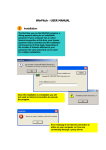
FM-MC4/DFMA02 Software installation manual Edition 2.2 - 07/2006 II. II.1. INSTALLATION. Updating old versions. If the software's installation has been carried out in order to update an old version, two possibilities have to be considered : II.2. • When updating an old AF analysis or SCAN software version of type DFMA01, RX_MCAF oe RX_SCAN, this one is completely retained (file names are different). In particular, the user parameter file (*.INI) wil not be overwritten. • When updating any other software (Field strength measurement, RDS analysis or DARC analysis), the older version will be replaced by the newly installed one. In particular, the user parameter files (*.INI) for each software will be updated in order to take the new version into consideration. As these files, located in the system directory, are unique for all versions, keeping an old version software in an alternate directory is strongly inadvisable. This may led to runtime errors. Before installing new versions, we advice to desinstall the old ones (see chapter III). Installation procedure. In order to install software, proceed as follow : • Before starting installation, close any application which might be running. • Insert the CD-Rom into computer's drive. • If Auto-run feature has not been cancelled, installation program will start automatically. Otherwise, select Run... option from the Start menu and enter the following command (assuming D is the CD-Rom drive letter) : D:\Setup.exe • The first window lets you select the desired language for all programs. Select as preferred, then click Ok to proceed : the main installation window is displayed. • Two set-up modes are available : Full set-up will install all the programs delivered on the CD-Rom. Custom set-up allows you to install only selected software an/or additional files (User's manuals and Product information). • If AF analysis software is to be installed, set-up program asks for the measuring equipment type (FM-MC4, DFMA02) in order to setup program accordingly. • Set-up program is able to load calibration files which may be delivered on a separate floppy disk : you will be prompted for it when needed. • When installation ends, click Finish to exit the program. Each software user's manual gives extended information on their operation. One should refer to these manuals for further details. ____________________________________________ Page 5 ____________________________________________ AUDEMAT-AZTEC SA – AUDEMAT-AZTEC INC WEB : www.audemat-aztec.com - e-mail : [email protected]