1
FM-MC4/DFMA02 Software installation manual
Edition 2.2 - 07/2006
III.
UNINSTALLATION.
An automatic uninstallation procedure is provided in order to remove all components (Folders,
Programs, Icons) which were added during installation.
Uninstall procedure is not able to remove only selected components. Should this need arise, full
uninstallation must be first carried out, followed by a new installation of only selected components.
In order to remove the whole set of FM-MC4 measurement software, proceed as follow :
•
Make sure none of these programs is running.
•
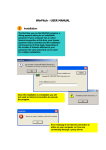
Select 'Parameters – Control panel' option from the 'Start' menu, then double click the
icon 'Add/Remove programs'.
•
Find out AUDEMAT-AZTEC FM-MC4 within the displayed list and click 'Add/Remove'.
•
The automatic procedure is started.
Once the procedure is over, you will possibly be informed that some folders could not be removed :
they certainly include files and/or folders created by user or program execution. These files could
not actually be logged for uninstalling : they will need to be removed manualy, if required.
Important : before proceeding with uninstallation, user has to make sure he owns a master copy of
the calibration files (disk or CD-Rom). In opposite case, he/she will have to save them in order to
use them on later installing or updating the software.
____________________________________________ Page 6 ____________________________________________
AUDEMAT-AZTEC SA – AUDEMAT-AZTEC INC
WEB : www.audemat-aztec.com - e-mail : [email protected]