1
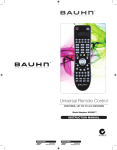
REMOTE CONTROL UNIT Recording Buttons of Remote Control Button Description of Function REC Start recording STOP Stop recording [see Hint page for more details] Playback Buttons of Remote Control Button Play Jump- Jump+ REW FF PAUSE STOP LIST MARK Description of Function Start playback at the beginning of the current record session or return normal playback speed from fast forward or pause Rewind the recording at a special interval Fast forward the recording at a special interval X2, X4, X8, X16 Fast Rewind - Button will cycle through these options if pressed repeatedly x,X,X2, X4, X8, X16 Fast Forward – Button will cycle through these options if pressed repeatedly Pause the playback, or start Time Shift [see Hint page 38 for more details] Stop the playback – [see Hint page 38 for more details] Press to directly enter the PVR list of all recordings made. Mark point/s from which to watch part of a recorded program. Page + Press to page forward. [Special Function when using marks] Page - Press to page backward.[Special Function when using marks] After Sales Support TEL: 1300 766 659 9