1
Operation
Before you Begin
DMX Values (Cont.)
Arc.1
Channel Value
2
000
000
3
000
1
Ar1.d
Ar1.s
HSV
1. Before you Begin
Channel Value
Percent/Setting
255 0~00%
255 0~100%
255 0~100%
Percent/Setting
Function
Red
Green
Blue
Function
1
000
2
000
255 0~100%
255 0~100%
Master Dimmer
Red
3
000
255 0~100%
Green
4
000
255 0~100%
Blue
Channel Value
Percent/Setting
1
000
255 0~100%
2
000
3
000
255 0~100%
255 0~100%
4
000
6
000
Channel Value
1
2
3
000
000
000
255 0~100%
255 0~100%
Percent/Setting
255 0~100%
255 0~100%
255 0~100%
What is
included
Green
Blue
Strobe
One safety cable
Warranty Card
Quick Start Guide
A b o u t t h i s This RIO TRI PAR Start Guide is a condensed version
G u i d e of the RIO TRI PARuser manual, which users can download
from the RIO TRI PAR Web site
U n p a c k i n g Immediately upon receiving a fixture, carefully unpack the carton. Check
theContents to ensure that all parts are present,and have been received in
good Condition.If you have detected a problem,refer to the Claims section
in theTechnical information chapter of the RIO TRI PAR use manual for
Complete Instructions on how to make a claim.
Function
Master Dimmer
Red
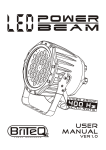
RIO TRI PAR
One power input cord with Edison plug
One safety cable
Te x t
Conventions
Convention
1~512
A range of values
50/60
A set of mutually exclusive values in the text
Claims
Function
Hue
Saturation
Value
MeaninIg
<SET>
Settings
A fixture function, a new term, or a section or
chapter
,
A key to be pressed on the fixture s control panel
A menu option
MENU> Settings A sequence of menu options to be followed
[1~10]
A range of menu values
In HSV mode,Hue refersto the visible light, such as red, yellow, and
cyan, etc. Saturation is the dominanceof hus in the color; when
saturationis at 100%, thecolor is at its purest,Value is the color, s
brightness;w henvalueis at100%, thecolor is at its brightest.
Yes/No
ON
Icons
A set of mutually exclusive menu options
A value to be entered or selected
Icons
Meaning
This icon indicates crtical installation,configuration or
operation information. Failure to comply with this
information may render the fixture partially or completely
inoperative,damage thidr-party equipment, or cause harm to
the user.
This icon indicates important installation or configuration
information.Failure to comply with this information may
prevent the fixture from functioning correctly.
This icon indicates useful,although non-critical information.
The term DMX used throughout this document refers to the USITT
DMX512-A transmission protocol.
12
1