1
Chapter 2 Installing IM1200
Unpacking IM1200
The package you received for IM1200 should be a standard IM1200 package; however, the
content may vary depending on the location and the dealer you have purchased the unit
from. Report any damage or missing items in the package to your dealer right away.
Items in your package include:
∎
IM1200 Unit
∎
Power Supply (12V DC)
∎
Installation Manual (CD)
∎
Battery Charger Cable
∎
Telephone Cords
∎
Line Boxes
∎
RJ-45 Network Cable
Note: The RS-232 Null Modem Serial Cable can be acquired from your local dealer. Please note the
2nd, 3rd, 4th and 6th, 7th, 8th pins has been switched. Please use only the cable provided by your
dealer.
Environmental Requirements
The IM1200 should be located in a dust-free environment that is near the trunk lines from
your existing telephone system. The IM1200 must have access to your network wiring if
you plan to access IM1200 through your LAN (Local Area Network) or WAN (Wide Area
Network), or if you plan to use the Internet telephony features of IM1200.
It is highly recommended that you use an Uninterruptible Power Supply (UPS) in
conjunction with the IM1200 to protect against power surges and failures.
Telephone System
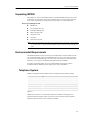
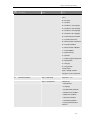
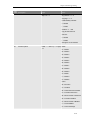
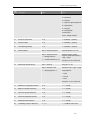
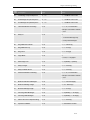
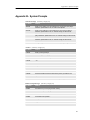
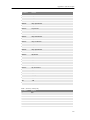
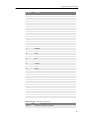
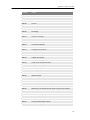
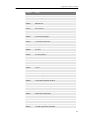
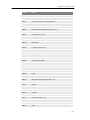
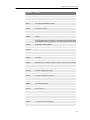
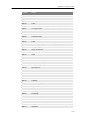
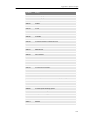
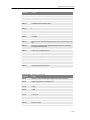
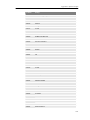
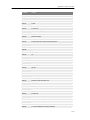
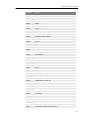
IM1200 is compatible with most major brands of Telephone Systems/PBX, including:
Manufacturer
Model (examples)
Alcatel
4200/4400, OmniPCX Office
Avaya
Partner, Merlin/Definity
NEC
ICS7400/EDK, NDK, M80, M100, MCI140
Nortel
Mercator, Norstar, Option 11
Panasonic
KXTD-1232/500, KXTA-308/824
Philips
D120, SOPHO FVM 805/810/300, DS-1000
Siemens
Hicom 300, Hipath 4000
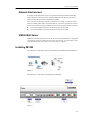
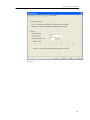
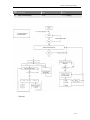
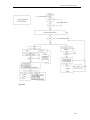
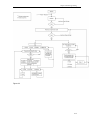
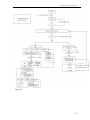
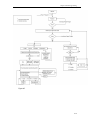
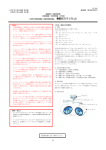
Figure 2-1
IM1200 comes with 4 or 8 voice channels, and the same number of analogue ports is
required from the Telephone System. In most cases, the VM ports from the Telephone
System are the preferred ones to be connected to IM1200.
2-2