1
Notes on Specific Cameras
Canon 5D MarkII, 7D, 1D Mark IV
The microphone input on the camera does not get activated until the camera begins to RECORD for the first time.
Until you hit RECORD and activate the microphone input, you will hear noise in the DN101 headphones. Once you
hit RECORD, the noise in the headphones goes away, and doesn’t return until the camera power gets cycled. After
the camera power gets cycled, you will need to hit RECORD again to eliminate the noise in the headphones.
Panasonic Lumix GH1
The microphone input is a 2.5mm stereo minijack. The cables provided in the CX preamps and DN101 are 3.5mm
stereo minijack. There are inexpensive adapters that can be purchased. A 8” 3.5mm to 2.5mm cable can be
purchased (part number CMC-T1772022) from Bay Electronics, 731 Airport Road, Panama City, FL 32405.
Nikon D300s, D3s
These cameras have different level settings for the AGC (Low, Med, High). Using the Low setting with one of the
CX preamps will yield great audio. However, the DN101 is still useful for headphone monitoring and metering.
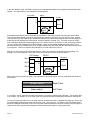
You will want to use the DN101 in the Normal operating mode, but you will need to re-calibrate the meter M1 for the
camera’s Low setting. Matching the Normal operating mode meter level to the AGC Disable mode can work well.
Here is a simple procedure for doing this: 1) in the AGC Disable mode, set the CX gain/trim such that speaking at a
constant level yields peaking at the 3rd meter LED, 2) switch over to the Normal mode and turn back M1 so it yields
peaking at the 3rd meter LED (matching the AGC Disable mode)
DN101 – Accessory for CX Family of Low-Noise Preamps
Page 13