1
I
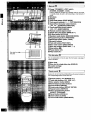
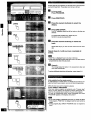
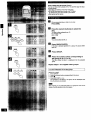
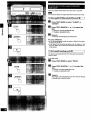
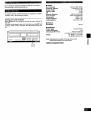
1 Main unit []
(i) Power "STANDBY IO/ON" switch
(POWER, STANDBY _ION)
Press to switch the unit from on to standby mode or vice versa.
In standby mode, the unit is still consuming a small amount of
|
power.
Disc slot for single
disc play
(_)Windows
(!) Display
(_)Text mode button (TEXT MODE)
(_)Text search buttons (V,/% TEXT SEARCH)
(_) Search/Text character select buttons
( 4<, _._., SEARCH/CHARACTER)
(Z)Track skip/Text cursor buttons
( 14_, _._t, SKIPICURSOR)
(_) Remote control signal sensor
(_)Single disc play button (SINGLE b)
_) ID scan button (ID SCAN)
Random mode button (RANDOM MODE)
(_ Programming button (PROGRAM)
Disc/Caps button (DISC, CAPS)
Numeric buttons
_Text edit button (TEXT EDIT)
Disc enter button (DISC ENTER)
_) Disc skip buttons (DISC SKIP, -, +)
(_ Stop button (n)
Pause button ( II )
_) Play button (b)
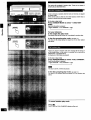
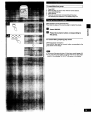
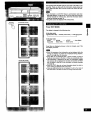
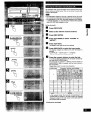
] Discslotsection[]
I
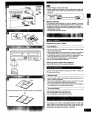
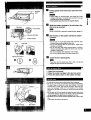
For an explanation on how to open the front panel, see page 7
UHow to set discs".
€_)Disc slots
Disc slot for single disc play (SINGLE)
Loader carriage
_) Slot numbers
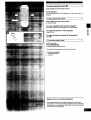
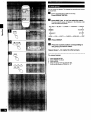
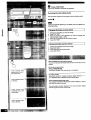
Remotecontrol[]
Buttons (_, (_, (_, _) to (_, and (_ to _
]
have the same functions as
the corresponding buttons on the main unit.
(_)Search button ( 44 SEARCH _1_ )
(_Track skip buttons ( 1_14SKIP I_ )
Disc selector button (DISC)
_) Numeric/group select buttons
Group button (GROUP)
Group enter button (GROUP ENTER)
_) Repeat button (REPEAT)
Direct programming button
(DIRECT PROGRAM)
Recall button (RECALL)
_) Clear button (CLEAR)
_)Time mode button (TIME MODE)