1
<Toc>
2.3
2-8
<2. Initial Settings>
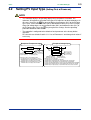
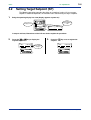
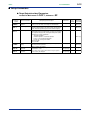
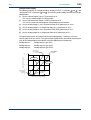
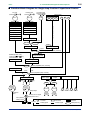
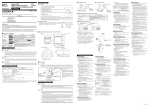
Changing PV Input Type
The following operating procedure describes an example of changing the setting of K-type
thermocouple (-200.0 to 500.0⬚C) to RTD Pt100 (-200.0 to 500.0⬚C) and a measurement
range of 0.0 to 200.0⬚C.
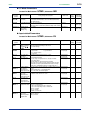
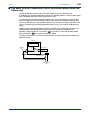
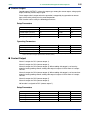
PV input terminal
Thermocouple/mV/V input..............................
RTD input ..................................................
1.
12 - 13
11 - 12 - 13
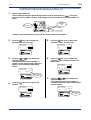
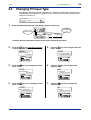
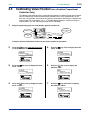
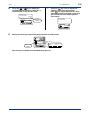
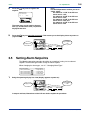
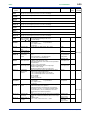
Bring the operating display into view (display appears at power-on).
PV2
PV
Displays
target setpoint-1
“1.SP”.
AL
AL
Displays PV.
1
2
3
4
CAS
REM1
REM2
MAN1
MAN2
STP
1.
A/M
-10
SET/ENT
SP :
100.0°C
0
+10
DISP
DV
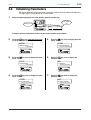
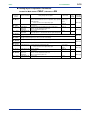
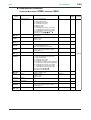
In steps 2 and later, illustrations of the LCD are cited to explain the procedure.
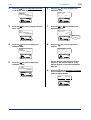
2.
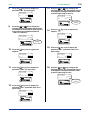
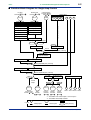
Press the
key for more than 3 seconds
to call up the main menu “MODE”.
SET/ENT
5.
MODE
Press the
key once to display the main
menu “UTMD”.
UTMD
mode parameter
main menu
UT750 configuration
SETUP main menu
A/M
A/M
SET/ENT
SET/ENT
DISP
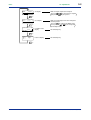
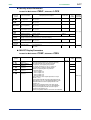
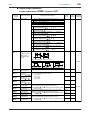
3.
Press the
key once to display the main
menu “STUP”.
DISP
6.
STUP
Press the
key once to display the
submenu “MD”.
SET/ENT
MD
password input
main menu
UT mode set
SETUP sub menu
A/M
A/M
SET/ENT
SET/ENT
DISP
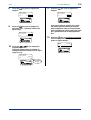
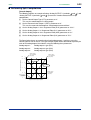
4.
Press the
key once to display the main
menu “LOOP1”.
SET/ENT
LOOP1
loop 1 setup para
SETUP main menu
A/M
DISP
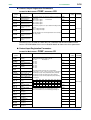
7.
Press the
key once to display the
submenu “IN”.
IN
input set
SETUP sub menu
A/M
SET/ENT
DISP
SET/ENT
DISP
IM 05D01B02-41E
1st Edition : May 31,2000-00