1
<Toc>
3.3
3-5
<3. Operations>
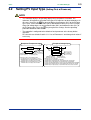
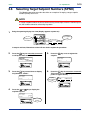
Performing/Canceling Auto-tuning
Auto-tuning should be carried out after setting a target setpoint (SP). Make sure the controller is in automatic operation mode (AUTO) and in running state (RUN) before carrying
out auto-tuning. See “3.8 Switching between AUTO and MAN,” to change to AUTO and
“3.7 Switching between Run and Stop,” to change to Run.
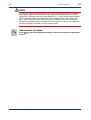
NOTE
When on-off control is being used, auto-tuning cannot be carried out. Moreover, do not
perform auto-tuning when controlling any of the following processes.
• Control processes with quick response such as flow control or pressure control
• Processes where even temporary output on/off results in inconvenience
• Processes where a large output change at control element results in inconvenience
• Processes where variations in PV may exceed an allowable range, adversely affecting product quality
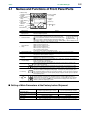
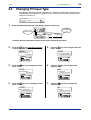
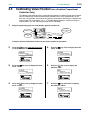
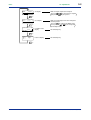
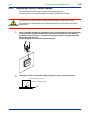
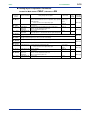
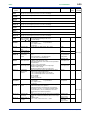
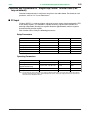
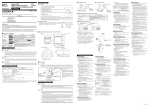
1.
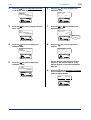
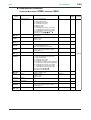
Bring the operating display into view (display appears at power on).
PV2
Displays PV.
Displays
target setpoint-1
“1.SP”.
AL
AL
1
2
3
4
MAN1 lamp
OFF.
PV
CAS
REM1
REM2
MAN1
MAN2
STP
1.
A/M
-10
SET/ENT
SP :
100.0°C
0
+10
DISP
DV
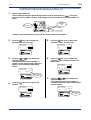
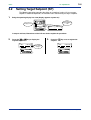
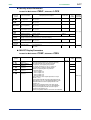
In steps 2 and later, illustrations of the LCD are cited to explain the procedure.
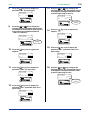
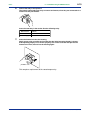
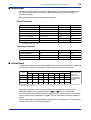
2.
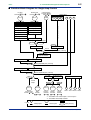
Press the
key for more than 3 seconds
to call up the main menu “MODE”.
SET/ENT
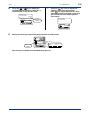
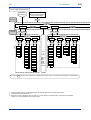
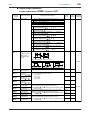
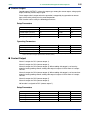
4.
Press the
key once to display the
submenu “PAR”.
SET/ENT
PAR
MODE
parameter
mode parameter
main menu
sub menu
A/M
A/M
SET/ENT
SET/ENT
DISP
DISP
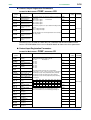
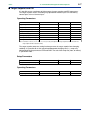
3.
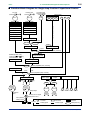
Press the
key once to display the main
menu “LP1”.
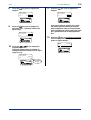
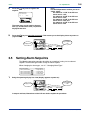
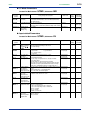
5.
Press the
key once again to display
the parameter “AT”.
SET/ENT
MENU:LP1/PAR
auto tuning switch
LP1
loop 1 parameter
main menu
AT
=
#1
OFF
A/M
A/M
SET/ENT
SET/ENT
DISP
DISP
IM 05D01B02-41E
1st Edition : May 31,2000-00