1
Fig 1. Home page
For example to choose Chandigarh centre,click on the Chandigarh centre, user will be
redirected to the home page of Chandigarh. The home page provides a brief history of the
centre (Fig. 2).
Fig 2. Home page of Chandigarh Centre
On left side of the page there are certain links and on the right side of the page there is
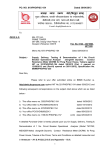
news/events scrolling. On clicking any of the news items user will be prompted /taken to
another page (Fig. 3), where the user can click the hyperlink to download the document
which can be a word/pdf/excel file.