1
Operating a project in Runtime
7.2 Operating graphic objects
7.2.5
Symbolic IO field
7.2.5.1
Description
Application
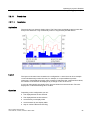
A symbolic IO field can have the following Runtime functions:
● Output of text list entries
● Combined entry and output
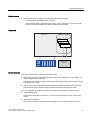
Example of its use as combination IO field:
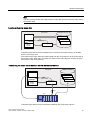
To control a motor in Runtime, the operator selects the text "Motor OFF" or "Motor ON" from
the text list. The motor is then started or stopped in accordance with the selection. The
symbolic IO field displays the respective status of the motor.
Operation
Depending on the configuration, you can operate the symbolic IO field in the following ways:
● Standard operation: Select an entry from the text list.
● Event: An event is triggered when you operate the symbolic IO field, e.g. when you
activate it. The processing of a function list can be configured to the event.
Behavior during operation
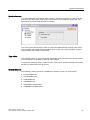
If the symbolic IO field contains a blank text line in the selection list, no entries have been
defined in the project. The contents of the symbolic IO field change color to show that it is
now activated.
7.2.5.2
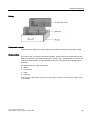
Mouse and keyboard control
Operation using the mouse
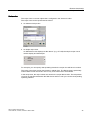
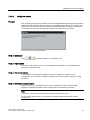
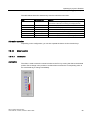
1. Left mouse click on the symbolic IO field. The selection list opens.
2. Click on the scroll bar with the mouse pointer. Move the scroll bar in the desired direction
while holding down the left mouse button.
3. Select the desired entry with the left mouse button. The selection list is closed and the
entry is displayed.
WinCC flexible 2008 Runtime
User's Manual, 07/2008, 6AV6691-1BA01-3AB0
83