1
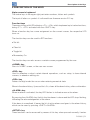
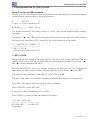
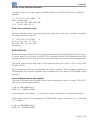
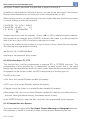
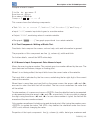
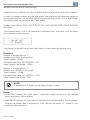
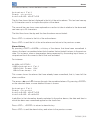
Configuration of the PLC300 7 CONFIGURATION OF THE PLC300 Setup Function via HMI keyboard In order to access the setup function via keyboard, press the <SETUP> key until an internal screen appears and prompts to enter a password. [ SETUP ] Type 4 dig Password. Paswd:____ (ESC abt) The initial password of the setup function is ‘0000’, and can be modified after entering the setup. The arrows <> and <> browse through the functions of the setup. <ENTER> selects the function to be edited. <ESC> returns to the screen previous to the setup. [ - - S E T U P P L C30 0 - - ] ------------------->Set Clock Language Selection 7.1 SET CLOCK When entering the screen of the adjustment of the clock, the current date and time are shown. The cursor on the day of the month shows the item to be edited. The arrows <> and <> browse between the fields. By pressing <ENTER>, the cursor flashes indicating the editing of the field. To enter the new value, you can use the numeric keyboard directly, or the arrows <> and <>. The year can vary between 00 and 99, i.e., from 2000 to 2099. The day of the week is calculated considering the date, and shown on the lower line. The <DEL> key returns to the initial value, with no change. Press <ENTER> to exit and save. If you want to abort the editing, press <ESC>. Press <ESC> to return to the main menu of the setup. Clock Adjust -------------------29/09/09 14:06:55 Tuesday PLC300 | 7-1