1
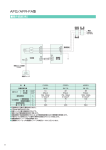
USER'S MANUAL (7)Setting the current value for address in Teaching Mode via panel Select Write Mode (Teaching) with MODE key. Shown below are Teaching (Panel Mode) menu numbers and the actions executed. MENU No. ST/SP key Execute/Stop ORG DRIVE Execute/Stop RTN DRIVE Execute/Stop DRIVE Execute/Stop DRIVE Execute/Stop DRIVE Execute/Stop DRIVE INDEX00 INDEX01 INDEX49 INDEX50 H/B key ON : HSPD OFF: TSPD ON : HSPD OFF: TSPD ON : HSPD OFF: TSPD ON : HSPD OFF: TSPD ON : HSPD OFF: TSPD ON : HSPD OFF: TSPD speed speed speed speed speed speed speed speed speed speed speed speed WRITE key - R.P. SET motion Write the current value address to INDEX00. Write the current value address to INDEX01. Write the current value address to INDEX49. Write the current value address to INDEX50. for for for for ■Starting and stopping ORG DRIVE, RTN DRIVE and INDEX DRIVE functions The following example shows a case where INDEX01 is selected. ・When UPPER key is pressed: Select the number assigned to your desired action menu. Upper digits (fixed) RS W.M SEQ S.M ERR ADJ UPPER MODE NO. DATA ・When UPPER key is released: Execute the action assigned to the selected menu number. Lower digits (fixed) DATA RS W.M SEQ S.M ERR ADJ UPPER MODE ( Not pressed) OP1 OP2 ABS ▼ ▲ ABS H/B ST/SP NO. DATA OP1 OP2 ABS ▼ ▲ ABS H/B ST/SP Decrement Menu No. Increment Menu No. DATA Accelerate to HSPD in combination with H/B key Start/Stop specified action ・ST (Start) key is enabled with UPPER key turned off, whereas SP(Stop) key operates irrespective of whether UPPER is turned on or off. ・When H/B key is turned on alone with UPPER key turned off, the current value appears. ■Setting address of current value The following example shows a case where the address of current value for INDEX01 is set to 1. ・When UPPER key is pressed: ・When UPPER key is released: Select the number assigned to Move to the taught point your desired action menu. Upper digits (fixed) Lower digits (fixed) RS W.M SEQ S.M ERR ADJ UPPER MODE NO. DATA DATA RS W.M SEQ S.M ERR ADJ UPPER MODE ( Not pressed) OP1 OP2 ABS ▼ ▲ ABS H/B ST/SP NO. DATA DATA OP1 OP2 ABS ▼ ▲ ABS H/B ST/SP *1 WRITE Decrement Menu No. Increment Menu No. *1 Accelerate Scan key CCW (-) Constant Speed Scan key CW (+) Constant Speed Scan key When you press WRITE key, the address of the current value is written to the INDEX number specified with the menu number. Approximately one second later, the menu number is automatically incremented. ・When H/B key is turned on alone with UPPER key turned off, the current value appears. ・Momentarily pressing SCAN key activates a JOG DRIVE. ・The use of Constant Speed Scan in combination with H/B key activates a SCAN DRIVE that accelerates up to HSPD. - 51 -