1
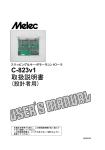
USER'S MANUAL
PREFACE
General Safety Considerations
Before Using CAD-5411S-570
CONTENTS
PAGE
1. INTRODUCTION
1-1.
1-2.
1-3.
1-4.
Features
Controller Components
Example of System Configuration
External View
7
7
7
8
2. SPECIFICATIONS
2-1. General Specifications
2-2. Driver Specifications
(1) Driver specifications
(2) Applicable Motors
2-3. Motor Control Specifications and Performance Specifications
(1) Motor control specifications
(2) Performance specifications
2-4. Panel and External Control Specifications
(1) Mode hierarchy
(2) Panel and External Control Specifications
9
11
11
12
13
13
16
18
18
19
3. INSTALLATION AND CONNECTION
3-1. How to Install
(1) Installing Place
(2) Installation Interval
(3) How to Install
3-2. I/O Signal
(1) I/O signal connector
(2) AC Input/Motor Output Terminal Block for driver
(3) Power Connector for controller
(4) RS232C Connector
3-3. I/O Circuit
(1) I/O Input Signal
(2) I/O Output Signal
(3) O.H.A Output Signal
3-4. Connection Example
(1) Example of Connection with Protection earth terminal
/AC input terminal for driver
(2) Example of Connection with Power Supply for contoroller
(3) Example of Connection with Motor output terminal
(4) Example of Connection with Sensor
(5) Example of Total Connection
3-5. Wiring Method
(1) Wiring of I/O signal connector
(2) Wiring of Power Connector for controlller
(3) Wiring of Terminal block for driver
22
22
22
23
24
24
25
25
26
27
27
27
27
28
28
28
29
29
32
33
33
33
34
4.Setup for Driver Section
4-1.
4-2.
4-3.
4-4.
4-5.
4-6.
4-7.
Panel view
Setting MOTOR SELECT switch
Setting High-speed POWER OUTPUT SELECT switch
Setting DRIVE CURRENT SELECT switch
Setting STEP ANGLE SELECT switch
Setting HOLD CURRENT ADJUSTMENT trimmer
The check item before of a power supply input
-4-
35
36
36
37
37
38
39