1
C D 2 2 USER GUIDE
Using the CD22
This page explains how to operate your CD22, using the functions available from
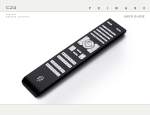
either the front panel or the C23 remote control.
Front panel
controls
P l ay i n g a d i s c
Standby O
•
Switches the CD22 to standby, or switches it on
from standby.
To open the tray
Press and hold down the */å button on the
front panel or remote control.
The display shows:
Stop/Open */å
When the disc is playing: pauses the disc.
When the disc is paused: stops the disc.
Press and hold: opens or closes the CD tray.
Play/Skip >/]
When the disc is stopped: plays the disc.
When the disc is playing: skips to the next track.
Press and hold: skips back through the tracks.
OPEN
•
Place the CD in the tray with the label facing
upwards.
•
Press and hold down the */å button again
to close the tray (or press the >/] button
on the front panel or the >/= button on the
remote control).
The display shows:
READING
followed by the number of tracks and total time:
12 65-43
To play the disc
• Press the >/] button on the front panel, or
the >/= button on the remote control.
While a disc is playing the display shows the
current track number and the elapsed time of the
current track; for example:
07 12-34
To pause the disc
•
Press the */å button on the front panel or
the >/= button on the remote control while
the disc is playing.
The display flashes.
L o c at i n g a p o s i t i o n
on the disc
You can skip between tracks to locate a particular
track on the disc, or you can scan forwards or
backwards to locate a position within a track.
You can then resume play by pressing the >/]
button on the front panel or the >/= button on
the remote control.
To skip forwards through the tracks
To stop play
To skip back through the tracks
•
Press the */å button on the front panel or
the remote control while the disc is paused.
•
•
The display shows:
STOP
followed by the number of tracks and total time:
12 65-43
Press the >/] button on the front panel, or
press the ] button on the remote control.
Press and hold the >/] button on the front
panel, or press the [ button on the remote
control.
The front panel display shows the track number:
11
•
Release the button to start playing the
selected track from the beginning.
To scan through the disc
•
Press the ¯ or ˘ button on the remote
control once to scan at 4X speed, or twice to
scan at 8X speed.
The display shows the position within the track.
•
Press the >/] button on the front panel,
or the >/= button on the remote control
to start playing from the position you have
located.