1
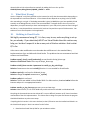
6. Command Line Emu and Scripting
In addition to being an interactive menu application, the CMD version of Emu can be used to automate
common tasks in scripts or to run simple operations from the command line.
I.
Command Line Options
The examples below show emu running in linux, but the same operations can be done from the
command shell in windows. First, run emu with the –h flag to see the help info:
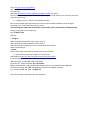
> emu_cmd_linux –h
Emu Version 1.0.9, compiled May 24 2010
Usage: emu_cmd_linux [-<option>+]
Where <option> can be one of the following:
h: print this message
m: force manual board selection, overrides .ini setting
c: enter command interpreter after processing options
Command Interpreter accepts commands on stdin.
Parameters match what is asked for if no parameters are given.
When a parameter is a list option, use the text of the option or its number.
Replace spaces with underscores when specifying the text of a list option.
The following commands are supported:
select_board
specify_board
select_by_ip
display_board_info
set_board_info
system_call
reconnect
disconnect
configure_fpga_from_host
configure_fpga_from_marvell
show_stuffed_fpgas
show_configured_fpgas
reset_fpga
reset_all_fpgas
clear_fpga
clear_all_fpgas
set_clock
set_clock_mux
display_clocks
display_fpga_temps
display_fan_speeds
configfpga_memory_browser
configfpga_reg_read
configfpga_reg_write
nmb_memory_browser
nmb_read
nmb_write
nmb_write_from_file
nmb_read_to_file
factory_test
field_test
selected_tests
quit