1
1. Introduction
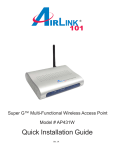
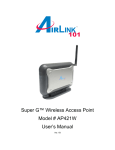
Congratulations on your purchase of this Super G™ Wireless Access Point. The Access
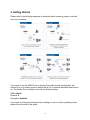
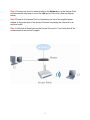
Point features five operating modes. The Access Point mode connects your wireless
clients with the wired part of your network. The AP client mode acts as a wireless
network adapter for your PC or game console. The AP Repeater mode extends the
range of your access point/wireless router by repeating the signal to wireless clients that
are beyond the broadcasting range of the access point/wireless router. This provides
the wireless clients with greater flexibility and mobility. The WDS bridges the network
clients from various physically separate LANs into one virtual LAN. Finally, the WDS
with AP bridges separate LANs into a virtual LAN while allowing wireless clients to
connect with the device.
The Access Point is compatible with existing 802.11b and 802.11g network devices so it
will work with most existing wireless devices. If you have other Super G™ compatible
wireless network device, you can also enable Super G™ on the Access Point for faster
transfer rate.*
Instructions for installing and configuring this product can be found in this manual.
Before you install and use this product, please read this manual carefully for proper
operation of this product.
Package Contents
Before you begin the installation, please check the items of your package:
•
•
•
•
•
•
Super G™ Wireless Access Point
Power Adapter
RJ-45 Network Cable
Antenna
Quick Installation Guide
Manual CD
If any item contained is damaged or missing, please contact your local dealer
immediately. Also, keep the box and packaging materials in case you need to ship the
unit in the future.
3