1
VC3Q Pro Channel - User's guide
JOEMEEK compressor) of increasing the input gain too far and causing
excessive noise or even distortion; it's easy to apply 20dB of compression
without realising it!
USING THE EQUALIZER
Always start with the equalizer controls set to '0' (the control knobs set
vertical). Experiment with combinations of settings of EQ always trying to
picture how the audio signal will be affected by changing the frequency
bands. Avoid using high levels of 'lift', and whenever 'lift' is applied, keep a
close eye on the overload LED. If this LED comes on more than
occasionally, turn down the input.
- Use the EQ IN/OUT button to do instant comparisons between EQ and
non EQ signals.
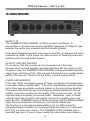
SAMPLE SETTINGS
This section is aimed at providing a good starting point for getting good
results. While these settings do not guarantee a good sound, they do work
in most situations. The correct level of the input gain and output gain
cannot be predicted. This depends on your source and monitoring
equipment. Always try to run these as high as you can without creating any
audible distortion.
Switches :
denotes pressed IN.
denotes OUT.
Comp On
Mic Gain
15
10
20
Comp On
MIC PRE - OPTO COMPRESSOR - MEEQUALIZER
25
0
5
6
7
5ms
6ms
7ms
700ms
800ms
35 4
1s
+3
-3
0
+3
-3
0
JOEMEEK
-10
+3
0
60
Input Gain
VC3Q
0
-6
+2
+4
2
1
Phantom
0
-10
3
5
-3
11
Compression
1ms
11ms 125ms
Attack
1.5s
Release
-16
EQ
In
+16
Low (80Hz)
-16
+16
Mid (1.8kHz)
-16
¥
+16
High (8kHz)
O/L
Q
dB Input Meter
+6
Out Vol
On
-12
-6
0
+8
Comp On
- RECORDING VOCALS
Medium compression, slow attack, medium release, brightening eq but
keep subtle for this program material.
12