1
RS232 SERIAL COMMUNICATION PORT
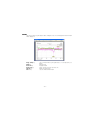
The RS232 serial port allows to connect the instrument to a PC. For the connection, use the DB9
shielded cable provided with the instrument.
POWER SUPPLY
The instrument is powered by a 9V battery, common 6F22 model; it is possible to use either rechargeable or alkaline battery: the alkaline type is suggested. During battery replacement date
and time settings are lost, while recorded data and recording settings are retained. As the instrument is not provided with a recharge circuit, batteries must be recharged using a stand alone
recharger.
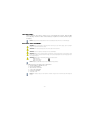
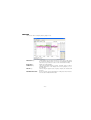
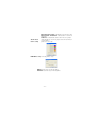
The battery compartment contains a little switch; if activated,
it switches OFF the instrument, stopping all the current operations. When the instrument is not used for a long time, this
useful action grant longer lifetime to the battery.
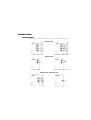
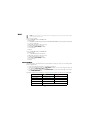
The instrument is already provided with a new battery. To switch
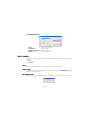
ON the instrument, move the switch on the “ON” position as indicated in the picture (see on the instrument back label).
If the instrument is switched ON, the internal realtime clock is
in timekeeping mode even if no recording in progress. In this
condition, the battery lifetime is:
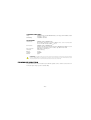
Ni-Cd 120 mAh minimum
Zn-Cl 300 mAh minimum
Alk 600 mAh minimum
250 days
625 days
1250 days
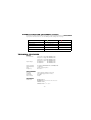
NOTE: The following table shows the battery lifetime of the model with three current inputs in the worst case: active instrument
recording, without active communication.
RECORDING
FREQUENCY
Ni-Cd 120 mAh
minimum
Zn-Cl 300 mAh
minimum
Alk 600 mAh
minimum
1 second
> 5 days
> 15 days
> 30 days
6 seconds
> 25 days
> 2,5 months
> 5 months
1 minute
> 2,5 months
> 7 months
> 1 year
NOTE: When the instrument is switched OFF or the battery is removed for more than 15 seconds, date and time settings are
lost. At the next switching ON, these settings must be programmed from the software.
-5-