1
Copyright © 2006 – OusKe.com
Changing the key generation method
It is absolutely possible, if necessary, to change the method used to generate
your key. For instance, you can decide to use the mask method to generate a
key that is currently being generated with VBS code.
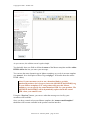
To do just that, when in edit view for the concerned product, click the
“modify” link next to the key generation status.
If you change from the VBS method to the Mask method, the change applies
immediately. In the reverse case, do not forget there’s a reviewing and
implementation delay before the activation of your VBS code will be
effective. In both cases, you will have to deactivate before you can switch to
the other generation method.
Modifying already implemented VbScript code
In some cases, it can be necessary to modify the currently active VbScript
code.
To do that, click the “modify” link next to the key generation status of the
concerned product.
In the text box present on the page, you can paste and submit your new
VbScript code.
CAUTION
•
•
•
This new code will also have to be reviewed and implemented and
must of course obey the rules we enumerated a few pages above.
A review and implementation delay will be necessary before your new
code becomes active. You will receive an email as soon as activation is
effective.
Until the new code becomes active, the old one remains effective. If
you do not want the old code to remain active, you will have to
deactivate the key generation first and, then only, submit your new
code.
Version 2.10 – February 2006 – page 21 of 23