1
New Sunny 512 User’s Manual
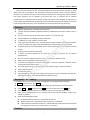
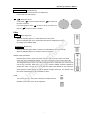
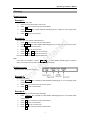
SINGLE
Single chase key
The key is used to switch the following states:
l
When SINGLE light is on, the current section only can run a chase.
l
When SINGLE light is off, the current section can run up to 4 chases at the same time
The key is effective for 3 chase sections.
1
~ 16
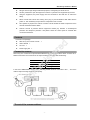
Chase number key
Cooperating with chase section key, 16 chase keys can operate A01-A16, B01-B16, C01-C16, 48
chases.
Using
SINGLE key, single chase or multi chases can be operated.
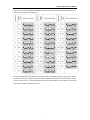
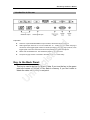
ENVIRONMENT
SELECT Environment choice key
Press the key first, then press the environment number key, the
~ 15
Environment number key
At anytime, only one environment can be chosen.
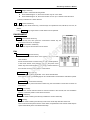
SAVE TO SCENE
te
Edit
re
1
d
environment can be run or stopped.
Scene save key
is
Save the current channel values of the scanners to a scene with
some number.
eg
Set the channel values of various scanners with manual operation,
or add some scenes, then press the key first, and press scene
section key and scene number key. The current channel values of
nR
the scanners are saved to the number of that section.
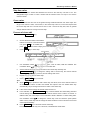
EDIT CHASE
Chase edit dey
Press the key, the indicating light blink. It is in the chase edit state.
U
Press the key again, the indicating light is off. The edit result is saved and the edit state is quitted.
SAVE TO ENV
. Environment save dey
Press the key, then press environment number key, the environment is saved to the number os
environment.
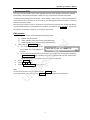
SET X/Y X/Y set key
Write the X/Y control channel number of various scanners to the console, then use modulation
wheel to control the position of the various scanners.
DELETE
Delete key
When the chase is edited, press the key to delete the current chase step.
ADD
Add key
When the chase is edited, press the key to add a new chase step after the current one.
If the current chase step is the last one of the chase, the parameters of the current chase step are
copied automatically to the new added chase step.
-6-