1
Introduction to Python for Science, Release 1
CHAPTER 1
1.2 Elaboration of the algorithm in an editor
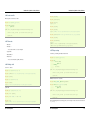
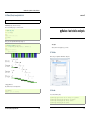
Create a file my_file.py in a text editor. Under EPD, you can use Scite, available from the start menu. Under Ubuntu,
if you don’t already have your favorite editor, I would advise installing Stani’s Python editor. In the file, add the
following lines:
s = ‘Hello world‘
print(s)
The workflow: IPython and a text editor
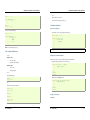
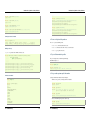
Now, you can run it in ipython and explore the resulting variables:
In [3]: %run my_file.py
Hello word
In [4]: s
Out[4]: ’Hello word’
Interactive work to test and understand algorithm
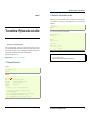
Python is a general-purpose language. As such, there is not one blessed environement to work into, and not only one
way of using it. Although this makes it harder for beginners to find there way in the beginning, it makes it possible for
Python to be used to write programs, in web servers, or embedded devices. In this introductory chapter, we describe
an interactive workflow with IPython that is handy to explore and understand algorithms.
Note: Reference document for this section:
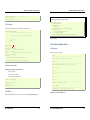
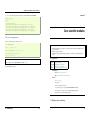
In [5]: %whos
Variable
Type
Data/Info
---------------------------s
str
Hello word
From a script to functions
IPython user manual: http://ipython.scipy.org/doc/manual/html/
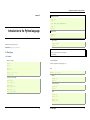
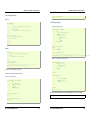
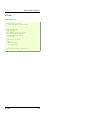
• A script is not reusable, functions are.
• Thinking in terms of functions helps breaking the problem in small blocks.
1.1 Command line interaction
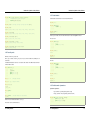
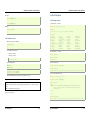
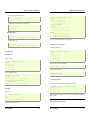
Start ipython:
In [1]: print(’Hello world’)
Hello world
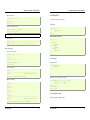
Getting help:
In [2]: print ?
Type:
builtin_function_or_method
Base Class:
<type ’builtin_function_or_method’>
String Form:
<built-in function print>
Namespace:
Python builtin
Docstring:
print(value, ..., sep=’ ’, end=’\n’, file=sys.stdout)
Prints the values to a stream, or to sys.stdout by default.
Optional keyword arguments:
file: a file-like object (stream); defaults to the current sys.stdout.
sep: string inserted between values, default a space.
end: string appended after the last value, default a newline.
2
1.2. Elaboration of the algorithm in an editor
3