1
CHAPTER 6
Edit Run Information
EDIT RUN INFORMATION
...................................
1
2
3
4
5
6
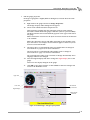
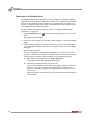
Make sure you are in the MakeRun screen.
Verify you are connected to the dyno electronics. Refer to “Connecting the Dyno
Electronics” on page 3-11 for more information.
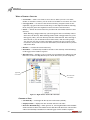
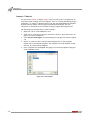
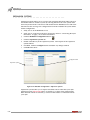
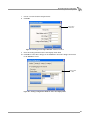
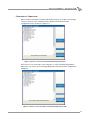
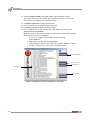
Click the MakeRun Configuration button
.
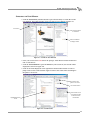
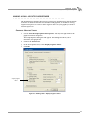
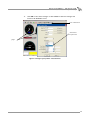
Click the Run Information tab.
Use the TreeView to browse to the directory where you want to save your run.
Enter the name of your next run and enter a brief description in the Title field.
WinPEP 7 will automatically add the next run number to the end of the run name.
7
8
9
Make any additional changes to the run information. A description of the different
fields follows.
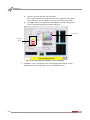
Click OK when done.
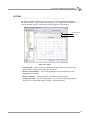
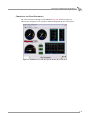
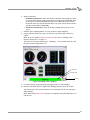
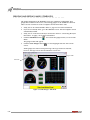
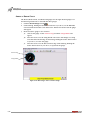
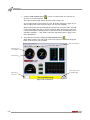
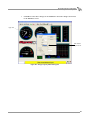
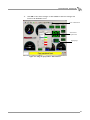
Notice the gauges change to reflect the new run information.
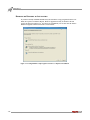
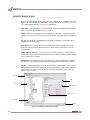
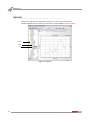
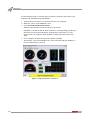
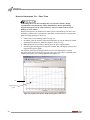
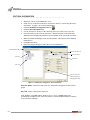
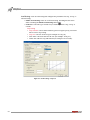
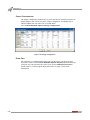
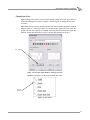
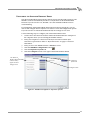
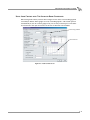
run information tab
current run directory
enter run name
directory
enter title
tree view
you can create one
custom run type by
overtyping this value
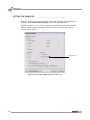
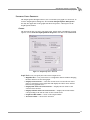
Figure 6-7: MakeRun Configuration—Run Information
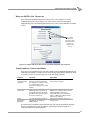
Next Run Name—Enter the name of the run. This name will appear on the printed
graph.
Run Title—Enter a description of the run.
Tach Redline—The RPM redline. While in Novice Mode, all RPM gauges will
automatically configure to the value entered here. Advanced Mode contains an option
to turn off auto configure.
6-2
WinPEP 7 User Guide