1
C Auto Bracketing
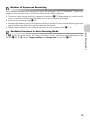
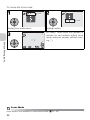
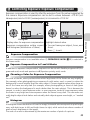
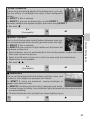
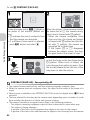
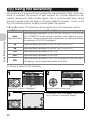
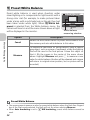
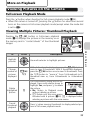
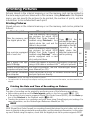
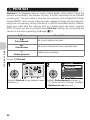
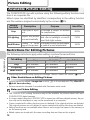
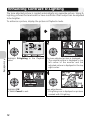
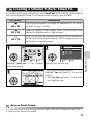
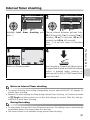
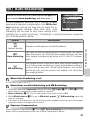
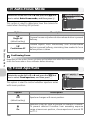
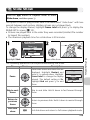
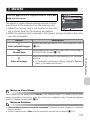
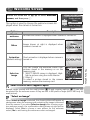
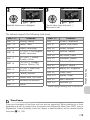
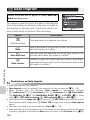
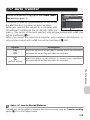
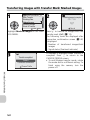
Rotate the mode dial to P or A and press the m button to select Auto bracketing, and then press d.
AUTO BRACKETING
Off
Auto bracketing
WB bracketing
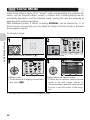
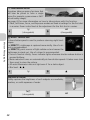
In some situations, you may find it difficult to select
appropriate Exposure compensation and White balance settings, and yet not have time to check the reExit
Confirm
sults and adjust settings after each shot. Auto
bracketing can be used to vary these settings automatically over a series of pictures, “bracketing” a selected exposure compensation or white balance setting.
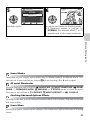
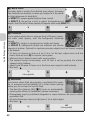
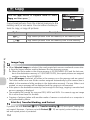
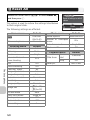
Option
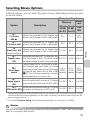
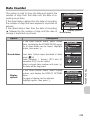
Description
Restores normal exposure and white balance.
C
Auto bracketing
Each time the shutter-release button is fully pressed, the camera
takes three shots, one shot with the current exposure, and two
shots varying the exposure by values of +0.5 and -0.5 compensation.
x
WB bracketing
The camera records three shots each time shutter-release button is fully pressed, bracketing current white balance setting to
produce one picture with normal white balance, one picture
with bluish cast, and one picture with reddish cast. Recording
time roughly triples.
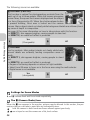
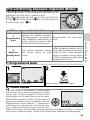
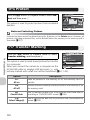
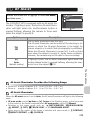
When Auto Bracketing is set
• The Flash mode is set to B.
Restrictions on Auto Bracketing and WB Bracketing
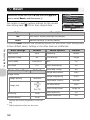
• Cannot be used with Continuous settings other than r Single (c89), or BSS (c92). The
latest setting is used and the earlier setting is canceled.
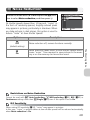
• Noise reduction (c101) has no effect even if this option is set to On.
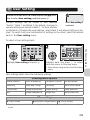
• While White balance (c52) is set to White bal. preset, x WB bracketing cannot be
used for shooting.
• If the space in the memory or on the memory card is capable of storing only a few images,
only that number of images will be stored.
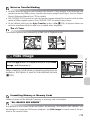
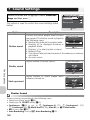
Exposure Compensation
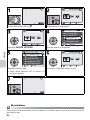
When Exposure compensation (c33) and C Auto bracketing are set simultaneously, exposure will be compensated at the sum of both compensation values.
93
The Shooting Menu
D
Off
(default setting)