1
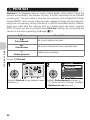
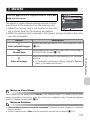
W Using ISO Sensitivity
ISO sensitivity is a measure of how sensitive the camera reacts to light. As the sensitivity is increased, the amount of light required for a certain exposure is decreased, allowing for faster shutter speeds. This is recommended when taking
pictures in places under low light or of moving subjects. However, “noise” in the
form of randomly-spaced, brightly-colored pixels may appear.
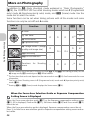
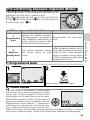
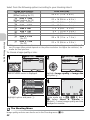
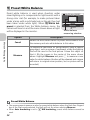
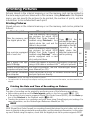
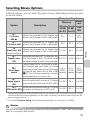
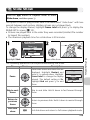
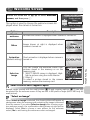
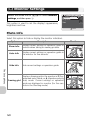
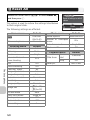
In P and A modes, ISO sensitivity can be selected from the following options:
Option
Description
More on Photography
Approximately equivalent to ISO 50 (for COOLPIX P1) or ISO 64
Auto
(for COOLPIX P2) under normal conditions; when lighting is poor,
(default setting) however, camera automatically compensates by raising sensitivity
to maximum of ISO 200 equivalent.
50
Approximately equivalent to ISO 50. (for COOLPIX P1)
64
Approximately equivalent to ISO 64. (for COOLPIX P2)
100
Approximately equivalent to ISO 100.
200
Approximately equivalent to ISO 200.
400
Approximately equivalent to ISO 400. Intended for use with natural lighting; not recommended when using flash.
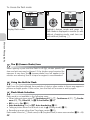
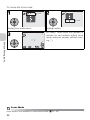
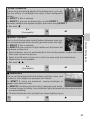
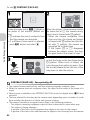
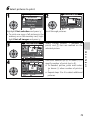
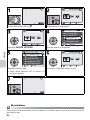
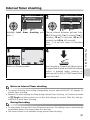
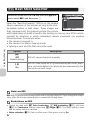
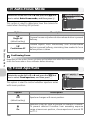
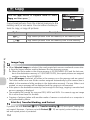
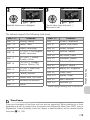
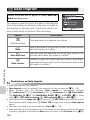
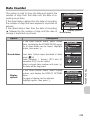
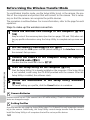
To choose a value for ISO sensitivity:
SENSITIVITY
Auto
50
100
200
400
SENSITIVITY
Auto
50
100
200
400
Confirm
Confirm
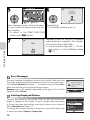
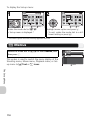
Highlight option and press d.
SENSITIVITY menu is displayed.
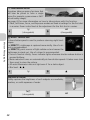
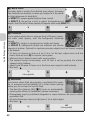
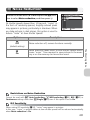
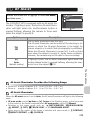
At settings other than Auto, current setting is shown in shooting display.
1/60
50
F2.7
NORM
14