1
NETAVIS Observer 4.6 Server Installation and Administration (October 2015)
Each Observer server licensing slave that obtains camera licenses from a remote license master
automatically has a license for 1 user, even if there are no explicit users licensed. In addition to that,
one administrator user can always log in.
4.3.2 Configuring floating licensing
Obtaining and entering license data for a floating network license is exactly the same as for a single
server license. The difference is that for a floating network license you sum up all needed camera
licenses of all connected slave camera servers (NCS) and then obtain a license for that number and
enter it on the master license server (usually the user server (NUS)). The number of users is also
licensed.
Here is how you can setup a master and several slave license servers:
First, you have to decide which server is to be the master license server. As indicated above, usually a
user server (NUS) is best for that purpose.
Sum up all needed camera and user licenses and with this information license your network by
obtaining and entering a license key on the master license server. Please refer to 4.4 Obtaining and
entering license data on page 21 for details.
Then you need to make sure that the master server knows all slave servers and that each slave server
knows the master server. For newly setup slave servers you can work in licenseless mode and login as
admin user, then in Admin > Host Admin you can add the master slave server and enable the option
Request license from remote server (=license master). As indicated above, repeat that step for
all slave servers. Please refer to the NETAVIS Observer User Manual for details on how to do that.
Once you have done that for all slave servers your network is licensed and you can continue to setup
cameras and other options.
4.4 Obtaining and entering license data
For obtaining a license key you need to generate a so called server identifier which is unique for your
server hardware. The number of cameras and users and the features of your system can be defined
during the order process.
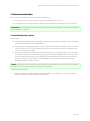
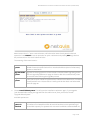
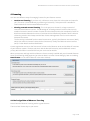
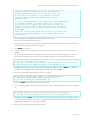
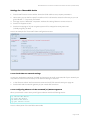
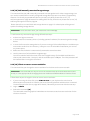
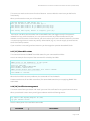
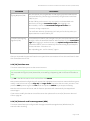
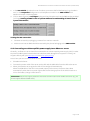
1. In the Demo license or Permanent license areas click on the Request License button.
2. A subsequent dialog will display the identifier for your server hardware.
3. Fill out the standard NETAVIS order form (available from the Partner area on www.netavis.net).
Send the filled out order form to your NETAVIS solution partner or to NETAVIS Software GmbH
directly via fax +43 (1) 503 1722 360 or e-mail [email protected] (e-mail is preferred). You will
then receive your license key by fax or e-mail respectively.
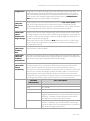
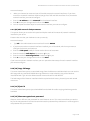
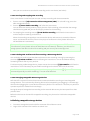
4. When you receive your license key, you can continue with license registration by clicking the
Next button and entering the key in the License field. Click the OK button.
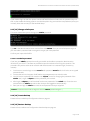
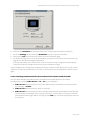
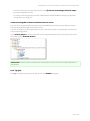
If you enter a valid license key, the message „The license key has been saved on the server.“ is
displayed at the bottom of the license dialog. The client is then automatically restarted to
activate the license.
Your Observer system is now licensed and ready to use. The User Manual provides instructions.
Page 21 of 66