1
NETAVIS Observer 4.6 Server Installation and Administration (October 2015)
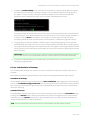
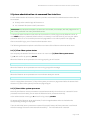
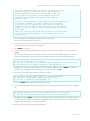
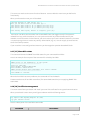
3. Execute command [30] External archive management (NEA). This should bring you to the
NEA management menu.
4. Execute [l] List storages. You should see your newly connected disk listed with the size.
5. Execute [m] Swap management. This should bring you to the Swap management menu.
6. Execute [c] Create an empty storage for swap and follow the instructions.
7. Connect another device and execute steps 4 to 6 in order to initialize a second storage device for
swapping.
You can also initialize other swappable devices later on by following the same procedure.
Now you are prepared to start double recording with one of the initialized swappable devices.
Starting and stopping double recording with swappable devices
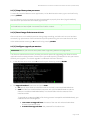
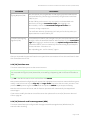
Once a new swappable device is initialized you can start and stop recording with these commands:
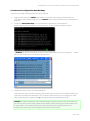
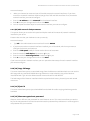
1. Execute command [30] External archive management (NEA). This should bring you to the
NEA management menu.
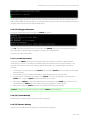
2. Execute [h] Start swap double recording and follow the instructions.
You can select the device/partition, supply the size of the recording, select whether the storage
should be encrypted and you can also supply a name for the recording.
3. For stopping the recording execute [e] End double recording and follow the instructions in
order to stop the recording on the device.
When the recording is stopped you can access the archive in the archive player of an Observer
client (please refer to the NETAVIS Observer User Manual).
Swapping storage devices during an active recording
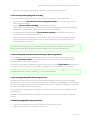
As mentioned above, Observer allows storage devices to be swapped during active recording just by
plugging in a new storage device and unplugging the first device without any further user interaction.
Therefore, no particular operator expertise is needed for the exchange.
Here is how you can do that:
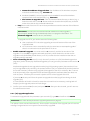
1. We assume you have started recording with the [h] Start swap double recording command.
2. While the first storage device is still connected to the server, connect another swappable storage
device to the server via the eSATA connector (one that has been initialized with the [c] Create an
empty storage for swap command).
Now Observer recognizes this new swappable disk and will automatically start recording on this
newly connected device and stop recording on the existing device.
The status of the existing device will be changed to finished recording so that it can be accessed in
the archive player of an Observer client (also, a beep is played at the server when a new
swappable device is connected to indicate that the existing storage device can be removed).
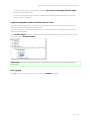
You can unplug the device and pug it in at another Observer server which will automatically
recognize it as external archive and display it in the camera tree of clients.
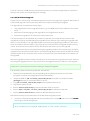
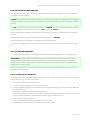
3. If you want to reuse a device that contains finished swap archives, then you either have to free an
existing archive or you have to create a new swap storage area.
Page 56 of 66