1
Initializing and Testing the System
3. At the ringing telephone, have someone pick up the handset and verify that you have good
two-way communication.
4. Repeat Steps 2 and 3 for each calling group.
5. Make additional calls to check each member of each calling group.
6. At any telephone, pick up the handset and dial the group extension number.
7. Test the calling group delay announcement (if provided) for each group.
8. Make the group busy or have all members log out of the group (by dialing #*44 at each group
extension).
9. Repeat Step 2.
10. After listening to the delay announcement, hang up.
11. Repeat these steps for each group.
12. At the ringing telephone, have someone pick up the handset and verify that you have good
two-way communication.
System Speed Dial Test
7
To test System Speed Dial numbers, follow these steps:
1. Find out which numbers have been programmed for System Speed Dial.
See the system manager or use Form 10b as a reference for System Speed Dial numbers.
2. From the test telephone, pick up the handset and dial a System Speed Dial code.
Verify that you have good two-way communication and that the correct party was reached.
Coverage Test
7
To verify that coverage is in effect, follow these steps:
1. Have someone call the covered telephone.
2. Count the number of rings at the covered telephone before the covering telephone starts
ringing.
This should be the same as the programmed number of rings.
3. Pick up the handset at the covering telephone and verify that you have good two-way
communication.
4. Hang up the handset at the covering telephone.
5. Check both Individual and Group Coverage.
Testing the DSS
7
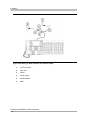
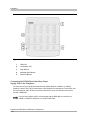
At each Direct Station Selector (DSS), check that all lights are operational. Then use the DSS to
call a telephone in the system. Test the Page buttons on the DSS.
Testing the System
7-11