1
ISO 9001 CERTIFIED
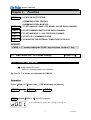
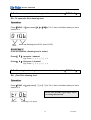
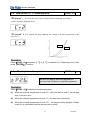
STEP 2:Press【5】,and LED displays:
STEP 3:Press【ENTER】to confirm,and Ch .7 will be set the start address for DMX
IN. (start address of DMX signal)。
1 green point will glimmer when setting is finished.
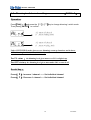
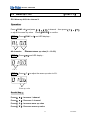
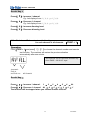
Assist key:
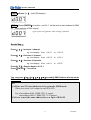
Press【 4】: Increase 1 channel
eg: Led display from d 0 0 1 to d 0 0 2.
Press【 w】: Decrease 1 channel
eg: Led display from d 0 0 2 to d 0 0 1.
Press【 5】: Increase 6 channels.
eg: Led display from d 0 0 1 to d 0 07.
Press【 6】: Restore back to d 0 0 1.
Press【ENTER】: To confirm.
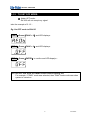
You can press【4】【w】【5】【6】to modify DMX Address directly under
DMX mode.
PS.
(1):There are 512 start addresses to be set under DMX mode.
(There are series 6 ch. output to each DX-625).
Eg: start address d001: DMX CH.1-6 output.
start address d0013: DMX CH.13-19 output.
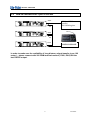
(2):Users can set the same address for over 2pcs of DX-625.
6
Lite-Puter