1
“Remote Key Unlock”
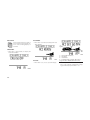
When Driver Door 1st Press is selected, only
the driver’s door will unlock on the first press of
the Remote Keyless Entry (RKE) transmitter
UNLOCK button. When Driver Door 1st Press is
selected, you must press the RKE transmitter
UNLOCK button twice to unlock the passenger’s doors. When All Doors 1st Press is selected, all of the doors will unlock on the first
press of the RKE transmitter UNLOCK button.
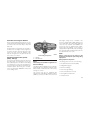
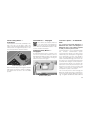
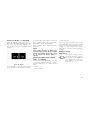
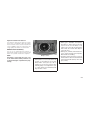
To make your selection, press and release the
FUNCTION SELECT button until “Driver Door
1st Press” or “All Doors 1st Press” appears.
NOTE:
If the vehicle is equipped with Passive Entry
and the EVIC is programmed to Unlock All
Doors 1st Press, all doors will unlock no
matter which Passive Entry equipped door
handle is grasped. If Driver Door 1st Press is
programmed, only the driver’s door will unlock when the driver’s door is grasped. With
Passive Entry, if Driver Door 1st Press is
programmed touching the handle more than
once will only result in the driver’s door
opening. You have to touch a passenger
Passive Entry equipped door handle to un-
lock all doors passively when Driver’s Door
Only is programmed in the EVIC.
“Recall Memory with Remote Key
Unlock” — If Equipped
When ON is selected, you can use your RKE
transmitter to recall one of two preprogrammed memory profiles. Each memory
profile contains desired position settings for the
driver seat, side mirror, adjustable pedals (if
equipped), power tilt and telescopic steering
column (if equipped), and a set of desired radio
station presets. When OFF is selected, only the
MEMORY switch on the driver’s door trim panel
will recall memory profiles. To make your selection, press and release the FUNCTION SELECT
button until “ON” or “OFF” appears. Refer to
“Driver Memory Seat” in Section 3.
“Rain Sensing Intermittent Wipers” —
If Equipped
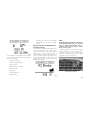
When ON is selected, the system will automatically activate the windshield wipers if it senses
moisture on the windshield. To make your selection, press and release the FUNCTION SELECT button until “ON” or “OFF” appears.
When OFF is selected, the system reverts to the
standard intermittent wiper operation.
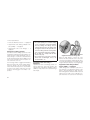
“Automatically Move Seat Back on Exit” —
If Equipped
This feature provides automatic driver seat
positioning to enhance driver mobility when
entering and exiting the vehicle. To make your
selection, press and release the FUNCTION
SELECT button until “ON” or “OFF” appears.
NOTE:
The seat will return to the memorized seat
location (if Recall Memory with Remote Key
Unlock is set to ON) when the RKE transmitter is used to unlock the door. Refer to “Easy
Entry/Exit Seat” under “Driver Memory
Seat” in Section 3.
“Flash Lights with Remote Key Lock”
When ON is selected, the front and rear turn
signals will flash when the doors are locked or
unlocked with the RKE transmitter. To make
your selection, press and release the FUNCTION SELECT button until “ON” or “OFF” appears.
“Headlights On with Wipers”
(Available with Auto Headlights Only)
When ON is selected, and the headlight switch
is in the Auto position, the headlights will turn
141