1
Adding Channels to an Analog Input Object
Adding Channels to an Analog Input Object
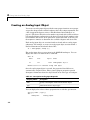
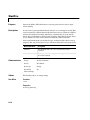
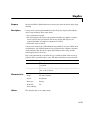
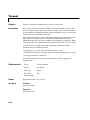
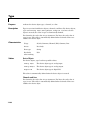
After creating the analog input object, you must add hardware channels to it.
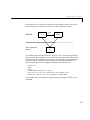
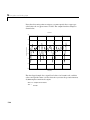
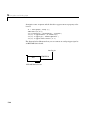
As shown by the figure in “Adding Channels or Lines” on page 3-8, you can
think of a device object as a container for channels. The collection of channels
contained by the device object is referred to as a channel group. As described in
“Mapping Hardware Channel IDs to MATLAB Indices” on page 3-9, a channel
group consists of a mapping between hardware channel IDs and MATLAB
indices (see below).
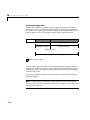
When adding channels to an analog input object, you must follow these rules:
• The channels must reside on the same hardware device. You cannot add
channels from different devices, or from different subsystems on the same
device.
• The channels must be sampled at the same rate.
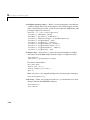
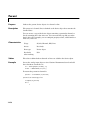
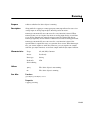
You add channels to an analog input object with the addchannel function.
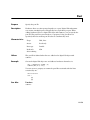
addchannel requires the device object and at least one hardware channel ID as
input arguments. You can optionally specify MATLAB indices, descriptive
channel names, and an output argument. For example, to add two hardware
channels to the device object ai created in the preceding section:
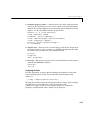
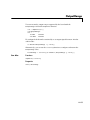
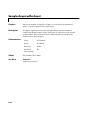
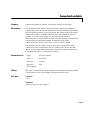
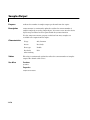
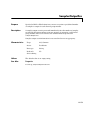
chans = addchannel(ai,0:1);
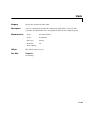
The output argument chans is a channel object that reflects the channel array
contained by ai. You can display the class of chans with the whos command.
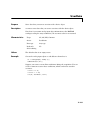
whos chans
Name
chans
Size
2x1
Bytes
512
Class
aichannel object
Grand total is 7 elements using 512 bytes
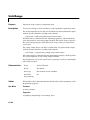
You can use chans to easily access channels. For example, you can easily
configure or return property values for one or more channels. As described in
“Referencing Individual Hardware Channels” on page 4-5, you can also access
channels with the Channel property.
4-3