1
AIDA64 Network Audit
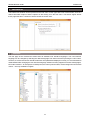
Preferences
GENERAL
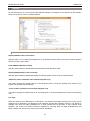
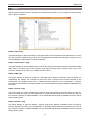
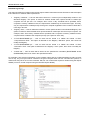
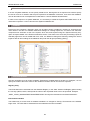
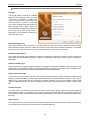
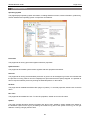
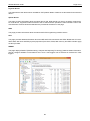
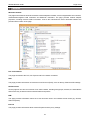
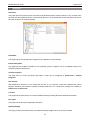
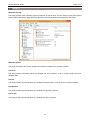
On the General tab, we can find the general AIDA64 settings, for example, we can define how the software
starts or how often it looks for software updates.
3.2.1
GENERAL
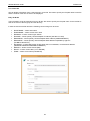
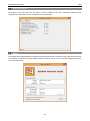
Display AIDA64 in the Control Panel
With this option, we can display the AIDA64 icon in the Windows Control Panel so that we can launch AIDA64
directly from the Control Panel.
Load AIDA64 at Windows startup
With this option enabled, AIDA64 will load automatically when Windows starts.
Display AIDA64 splash screen at startup
With this option enabled, AIDA64 will display the AIDA64 splash screen when the software starts.
“Minimize” button minimizes main window to System Tray
This option changes the default behavior of the Minimize button to close the AIDA64 main window to the
System Tray (instead of the Taskbar).
“Close” button minimizes main window to System Tray
This option changes the default behavior of the Close button to close the AIDA64 main window to the System
Tray.
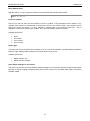
Icon style
When this option is set to Windows XP or Windows 7, the relevant 32-bit alpha channel icons (in the style of
Windows XP or Windows 7) are displayed under Windows XP and later operating systems. This feature is
available only when the AIDA_ICONSXP.DLL or AIDA_ICONS7.DLL file presents. In most network audit
situations, the 32-bit icons feature should be disabled by removing both the AIDA_ICONSXP.DLL and
AIDA_ICONS7.DLL files to save memory and network bandwidth.
15