1
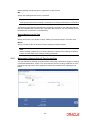
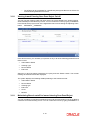
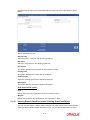
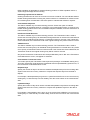
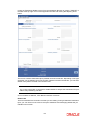
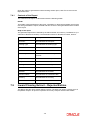
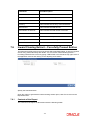
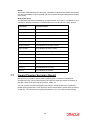
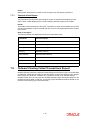
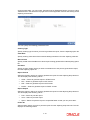
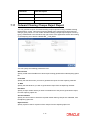
Description You can indicate a short description for the charge.If you have provided a charge, it is mandatory to enter the description. Charge Tracking Preference Select charge tracking preference from the adjoining drop-down list. The options available are: Part Debit/Part Waive - If your account does not have an amount sufficient to collect the full charge, then the system collects the available amount and waives off the remaining amount. There will not be any tracking for the waived amount. For example: If the charge amount is Rs100 and there is Rs70 in the customer account, then Rs70 will be collected as the charge and the remaining Rs30 would be waived off. Part Debit/Part Track - If your account does not have an amount sufficient to collect the full charge, then the system collects the available amount and tracks the remaining amount. For example: If the charge amount is Rs100 and there is Rs70 in the customer account, then Rs70 will be collected as the charge and the remaining Rs30 would be tracked for collection. Full Waive - If your account does not have sufficient balance then the system waives off the full charge amount. For e.xample: If the charge amount is Rs100 and there is Rs70 in the account, the entire Rs100 charge will be waived off. Full Track - If your account does not have sufficient balance to cover the charge, then the system tracks the entire amount as receivable. For example: If the charge is Rs100 and the amount in the account is Rs70, charge will not be collected, instead Rs100 will be tracked as receivable and this would be tracked till closure. Force Debit - The system debits the charge amount forcefully from your account. If the amount available in the account is not sufficient then force debit results in negative balance. For example: If the charge is Rs100 and the customer account has Rs70, then the system forcibly debits the customer account of Rs100 resulting in the customer account balance of Rs30. The amount is not tracked in this case. This option if selected, ignores all other validations for balance check and will debit the customer account for the charge amount. The same balance check validations are skipped here too which are currently skipped by the system if balance check required flag is unchecked at transaction code level. However, other validations such as No debit, account freeze will not be skipped. Not Required - Select ‘Not Required’ if charge for tracking is not preferred. The system behaves in the same manner as it is when “Tracking required auto liquidation” flag is unchecked. This will consider the validations for balance check, that is preference at transaction code level or account overdraft errors (e.g. AC-OVD) Reject - If the account does not have sufficient balance, then the system rejects entire transaction. Note If “Charge Tracking Preference” is any of the above other than “Not Required”, the given preference will take precedence over the account overdraft check validation (AC-OVD). For example, if account overdraft check validation (AC-OVD) is set up as an override, but tracking preference is selected as full track or part debit/ part track, the charge amount will be tracked if available balance is insufficient to cover the charges. If tracking preference is selected as “Not Required”, then the system will debit the account for charge even if available balance is insufficient to cover the charges. If account overdraft check validation (ACOVD) is set up as an error, but tracking preference is selected as “Force Debit”, then the charge amount will be debited to the customer account by skipping the balance check validation and if available balance is insufficient to cover the charges. But if the tracking preference is selected as “Not Required”, the transaction fails due to insufficient fund. 5-10