1
W406-CE User’s Manual
Getting Started
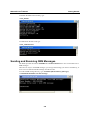
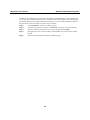
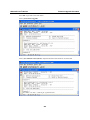
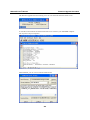
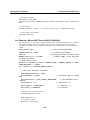
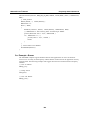
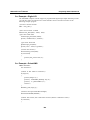
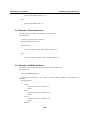
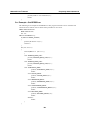
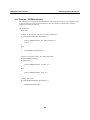
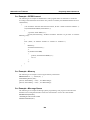
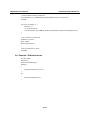
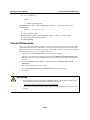
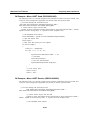
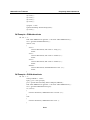
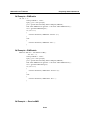
Step 6: Type “2” for “Format User Disk”, and then press Enter.
Step 7: After a few seconds, you will see the bootloader menu again. Unplug the power line and
then plug it back again. It takes about 3 minutes to reset the operating system.
Boot Loader
For the OS stability issue, we provide an easy and useful function with Boot Loader for the
following tasks:
1. Reset to default: you can set the flag to reset WinCE 6.0 to factory default settings.
2. Format storage flash: The CE 6.0 file system is an FAT that can be damaged by unstable
power or improper application execution. If the FAT table crashes, do not start up the OS. You
can, however, format the file system and reboot your W406.
At startup, the W406 will check the file system and re-partition it if the file system is empty.
3. Firmware upgrade: If you find a new firmware from Moxa’s website, you can upgrade the
firmware with this function (details in appendix A).
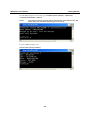
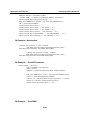
Go to the boot loader menu from serial console:
Step 1: Power off your W406 device.
Step 2: Make sure the serial console wire is connected to your PC correctly.
Step 3: Go to [Start] Æ [Programs] Æ [Accessories] Æ [Communication] Æ [Terminal] to
create a new terminal communication with the following settings: baudrate of 115200,
no hardware flow control, 8 N 1, and character set VT100.
Step 4: Activate this terminal window on your PC.
Step 5: Hold “DEL” key continuously.
Step 6: Power on the W406 device.
Operating Your W406 Computer through the Serial Console
The serial console port (located on the bottom panel) gives users a convenient way of connecting
the development workstation to the console utility of the target computer. This method is
particularly useful when using the computer for the first time.
After you have wired a serial cable, go back to the development workstation and start a terminal
program (e.g., HyperTerminal) by using the settings shown below for the serial console port.
Baudrate
Parity
Data bits
Stop bits
Flow Control
Terminal
115200 bps
None
8
1
None
ANSI
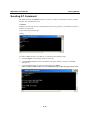
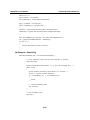
After a successful connection, type the login name and password as requested to log on to the
computer. The default values are both admin.
Login: admin
Password: admin
2-3