1
Interface Explorer for HL7
Professional
User Manual
Interface Explorer for HL7 Professional
Copyright © 2014 Laconic Designs
Page 1
Table of Contents
Copyright and Trademark Notices ........................................................................................................... 6
Chapter 1: Free 45-Day Evaluation .......................................................................................................... 7
Installation ............................................................................................................................................... 7
Reminders ................................................................................................................................................ 7
Extending the Evaluation Period Beyond 45 Day ................................................................................ 7
Ordering .................................................................................................................................................. 7
Chapter 2: What’s New in the Professional Version ............................................................................... 8
New Features ........................................................................................................................................... 8
Removed Features................................................................................................................................... 8
Bug Fixes .................................................................................................................................................. 8
Chapter 3: Installation ............................................................................................................................... 9
Web Install............................................................................................................................................... 9
CD Install ................................................................................................................................................. 9
Registering the Software with your License Key ................................................................................. 9
Chapter 4: Support ................................................................................................................................... 10
e-Mail ..................................................................................................................................................... 10
Telephone ............................................................................................................................................... 10
Chapter 5: Screen Layout ........................................................................................................................ 11
Program Window .................................................................................................................................. 11
Child Windows ...................................................................................................................................... 12
Title Bar ............................................................................................................................................. 12
MessageList ....................................................................................................................................... 13
MessageList Pop-Up Menu .............................................................................................................. 14
SegmentList ....................................................................................................................................... 16
SegmentList Pop-Up Menu .............................................................................................................. 16
FieldList ............................................................................................................................................. 17
FieldList Pop-Up Menu .................................................................................................................... 18
Interface Explorer for HL7 Professional
Copyright © 2014 Laconic Designs
Page 2
Chapter 6: The Menu Bar - Overview .................................................................................................... 19
File .......................................................................................................................................................... 19
Edit ......................................................................................................................................................... 20
Analyze ................................................................................................................................................... 21
Tools ....................................................................................................................................................... 22
FTP ......................................................................................................................................................... 23
TCP/IP ................................................................................................................................................... 24
Reports ................................................................................................................................................... 25
Window .................................................................................................................................................. 26
Help ........................................................................................................................................................ 27
Chapter 7: The Button Bar - Overview .................................................................................................. 28
Chapter 8: Loading HL7 Messages ......................................................................................................... 31
File System ............................................................................................................................................. 31
File | Open .......................................................................................................................................... 31
File | Open Replace ............................................................................................................................ 31
File | Open Append ............................................................................................................................ 31
Opening ZIP and GZIP Files ............................................................................................................ 31
Clipboard ............................................................................................................................................... 32
Edit | Paste .......................................................................................................................................... 32
Edit | Paste Append ............................................................................................................................ 32
FTP ......................................................................................................................................................... 32
FTP | Get ............................................................................................................................................ 32
TCP/IP ................................................................................................................................................... 33
TCP/IP | Display TCP/IP Control Window ....................................................................................... 33
Drag and Drop....................................................................................................................................... 33
Load as Parameters to the Executable ................................................................................................ 34
Load from Ensemble............................................................................................................................. 35
Chapter 9: Saving HL7 Messages ............................................................................................................ 36
File System ............................................................................................................................................. 36
File | Save ........................................................................................................................................... 36
File | Save As ...................................................................................................................................... 36
Save as Types ...................................................................................................................................... 36
Saving as a ZIP File .............................................................................................................................. 37
Interface Explorer for HL7 Professional
Copyright © 2014 Laconic Designs
Page 3
Saving as a GZip File ............................................................................................................................ 37
Chapter 10: Features You Need to Know ............................................................................................... 38
Filter ....................................................................................................................................................... 38
Filter on this Field and Value........................................................................................................... 38
Filter (generic) ................................................................................................................................... 39
Analyze | List All Fields Used and Maximum Field Widths ............................................................. 43
Analyze | Find All Fields with Non-Cerner Aliased Values .............................................................. 43
Analyze | Compare Two Selected Messages........................................................................................ 44
Analyze | Validate HL7 Messages ........................................................................................................ 45
Resizing of Forms is Can be Persistent ............................................................................................... 45
Quick Filter............................................................................................................................................ 46
Copy/Paste ............................................................................................................................................. 47
MessageList ........................................................................................................................................ 47
SegmentList ........................................................................................................................................ 47
FieldList.............................................................................................................................................. 47
Minimizing Segment List White-Space ............................................................................................... 48
Chapter 11: FTP ....................................................................................................................................... 49
FTP | Get ................................................................................................................................................ 49
FTP | Put ................................................................................................................................................ 50
FTP | Manage FTP Accounts ............................................................................................................... 51
Chapter 12: TCP/IP .................................................................................................................................. 52
Manage Clients ...................................................................................................................................... 52
Manage Servers ..................................................................................................................................... 53
Display TCP/IP Control Window ........................................................................................................ 54
Chapter 13: Options ................................................................................................................................. 59
File Open ................................................................................................................................................ 59
File Extensions: ................................................................................................................................. 59
Default Editor: .................................................................................................................................. 59
File Save ................................................................................................................................................. 60
File Extensions: ................................................................................................................................. 60
Warnings................................................................................................................................................ 60
Window Placement ............................................................................................................................... 61
Interface Explorer for HL7 Professional
Copyright © 2014 Laconic Designs
Page 4
Main Window Size and Placement: ................................................................................................. 61
Children Windows Size and Placement: ......................................................................................... 61
Remember Form Sizes: .................................................................................................................... 61
Fonts ....................................................................................................................................................... 61
Change Font: ..................................................................................................................................... 61
Displaying Data ..................................................................................................................................... 62
HL7 Version: ..................................................................................................................................... 62
Segment List: ..................................................................................................................................... 62
Field List: ........................................................................................................................................... 62
Logging .................................................................................................................................................. 63
View Log: Enables you to view the log file with your default .txt editor. ........................................ 63
FTP to Support: ................................................................................................................................ 63
Delete Log: Deletes the log. ............................................................................................................... 63
External Systems ................................................................................................................................... 64
InterSystems’ Ensemble: .................................................................................................................. 64
Warn of Lengthy Queries: ............................................................................................................... 64
Quick Filter............................................................................................................................................ 65
HL7 Fields and Components: .......................................................................................................... 65
Short Description: ............................................................................................................................. 65
[Add ->]:............................................................................................................................................. 65
[Up]: ................................................................................................................................................... 65
[Down]:............................................................................................................................................... 65
[Delete]: .............................................................................................................................................. 65
Chapter 14: Ensemble .............................................................................................................................. 66
Enable Ensemble Support in Interface Explorer for HL7 Professional .......................................... 66
Install the InterSystems ODBC Driver ............................................................................................... 66
Import Two Class Files ......................................................................................................................... 67
Configure the Ensemble Data Sources in Interface Explorer Professional ..................................... 68
Retrieving HL7 Message from Ensemble ........................................................................................... 69
Chapter 15: Editing HL7 Segments, Z-Segments, and Code Tables .................................................... 71
Edit Z-Segments .................................................................................................................................... 71
Edit HL7 Segments ............................................................................................................................... 74
Edit HL7 Code Tables .......................................................................................................................... 76
Interface Explorer for HL7 Professional
Copyright © 2014 Laconic Designs
Page 5
Copyright and Trademark Notices
HL7 is a trademark of Health Level Seven, Inc. and, when used in this document, refers to the
standard and not the organization.
Ensemble is a trademark of InterSystems Corporation.
Cerner Millennium is a trademark of Cerner Corporation.
Gzip is a popular compression utility and provided at no cost under GPL. It was written by Jeanloup Gaiily and Mark Adler. No dynamic or static linking is performed between Interface
Explorer and gzip – gzip is called as a shelled program. Additional information on gzip,
including executables and source code, can be found at www.gzip.org.
Interface Explorer for HL7 and Interface Explorer for HL7 Professional are trademarks of Laconic
Designs.
Interface Explorer for HL7 Professional
Copyright © 2014 Laconic Designs
Page 6
Chapter 1: Free 4545-Day Evaluation
You can install the program from our website (www.laconic-designs.com) and run the program
for free for 45 days. The software that you are running during the evaluation period is exactly
the same as the full version.
Installation
The installation instructions are provided in Chapter 3: Installation.
Reminders
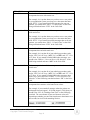
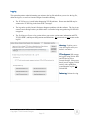
During the 45 day evaluation period you will see a message similar to the following when you
run the program. You will only see this message once each day.
Extending the Evaluation Period Beyond 45 Day
The evaluation period cannot be extended.
Ordering
To place your order, go to the ordering link on our website at www.laconic-designs.com. We
accept purchase orders, company and personal checks, and all major credit cards. If paying by
credit card, please phone your order in to 616-405-3267.
Interface Explorer for HL7 Professional
Copyright © 2014 Laconic Designs
Page 7
Chapter 2: What’s New in the Professional Version
Interface Explorer for HL7 is used by more than two thousand HL7 interface programmers, analysts,
educators, and consultants. As such, we frequently receive requests for new features. The following are
just some of the improvements have been made since the last version of Interface Explorer for HL7:
New Features
•
Much faster in most operations.
•
New multiple document interface - load and view multiple HL7 windows at the same
time.
•
Link HL7 windows together so that as you scroll one window (i.e. messages from an
inbound interface) the other window scroll as well (i.e. messages from outbound
interfaces). This linking is based upon the MSH-10 (Message Control ID) field.
•
Supports retrieving messages directly from Ensemble’s Cache database – no more
archive file needed!
•
Managing FTP server definitions is much easier.
•
Edit the HL7 definitions, Z-Segments, and Code Tables.
•
Managing of TCP/IP client and server definitions is much easier.
•
Validate messages against various HL7 standards.
•
Read HL7 messages directly from InterSystems' Ensemble back-end database.
•
Support for both HL7 v2.3.1 and 2.5.
•
Options in pop-up menus appear in order of most frequently used.
•
Compare two messages - now relies on 3rd party software (either WinMerge or
BeyondCompare).
Removed Features
We've found the following features were not being used and so have been removed.
•
Views (displaying only certain fields as you scroll through messages).
Bug Fixes
Bug fixes are reported in the Version History, which you can view in [Help | Version History]
Interface Explorer for HL7 Professional
Copyright © 2014 Laconic Designs
Page 8
Chapter 3: Installation
The program is distributed electronically. That is, it is available for download from our website.
CDs are available at an additional cost.
Web Install
You can either run the install program from our website or download the program to your PC
and run it from there.
1. Go to www.laconic-designs.com
2. Click the Downloads link on the menu on the top of the website.
3. You'll be prompted for your name, company name, and an e-mail address.
4. You will see a link for the current version as well as previous versions - select the version
that you want to install. Depending upon your browser's security options you may have
the option to run the setup program from the website or you may have to download to
your PC. Either run it from the website or download it and run the downloaded setup
program.
5. Accepting the defaults is recommended.
CD Install
The CD contains a setup<version#>.exe file. Run it and follow the prompts - you'll know what
to do. We recommend that you accept the defaults.
Registering the Software with your License Key
If you have purchased a license, then after installing the program.
1. Run the program.
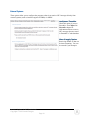
2. Select Help, then Register. You will see the following:
3. Enter your license key and click [Register].
Interface Explorer for HL7 Professional
Copyright © 2014 Laconic Designs
Page 9
Chapter 4: Support
Please contact support if you have a bug to report, questions as to how to use a particular feature, or have
suggestions for enhancements.
e-Mail
Your best line of support is via e-mail. You can e-mail your support questions to
[email protected]. The support account is monitored from 7 AM ET through 7 PM
ET. You can expect a reply within twenty-four hours but most questions are responded to within
a few hours.
It is helpful if you paste or attach screen shots. If the data contains PHI (Protected Health
Information) then just use a Paint type program to make the PHI unintelligible. If you can
duplicate your problem with test data then it would be helpful if you attach a test file as well.
Telephone
Our phone number is 616-405-3267. If your call goes into phone mail please do not hang up leave a message with a brief description of the problem and a support person will get back to you
within an twenty-four hours, but most questions are responded to within a few hours.
We have found that it usually takes longer to diagnose problems on the phone due to the
difficulty in describing in words what one or two attached screenshots would show had they been
attached to an e-mail and sent to [email protected].
Interface Explorer for HL7 Professional
Copyright © 2014 Laconic Designs
Page 10
Chapter 5: Screen Layout
Program Window
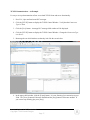
The main window is divided into three areas: the menu, the button bar, and the child window
space. Each child window is divided into three areas: MessageList, SegmentList, and FieldList.
Details on the Menu are found in Chapter 6 and Button Bar details in Chapter 7.
Menu
Button Bar
Child
Windows
SegmentList
QuickFilter
MessageList
Field Display
Options
FieldList
Interface Explorer for HL7 Professional
Copyright © 2014 Laconic Designs
Page 11
Child Windows
Windows
The child windows contain HL7 messages. Each child window is divided into three areas:
MessageList, SegmentList, and FieldList. Each of these three areas have their own pop-up
menus which are accessed via a right-mouse click. Each child window also has a QuickFilter for
quickly filtering through messages and various display and searching options.
Title Bar
The Title Bar identifies the source of the HL7 messages contained in the child window. For example, if
the messages were loaded via the file system then the title bar will be the fully qualified filename (drive
letter, directory, and filename). If loaded via FTP then it will be the name of the FTP server and the
directory and filename. If loaded via ODBC then the source of the messages will likewise be identified.
The child window title can be
changed by right-clicking on
the title bar.
Interface Explorer for HL7 Professional
Copyright © 2014 Laconic Designs
Page 12
Minimize, maximize, or close
the child window.
MessageList
The MessageList contains the HL7 messages (however, only the first 255 characters of the message are
displayed in the MessageList). If you select a message then that message’s segments will be displayed in
the SegmentList and the fields will be displayed in the FieldList. The MessageList has a pop-up menu
which can be accessed by a right-mouse click.
QuickFilter allows you to
quickly filter on the entire
message or specific fields. You
can modify the fields upon
which you can QuickFilter.
The text for which you
want to filter is entered
here. Use the exclamation
character ! as an OR
between values to filter on.
A history of
your
QuickFilter
search text
is kept here.
The [Clear]
button
clears the
filter text
field.
Undo button undoes the
last filter, delete, edit,
etc. There is no limit to
the number of undo’s
that can be done.
Clicking on a message
selects it. That message’s
segments will be displayed
in the SegmentList and the
fields in the FieldList.
Go to the
first page or
the previous
page.
Go to the
next page or
the last
page.
The selected message is
message # 11 of 3,200.
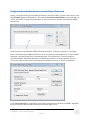
Although you can have 100,000’s of thousands of messages loaded, they are displayed 500 messages per
page. Use the navigation buttons to move through the pages. In this example, there are 3,200 messages
loaded, message #11 is the selected message, and we are on page 1 of 7.
Interface Explorer for HL7 Professional
Copyright © 2014 Laconic Designs
Page 13
MessageList PopPop-Up Menu
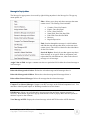
The MessageList pop-up menu is accessed by right-clicking anywhere in the MessageList. The pop-up
menu options are:
Filter: Allows you to keep only those messages that meet
certain criteria. The filtering criteria includes:
•
•
•
•
•
•
•
Contains / Does Not Contain
Equals / Does Not Equal
Exists / Does Not Exist
Starts With / Does Not Start With
Ends With /Does Not End With
Between
Regular Expression
Find: Searches through the messages in a child window
and finds the next message that meets (or does not meet)
certain criteria. The criteria is identical as described above
for the Filter button.
Search & Replace: Search for text that appears anywhere
in the message, or in specific fields or components, and
replace that text with different text, either in the selected
message or in all messages.
Assign Value to Field: Assigns a constant text value to a particular field in either the selected message or
in all messages.
Delete this Message and All Above: Deletes the selected message and all messages above it.
Delete this Message and All Below: Deletes the selected message and all messages below it.
Delete all but Selected Messages: Deletes all messages but the selected messages.
Compare Two Selected Messages: Compares two HL7 messages at the field and component level. You
must have either BeyondCompare or WinMerge installed to use this feature.
Edit Message: Allows you to edit the entire message at one time and insert segment separators as
necessary. Note that the SegmentList pop-up menu and the FieldList pop-up menu also have options to
edit their respective data elements.
View Message in HEX: Displays the selected message in both ASCII Hex and as ASCII characters.
Interface Explorer for HL7 Professional
Copyright © 2014 Laconic Designs
Page 14
HTML View: Displays the selected message in a nicely formatted HTML format. The message can be
saved or printed. This is particularly useful if you have to show managers the content of messages.
Load All in Default Text Editor: Loads all messages into the default text edit that is defined in the
Options | File Open tab. You can select as a default editor either Notepad, WordPad, UltraEdit,
Notepad++, or other (“other” is specified by selecting the editor’s executable file).
Load Selected in Default Text Editor: Loads the selected messages into the default text edit that is
defined in the Options | File Open tab. You can select as a default editor either Notepad, WordPad,
UltraEdit, Notepad++, or other (“other” is specified by selecting the editor’s executable file).
Save Selected Messages: Saves the selected messages to your local or network file system.
Interface Explorer for HL7 Professional
Copyright © 2014 Laconic Designs
Page 15
SegmentList
The SegmentList contains each segment of the selected HL7 message. If you select a segment in
the SegmentList then the fields in the FieldList will automatically adjust so that the first field in
that segment is at the top of the FieldList.
The SegmentList has a pop-up menu which can be accessed by a right-mouse click.
SegmentList PopPop-Up Menu
The SegmentList pop-up menu is accessed by right-clicking anywhere in the SegmentList. The pop-up
menu options are:
Copy: Copies the selected segment to the clipboard.
Delete: Deletes the selected segment. The delete can be undone by clicking
on the Undo button which is located on the button-bar.
Edit Segment: Allows you to edit the entire segment at one time. Note that the MessageList pop-up
menu and the FieldList pop-up menu also have options to edit their respective data elements.
Interface Explorer for HL7 Professional
Copyright © 2014 Laconic Designs
Page 16
FieldList
The FieldList contains the individual fields and components of the HL7 message. There are
various options to control how the fields are displayed. The FieldList has a pop-up menu which
can be accessed by a right-mouse click.
Shows blank
fields and
components
if checked.
Shows code
table values
if checked.
If there is an HL7
code table associated
with the selected field,
click here to edit it.
Interface Explorer for HL7 Professional
Copyright © 2014 Laconic Designs
Page 17
Type text here and
the fields in which
it is found will be
highlighted.
Clears the
highlightsearch text
box.
If ‘Show Code Table
Values’ is checked then the
code table for the field’s
value will be displayed.
FieldList PopPop-Up Menu
The FieldList pop-up menu is accessed by right-clicking anywhere in the FieldList. The pop-up menu
options are:
Filter on this Field and Value: Quickly
filters all messages for those messages
containing the particular value in the
selected field. If you hold the [SHIFT] key
down while selecting this option then an
undo file will not be saved. This can speed
the filtering process up quite a bit for very
large files.
Filter (generic): Allows you to select the
field and value for which you want to filter.
List Unique Values for this Field: Determines all unique values that the currently selected field contains
across all messages. It is presented in a nice report format that can be copied to the clipboard and pasted
into other applications (such as Excel).
List Unique Field Values: Allows you to select the field for which you wish to determine all unique
values that the field contains across all messages. It is presented in a nice report format that can be copied
to the clipboard and pasted into other applications (such as Excel).
Edit this Field: Allows you to edit the field or component. Note that the MessageList pop-up menu and
the SegmentList pop-up menu also have options to edit their respective data elements.
Search & Replace: Search for text that appears anywhere in the message, or in specific fields or
components, and replace that text with different text, either in the selected message or in all messages.
The default field which will be searched is the selected field, but it can be changed to any field.
Assign a Value to a Field: Assigns a constant text value to a particular field in either the selected
message or in all messages.
Create a Report with Selected Fields: Gives you the ability to create simple reports on the fields and
component values in your messages. You can save those report definitions and reuse them on different
sets of messages gathered on different days or different interfaces. Although this feature is nowhere near
as advanced as Crystal Reports or similar report writers, it can be a very useful tool.
Interface Explorer for HL7 Professional
Copyright © 2014 Laconic Designs
Page 18
Chapter 6: The Menu Bar - Overview
File
New: Creates an empty HL7 child window. Usually used as
a window into which you can paste HL7 messages or receive
HL7 messages via TCP/IP.
Open: Loads HL7 messages into a new HL7 child window
from your local drives or a network file system.
Open Replace: Loads HL7 messages into an existing HL7
child window and replaces any HL7 messages currently in
the child window. Usually used if you are reloading a child
form with new messages from the same interface.
Open Append: Loads HL7 messages into an existing HL7
child window and adds these new messages to any messages
that are already in the child window.
Open as Hex: Opens a file and displays the contents in both
Hex and ASCII formations. Useful if you are looking for a
control character in a file of HL7 messages that may be
causing parsing problems.
Save: Saves the contents of the active HL7 child window to your local disk or network file system. If the
child window has already been saved then it will default to the current filename.
Save As: Saves the contents of the active HL7 child window to your local disk or network file system but
prompts you for a filename.
Wipe File: Wipes the file before deleting. Since HL7 files can contain PHI, and since just deleting a file
doesn’t actually delete the contents of a file, it may be best to wipe files that you know contain PHI. This
is done automatically with the temporary files that may be created during your use of Interface Explorer.
Print: Either prints the selected message(s), segment(s), or field(s).
Most Recently Used (MRU) file list: Displays the last four HL7 message files loaded. You can reload
one of the files by clicking on them.
Interface Explorer for HL7 Professional
Copyright © 2014 Laconic Designs
Page 19
Edit
Undo: Un-does the last change that you made. The changes that can
be undone are message edits and deletes, segment edits and deletes,
field edits and deletes, messages that are removed due to filters that
you apply, etc.
Copy: Copies the selected message(s) to the clipboard.
Paste: Pastes any messages that are on the clipboard into the active
child window. Note that it will replace any messages that are already
in that child window.
Paste Append: Pastes any messages that are on the clipboard into the active child window. Note that it
will append the clipboard messages after the last message that is already in the child window.
Edit Z-Segments: Allows you to define Z-segments that your vendors might support. After being
defined, Z-segments and their fields and components will appear as if they were part of the HL7 standard.
Edit HL7 Segments: Allows you to redefine the HL7 standard segments, fields, and components. If you
use segments or fields that don’t exist in one of our supported HL7 standard versions then you can easily
add them yourself.
Edit HL7 Code Tables: Allows you to define the User and HL7 code tables. This can make reading
HL7 messages and interpreting field values much easier than otherwise.
Interface Explorer for HL7 Professional
Copyright © 2014 Laconic Designs
Page 20
Analyze
The Analyze menu options act upon the HL7 messages that are loaded in the child window. These
generally produce pre-defined reports which provide in depth information about the messages.
List All Fields Used and Max Widths: Produces a report showing all HL7 fields and components that
are used in the messages and the maximum number of characters in each field.
Compare Two Selected Messages: Compares two HL7 messages at the field and component level. You
must have either BeyondCompare or WinMerge installed to use this feature.
Find All Fields with Non-Cerner Aliased Values: If your organization uses Cerner this feature can be
used to identify all fields and components which contain values that have not been aliased in Cerner.
Validate HL7 Messages Against the Standard: Analyze the HL7 messages that are loaded in the child
window and see how they differ from one of the HL7 standards. This can help identify fields containing
missing or incorrect data.
Interface Explorer for HL7 Professional
Copyright © 2014 Laconic Designs
Page 21
Tools
The tools menu provide small, miscellenous features that aren’t substantial enough to fit in the Analyze
menu but still provide useful services.
IP/Ping/DNS: Interface Explorer allows you to
send and receive HL7 messages via TCP/IP. In
support of that, this option allows you to
determine your IP address, to ping other
computers, and to determine an IP address
given a DNS name.
View Message in HEX: Allows you to view
an HL7 message in HEX and ASCII. This can
be useful if you need to determine if the various
control codes are positioned where they should
be.
Sort by Message Date/Time (MSH-7): If you load several files from different inbound or outbound
interfaces, the messages can be loaded out of date/time sequence. This option allows you to re-sequence
the messages so that they are in the correct date/time order.
Sync Windows on Message Control ID (MSH-10): Interface engines have inbound interfaces, they
manipulate the messages, then send those manipulated messages to an out-bound interface. If you load
the inbound messages into one child window and the outbound messages into another child window, the
Sync Windows option allows you to select a message in one child window and then automatically
highlights the corresponding message in the other child window. You can then clearly see which inbound
messages were sent outbound and how they were modified.
View Log: You are able to write to a log several types of activities. The most useful are related to
TCP/IP communications. This option allows you to view the contents of the log.
Set Logging Level: This option allows you to specify what types of activities are writing to the log.
Delete the Log: Allows you to delete the log. The log file will be recreated the next time that a loggable
activity occurs.
Options: You can control much of how Interface Explorer acts by modifying various settings through this
menu item.
Interface Explorer for HL7 Professional
Copyright © 2014 Laconic Designs
Page 22
FTP
One unique feature of Interface Explorer is it’s ability to load HL7 message files directly from FTP
servers. Just like you would load an HL7 message file from your local file system by using File | Open,
you can “get” HL7 message files from FTP servers.
Get: Gets an HL7 message file from an FTP server.
Put: Puts the currently active child window to an FTP server.
Manage FTP Accounts: Provides an easy way to create and edit your FTP user accounts profiles.
Interface Explorer for HL7 Professional
Copyright © 2014 Laconic Designs
Page 23
TCP/IP
Another useful feature is the ability to send and receive HL7 messages via TCP/IP. Interface Explorer
can simulate one of your sending or receiving systems. This makes it particularly easy to resend
messages to your systems.
Manage Clients: Allows you to easily create and edit your TCP/IP client configurations.
Manage Servers: Easily create and edit your TCP/IP server configurations.
Display TCP/IP Control Window: If no HL7 child window is open, one will be created and the TCP/IP
controls will be displayed. If a child window is already open, the TCP/IP controls will be displayed in
that child window.
Interface Explorer for HL7 Professional
Copyright © 2014 Laconic Designs
Page 24
Reports
One of the most used features in Interface Explorer is Reports. Your interface engine might be passes
every import piece of information in your organization. The Reports feature allows you to create simple
reports on that information. You can save those report definitions and reuse them on different data
gathered from different days or different interfaces.
The Reports feature is no where near as advanced as Crystal Reports TM or similar report writers, but it
can be a very useful tool.
Create Report Using Selected Fields: After you’ve selected the fields that you want on your report, the
Create Report item will create a simple report on all of the HL7 messages in the active child window.
[List of your saved report definitions]: You have the ability to save your report definitions. This
allows you to run the same report on another HL7 file – one perhaps containing a different day’s or
week’s worth of messages.
Interface Explorer for HL7 Professional
Copyright © 2014 Laconic Designs
Page 25
Window
If you have multiple child windows open at the same time, you can arrange the placement of those
windows using the standard Microsoft Windows cascade and tiling features.
Cascade: Cascade all of the child windows.
Tile Horizontal: Tile horizontally all of the child windows.
Tile Vertical: Tile vertically all of the child windows.
Rename Current Window: You can rename any of the HL7 child windows. Normally, the title of a
child window is the full filename of the HL7 file that you have loaded. You can rename that to make it
more descriptive of what you’re working on at the moment.
[List of currently open child windows]: Another Windows standard feature is the list of currently open
child windows. The checkbox appears next to the currently active child window and you can select a
different child window by clicking on it.
Interface Explorer for HL7 Professional
Copyright © 2014 Laconic Designs
Page 26
Help
Manual: Displays the PDF user’s manual.
Version History: The history of improvements, changes, and bug fixes.
View Log: You are able to write to a log several types of activities. The most useful are related to
TCP/IP communications. This option allows you to view the contents of the log.
Set Logging Level: This option allows you to specify what types of activities are writing to the log.
Delete the Log: Allows you to delete the log. The log file will be recreated the next time that a loggable
activity occurs.
Register: Allows you to enter your license key and unlock the program beyond the initial 45 day
evaluation period.
About: Provides information on your version of the program, your license key, etc.
Interface Explorer for HL7 Professional
Copyright © 2014 Laconic Designs
Page 27
Chapter 7: The Button Bar - Overview
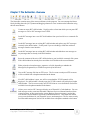
The Button Bar contains some of the most used features in the program. You can rearrange the Button
Bar by holding down the [ALT] button and dragging a button to a new location on the button bar using
the left mouse button.
Creates an empty HL7 child window. Usually used as a form into which you can paste HL7
messages or receive HL7 messages from TCP/IP.
Loads HL7 messages into a new HL7 child window from your local drives or a network file
system.
Loads HL7 messages into an existing HL7 child window and replaces any HL7 messages
currently in the child window. Usually used if you are reloading a child form with new
messages from the same interface.
Loads HL7 messages into an existing HL7 child window and adds these new messages to
any messages that are already in the child window.
Saves the contents of the active HL7 child window to your local disk or network file system.
If the child window has already been saved then it will default to the current filename.
Either prints the selected messages, segments, or fields, depending on whether the
MessageList, SegmentList, or FieldList respectively has the focus.
Gets an HL7 message file from an FTP server. The five most recently used FTP accounts
will be available from a dropdown attached to the button.
If no HL7 child window is open, one will be created and the TCP/IP controls will be
displayed. If a child window is already open, the TCP/IP controls will be displayed in that
child window. The five most recently used TCP/IP client or server definitions used will be
available from a dropdown attached to the button.
Allows you to retrieve HL7 messages directly out of Ensemble’s Cache database. You can
load messages as they came into Ensemble’s Business Services (inbound interfaces) from
external systems, as they went into the various Business Processes (routers), and as they
went into the various Business Operations (outbound interfaces). This button also allows
you to create definitions for your Ensemble servers and namespaces. The five most recently
used Ensemble namespaces used will be available from a dropdown attached to the button.
Interface Explorer for HL7 Professional
Copyright © 2014 Laconic Designs
Page 28
Deletes the currently selected messages, segments, or fields. The items being deleted varies
based upon which area of the child window has the focus – the message list, segment list, or
field list. The [Undo] button will undo the last delete.
Restores the HL7 messages to their previous condition before the last delete, filter, or edit.
Up to the last ten deletes, filters, and edits can be undone.
When clicked, this button prevents you from deleting or changing the content of any
message in the current HL7 child window. This button toggles so that once it is pressed, the
button icon changes to that for Unlock Messages.
When clicked, this button removes that lock that prevented you from deleting or changing
the content of any message in the current HL7 child window. This button toggles so that
once it is pressed, the button icon changes to that for Lock Messages.
Maximizes all HL7 child windows. This button toggles such that when clicked button icon
will change to that for Restore Down.
Restores all HL7 child windows to their previous size after having been maximized. This
button toggles such that when clicked the button icon will change to that for Maximize
Window.
You can rename any of the HL7 child windows. Normally, the title of a child window is the
full filename of the HL7 file that you have loaded. You can rename that to make it more
descriptive of what you’re working on at the moment.
Cascade all of the HL7 message child windows.
Links together two HL7 child windows so that as you scroll one window (ex: messages from
an inbound interface) the other window scrolls as well (ex: messages to an outbound
interfaces). This synchronization is based upon matches in the MSH-10 (Message Control
ID) field in both child windows.
Allows you to filter out all messages but those that meet (or do not meet) certain criteria.
Some of the filtering criteria includes:
•
•
•
•
•
•
•
Contains / Does Not Contain
Equals / Does Not Equal
Exists / Does Not Exist
Starts With / Does Not Start With
Ends With /Does Not End With
Between
Regular Expression
Interface Explorer for HL7 Professional
Copyright © 2014 Laconic Designs
Page 29
Searches through the messages in a child window and finds the next message that meets (or
does not meet) certain criteria. The criteria is identical as described above for the Filter
button.
Creates a report on all of the HL7 messages in the active child window using the currently
selected fields. The ten most recently saved report definitions will be available from a
dropdown attached to the button.
Increases the font size of the HL7 messages, segments, fields, and reports.
Decreases the font size of the HL7 messages, segments, fields, and reports.
You can control much of how Interface Explorer acts by modifying various setting.
Interface Explorer for HL7 Professional
Copyright © 2014 Laconic Designs
Page 30
Chapter 8: Loading HL7 Messages
This section describes the various ways that you load HL7 messages into Interface Explorer for HL7.
You can load HL7 messages via the file system, FTP, TCP/IP, the clipboard, drag and drop, the command
line, and Ensemble.
File System
You can load HL7 messages that are contained in files on your PC, network drives, or any location that
your file-system can read.
File | Open
This menu option allows you to select one or more files from your local or network file system which
contains HL7 messages. This option will create a new HL7 child window and load the HL7 messages
into it. The Open button on the button bar performs the same function.
File | Open Replace
This menu option allows you to select one or more files from your local or network file system which
contains HL7 messages. This option will replace the contents of the current active HL7 child window
with the contents of the selected file(s). The Open Replace button on the button bar performs the same
function.
File | Open Append
This menu option allows you to select one or more files from your local or network file system. This
option will append the contents of the file(s) to the HL7 messages that are in the current active child
window. The [Open Append] button on the button bar performs the same function.
Opening ZIP and GZIP Files
In addition to standard ASCII files, you can also open HL7 message files that have been saved using
either the ZIP or GZIP format. In addition, you can open ZIP files that have been saved with either
PKZIP encryption or WinZip AES 256-bit encryption. When opening files ZIP or GZIP files, from the
File Open dialog box just change the File Type dropdown listbox to either Gzip File or Zip File.
Interface Explorer for HL7 Professional
Copyright © 2014 Laconic Designs
Page 31
Clipboard
HL7 messages that have been copied to the clipboard can be pasted into an already open child window.
Minimal parsing will take place to help verify that the message being pasted actually is an HL7 message.
Edit | Paste
Pastes into the active HL7 child window any HL7 messages that are on the clipboard. The Paste option
will delete any messages currently in the child window and replace them with the HL7 messages on the
clipboard. Note that [CTRL-V] will do a Paste Append – not a Paste.
Edit | Paste Append
Pastes into the active HL7 child window any HL7 messages that are on the clipboard. The clipboard
messages will be appended to any already in the child window. Note that [CTRL-V] will also do a Paste
Append.
FTP
You can load HL7 messages that are stored in files on a computer that has an FTP server process running.
That could be a PC, an archive server, your interface server, or an application server (such as the one
running your EMR software).
FTP | Get
This menu option allows you to select one or more files from an FTP server and load them into either a
new or existing child window. The [FTP Get] button on the button bar performs a similar function, but
also allows you to create FTP accounts to make logging into your FTP servers easier.
Once you are logged into an FTP server you can select one or more files and use the [Open], [Open
Replace], and [Open Append] to load the HL7 messages contained in the file. The Open, Open Replace,
and Open Append buttons act identical to their counterparts in the File menu option as described above.
Open Button
Allows you to select one or more files from your FTP server. This button will create a new HL7 child
window and load the HL7 messages contained in the file(s) into it.
Open Replace Button
Allows you to select one or more files from your FTP server. This button will replace the HL7 messages
that are in the current child window with the contents of the selected file(s).
Interface Explorer for HL7 Professional
Copyright © 2014 Laconic Designs
Page 32
Open Append Button
Allows you to select one or more files from your FTP server. This button will append the contents of the
file(s) to the HL7 messages that are in the current active child window.
TCP/IP
TCP/IP | Display TCP/IP Control Window
Allows you to use TCP/IP to receive HL7 messages. If an HL7 child window does not exist then one will
be created. Otherwise a TCP/IP control window will be added to the current active HL7 child window.
Please see Chapter 14: TCP/IP for more information.
Drag and Drop
You can drag folders and files into the client area and drop them.
Dragging Folders
You can drag one or more folders from your desktop or from Windows Explorer and drop it anywhere
into the client area. If you drop it into the MessageList area of an already open child window then
whatever files are in the folder(s) will be appended to whatever messages are already loaded in the
MessageList. If you drop the folder into an unused part of the client area then a new child window will be
created and whatever files are in the folder will be loaded into the new child window.
Dragging Files
You can drag one or more files from your desktop or from Windows Explorer and drop it anywhere into
the client area. If you drop it into the MessageList area of an already open child window then whatever
files are in the folder will be appended to whatever messages are already loaded in the MessageList. If
you drop the folder into an unused part of the client area then a new child window will be created and
whatever files are in the folder will be loaded into the new child window.
Interface Explorer for HL7 Professional
Copyright © 2014 Laconic Designs
Page 33
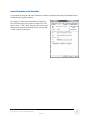
Load as Parameters to the Executable
If you launch the program with either filenames or folders as parameters then they will automatically be
loaded when the program launches.
For example, if when you launch Interface Explorer for
HL7 Professional you always want to load the HL7 files
that are in the “C:\HL7 Data” directory, then create a new
shortcut to the program and edit the Target field and add
"C:\HL7 Data" as a parameter.
Interface Explorer for HL7 Professional
Copyright © 2014 Laconic Designs
Page 34
New
Parameter
Load from Ensemble
If you use Ensemble as your database engine, then follow the instructions in Chapter 13: Ensemble to
configure Interface Explorer to load messages directly from Ensemble’s Cache database. Once it is so
configured, loading messages is quite easy.
Either click the [Ensemble] button on the button bar or select ODBC | Ensemble from the menu bar.
You will see a list of your defined Ensemble ODBC data sources. In this example, if you select the
General Hospital Production data source, then all of the Business Services in that namespace will be
displayed. Loading messages from Ensemble is easy. For example: If you want to load all of the HL7
messages that came into the From_Epic_ADT interface between June 21, 2014 and June 28, 2014 at noon,
you would select the From_Epic_ADT interface, change the Start Date, change the Stop Date, and click
[Open].
Note that the [Open],
[Open Replace], and
[Open Append] buttons
work in the same manner
as the similar menu options
and buttons do for loading
from your file-system or
from FTP.
If you click on the Business
Processes tab then you will
see all of the Business
Processes (routers) in the
selected namespace and
likewise clicking on the
Business Operations tab
will show you all of the
Business Operations
(outbound interfaces) in the
selected namespace.
If you enter text in the
Optional Text box then
only messages that contain
that text will be returned.
For example, if you entered
SMITH^JOHN then only
HL7 messages containing
SMITH^JOHN and that
also meet the start and stop date/time criteria would be returned. Generally, you would only use the
Optional Text box if you would otherwise return 100,000’s of messages.
Interface Explorer for HL7 Professional
Copyright © 2014 Laconic Designs
Page 35
Chapter 9: Saving HL7 Messages
This section describes the various ways that you can save HL7 messages.
File System
You can save HL7 messages to your PC, network drives, or any location to which your file-system can
write.
File | Save
This menu option allows you to save the HL7 messages in the active client window to the same drive and
filename from which they were loaded.
If you loaded the files from FTP, Ensemble, or other non-file-system source, then you will get a File Save
dialog box and have to select a drive, directory, and filename which to save to.
File | Save As
This menu option prompts you with a File Save dialog box. You will have to select a drive, directory,
and filename which to save to.
Save as Types
When you save HL7 messages, you have the option of selecting a file extension. There are several file
types predefined, including ZIP and GZip. You can also define new file extensions. These will appear in
the Save as Type dropdown box.
To define new file types and extension, click on the [Options] button on the button bar, then select the
File Save tab. Look for the File Types section of the File Save tab.
Interface Explorer for HL7 Professional
Copyright © 2014 Laconic Designs
Page 36
Saving as a ZIP File
If you select Zip File as the Save as Type then you will get the following prompt:
Select your level of encryption, enter a password (if necessary) and click [OK]. If you later try to open an
HL7 message file that was saved with encryption you will be prompted for the password.
Saving as a GZip File
If you select GZip File as the Save as Type then the file will be saved as a GZip file. No encryption is
used.
Interface Explorer for HL7 Professional
Copyright © 2014 Laconic Designs
Page 37
Chapter 10:
10: Features You Need
Need to Know
This section describe some of the most useful features in Interface Explorer. You really need to know
how to use them if you want to get the most benefit possible from the program.
Filter
The Filter function give you a great deal of flexibility in keeping or deleting messages that meet or do not
meet certain criteria. There are three ways to access the Filter form:
1.
2.
3.
4.
Right-click on a field in the FieldList and select the Filter on this Field option.
Click on the [Filter] button on the button bar.
Right-click on a message in the MessageList and select the Filter option.
Right-click on a field in the FieldList and select the Filter (generic) option.
Filter on this Field and Value
A fast way of deleting all messages except those that have a certain value in a field is to right-click on a
field in the FieldList and select Filter on this Field and Value. Any message in the child window that
does not have that value in that field will be deleted. For example, the message below has a PID-2
(Patient ID) value of 010489292. If you only wanted messages with that patient ID then you would rightclick anywhere on the PID-2 field and select Filter on this Field and Value.
Interface Explorer for HL7 Professional
Copyright © 2014 Laconic Designs
Page 38
Filter (generic)
As described previously, you can display the generic filter form by
1. Click on the [Filter] button on the button bar.
2. Right-click on a message in the MessageList and select the Filter option.
3. Right-click on a field in the FieldList and select the Filter (generic) option.
Filter Criteria: Search – This drop-down listbox is used to define what will be searched for the text that
you will specify. By default, the generic filter will search the entire HL7 message. If you open the dropdown you will see every HL7 field and component including those in any Z-segments that you have
defined.
Note: By default, searches are not case sensitive.
Note: You can use a logical OR operator (an exclamation mark !)to specify multiple values in the Value
field. For example, you could search for three different medical record numbers by entering all three
MRN’s into the Value field and separating them with an exclamation mark (the spaces around the
exclamation marks are there to make it more readable – they are not needed):
Note: Segments that are not in any of the messages currently loaded are not displayed in the Search dropdown listbox.
Interface Explorer for HL7 Professional
Copyright © 2014 Laconic Designs
Page 39
Relation – You can apply several relation operators to your search:
RELATION
Contains
DESCRIPTION
Use the Contains relation to find messages that contain a certain
value somewhere in the message or field being searched.
For example, if you wanted to find all messages where RXE-2
contains “Aspirin” regardless of other text that might be in RXE-2,
you would select “RXE-2: Give Code” as the field being searched
and enter “aspirin” in the Value field.
Does Not Contain
Finds messages that do not contain a certain value or values
somewhere in the message or field being searched.
For example, if you wanted to find all messages that do not have a
PV1-3-1 (point of care) of ED or ATU then you would select “PV13-1:Assigned Patient Location: point of care” as the field being
searched and enter “ED ! ATU” in the Value field.
Equals
Finds messages that have fields or components with certain exact
values in them.
For example, if you wanted only A01 and A04 messages, then you
would select “MSH-9-2: Message Type: trigger event” as the field
being searched and enter “A01 ! A04” in the Value field.
Exists
Finds messages that have segments, fields or components that exist
(i.e. have any value in them).
For example, if you wanted all messages that have an allergy
defined, then you would select “AL1-3: Alergy Code / Mnemonic /
Description” as the field being searched. Since the Exists relation
doesn’t care what the value is, only that there is a value, the Value
field is grayed out.
If you wanted all message that have an insurance segment, then you
would select “IN1” as the segment to be searched.
Does Not Exist
Finds messages that do not have certain segments, fields, or
components in them.
For example, if you wanted all messages that do not have an
Insurance Plan defined, then you would select “IN1-2: Insurance
Plan ID” as the field being searched. Since the Exists relation
doesn’t care what the value is, only that there is a value, the Value
field is grayed out.
If you wanted all message that do not have an insurance segment,
then you would select “IN1” as the segment to be searched.
Interface Explorer for HL7 Professional
Copyright © 2014 Laconic Designs
Page 40
RELATION
Starts With
DESCRIPTION
Use the Starts With relation to find messages that have fields or
components that start with certain text.
For example, let’s say that whenever you have to use a test patient
in your production system you always use a last name that starts
with “XXX”. If you wanted to find all messages for your test
patients, you would select “PID-5-1: Family Name” as the field
being searched and enter “XXX” in the Value field.
Does Not Start With
Finds messages that contains fields or components that do not start
with certain text.
For example, let’s say that whenever you have to use a test patient
in your production system you always use a last name that starts
with “XXX”. If you wanted to exclude messages that are for test
patients, you would select “PID-5-1: Family Name” as the field
being searched and enter “XXX” in the Value field.
Ends With
Use the Ends With relation to find messages that have fields or
components that end with certain text.
For example, let’s say that all of your radiology procedure codes
end in “XR” if it’s an X-ray, “MRI” if it’s an MRI, and “CT” if it’s
a CT Scan. If you wanted to find all MRI orders messages, you
would select “OBR-4-1: Universal Service ID: Identifier” as the
field being searched and enter “MRI” in the Value field.
Does Not End With
Between
Finds messages that have fields or components that do not end with
certain text.
For example, let’s say that all of your radiology procedure codes
end in “XR” if it’s an X-ray, “MRI” if it’s an MRI, and “CT” if it’s
a CT Scan. If you wanted to find all MRI orders messages other
than X-rays, you would select “OBR-4-1: Universal Service ID:
Identifier” as the field being searched and enter “XR” in the Value
field.
Use the Between relation to find messages that contain fields or
components that contain a value between two values.
For example, if you wanted all messages where the patient was
discharged between August 1, 2014 and August 8, 2014, then you
would select “PV1-45: Discharge Date/Time” as the field being
searched. The exact format of your two Between values will
depend upon whether you store date/time down to the minutes or to
the seconds, but it will look something like this:
Interface Explorer for HL7 Professional
Copyright © 2014 Laconic Designs
Page 41
RELATION
Regular Expression
DESCRIPTION
This option allows you to filter for messages based on the results of
a regular expression.
Although using regular expressions can allow you to perform very
complex filtering, they can also be difficult to use and don’t always
provide the results that you were expecting. You are usually better
off not using them.
Interface Explorer for HL7 Professional
Copyright © 2014 Laconic Designs
Page 42
Analyze | List All Fields Used and
and Maximum Field Widths
This feature scans all of the messages in the current child window and reports on which fields and
components are used and the maximum number of characters found in each.
Analyze | Find All Fields with NonNon-Cerner Aliased Values
If you have Cerner, then you know about non-aliased values. This feature identifies every non-aliased
value in the messages in the current child window.
Interface Explorer for HL7 Professional
Copyright © 2014 Laconic Designs
Page 43
Analyze | Compare Two Selected Messages
You can compare two messages to identify similarities and differences. Simple select two messages in
the MessageList and then click Analyze | Compare Two Selected Messages.
Note that the two messages that you select do not need to be in the same HL7 message child window. If
you have more than two child windows open then you will be asked which window contains the message
to compare to the message already selected in the currently active child window. Also, you need to have
previously installed either WinMerge TM or BeyondCompare TM.
Uses:
•
To see how your interface engine translated or modified a message on its way through the engine,
you could load into one child window inbound ORM messages and load outbound ORM
messages loaded in another child window. If you select a message as it came into your interface
engine and also select the message as it came out of the interface engine then you will be able to
quickly see the translation that takes place within the engine.
•
If you have an ORM message that files correctly into your radiology system but another order
that does not, you can select both ORM messages and run a compare on them. This may help you
determine what it is about the bad message that is causing it to fail in your radiology system.
Interface Explorer for HL7 Professional
Copyright © 2014 Laconic Designs
Page 44
Analyze | Validate HL7 Messages
When messages to an external system fail to file or are NAK’d its often because something in the
message doesn’t follow the HL7 standard. This feature will do some basic auditing of the messages and
look for areas in which they don’t match the standard.
To run an audit, load the messages that you wish to validate against an HL7 standard and select from the
menu bar [Analyze | Audit HL7 Messages]. After choosing the appropriate options, click [Perform Audit].
Resizing of Forms is Can be Persistent
Please note that you are able to resize many forms, such as those used for editing the HL7 definitions and
Z-segments, finding unique field values, viewing reports, etc. Most forms can remember their size if you
resize them and so will maintain that size the next time that you run the program.
To make form size persistent, go to the Windows Placement tab in [Tools | Options] and check the option
Remember the sizes of forms that you resize.
Interface Explorer for HL7 Professional
Copyright © 2014 Laconic Designs
Page 45
Quick Filter
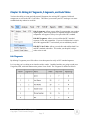
The Quick Filter provides a fast way of filtering through all of the loaded messages.
The default Quick Filter functionality is to scan each message for the search text and delete any messages
that don’t contain the search text. In the above example, any message not containing “Dolson” is deleted.
Note: When you apply filter, an Undo file is created. However, holding down the [SHIFT] key when
pressing [ENTER] will skip the creation of the undo file, resulting in a faster filter.
Search for multiple strings by separating
them with an exclamation mark. The
example on the left would filter out all
messages except for A01 and A04 messages:
Several filtering criteria can be used. The
default criteria is to search the entire message.
You can also search on Trigger Event,
Account Number, Visit Number, and Placer
Order #. Simply select the field that you wish
to filter on from the drop-down. You can
customize the fields that appear in the Quick
Filter drop-down list. Click on the Button
Bar’s [Options] button and then select the Quick Filter tab. You will see the following:
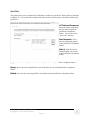
Select the field and/or component that you want in the QuickFilter, give it a short description (the short
description is what you will see in the QuickFilter drop-down menu, and click [Add ->].
Interface Explorer for HL7 Professional
Copyright © 2014 Laconic Designs
Page 46
Copy/Paste
Copy/Paste can act differently depending upon where your focus is.
MessageList
If the MessageList has the focus, then [CTRL]+C will copy the selected message(s) to the clipboard.
SegmentList
If the SegmentList has the focus, then [CTRL]+C will copy the selected segment(s) to the clipboard.
FieldList
If the FieldList has the focus, then [CTRL]+C will copy the selected Field Name(s), Description(s), and
Value(s) (i.e. the contents of the field or component) to the clipboard. However, if you want to copy only
the field value(s) then you can use [CTRL]+[ALT]+C.
For example, if you select both MSH-6 and MSH-7:
then pressing [CTRL]+C and pasting into Notepad will result in the following being pasted:
However, if you had instead pressed [CTRL]+[ALT]+C then you have pasted the following into Notepad:
Interface Explorer for HL7 Professional
Copyright © 2014 Laconic Designs
Page 47
Minimizing Segment List WhiteWhite-Space
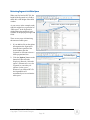
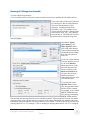
When you first load an HL7 file, the
height of the SegmentList is fixed at
about 40% of the height of the child
window.
Lots of White-Space
Double-Click anywhere on the Splitter bar
As you can see in the example on the
right, this might leave a great deal of
“white space” in the SegmentList,
which reduces the amount of space
available for displaying messages and
fields.
There are two ways of minimizing
the amount of white space.
1. If you double-click on the splitter
that separates the SegmentList
from the lower portion of the
child window, then the
SegmentList will auto-resize to a
better proportioned size.
Less White-Space
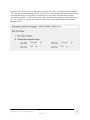
2. Click the [Options] button on the
button bar, then select the
Displaying Data tab. Select the
option “Automatically resize the
SegmentList to minimize the
amount of white-space.”
Whenever you load an HL7 file
the SegmentList will
automatically resize to minimize
white space.
Interface Explorer for HL7 Professional
Copyright © 2014 Laconic Designs
Page 48
Chapter 11: FTP
FTP functionality makes loading and saving HL7 message files via FTP as simple as doing a File | Open
or a File | Save from or to your local or network drives.
FTP | Get
Get is used to load HL7 messages from files located on an FTP
server. If you will frequently have to get files from an FTP server
then we suggest that you define an FTP account for that server using
the Manage FTP Accounts menu option. That will make logging
into the FTP server easier than going straight to the Get menu option.
Enter a hostname, port, username, password, and click [Connect]. Select the file(s) that you wish to load
and click either [Open], [Open Replace], or [Open Append]. Open will create a new HL7 child window
and load the HL7 messages into it; Open Replace will replace the contents of the current active HL7 child
window with the contents of the selected file(s); and Open Append will append the contents of the
selected file(s) to the HL7 messages that are in the current active HL7 child window.
Interface Explorer for HL7 Professional
Copyright © 2014 Laconic Designs
Page 49
FTP | Put
Put allows you to save the HL7 messages in the current child
window to an FTP server. If you will frequently have to put files to
an FTP server then we suggest that you define an FTP account for
that server using the Manage FTP Accounts menu option. That will
make logging into the FTP server easier than going straight to the
Put menu option.
To save the HL7 messages in the current active HL7 child window, select FTP | Put. Enter a hostname,
port, username, password, and click [Connect]. Select the directory into which you would like to put the
HL7 messages.
To specify a file name, you can either click on an existing file (to replace it) or type a new file name in the
File Name field. Then click [Save] and the HL7 message file will be put to the FTP server.
As you navigate through the FTP server’s directory structure, you can at any
time click on [Set as Default Directory] and the current directory will be saved as
the default directory for this FTP account. The next time that you log into this FTP server you will be
immediately taken to that directory.
Interface Explorer for HL7 Professional
Copyright © 2014 Laconic Designs
Page 50
FTP | Manage FTP Accounts
Use Manage FTP Accounts to set up pre-defined user accounts for
FTP servers that you will frequently connect to. That will make it
easier to log into those FTP servers for your Get and Put operations.
Use to create a tree structure to organize your FTP accounts. The New Folder button is
not enabled until you select an existing folder because folders are built under folders.
Use to create the account definitions. The New Account button is not enabled unless you
have clicked on a folder – since accounts are built under folders.
Deletes a folder or account. Deleting a folder deletes all folders and accounts within it.
Displays the password in plain text as long as the button is depressed.
Attempts to log in to the FTP server and immediately logs out. Used to verify that
the host, port, username, and password are correct.
Saves the account information. You must Save before you Connect.
Default Dir text box: This is the directory that you will be taken to when you connect to the FTP server.
You can enter a default directory here, but it will be easier to define after your connected to the FTP
server for the first time. See the section on FTP Get for instructions.
Comment text box: Allows you to enter a comment for this server or account.
Interface Explorer for HL7 Professional
Copyright © 2014 Laconic Designs
Page 51
Chapter 12
12: TCP/IP
One of the most useful features is the ability to send and receive HL7 messages via TCP/IP. You can
send HL7 messages into your interface engine as if they were coming from a real production or test
system. Conversely, you can receive HL7 messages from your interface engine and see what they look
like when received by a “real” external system.
Manage Clients
Manage Clients allows you to create TCP/IP client definitions
for the systems to which you would most frequently want to
send HL7 messages.
The Default client is predefined and cannot be deleted.
Clears the Client Name, Hostname/IP and Port Number text boxes so that you can enter
values for the new client that you want to define. Numerous defaults are already defined.
Please do not change the various default values unless you know exactly what you are doing.
Interface Explorer for HL7 Professional
Copyright © 2014 Laconic Designs
Page 52
Manage Servers
Manage Servers allows you to create TCP/IP server
definitions for the systems from which you would most
frequently want to receive HL7 messages.
The Default server is predefined and cannot be deleted.
Clears the Server Name and Port Number text boxes so that you can enter values for the
new server that you want to define. Numerous defaults are already defined. Please do not
change the various default values unless you know exactly what you are doing. The IP address cannot be
changed since that’s the IP of your PC.
Interface Explorer for HL7 Professional
Copyright © 2014 Laconic Designs
Page 53
Display TCP/IP Control Window
Window
Display TCP/IP Control Window will add to the current HL7
child window the controls necessary to either send or receive
HL7 messages via TCP/IP. The TCP/IP Control Window will
appear in the upper-right corner of the HL7 child window.
If no HL7 child window exists then child window with no messages will be created with a TCP/IP
Control Window.
The [TCP/IP] button on the button bar performs the same function as the Display TCP/IP
Control Window menu option.
If you have previously used a defined client or server configuration to
send or receive messages via TCP/IP then you will see a drop-down
arrow next to the [TCP/IP] button. That drop-down will display a MRU
(most recently used) list of TCP/IP client and server configurations.
You can pick one and that configuration will be loaded when the
TCP/IP Control Window is displayed.
Interface Explorer for HL7 Professional
Copyright © 2014 Laconic Designs
Page 54
TCP/IP Control Window - Clients
The default TCP/IP Control window is that of a Client. You will use the Client Control window if you
want to send HL7 messages via TCP/IP to another system. Although you can create new client
definitions here by setting values to the various parameters and clicking [Save], it is usually easier to
create them in the Manage Clients menu option.
Select the Client configuration for
the system to which you would
like to send.
Select the Client
type connection
.
You can manually set the IP, port,
change the Config filename and click
[Save] to save the new configuration.
You can send either the selected message(s)
or all messages. For safety’s sake, the
default is to send just the selected messages.
There are other
optional
parameters that can
be set in the
Comms, Envelope,
ACK, and NACK
tabs, but don’t
change them unless
you have a good
understanding of
TCP/IP comms.
The [Send] button will send either the selected messages
or all messages to the external system. While sending,
you will have the option to [Pause] and then [Resume]
the sending of messages or to [Stop] sending them. The
message counter indicates the number of messages that
have been sent.
Interface Explorer for HL7 Professional
Copyright © 2014 Laconic Designs
Page 55
TCP/IP Control Window - Servers
You will use the Server Control window if you want to receive HL7 messages sent to you via TCP/IP
from another system. Although you can create new client definitions here by setting values to the various
parameters and clicking [Save], it is usually easier to create them in the Manage Clients menu option.
Select the Server configuration for
the system from which you want
to receive messages.
Select the Client
type connection
.
There are other
optional
parameters that can
be set in the ACKs
and Envelope tabs,
but don’t change
them unless you
have a good
understanding of
TCP/IP comms.
This is your IP address.
You can manually set the
port at which your PC
will be listening for a
connection.
Click the [Listen] button to start listening on the
specified port for a TCP/IP connection.
Click [Stop] to stop listening.
Interface Explorer for HL7 Professional
Copyright © 2014 Laconic Designs
Page 56
TCP/IP Communications – An Example
It’s easy to set up a demonstration of how to use both TCP/IP client and server functionality.
1. Do a File | Open and load some HL7 messages.
2. Click the [TCP/IP] button to display the TCP/IP Control Window. Verify that the Connection
Type is Client.
3. Click the [New] button. An empty HL7 message child window will be displayed.
4. Click the [TCP/IP] button to display the TCP/IP Control Window. Change the Connection Type
is to Server.
5. Rearrange the two child windows so that they look like the screen below.
6. In the empty child window, click the [Listen] button. It is now listening for a connection on port
3000. The [Listen] button will become disabled and the [Stop] button will become enabled. If
you want to stop listening just press [Stop].
Interface Explorer for HL7 Professional
Copyright © 2014 Laconic Designs
Page 57
TCP/IP Communications – An Example (continued)
7. On the first HL7 message child window (the TCP/IP Client) click the [Send] button.
8. You should have seen one message sent from the Client to the server.
9. You’ll notice that the client’s TCP/IP Control Window has “Send Selected” messages selected.
That is why only the one selected message was sent from the client to the server window.
10. In the client’s TCP/IP Control Window, select “Send all messages”.
11. Click the [Send] button.
12. You should have seen every message that is loaded in the client be sent to the server.
That’s all there is to it!
Interface Explorer for HL7 Professional
Copyright © 2014 Laconic Designs
Page 58
Chapter 13: Options
The [Options] button allows you to control much of how Interface Explorer behaves. You can
customize various default behaviors such as:
•
•
•
•
•
•
Where files are loaded from and the default file extensions to show
Where files are saved to and the default file extensions to use
When warnings are displayed
Where forms are displayed and how they are sized
Fonts and font sizes
What fields QuickFilter can filter on and in which order they should appear
When you upgrade to a newer version the options that you’ve selected will be remembered.
To display the Options form, from the menu bar select Tools | Options or, from the button bar, click on
the [Options] button.
File Open
These options control how HL7 messages are loaded from the file system, the file types that can be
filtered for, and what default text editor you wish to use when one is needed.
File Extensions
Extensions: When you
select a file to open from the
file system, you are presented
with a standard Windows File
Open dialog. You have the
option of displaying only files
with certain extensions. This
section is where you define
which file extensions you can
select for viewing in the File
Open dialog.
Default Editor: This is editor
that will be used for viewing
the activity log file, viewing
messages in an editor, or other
functions requiring the use of
a text editor.
Interface Explorer for HL7 Professional
Copyright © 2014 Laconic Designs
Page 59
File Save
These options control how HL7 messages are saved to the file system and what file types can be filtered
for.
File Extensions
Extensions: When you
select a file to open from the
file system, you are presented
with a standard Windows File
Open dialog. You have the
option of displaying only files
with certain extensions. This
section is where you define
which file extensions you can
select for viewing in the File
Open dialog.
Warnings
Warnings
These options determine whether or not you will be worked before deleting messages, segments, or fields.
You can also be warned when the activity log file exceeds a certain size.
Interface Explorer for HL7 Professional
Copyright © 2014 Laconic Designs
Page 60
Window Placement
These options control how the main form loads when you run the program and how the HL7 child
windows are initially displayed.
Main Window Size and
Placement:
Placement: You can choose
to either have the program
display full-screen when
launched or to have it display
with the same size and
location as when the program
last closed.
Children Windows Size and
Placement:
Placement: When child
windows are created you can
choose to either have them
created full-screen or only
partial screen depending upon
whether or not the application
itself is full-screen or only
partial screen.
Remember Form Sizes: This option applies to the forms other than the main form and the HL7 child
forms. For example, if this option is checked and you resize the Edit Z-Segments form so that you can see
more Z-segment fields at a time, then the next time you open the Edit Z-Segments form it will open with
the same size as when you closed it last.
Fonts
This option determines which font and font size will be used to display text.
Change Font:
Font: The [Change
Font] button will display the
Windows standard font
selection form. Only
monospaced fonts will be
displayed.
Interface Explorer for HL7 Professional
Copyright © 2014 Laconic Designs
Page 61
Displaying Data
This option determines how HL7 messages and fields are displayed.
HL7 Version:
Version: Select which
HL7 version will be used
when displaying segment,
field, and component names
and specifications.
Segment List:
List: The program
can automatically resize the
height of the SegmentList
according to how many
segments are to be displayed.
Field List:
List: Displaying empty
fields helps you see missing
fields. Showing a field’s code
table value can make codes
and abbreviations more
understandable. Grid lines
make FieldList more readable.
Interface Explorer for HL7 Professional
Copyright © 2014 Laconic Designs
Page 62
Logging
This option determines what information gets written to the log file and allows you to view the log file,
delete the log file, or send it to Laconic Designs for trouble-shooting.
•
The TCP/IP activity is useful when diagnosing TCP/IP problems. Please note that PHI may be
written to the TCP/IP Log in the form of HL7 messages.
•
The log can be used by Laconic Designs to diagnose problems with the software. The Log is not
sent to Laconic Designs unless you send it and it is sent after being encrypted using 256-bit AES
encryption.
•
The Tech Support Events to Log section allows you to write various state information and FTP,
TCP/IP, ODBC, and Report configurations and definitions. No passwords are ever written to the
log file.
View Log: Enables you to
view the log file with your
default .txt editor.
FTP to Support: Will encrypt
the log file using 256-bit AES
and FTP the log file to
Laconic Designs. Please note
that if you are logging TCP/IP
activity with a production
system then the log file will
include PHI.
Delete Log: Deletes the log.
Interface Explorer for HL7 Professional
Copyright © 2014 Laconic Designs
Page 63
External Systems
These options allow you to configure the program so that it can retrieve HL7 messages directly from
external systems (such as interface engines or EMRs) via ODBC.
InterSystems’ Ensemble:
Ensemble:
Check this option if you use
Ensemble. See Chapter 14:
Ensemble chapter for
information on how to access
HL7 messages that are stored
in Ensemble’s Cache database.
Warn of Lengthy Queries:
Queries:
Retrieving months of data can
be time-consuming. You can
be warned if you attempt it.
Interface Explorer for HL7 Professional
Copyright © 2014 Laconic Designs
Page 64
Quick Filter
This option allows you to customize the fields that are used by the QuickFilter feature which is described
in Chapter 10. You are also able to define which field (or the entire message) is the default field used by
QuickFilter.
HL7 Fields and Components:
Components:
Select the field or component
that you want to add to the
QuickFilter’s dropdown
listbox. You can also select
“Entire HL7 Message”.
Short Description: This is
the text that actually appears
in the QuickFilter’s dropdown
listbox.
[Add ->]:
>]: Adds the field or
component that you selected
to the QuickFilter’s dropdown
listbox.
[Up]: Moves the selected QuickFilter search field up one row in the QuickFilter’s dropdown listbox.
[Down]:
Down]: Moves the selected QuickFilter search field down one row in the QuickFilter’s dropdown
listbox.
[Delete]:
Delete]: Removes the selected QuickFilter search field from the QuickFilter’s dropdown listbox.
Interface Explorer for HL7 Professional
Copyright © 2014 Laconic Designs
Page 65
Chapter 14
14: Ensemble
If you use InterSystems’ Ensemble interface server then you will be able to retrieve messages directly
from its Cache database for every Business Service (inbound interface), Business Process (router), and
Business Operation (outbound interface).
This can eliminate the need to save separate archive files for your inbound and outbound interfaces.
To enable this functionality, you must do five things:
1.
2.
3.
4.
From Options | External Systems, check the InterSystems’ Ensemble check box.
Install the InterSystem’s ODBC driver which is available from their website.
Import two class files into your Ensemble server.
Configure the Ensemble namespaces in Interface Explorer Pro.
Enable Ensemble Support in Interface
Interface Explorer for HL7 Professional
Professional
Click the [Options] button, select the External Systems tab, then check the InterSystems’ Ensemble
checkbox.
Install the InterSystems ODBC Driver
If you don’t already have the InterSystems Ensemble ODBC driver loaded on your PC you can get it from
the InterSystems website at www.intersystems.com. Log into your WRC account and click on Online
Distributions. For Product select Ensemble. For Kit Type select ODBC. You should then be able to
search for the Windows ODBC driver for your version of Ensemble. Download and run the setup
program to install the drivers onto your PC.
Interface Explorer for HL7 Professional
Copyright © 2014 Laconic Designs
Page 66
Import Two Class Files
There are two class files that must be imported: Config.xml and GetHL7Msg.xml. You will find them in
the ..\Ensemble subdirectory off of the directory into which you installed Interface Explorer for HL7 Pro.
Import these two files into your Ensemble namespace. If you have multiple namespaces (i.e. Test, Prod,
etc) then you will have to import the two files into each namespace.
Both class files are very short and easy to understand:
Config.xml
This code retrieves a list of Business Services (inbound interfaces), Business Processes (routers),
and Business Operations (outbound interfaces) for the specified Ensemble namespace.
SELECT Name from Ens_Config.Production
GetHL7Msg.xml
This code retrieves an HL7 message given it’s message id number. The message is usually
retrieved from the RawContent column, but if the message is 9,999 characters long or longer then
it uses a stream to retrieve the message.
set msg = ##class(%Stream.TmpCharacter).%New()
try {
set hl7 = ##class(EnsLib.HL7.Message).%OpenId(id)
if hl7.FullSize < 9999 {
do msg.Write(hl7.RawContent)
}
else {
set sc = hl7.OutputToLibraryStream(.msg)
}
}
catch ex {
do msg.Write("Message not found")
}
quit msg.Read(msg.Size)
Interface Explorer for HL7 Professional
Copyright © 2014 Laconic Designs
Page 67
Configure the Ensemble Data Sources in Interface Explorer Professional
Professional
Finally, you need to define your Ensemble Data Sources. Select the ODBC | Ensemble menu item or click
the [Ensemble] button on the button bar. This form, Load from Ensemble Database, is the form that you
will use to load HL7 messages from Ensemble, but first we must use it to define your Ensemble ODBC
Data Sources.
Notice that there are no Ensemble ODBC Data Sources defined. To define a namespace, click [New].
Enter a description for the ODBC Data Source, server host name, port (the default is 1972), the Ensemble
namespace, and your Ensemble user name and password. The Disable Query Timeout checkbox is
checked by default. Depending upon what your default query timeout is you may find that you can’t
retrieve more than a couple weeks of messages before the query times out. Feel free to experiment.
Click [Test Connection] to verify that the values that you entered will work, then click [OK]. Repeat the
process to add your other Ensemble namespaces on that or other servers.
Interface Explorer for HL7 Professional
Copyright © 2014 Laconic Designs
Page 68
Retrieving HL7 Message from Ensemble
To retrieve HLmessage from En
You’ll see that the General Hospital Production data source has been added to the list of data sources:
If you select General Hospital Production
by clicking on it, then all of the Business
Services in that namespace will be
displayed. Loading messages from
Ensemble is easy. For example: If you
want to load all of the HL7 messages that
came into the From_Epic_ADT interface
between June 21, 2014 and June 28, 2014
at noon, you would select the From_Epic_ADT interface, change the Start Date, change the Stop Date,
and click [Open].
Note that the [Open],
[Open Replace], and
[Open Append] buttons
work in the same manner
as the similar menu options
and buttons do for loading
from your file-system or
from FTP.
If you click on the Business
Processes tab then you will
see all of the Business
Processes (routers) in the
selected namespace and
likewise clicking on the
Business Operations tab
will show you all of the
Business Operations
(outbound interfaces) in the
selected namespace.
If you enter text in the
Optional Text box then
only messages that contain
that text will be returned.
For example, if you entered
SMITH^JOHN then only
HL7 messages containing
SMITH^JOHN and that
also meet the start and stop date/time criteria would be returned. Entering Optional Text not only makes
your query faster (since you may not have to use the Filter option after loading the messages) but it can
substantially reduce the number of messages that have to be loaded. TIP: Be as specific as possible when
entering Optional Text. For example, if you are looking for messages that relate to a PV1-3-1 (Assigned
Interface Explorer for HL7 Professional
Copyright © 2014 Laconic Designs
Page 69
Patient Location: Point of Care) of “2W” then you should enter “|2W” since that will guarantee that the
“2W” will appear at the beginning of a field. You may have to do subsequent filtering once the messages
are loaded, but again, use of Optional Text will make your query faster and return fewer messages.
The exclamation mark “!” will perform a logical “OR” function on any text that you enter in the search
box. For example, let’s say that you wanted to retrieve if you entered the following into the Text to
Search For box:
Interface Explorer for HL7 Professional
Copyright © 2014 Laconic Designs
Page 70
Chapter 15: Editing HL7 Segments, ZZ-Segments, and Code Tables
You have the ability to create and edit custom Z-Segments, the existing HL7 segments, fields and
components, as well as the HL7 Code Tables. This allows you to make your HL7 messages even more
readable than they otherwise would be.
Edit Z-Segments: Allows you to define Z-segments that your vendors
might support. After being defined, Z-segments and their fields and
components will appear as if they were part of the HL7 standard.
Edit HL7 Segments: Allows you to redefine the HL7 standard
segments, fields, and components. If you use fields that don’t exist in
one of the supported HL7 versions then you can add them yourself.
Edit HL7 Code Tables: Allows you to define and redefine both User
and HL7 standard code tables. This makes your hospital’s unique
codes easier to read.
Edit ZZ-Segments
By defining Z-segments you will be able to view them parsed as easily as HL7 standard segments.
Let’s say that you’re working on an interface with a vendor, OctoMed, and they are going to send you a
Z-segment, ZBF, with information on the patient’s best friend. The Z-segment is defined as follows:
Interface Explorer for HL7 Professional
Copyright © 2014 Laconic Designs
Page 71
To create a custom Z-segment:
1. Select the Edit | Edit Z-Segments option from the menu bar.
2. In the Add New Z-Segment area, enter the Z-Segment name, description, vendor, and click [Add].
3. In the Field Definitions section, for all fields enter the field number, component number,
description, maximum width, a required status (R = required, O = options, and C = conditional),
indicate whether or not the field or component is repeating, and the code table number associated
with that field or component (if applicable). Note that Field 2 Component 0 is defined with the
name of the field as the description. Following that we define each component of the field.
4. When you’re done defining the Z-segment click [Save Segment Definition]. If you have no other
changes to make then either click [Cancel] or close the window.
Interface Explorer for HL7 Professional
Copyright © 2014 Laconic Designs
Page 72
5. Now that the ZBF segment has been defined, if you view a message that has a ZBF segment, you
will see that segment displayed as follows:
Interface Explorer for HL7 Professional
Copyright © 2014 Laconic Designs
Page 73
Edit HL7 Segments
Segments
If your hospital uses an HL7 field in a non-standard way, you can easily redefine the field to match your
usage. For example, let’s say that you want to expand PID-17 (Religion) to include a field that indicates
whether or not they actively practice their faith. Your registration staff may ask the question but which
field or component will your registration system send that data to your interface engine?
You might decide to place it in PID-17, since HL7 2.3.1 only goes up to PID-17-6. If you view a
message with that new field valued then it would look like the example below. PID-17-7’s description is
“No Description Found” because it isn’t defined in the standard.
However, if you define PID-17-7 using the Edit | HL7 Segments option on the menu bar, then you would
see the field displayed as follows. That is certainly easier to read, especially six months after you
originally made the change and might no longer recall what PID-17-7 was.
The next page describes how you change the definition of PID-17.
Interface Explorer for HL7 Professional
Copyright © 2014 Laconic Designs
Page 74
To edit an existing HL7 field or component (such as PID-17):
1. Select the Edit | Edit HL7 Segments option from the menu bar.
2. In the Segments and Fields to Edit area, select the standard that contains the field or component
that you would like to edit: either HL7 2.3.1, HL7 2.5, or Z-Segments.
3. In the Segments area, select the PID segment.
4. Look at the Field Definitions section. If you were going to edit an existing field or component,
you would simply scroll down the list of fields and components until you found the one that you
want to edit. However, since you are adding a new field or component, you need to scroll all the
way to the bottom of the Field Definitions list and add the new field number, component number,
description, maximum width, a required status (R = required, O = options, and C = conditional),
indicate whether or not the field or component is repeating, and the code table number associated
with that field or component (if applicable).
5. Finally, click [Save Segment Definition]. It will take several seconds to analyze the change to the
definition and incorporate into the selected standard. After the new field or component has been
added the table will be in the correct order. The next time you select a message you will see the
new field or component definition.
Interface Explorer for HL7 Professional
Copyright © 2014 Laconic Designs
Page 75
Edit HL7 Code Tables
The HL7 standard allows you to associate fields and components to Code Tables. These code tables
define translations for codes to descriptions. Some code tables are HL7 Code Tables (meaning that the
translations are defined by HL7 International) while others are User Code Tables (meaning that, although
HL7 International may have recommended code values, each user can define their own).
Interface Explorer for HL7 Professional will automatically display the code table value descriptions for
fields that have code table values defined. This can make it much easier for you to read HL7 messages.
In the example below, the message is an ADT A13 message. MSH-9-2 (trigger event) utilizes Code
Table 76. The program queries the code table and determines that an A13 is an “ADT/ACK – Cancel
discharge/end visit” message. That information is displayed in order to make the message more readable.
An example of a User Code Table is #127 (Allergy Type). Code Table 127 is defined as follows:
You can add, delete, or edit code table values and descriptions in both HL7 Code Tables and User Code
Tables. For example, HL7 field AL1-2 (Allergy Type) is associated with Code Table 127. Let’s say your
hospital wants to add a code value for plant allergies. To do so:
1.
2.
3.
4.
5.
Select the Edit | Edit HL7 Code Tables option from the menu bar.
In the HL7 Version area, select the HL7 standard whose code table you wish to edit.
Select the Code Table from the drop-down list.
At the bottom of the table enter “PL” as value and “Plant allergy” as the description.
Click [Save Changes]. From now on, “PL” appears in AL1-2 the description of “Plant allergy”
will appear next to it. Click [Cancel] or close the window when you are finished.
Interface Explorer for HL7 Professional
Copyright © 2014 Laconic Designs
Page 76
Interface Explorer for HL7 Professional
Copyright © 2014 Laconic Designs
Page 77