1
Starting the System
Switching on the LSM system
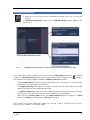
! When set to ON the REMOTE CONTROL switch
labeled System/PC provides power to the
computer. This allows use of the computer and
ZEN software offline (Fig. 1).
! To completely switch on the system, now press
the Components switch to ON. This starts the
other components and the complete system is
ready to be initialized by the ZEN software.
Switching on the X-Cite 120 or the
HBO 100 mercury lamp
Fig. 1
REMOTE CONTROL switch
! Switch on the main switch of the X-Cite 120 /
HBO 100 lamp for reflected light illumination
via the power supply as described in the
respective operating manual.
Switching on the Enterprise UV-Ar Laser
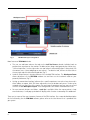
! If the UV laser is required, switch it on via the
toggle switch (Fig. 2/1) on the power supply.
It will be ready for operation after a few
seconds.
Fig. 2
2
Power supply of UV-Ar laser
10/2009