1
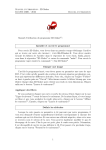
Carleton Central – LFDs application form
Top part of application provides submission dates and excerpts from the collective agreement.
Below the excerpts and to the left provides the TA’s personal information.
To the right provides the terms that the TA requests an LFD from under the award.
Note: Terms that are not identified may be under another award number;
the TA will have to attempt under another award number.
Directly below the terms, the TA must indicate they are F/T in the priority pool.
TAs must tick one of the applicable reasons listed.
TAs must then elaborate on the request.
Ticking the, ‘I have read the Collective …’ is mandatory.
TAs then activate the ‘Apply for Leave’ button.
LFD applications cannot be submitted without completing the steps above.
TAs may cancel an application if the status is ‘Pending’. From the LFD summary page, the TA
clicks on ‘View Application’ to re-open the application; then clicks ‘Cancel Application’ in the
bottom left corner.
TA Management System
Page 71
September 29, 2014