1
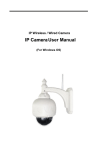
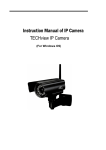
IPCAM User Manual
Content
1
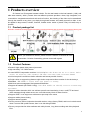
Product Overview .................................................................................................... 4
1.1
Product package ................................................................................................................................. 4
1.2
2
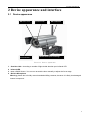
Device apprearance and interface installation ............................................................................... 5
2.1
2.2
3
3.2
4.2
4.3
4.4
5.2
7
Connection ways in LAN .............................................................................................................. 11
Search and set device IP address................................................................................................ 11
LOGI N IP CAMERA .......................................................................................................................... 14
IP camera operation........................................................................................................................ 17
Visit IP CAMERA IN INTERN ET ........................................................................................................ 20
5.1
6
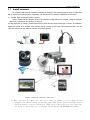
Hardware installation .................................................................................................................... 7
Software installation ..................................................................................................................... 10
Visit IP CAMERA IN LAN ................................................................................................................... 11
4.1
5
Device apprearance ......................................................................................................................... 5
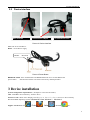
Interface installation ...................................................................................................................... 6
Device installation ....................................................................................................................................... 6
3.1
4
Product Characteristics ...................................................................................... 4
Connection way in Internet.......................................................................................................... 20
Relate and setiing and visit IP camera ..................................................................................... 20
The device like Mobile phone , PAD Etc. visit IP CAMERA...................................................... 24
6.1
Input IP Address in the browser to visit .................................................................................. 24
6.2
Install client-side software to access IPCAMERA ................................................................... 28
Other setting ............................................................................................................................................... 33
7.1
network setting ................................................................................................................................. 33
7.1.1
Basic network setting................................................................................................................. 33
7.1.2
WIFI Setti ng................................................................................................................................... 33
7.1.3
Adhoc P to P wireless connecti on setti ng ................................................................................ 35
7.2
7.3
Multi-device setting......................................................................................................................... 38
7.4
DDNS SETTING................................................................................................................................ 41
MS N SETTING ...................................................................................................................................... 39
7.4.1
Factory DDNS .......................................................................................................................... 42
7.4.2
The third part DDNS ................................................................................................................. 42
E-MAIL AND FTP SERVICE..................................................................................................... 43
Motion detection .............................................................................................................................. 48
7.5
7.6
2