1
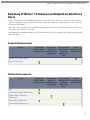
Schema Builder Enhancements
Security Enhancements
New Auth Provider Parameters
You can now use two new parameters with authentication providers: startURL and scope. The startURL parameter
directs your users to a specific location after authenticating. The scope parameter requests access tokens with additional
permissions. For more information, see “Using Request Parameters with Client Configuration URLs” in the online
help.
Login Policy for My Domains Now Explicitly Configured
The Login Policy for My Domains is now explicitly rather than implicitly configured. Prior to Winter ’13, if your
organization had SAML enabled, you were automatically asked to log in with SAML instead of with your user name
and password. Now, if you have SAML enabled, you’ll still see the SAML login but also the option to use your user
name and password choice. In addition, if a third-party Authentication Provider is enabled, you’ll get that choice too.
After you deploy your domain, you set your login policy in My Domain Settings.
Clickjacking Protection Available
You can enable protection against clickjack attacks (also known as user interface redress attacks) for non-setup pages
and your custom Visualforce pages. Setup pages already include protection against clickjack attacks. Click Your Name
> Setup > Security Controls > Session Settings to select Enable clickjack protection for non-setup
Salesforce pages and Enable clickjack protection for non-setup customer Visualforce pages.
It’s possible that pages will either display as a blank page or without the frame if either of these settings is enabled and
either of the following conditions exists:
•
•
Your organization displays Salesforce.com user interface pages within a frame or iframe.
You use custom Visualforce pages within a frame or iframe.
The behavior varies depending on your browser and its version. To ensure that these pages will continue to work correctly
in your organization, discontinue displaying these pages within a frame or iframe.
Service Provider-Initiated Request Binding
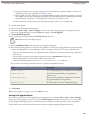
If you’re using My Domains, you can chose the binding mechanism your identity provider requests for your SAML
messages. Available request binding types are HTTP POST and HTTP Redirect. Make your selection from the Single
Sign-On Settings page at Your Name > Setup > Security Controls > Single Sign-On Settings, and with SAML
Enabled checked, click Edit. The default setting is HTTP POST.
New getAccessTokenMap Method
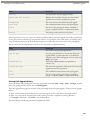
The Auth.AuthToken Apex class has a new method to retrieve access tokens: getAccessTokenMap. Use this method
if the user ID is mapped to multiple third-party users. getAccessTokenMap returns a map of access tokens for each
third-party user. For Apex information, refer to the Force.com Apex Code Developer's Guide.
147