1
Developer Console Enhancements
Apex Code Enhancements
Apex Code Enhancements
Apex includes the following enhancements in Winter '13. For detailed information on these enhancements, refer to the
Force.com Apex Code Developer's Guide.
Non-Primitive Types in Map Keys and Sets
You can now add map keys of a non-primitive data type. Map keys can be sObjects, collections, user-defined types, and built-in
Apex types. Previously, map keys could only be primitive types. Similarly, sets can now contain elements of any data type.
This provides you with more choice for what kind of data you can store in your collections.
For non-primitive types in map keys and sets, except for user-defined types, Apex determines the uniqueness of two map keys
or set elements based on the field values. For user-defined types, you should provide implementations for the equals and
hashCode methods. Apex uses these methods to compare the instances of your classes.
Using Custom Types in Map Keys and Sets
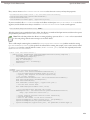
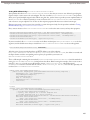
When using a custom type (your Apex class) for the map key or set elements, provide equals and hashCode methods in
your class. Apex uses these two methods to determine equality and uniqueness of keys for your objects.
Adding equals and hashCode Methods to Your Class
To ensure that map keys of your custom type are compared correctly and their uniqueness can be determined consistently,
provide an implementation of the following two methods in your class:
•
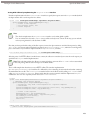
The equals method with this signature:
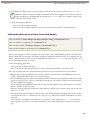
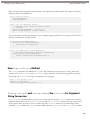
public Boolean equals(Object obj) {
// Your implementation
}
Keep in mind the following when implementing the equals method. Assuming x, y, and z are non-null instances of your
class, the equals method must be:
◊
◊
◊
◊
◊
Reflexive: x.equals(x)
Symmetric: x.equals(y) should return true if and only if y.equals(x) returns true
Transitive: if x.equals(y) returns true and y.equals(z) returns true, then x.equals(z) should return true
Consistent: multiple invocations of x.equals(y) consistently return true or consistently return false
For any non-null reference value x, x.equals(null) should return false
The equals method in Apex is based on the equals method in Java.
•
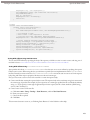
The hashCode method with this signature:
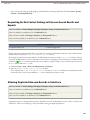
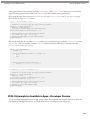
public Integer hashCode() {
// Your implementation
}
Keep in mind the following when implementing the hashCode method.
169