1
E
L
E
E L E C T R O N I C
X O
S O L U T
L
Ether I/O 24 Test Application Manual V1.0
I O N S
These sections are:
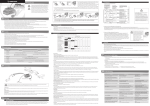
1. Drop down menus and Toolbar
2. Selection Tabs and Controls
Each of the sections will be briefly discussed below and the individual controls within
each section will be discussed further on in the manual.
1. Drop Down Menus and Toolbar
The commands provided in the drop down menus are linked directly to the short cut icons
found on the toolbar. The corresponding drop down menu command and icon perform
identical functions so either one can be pressed to perform the command. Most users will
find it much easier to use the shortcut icons in the toolbar instead of using the dropdown
menus.
Drop Down Menu
Toolbar
There are three Drop down menus located on the Ether I/O Test and Programming
Utility. These include
•
•
•
File
Module
Help
Each Drop down menu will be outlined in the following pages. Shortcut icons have been
added to the toolbar for ease of use.
File
The File drop down menu contains three options as shown in diagram 3:
Diagram 3
Elexol Pty Ltd
Version 1.0
Page 2
http://www.elexol.com